Transferring an animal to its new owner
When an animal changes hands, transferring its profile moves the animal's records and pedigree to the new owner so they can keep everything going. It is the right tool whether you sold the animal, gave it away, or moved it to someone else. This article covers how to start a transfer, how the new owner accepts, and exactly what moves.
Starting a transfer
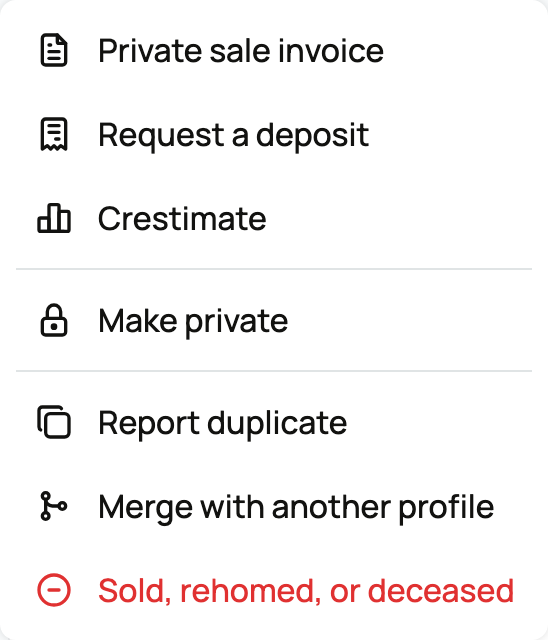
Open the animal's profile, open the profile menu, and choose Transfer ownership. You can also reach it right after ending a listing with "Sold outside Creatures". The dialog sums it up: "Hand this animal's profile to its new owner. They confirm on Creatures, and the ownership history updates automatically."
Who receives it, and how you invite them
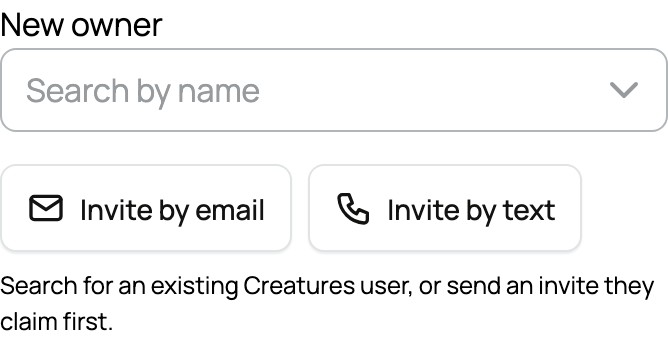
The new owner does not need a Creatures account before you start. You can reach them three ways:
- New owner on Creatures: search for them by name if they already have an account. They get an in-app invite to accept.
- Invite by email: enter their email and Creatures sends an invite link. If that email already belongs to an account, we connect it automatically.
- Invite by text: enter their phone number and Creatures texts an invite link. (Shown when text messaging is available.)
Whichever channel you use, the transfer only completes after the new owner confirms.
The details you can add
The transfer form has a few optional fields so the ownership record is accurate:
- Reason: why the animal is changing hands. The choices are Sold off Creatures, Gift, Inheritance, and Moving to my other account. This is recorded as context on the ownership history.
- Sale price (optional) and Currency: if it was a sale, you can record the amount. Leave these blank if they do not apply.
- Show price on the ownership timeline: a checkbox that controls whether the price you entered appears on the animal's public ownership history. Leave it off to keep the amount private.
Then press Send transfer.
If a fee applies
Transferring ownership is free when any of these is true:
- You have Creatures Pro. Your own Pro covers your transfers, including transfers of animals owned by an organization you manage.
- The owner has Creatures Pro. If the animal is owned by an organization (or another account) that has Pro, the transfer is free.
- It is the owner's first transfer. The first ownership transfer for an owner is free even without Pro. For an animal owned by an organization, that is the organization's first transfer.
Otherwise, there is a one-time transfer fee (currently 19.95 USD), which you can pay by card, Creatures Credit, or your wallet balance. When a fee applies, Creatures shows a short step called "Choose how to send this transfer", where you can go Pro or pay the fee and send.
What the new owner does
The new owner opens the invite (in-app, email, or text) and confirms, or they can decline. An invite stays valid for 14 days. If it is not accepted by then, it expires, you are notified, and any fee you paid is refunded. You can have only one active transfer per animal at a time; starting a new one replaces a pending invite (and refunds a paid one).
What moves, and what you keep
When the new owner accepts:
- Ownership moves to them. They become the animal's owner and can manage its profile, records, and finances.
- The records and pedigree stay with the animal. Nothing is lost in the handoff; the animal's history, pedigree, and documents carry over to the new owner intact.
- You stay on as a past owner. You stay listed as a previous owner with continued access, but you no longer control ownership, profile settings, listings, or buyer-facing management.
- The ownership history updates. The change is recorded on the animal's ownership timeline, with the reason and (if you chose to show it) the price.
- Any active listing ends. If the animal was listed for sale, that listing closes as part of the transfer. If a listing cannot be closed yet (for example, an auction with active bids), resolve it first; the transfer will not complete until the listing can be withdrawn.
If a sale prompted the transfer, the seller-side steps for updating Creatures are in Sold your animal? How to update Creatures. If there is no new owner to hand the animal to, you can remove it from your account instead, and for how the three profile kinds work, see Public, private, and reference animals.
Related information
Updated on: 22/07/2026
Thank you!