
Adding a record
Add a record to keep an animal's health, care, measurements, or paperwork with its profile. Start from the animal's Records tab. You need permission to add records to that animal.
Choose the record type
- Open Records and choose Add Record.
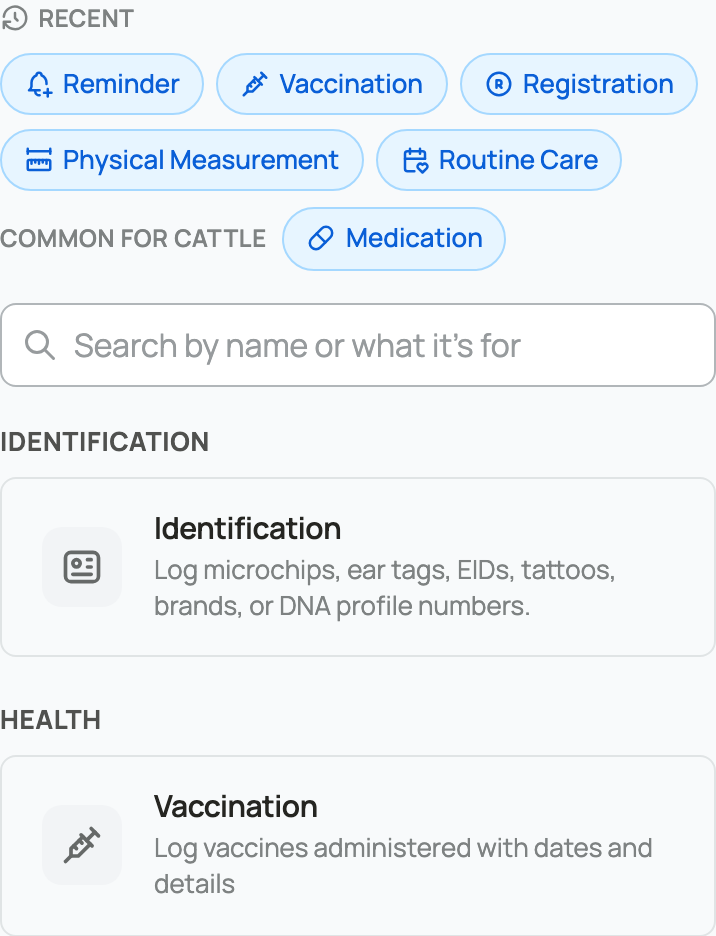
- Choose a recent or common type. To find another type, use the option to browse all record types, then search or browse the full picker.
- Check Record Type on the form. Changing it shows the fields for that kind of record.
Fill in and save the record
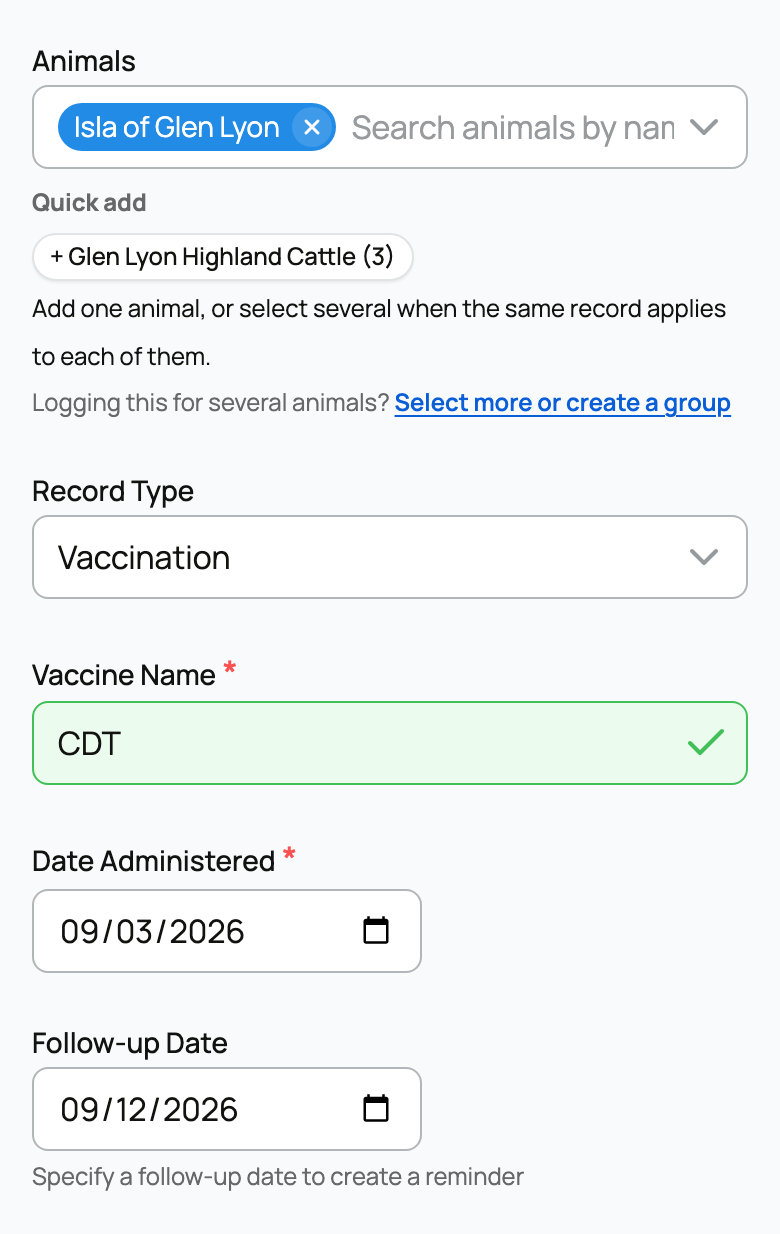
- Check Animals. Some record types let you select several animals for the same event. Use a group record when you regularly work with the same group.
- Enter the required details and the date the event happened. For a vaccination, for example, enter Vaccine Name and Date Administered.
- Add helpful notes. If the form offers Expand extra fields, open it for optional details.
- Use Files for a supporting photo, PDF, or document.
- Review Make public. The starting choice depends on the record type and your privacy settings. Records on a private animal cannot be made public.
- Choose Save Record, or Save & Add Another to continue entering records.
The saved entry appears in Record history. Public records can be seen by people who can view the animal; private records require additional access. If an entry offers Edit or Delete, use those actions to correct or remove it.
Start with a document
When Create a draft record from a file is available, add your source and choose Create draft. Review the proposed details and warnings, then choose Fill editable form. Check the animal, dates, fields, and privacy before saving.
A draft is not a saved record. For a document containing many past records, use Importing records.
Not sure which type to choose? See Health and medical records or Care, growth, and identity records.
Related information
Updated on: 03/09/2026
Thank you!