
When an animal is sick or injured
Open the animal's Records tab, choose Add Record, then Sick or injured, and note what you see. Creatures can keep every check and treatment for that illness together in a health concern until the animal is better.
If Sick or injured is not in the short list, choose the last item in the menu. It starts with Browse all, such as Browse all 17 record types. There, Sick or injured is the first choice under Health.
Log what you notice
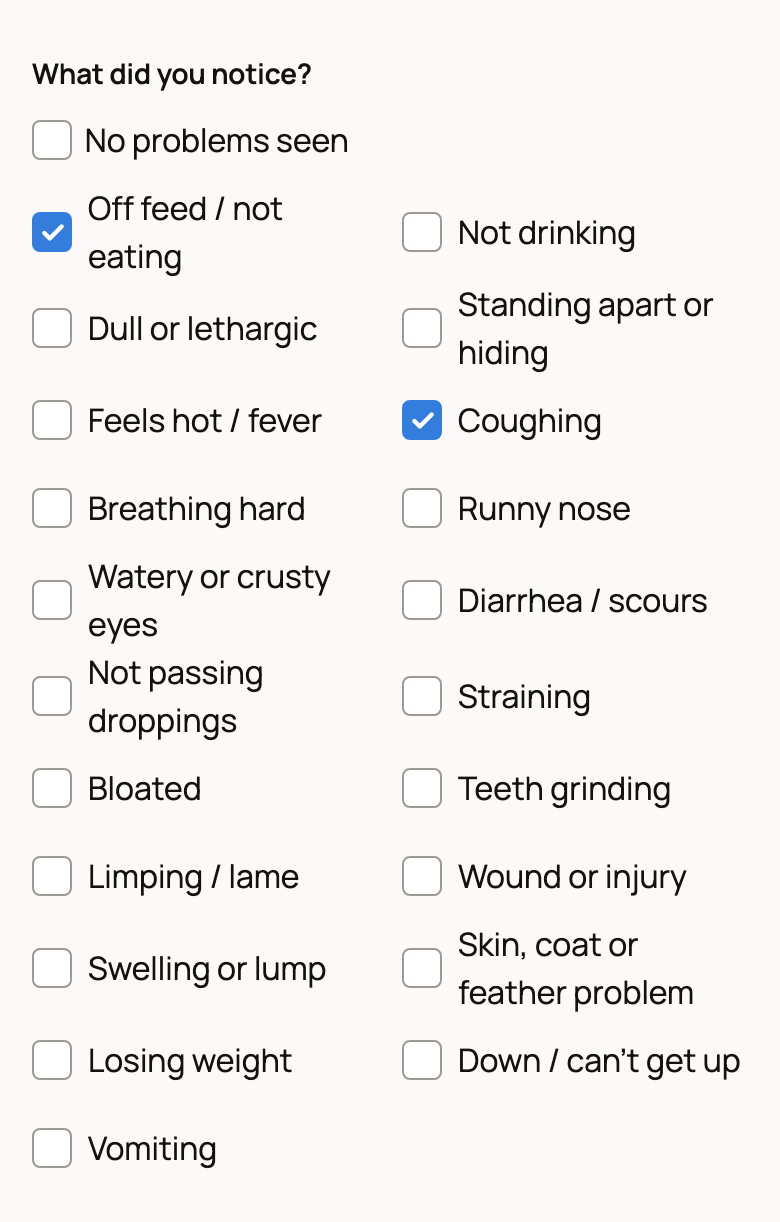
- Under What did you notice?, tick each sign you see, such as Off feed / not eating or Coughing. Use Other signs for anything not listed. For a routine check where all is well, tick No problems seen.
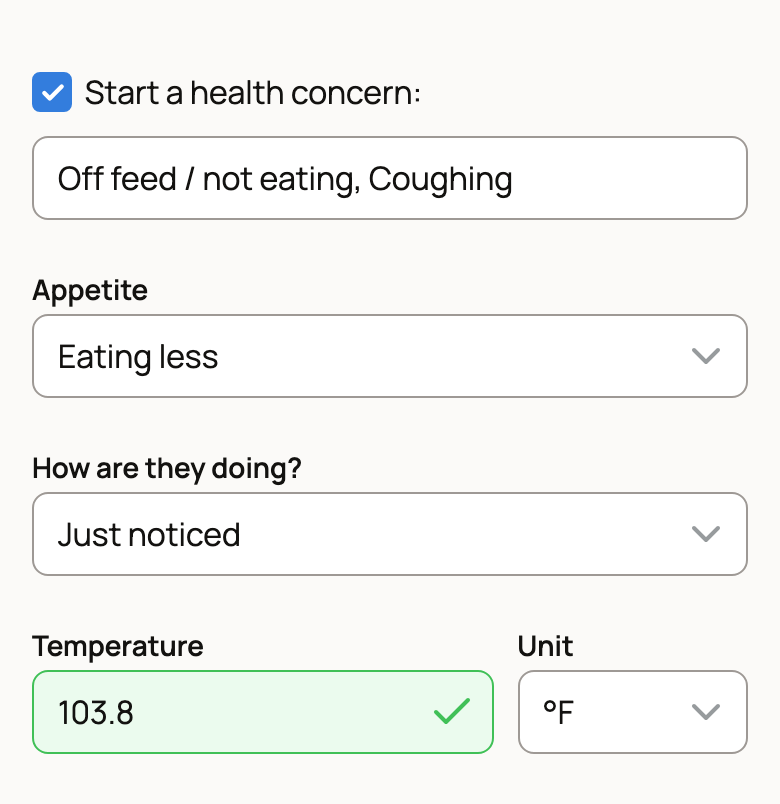
- Set Appetite and How are they doing? (from Just noticed to Recovered).
- If you took a temperature, enter it with its Unit. This field shows only for species where it applies.
- Note any Fluids, drench or feed given.
- Under Talked to a vet?, choose No, By phone or message or Vet visit. With a vet, you can add the Vet name and What did the vet advise?
- Check the Date, add Notes if you like, and choose Save Record.
Health checks start private. Turn on Make public only if you want others to see the signs, temperature and vet notes.
Start a health concern
A health concern is a private folder for one illness or injury. It keeps each check and treatment together and counts the days since it started.
When you tick a sign, Start a health concern: turns on, with a title made from the first two signs. Change the title if you like, or untick it if you don't need a concern.
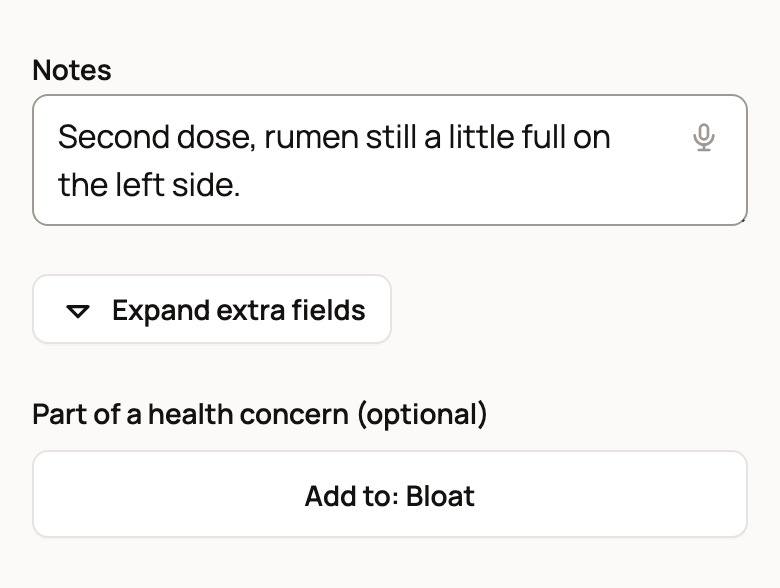
If the animal already has an open concern, the form shows Part of a health concern (optional). Choose Add to: and the concern's name to add this record to it, or pick it under Choose a concern if there is more than one. Medication, Examination, Test Result, Procedure, Routine Care, Physical Measurement and Other records offer the same choice.
Follow up until they recover
An open concern shows as a card at the top of the animal's Records, with its start date, day count and number of entries.
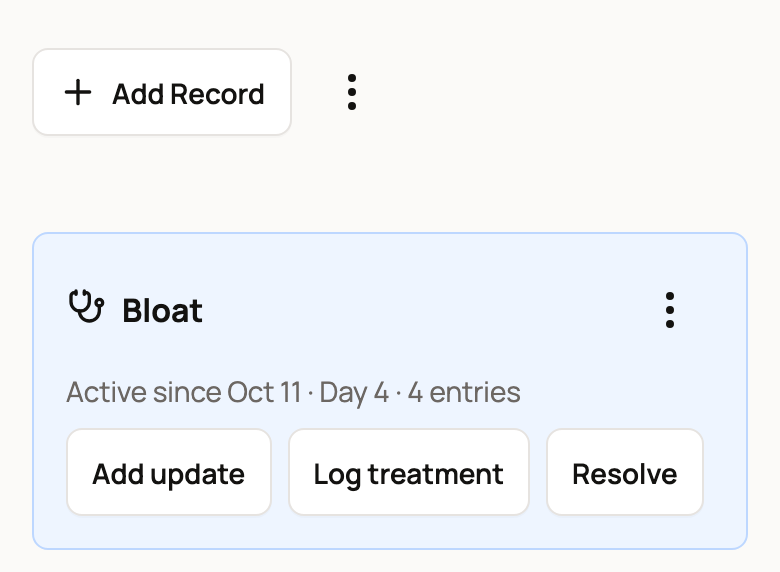
- Add update logs a quick check: how they're doing, plus notes.
- Log treatment opens a Medication form already filed with the concern. For withdrawal days, see Vaccinations, treatments and vet visits.
- Resolve closes the concern.
Forgot to file earlier records? Choose Group records into a health concern from the Add Record menu or the card's three-dot menu. On a phone, it is also in the three-dot menu next to Add Record. Tick the records and choose New health concern or an existing one under Add to. Then choose the button that counts your picks, such as Group 3 records.
Resolve or reopen a concern
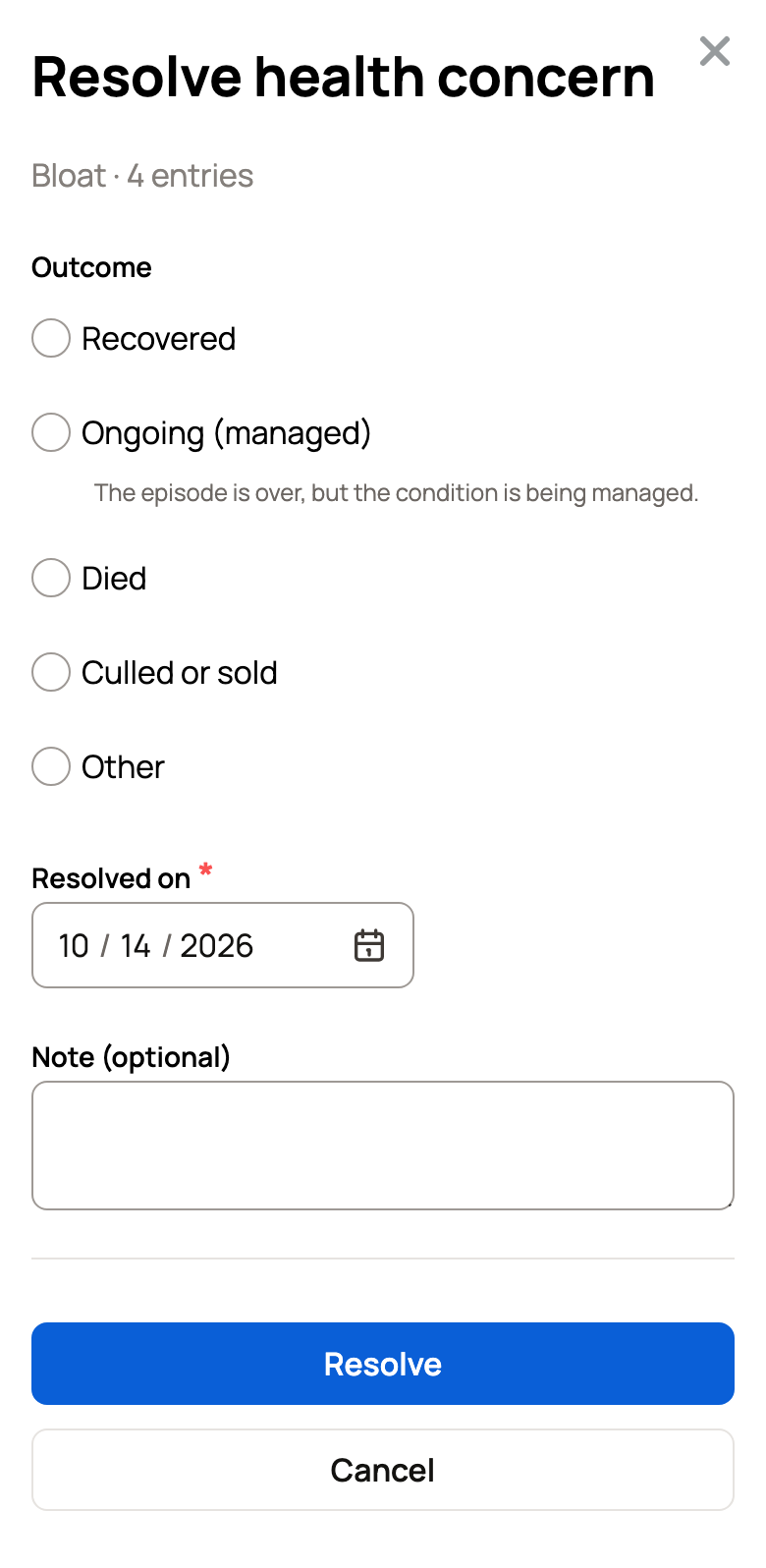
- Choose Resolve on the concern card.
- Pick an Outcome: Recovered, Ongoing (managed), Died, Culled or sold or Other.
- Check Resolved on, add a Note (optional), and choose Resolve.
Shortcut: when you set How are they doing? to Recovered on an update, tick Also mark this concern Recovered.
A concern shows in Records as one folded row with all its entries, both while it is active and after you resolve it. Resolving a concern does not end a withdrawal hold from its treatments.
To reopen a concern, open its row in Record history, choose Open concern, then choose Reopen. Remove grouping deletes only the folder, and every record stays in Records.
Related information
Updated on: 29/10/2026
Thank you!