
The animal records tab
Use an animal's Records area to add history, find an older entry, see upcoming care, or download a packet. What you can see and change depends on your access to the animal.
Open the records
- Open the animal's profile and choose Records.
- Stay on the Records subtab for the history and record actions.
- Choose Add Record for one event, or Import records for existing paperwork or a spreadsheet.
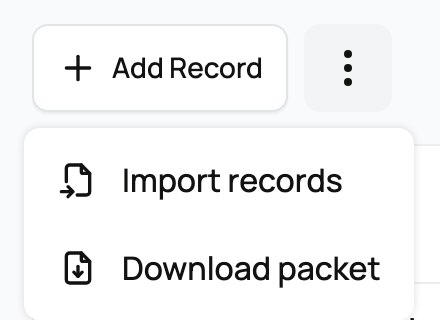
On a phone, Import records and Download packet appear under the three-dot More record actions button beside Add Record.
If Download packet is available, it prepares the animal's available paperwork and history as a PDF. Review the packet choices before downloading. If you include private records, anyone you share the PDF with can read them.
Find an older entry
- Enter a name, note, or other detail in Search records.
- Narrow the history with Record type or Source.
- Under Order, choose Newest first or Oldest first.
- Open Date range to set dates, then choose Apply filters.
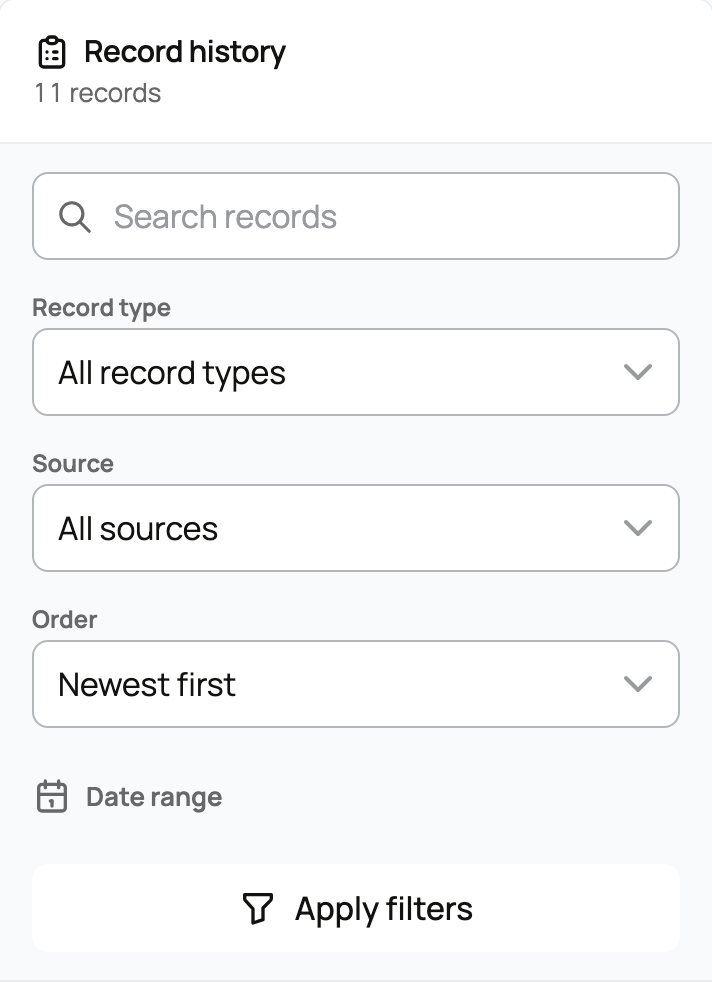
Each entry shows its type, date, details, and privacy. Source labels can identify imported records or records from care plans and groups. A Private entry requires additional access to the animal. Use Edit or Delete only when that action is offered.
Find measurements or planned care
Choose Measurements for a measurement history and trend. Choose Care, when available, to create or manage a plan. Shows & Titles is always there when you manage the animal's records; other viewers see it only when show information has been shared.
The Care schedule above history shows upcoming items when you have access and something is due. Read the task's date and available action before completing or rescheduling it.
Continue with Adding a record, Importing records, or Reminders and upcoming care.
Related information
Updated on: 03/09/2026
Thank you!