Articles on: Breeding & Genetics

Recording a breeding

Recording a breeding


Recording a breeding starts a breeding cycle that Creatures tracks through pregnancy to birth, with an expected due date, milestones, and a place to log progress. This guide walks every field on the form, what each choice means, and what follows from it.


Add a breeding record


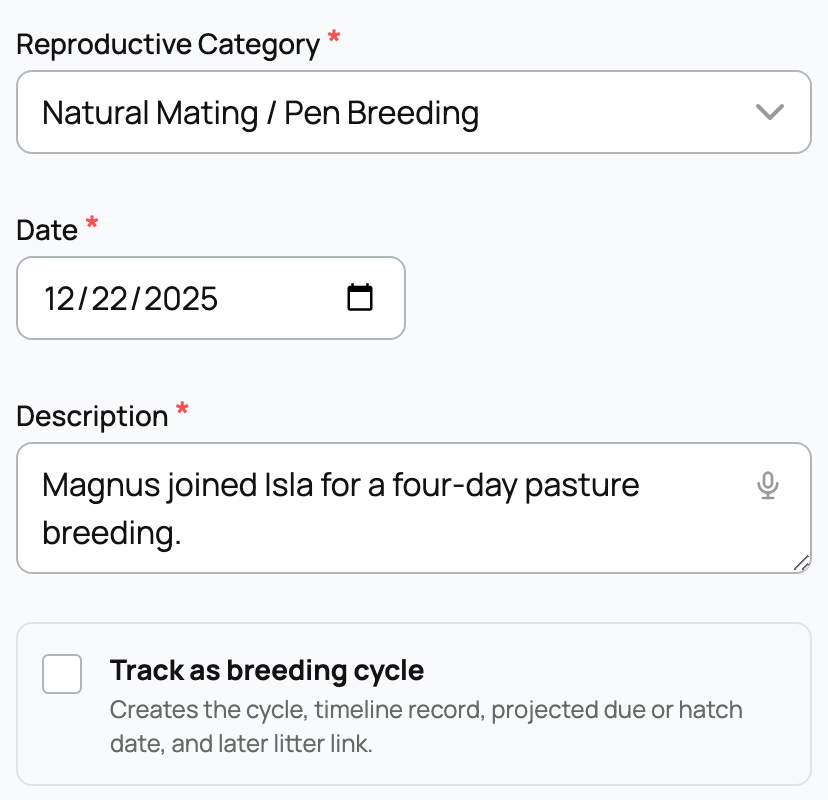
Open the dam's profile and add a reproductive record (or use Add record and choose a reproductive type), then turn on Track as breeding cycle.


Recording a breeding


Track as breeding cycle is the toggle that turns a plain log entry into a tracked pregnancy. It is off until you check it. When you check it, the form reveals the service and date fields below, and saving creates the cycle, a timeline record, a projected due or hatch date, and (later) the link to the litter. Leave it off and you simply record that a mating happened, with no projection and no tracking. You can only turn it on for the reproductive types that can anchor a cycle: a breeding event, natural mating, artificial insemination, embryo transfer, egg laying, or a brooding or setting record. A pregnancy check or a progress note cannot start a cycle, because they describe an existing one.


The fields, and what each one means


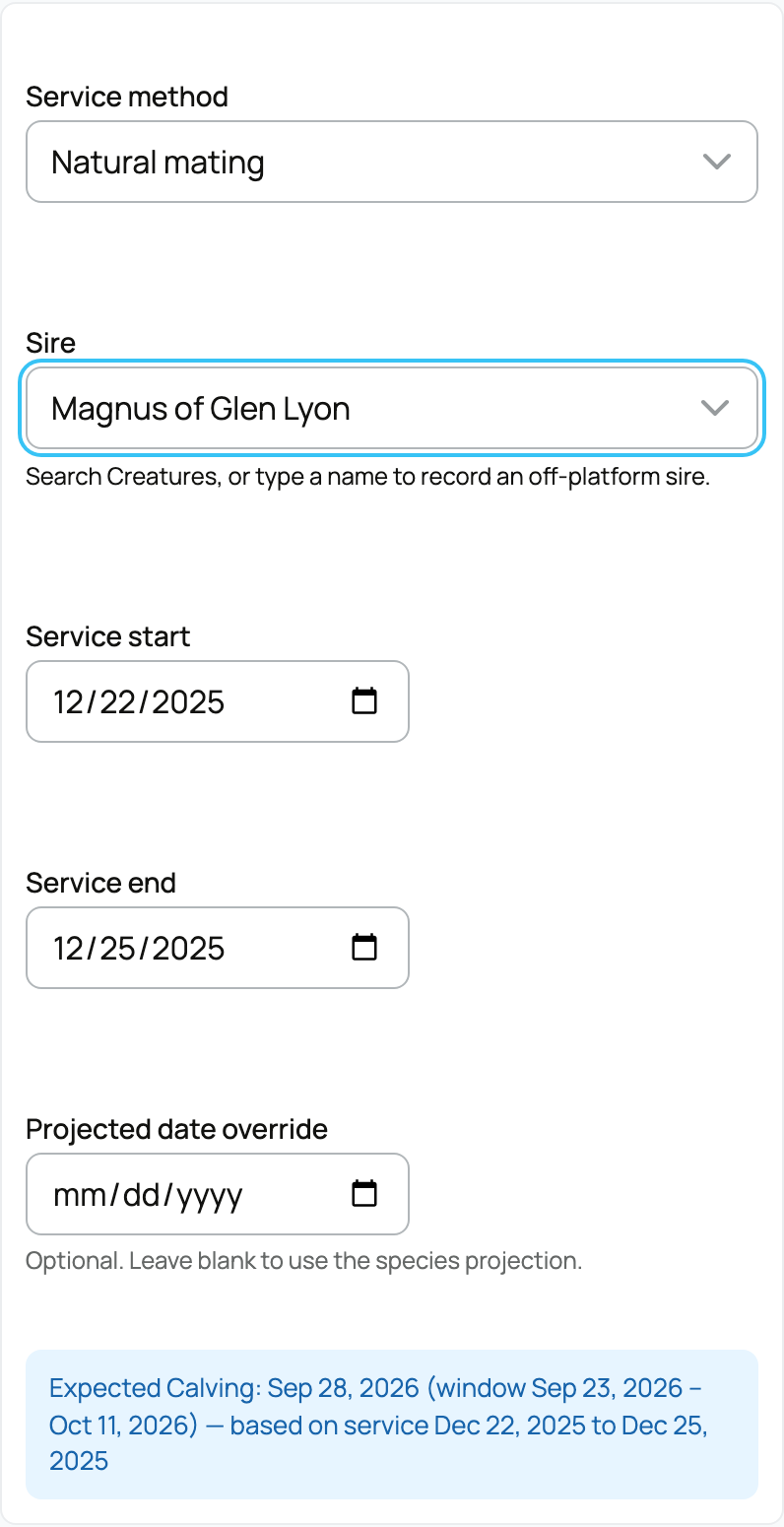
Service method


The service method records how the dam was bred. Your choice sets how Creatures treats the sire and, when the litter is created, how confident the parentage is. The options are:


  • Natural mating: a single known male bred the dam directly. Parentage is treated as confirmed when you name the sire, and unknown if you leave it blank.
  • Artificial insemination: the dam was inseminated. Name the sire (the straw donor) and parentage is confirmed. If you later add a cleanup sire as well, the offspring become a candidate set (either male could be the father), which is the honest record for a backup-bull situation.
  • Embryo transfer: a transferred embryo was placed in the dam as a recipient. If you link the embryo from your genetic inventory, both the sire and the dam of the embryo carry onto the cycle automatically and are confirmed.
  • Pen breeding: the dam ran with a group of males. Parentage is a candidate set drawn from the males in the pen, unless you name one specific sire, because you cannot be sure which male bred her.
  • Colony breeding: a colony where exact pairs are not tracked (think aquaculture or insects). Both sire and dam are treated as candidate sets from the colony members.
  • Unknown or imported: the breeding details are not known, or the animal came from off-platform. No sire is recorded and parentage stays unknown.


The implication of this field is that it travels all the way to each offspring's lineage. Choosing the method that matches what actually happened is what makes the resulting pedigree trustworthy rather than a guess.


Sire


There are two ways to record the male, and which you use depends on whether he is on Creatures:


  • Known sire is a search box for a male that has a Creatures profile. Picking him links the real animal, which connects this breeding to his pedigree and to his proven-producer history. The default is "Unknown or off-platform" (no sire linked).
  • Partner or source note is a short free-text field (up to 160 characters) for an off-platform sire, a pen, a straw label, or a pairing note. Use it when the male is not on Creatures. It is a label for your own reference and does not link to a profile, so it does not feed pedigree.


If the breeding used artificial insemination or embryo transfer with material from your genetic inventory, recording it as a use of that material (rather than typing the sire by hand) carries the sire (and, for embryos, both parents) onto the cycle for you, already confirmed. That link is also what later ties the offspring back to the exact straw or embryo that produced them.


Service dates


  • Service start is the breeding (or insemination, or transfer) date. It defaults to today and cannot be in the future. This date is the anchor for the whole projection: the expected due date is counted forward from it, so getting it right is what makes every projected date accurate.
  • Service end is optional and marks the end of an exposure window, for example a bull turn-in to pull-out range. It does not change the projected due date (that is still counted from the start), but it records the window for your own history and for sorting cycles. Leave it blank for a single-date breeding like one AI.


For egg-layers


When the species lays eggs, two more fields appear:


  • Clutch size is the number of eggs laid (0 to 10,000). Recording it lets Creatures sanity-check the hatch later, since the eggs hatched plus eggs failed cannot exceed the clutch.
  • Incubation start is the date incubation began, which can be days after laying. It marks when the clock starts for the hatch.


Projected date override


Projected date override is an optional date that replaces the automatic projection. Leave it blank and Creatures projects the due date from the service start plus the species' gestation length, which is what most people should do. Fill it in only when you have better information, such as a vet-confirmed conception date from an ultrasound, and you want the expected date pinned to that instead of the species average. The implication: an override fixes the expected date to exactly what you enter, so use it when you know more than the average, not as a casual nudge.


What happens next


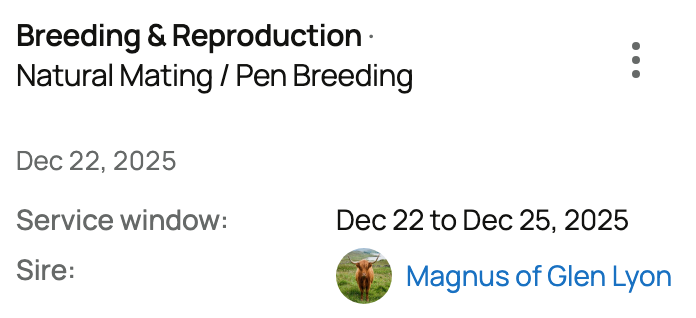
Saving the record creates the breeding cycle and projects an expected due date and a likely window from the service date and the species' gestation length (for cattle, for example, 283 days with a window of roughly 275 to 290 days). The cycle starts in an active state. From there you can follow the pregnancy on the dam's Breeding tab, log progress, and record the birth when it arrives. If you would rather work out dates before committing to a record, the gestation calculator does the same math as a standalone tool.


Updated on: 23/06/2026

Was this article helpful?

Share your feedback

Cancel

Thank you!