
Using the gestation calculator
Use the gestation calculator to estimate a due date and birth window from the day she was bred. It gives you an estimate, not a diagnosis, and nothing is saved unless you choose to save it.
Calculate from what you know
- Open Gestation Calculators and choose the species. For a cow you're already tracking, you can also choose Open gestation calculator under What to expect on her Breeding tab.
- Under Estimation method, choose Exact Breeding Date when you know the day she was bred, inseminated or had an embryo transferred.
- Choose Exposure Window when you only know the first and last day she was with the bull. Enter the Start and End dates.
- Choose Calculate.
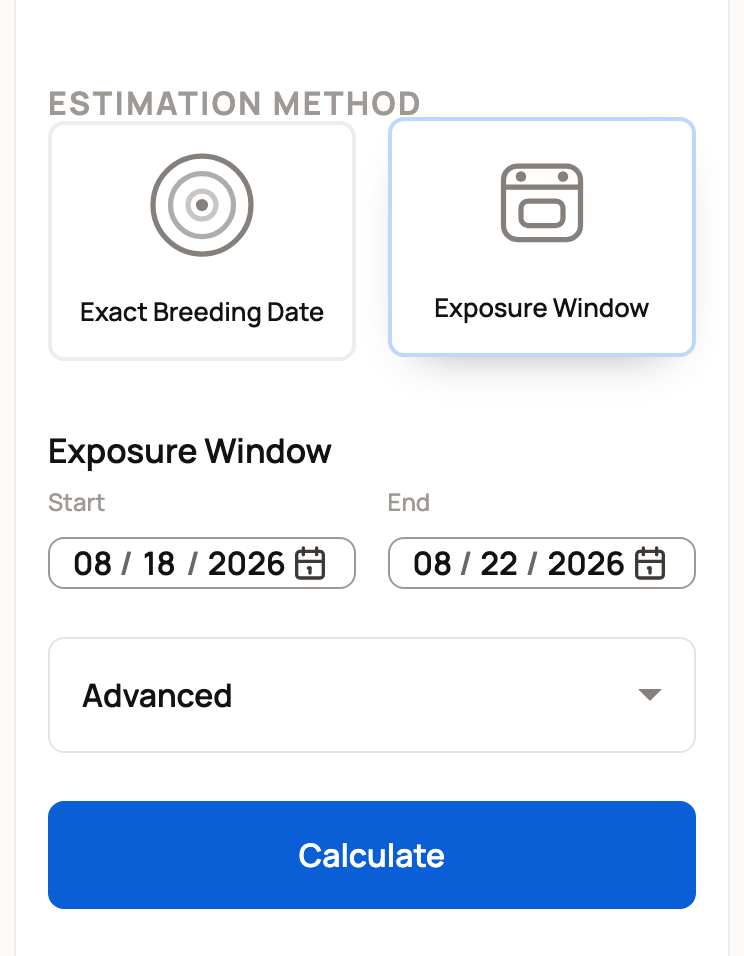
A wider exposure window gives a wider birth window, because she could have conceived on any of those days. Enter the dates that really happened, even if the answer looks less exact.
Some species have more choices under Advanced, such as Breed, Fetal Sex, Parity or Embryo Transfer Timing. Parity asks whether this is her first calf. Leave any you don't know as they are.
Use the result
The result shows the expected date, such as Expected Calving Date, and a planning window, such as Calving Planning Window. Below that, a care timeline lists checks to plan for, like the earliest pregnancy check. Follow your vet's advice for each animal.
Tap the expected date or the window to jump to saving it. When there's nothing to save, such as for a species with no save option or when the window has passed, it downloads a calendar file with the dates instead.
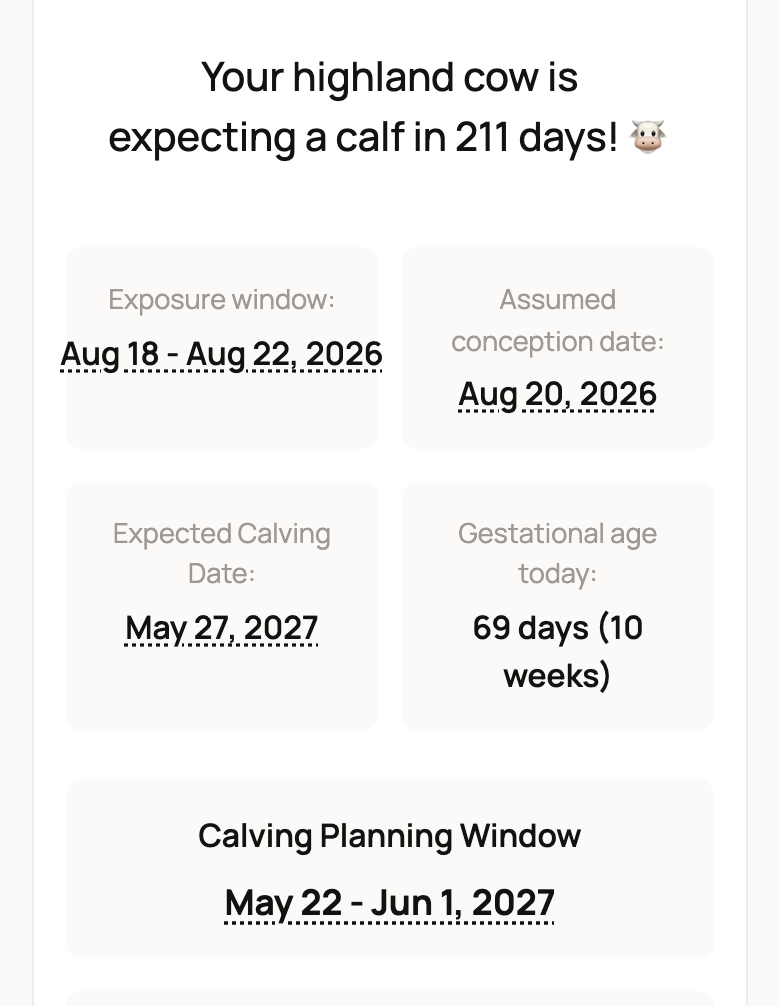
Choose Copy results to share the estimate or Print for a paper copy. Add to calendar puts the dates in your calendar. None of these saves a record.
Save her due date to your account
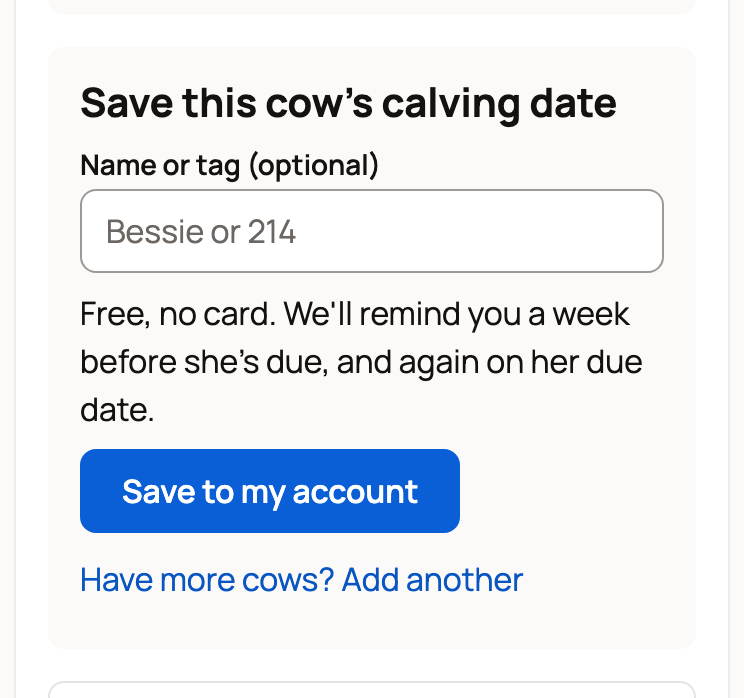
For cattle, sheep, goats, pigs, horses, rabbits, alpacas, llamas, dogs and cats, the result offers to save her due date. The words follow the species, such as Save this cow's calving date.
- Enter her Name or tag (optional).
- Choose Save to my account. If you're signed out, enter your name and email instead, then enter the code we email you.
- One animal saves right away, and Creatures adds her as a private profile with a breeding record. For a list, check the names on the next page, then save.
It's free. Creatures reminds you a week before she's due, and again on her due date. Bred more than one? Choose Have more cows? Add another to build a list of up to 20.
A few things to know:
- If you already have a cow with exactly that name, Creatures adds the breeding to her. Any other name adds a new cow.
- A window that has already passed can't be saved.
- If the breeding date is still ahead, Creatures saves her now and reminds you on that date to log the breeding. Log it then to get her due-date reminders.
Already tracking her on Creatures?
When you're signed in, choose Review breeding dates under the result. It opens a breeding record with the dates carried over. Choose the mother, check the details, then save. See Recording a breeding. For a species Creatures can't give due dates for yet, the link reads Save breeding record and saves the dates as a plain breeding record.
If she already has an active breeding, you'll see Breeding cycle already active. Choose Open breeding cycle, then use Change dates or due date there instead of starting a second one.
If the result looks wrong
If Calculate doesn't give a result, check that the date is filled in and that the window ends on or after it starts.
The calculator can't judge her health or a vet's findings. If the dates seem off, check the species, the dates and any optional answers.
Related information
- Recording a breeding
- Tracking pregnancy and progress
- Breeding reminders: what Creatures schedules for you
Updated on: 01/11/2026
Thank you!