
Buying genetics on the marketplace
Browse Marketplace > Genetics, check the donor or parents and the delivery choices, then select Buy now or bid on an auction. Your order then waits in Dashboard > Buying > Purchases until you confirm it arrived.
1. Find and compare material
The Genetics tab lists straws, embryos and other material. Hatching eggs have their own Eggs tab, and Storage lists places that store genetics. Search, or filter by species, breed and material. More filters (Filters on a phone) adds color, preservation and distance. Sold shows recent sales. To book a live breeding with a male instead of buying straws, use the Studs tab.
Tap the heart on a listing card, or Save on the listing, to keep it for later. My genetics watchlist shows everything you saved. On a phone, you'll find it inside Filters.
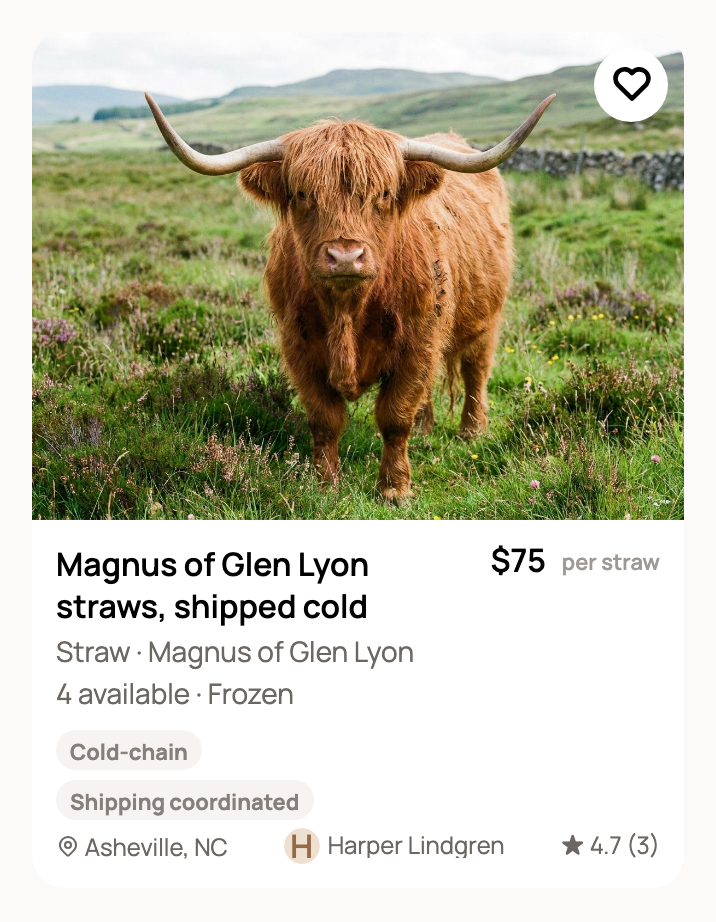
Open a listing and check the donor or parents, the quantity rules, the price, the seller, cold-chain needs and the container.
2. Choose what happens after you buy
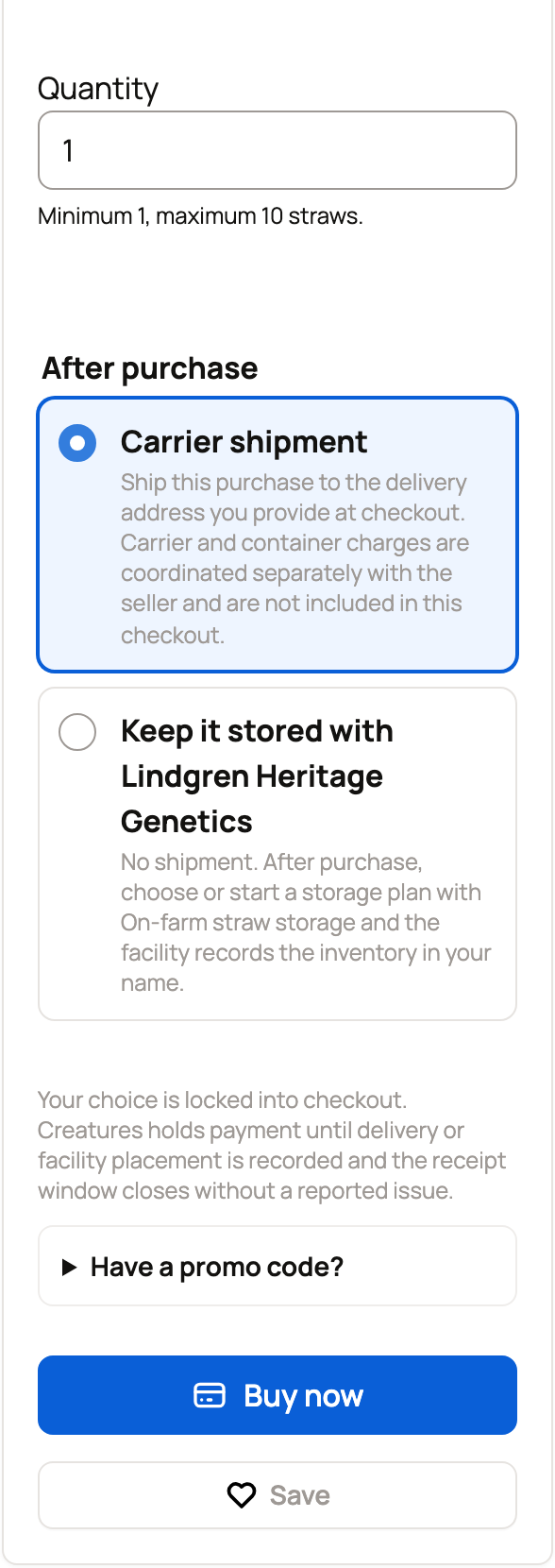
After purchase shows how the material reaches you:
- Carrier shipment: you enter a delivery address at checkout. Carrier and container charges are arranged with the seller, outside checkout.
- Pickup or Seller delivery: you arrange the handoff with the seller after you pay.
- Keep it stored with the seller's name, when the seller offers storage: nothing ships. The material stays at the seller's facility under your own storage plan. See Keep purchased genetics in storage.
Your choice is locked in once you pay.
3. Buy at a fixed price
Enter the Quantity and choose a delivery option. Have a code? Open Have a promo code? and enter it. Then select Buy now to pay on Stripe's secure checkout page. It shows the item price plus a 5% Buyer Service Fee, unless the seller covers the fee.
4. Bid on an auction
A genetics auction sells the whole lot to one winner. Your bid is the total for every unit in the lot.
Some auctions ask you to apply first. Select Apply to participate, answer the seller's questions and wait for approval. See Buyer applications: what they are and how to apply.
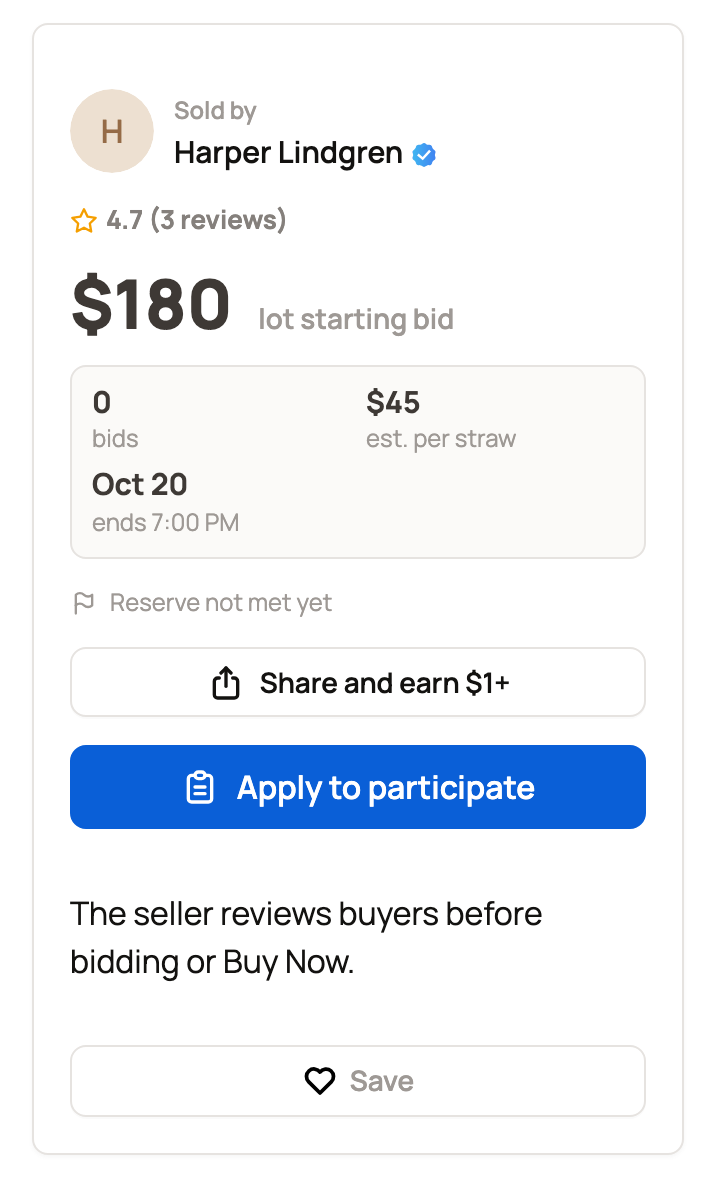
Once you can bid, enter Your bid for the lot and select Place bid. Confirm your bid asks for a card and places a temporary hold of 5% of your bid, at least $5. If you lose, the hold is released after the auction closes. If you win, it's released after you pay. To bid only as needed, use Set up auto-bid and enter your top amount. Creatures bids for you when someone outbids you, up to that limit. If the lot has a reserve, it sells only once bidding reaches it.
5. Pay for auction wins
Winning does not charge your card. Go to Dashboard > Buying > Purchases and select Pay genetic wins.
- Pick the wins you want to pay for and check each lot's service fee.
- Turn on Keep this sale private to hide a purchase from public sale activity.
- Creatures Credit and Wallet balance are used first. Select Continue to secure checkout to pay the rest.
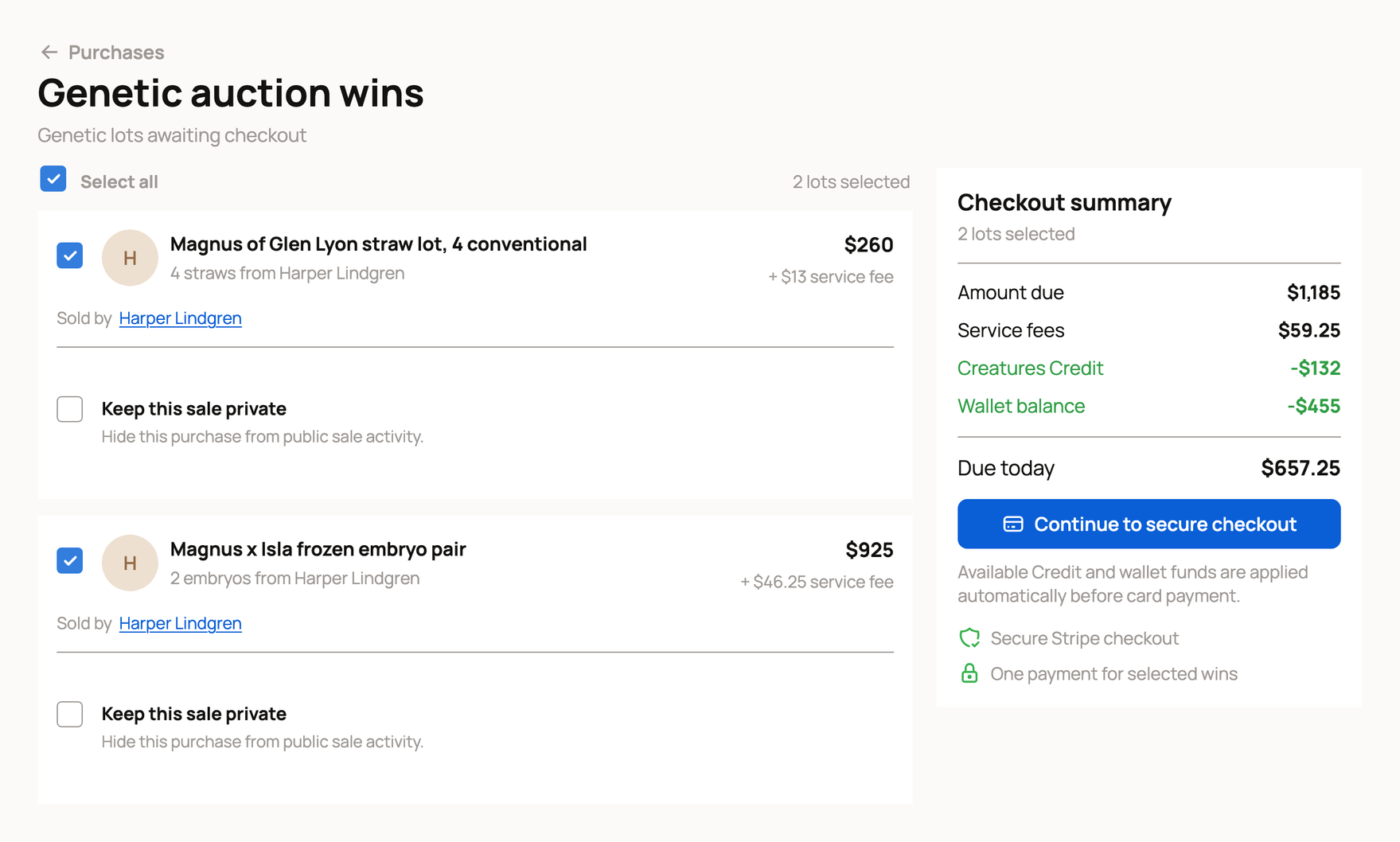
Pay within 72 hours of the auction closing. If you don't, you can lose the win, and Creatures may keep up to your hold as a Bidder Default Fee.
6. Confirm receipt
Confirm receipt appears once the seller records delivery or handoff, or 72 hours after you pay. Check the quantity, labels and condition first. Confirming covers delivery and listing accuracy. Fertility and pregnancy results are covered only if the seller's written terms say so.
If something is wrong, use Report a delivery problem before the date shown on your order. Storage purchases are confirmed by the facility instead. See Shipping and tracking genetic items.
Related information
- Shipping and tracking genetic items
- Keep purchased genetics in storage
- Paying with Wallet, Credit, and ACH
- Genetics reference: material types, statuses, and shipping
Updated on: 29/10/2026
Thank you!