
Recording a birth and adding the babies
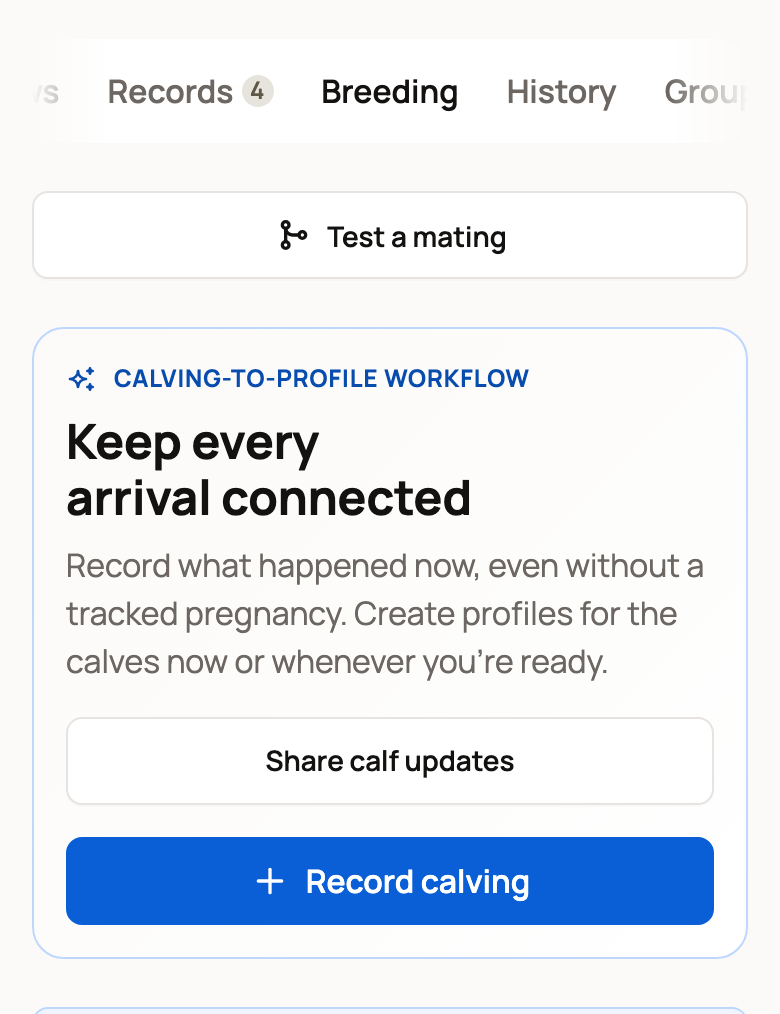
To record a birth, open the mother's Breeding tab and choose Record calving. The button uses your animal's word, such as Record kidding for a goat. One form saves the date, the counts and the babies, and links them to her pregnancy.
Open the birth form
You can start from any of these places:
- Keep every arrival connected at the top of her Breeding tab. This works even if you never tracked a pregnancy.
- Record calving on her pregnancy card.
- Needs a look, when Creatures asks if she has given birth, from her due date on.
- Her row on the Breeding dashboard.
Enter the date and pick the pregnancy
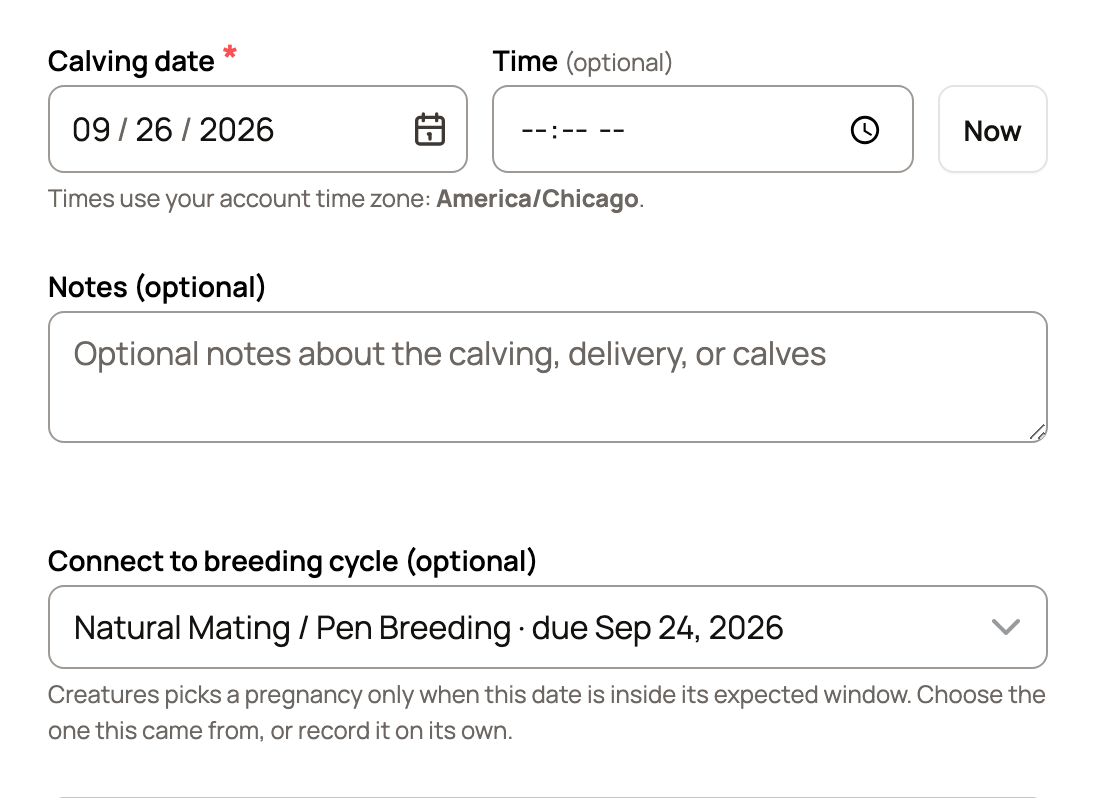
- Enter the Calving date. Time (optional) and Notes (optional) are there if you want them.
- Check Connect to breeding cycle (optional). A breeding cycle is a pregnancy Creatures tracks from a mating.
- Keep the right pregnancy, or choose No, record it on its own if this birth didn't come from one.
From her pregnancy card or Needs a look, her pregnancy is already chosen. From the top button, Creatures picks one only when the date falls inside its window.
A birth recorded on its own shows a Sire field. Search for the father, or type his name. If you pick another member's animal, the birth waits for the owner's OK.
If the mother belongs to more than one herd, use Recorded in to pick the herd that keeps the birth.
Enter what was born
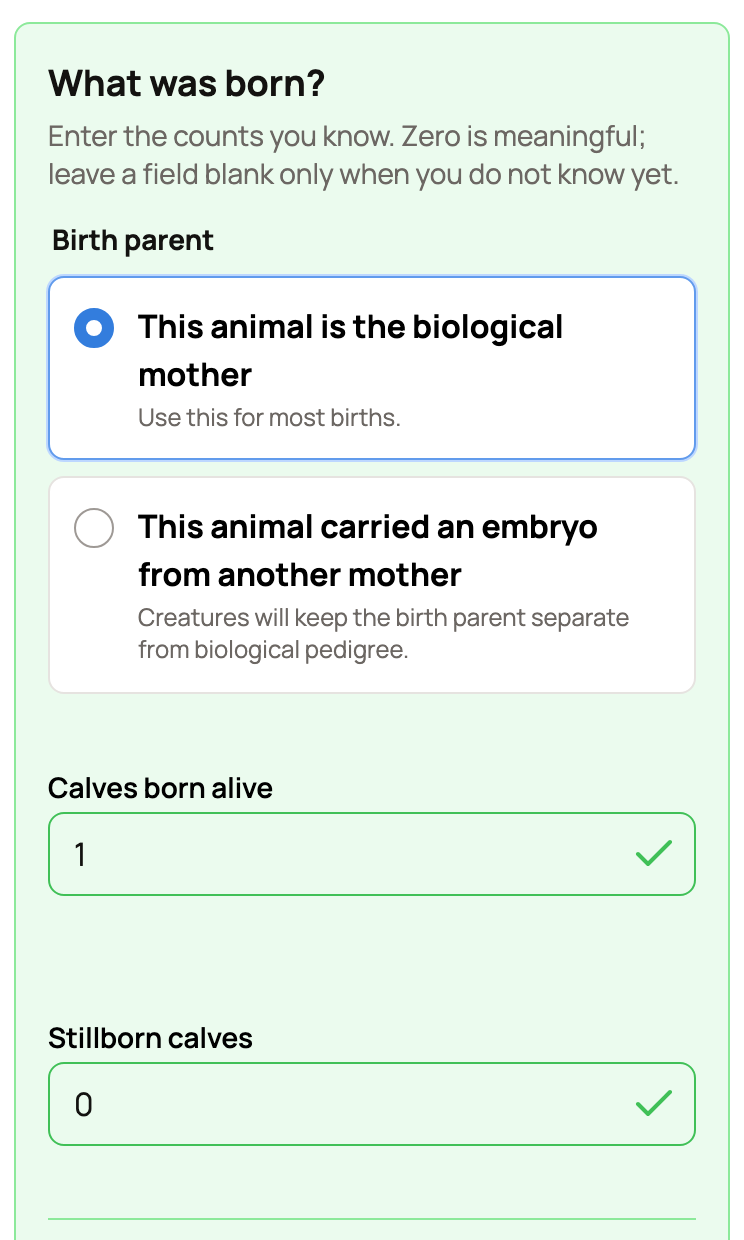
- Under Birth parent, keep This animal is the biological mother for most births.
- Choose This animal carried an embryo from another mother for an embryo transfer.
- Enter Calves born alive and Stillborn calves. Zero counts, so type 0 when there were none. Leave a box blank only if you don't know yet.
Add the babies
For up to 8 live babies, Creatures shows a row for each one. In each row:
- Keep New profile, or choose Already on Creatures to link a calf you added before. If one of her calves is already on Creatures, born within 3 days of this date, Creatures picks that calf for you.
- Type a Name. If you leave it blank, the calf gets a temporary name you can change later. If your herd already has an animal by that name, Creatures says so before you save. Choose Keep as a new calf if this one is different.
- Pick the Sex and the Status: Here, Sold or Died. For Sold or Died, you can add the date.
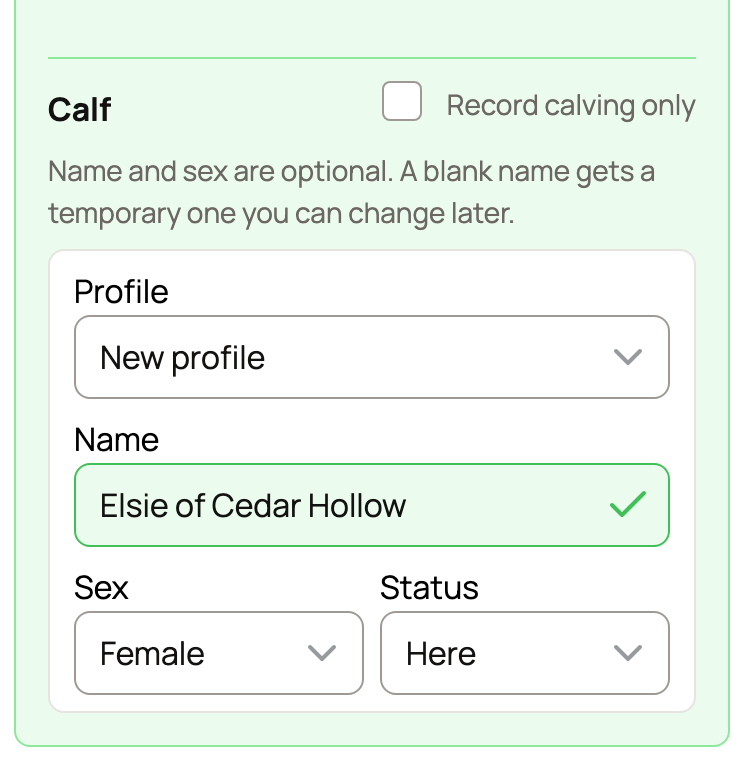
Not ready to make profiles? Tick Record calving only to skip the rows. If you typed names first, Creatures moves them to the notes and asks: Keep them as profiles, or Just the calving?
With more than 8 born alive, you see Create profiles now for instead. Tick it and enter how many, plus how many are male and female if you know. Either way, you can add or connect the babies later.
Save and what happens next
Make public lets other members see the record. If no calves lived, it starts off.
Does this pregnancy already have a public page? It keeps the same link and moves on to the birth. Turn Make public off on the birth, and a page Creatures started on its own comes down.
With no page yet, saving a birth with live babies and Make public on usually starts a public page, and a note offers Keep private. Your privacy settings and any earlier Keep private answer still count. See Recording a breeding. Births from more than 120 days ago stay private.
The save button says what it will do, such as Save calving and create calf profile. After you save, Creatures:
- Closes her pregnancy, so she leaves the Expecting list on your dashboard.
- Adds the birth to her Breeding history, with the counts and the babies.
- Offers View this calving, plus Create calf profile if you skipped the babies.
If buyers reserved more babies from this pregnancy than were born alive, you'll see Reservation commitments need attention. Choose Review reservations to sort them out. See Taking deposits on babies from a litter.
Saved a birth twice?
Recording a calving 1 to 3 days from one she already has asks Save another calving? first. Choose Keep editing if it's the same birth.
If a copy got saved, choose Delete this calving on the extra one under Breeding history on her Breeding tab. Creatures first lists each calf and whether its profile is deleted too or kept and only taken out of that calving. Choose Delete calving to confirm. Then, if a kept calf is a copy, open it and use Report duplicate to merge them. Delete this calving shows on births recorded on their own. For a birth connected to her pregnancy, use Edit calving to correct it.
Hatches, older births and losses
- Eggs that hatched: see Record a hatch and start the brood.
- Births from past seasons: Add past births to your herd's history adds many at once. Typed more calves than a cow usually has? The form offers Add past calvings, though you can still save it as typed.
- A pregnancy that ended with no birth: choose Not pregnant or Lost the pregnancy instead. See When a breeding doesn't take.
Related information
Updated on: 04/11/2026
Thank you!