
Track animals without individual profiles
Track animals by number when they move and receive care together but do not need separate profiles yet. You can keep one shared history now and create individual profiles later without losing the connection to the original group. This works especially well while names, microchips, or individual matches are not known.
Create the group
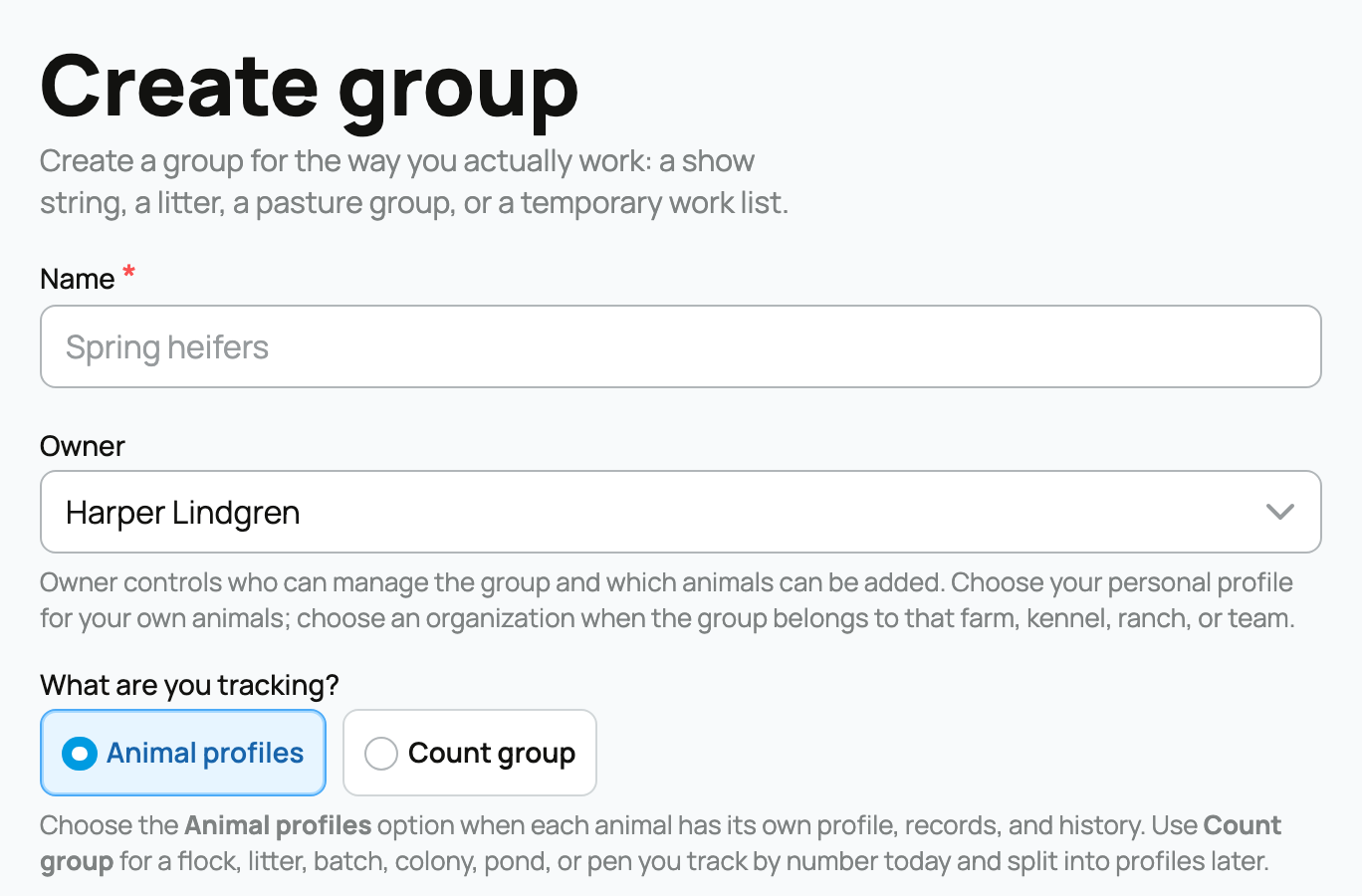
Open Dashboard > Animals & Groups > Groups, select Create group, and choose Count group under What are you tracking? This is the setting name Creatures uses for a litter, flock, clutch, batch, colony, pond, or pen tracked by number.
Enter the Current count, choose the Owner, and add a Name, an optional Location note, and any Notes for your team. Select Create group. The group page will show the number you are managing.
To update shared details, select Edit above the tabs. In Edit group, change the Name, Location note, or Notes, then select Save group. Group records and financial entries stay on the group, preserving your team's dated history.
You can also open Display labels in Edit group to set a known Species or Breed instead of Mixed. These optional labels do not add or remove animals.
Create individual profiles later
Open the group's Animals tab and find Promote to individual profiles. Creatures carries over the species, breed, owner, birth or hatch date, and parentage certainty that the group already knows.
For each animal:
- Enter a Call name and choose Sex.
- Add optional color or markings, microchip, and temperament notes.
- If this group is being offered to buyers, use Buyer match only when you are ready to assign that animal to one of the listed buyers. Otherwise, leave No buyer yet selected.
- Select Create profile, or use Add another profile to prepare several animals before saving the batch together.
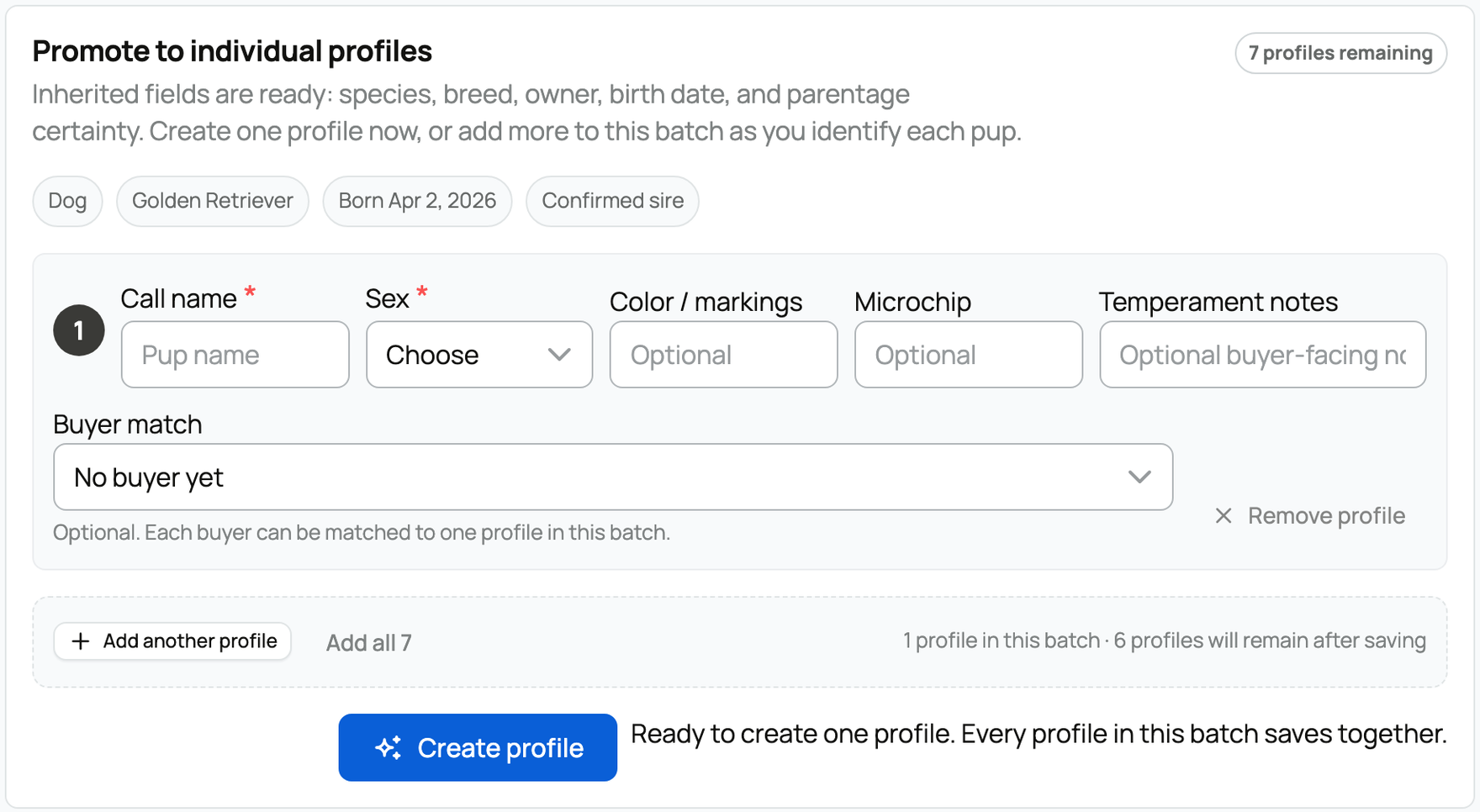
The profiles remaining count tells you how many can still be created from the group. Each new animal keeps a link to the group, which preserves sibling or batch continuity. The group and its shared history remain available after profiles are created.
When to use Animal profiles instead
Choose an Animal profiles group at the start when every animal needs its own health, ownership, location, or show history immediately. You can add missing animal profiles first, then place those animals in a manual or rule-managed group.
Related information
- Create and manage animal groups
- Apply records and track activity for a group
- Offer a litter or group to buyers: applications and reservations
Updated on: 02/09/2026
Thank you!