
Manual, smart, and hybrid groups
For a group made from individual animal profiles, choose how membership should work. A fixed list is best when you know every member; rules are best when the group should stay current as your animals change.
Choose how animals get added
On Create group, select Animal profiles, then choose one option under How should animals get added?
- Choose animals myself creates a fixed list. Search for the animals you want, and the list changes only when someone edits it.
- Keep updated by rules lets Creatures add or remove matching animals automatically.
- Use rules, then adjust starts with rule matches and lets you add individual animals that do not match.
Choose the fixed list for a show string, treatment cohort, or work team whose membership should stay intentional even when profile details change. Choose automatic rules for a living list such as all active heifers under one year. Choose the mixed option when a rule covers most animals and you want to add others yourself.
Build a useful rule
For either rule-based choice, use one or more of these visible filters: Species, Breed, Sex, Status, Age under, and Withdrawal status. Age under is measured in years. Leave a field on “Any”, or leave the age blank, when it should not narrow the group.
You can also describe the animals in plain language and select Suggest rules. Review every suggested field before saving. Creatures shows an editable rule and a preview of matching animals; it does not silently create or change the group.
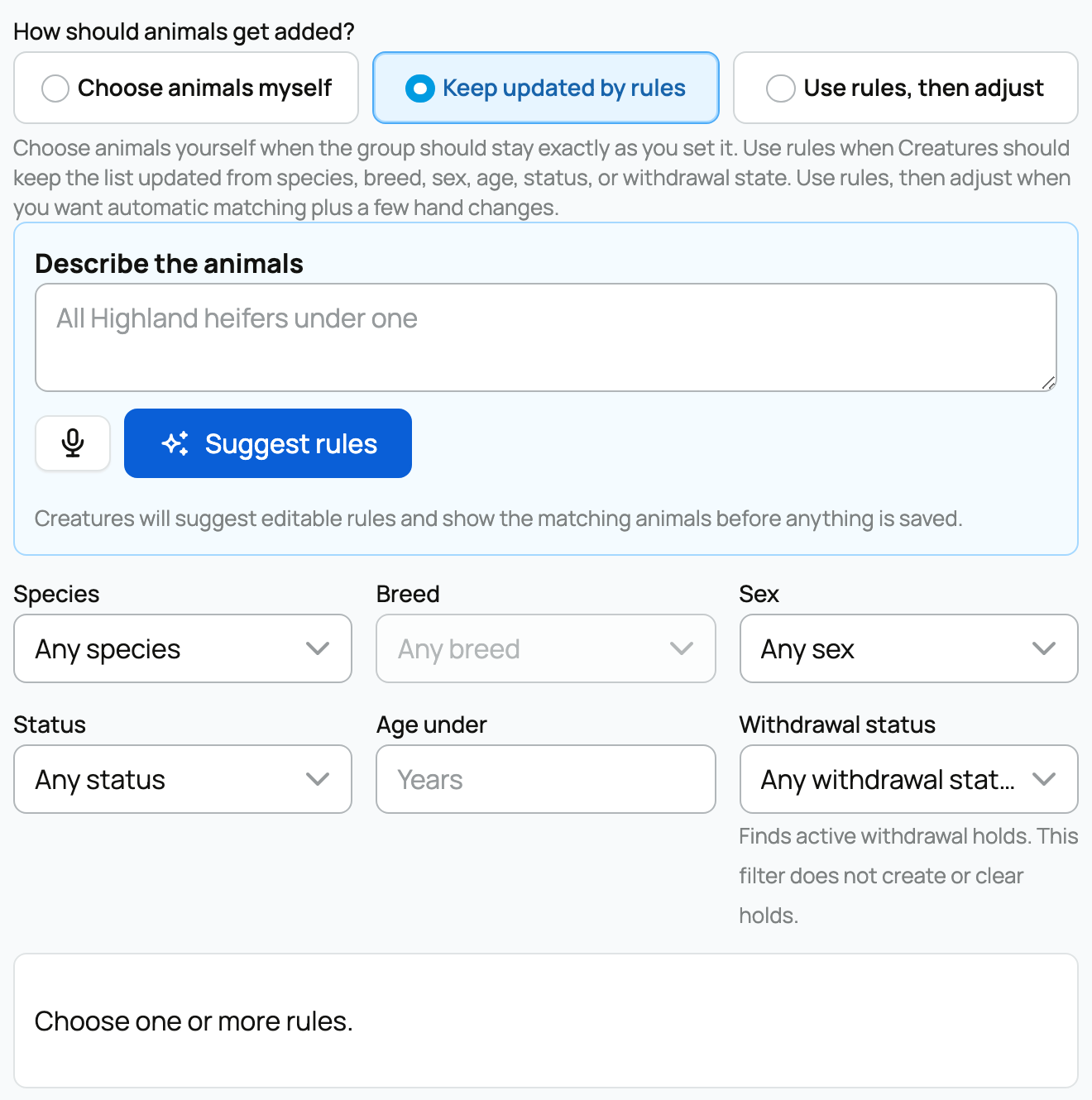
In withdrawal now finds animals with an active withdrawal hold, such as a waiting period recorded after medication. It does not create or clear a hold.
Check the result
Open the group and read Why these animals are included. It tells you whether someone chose the list or whether rules keep it updated. Use Animals to inspect the actual members and Activity to review membership changes.
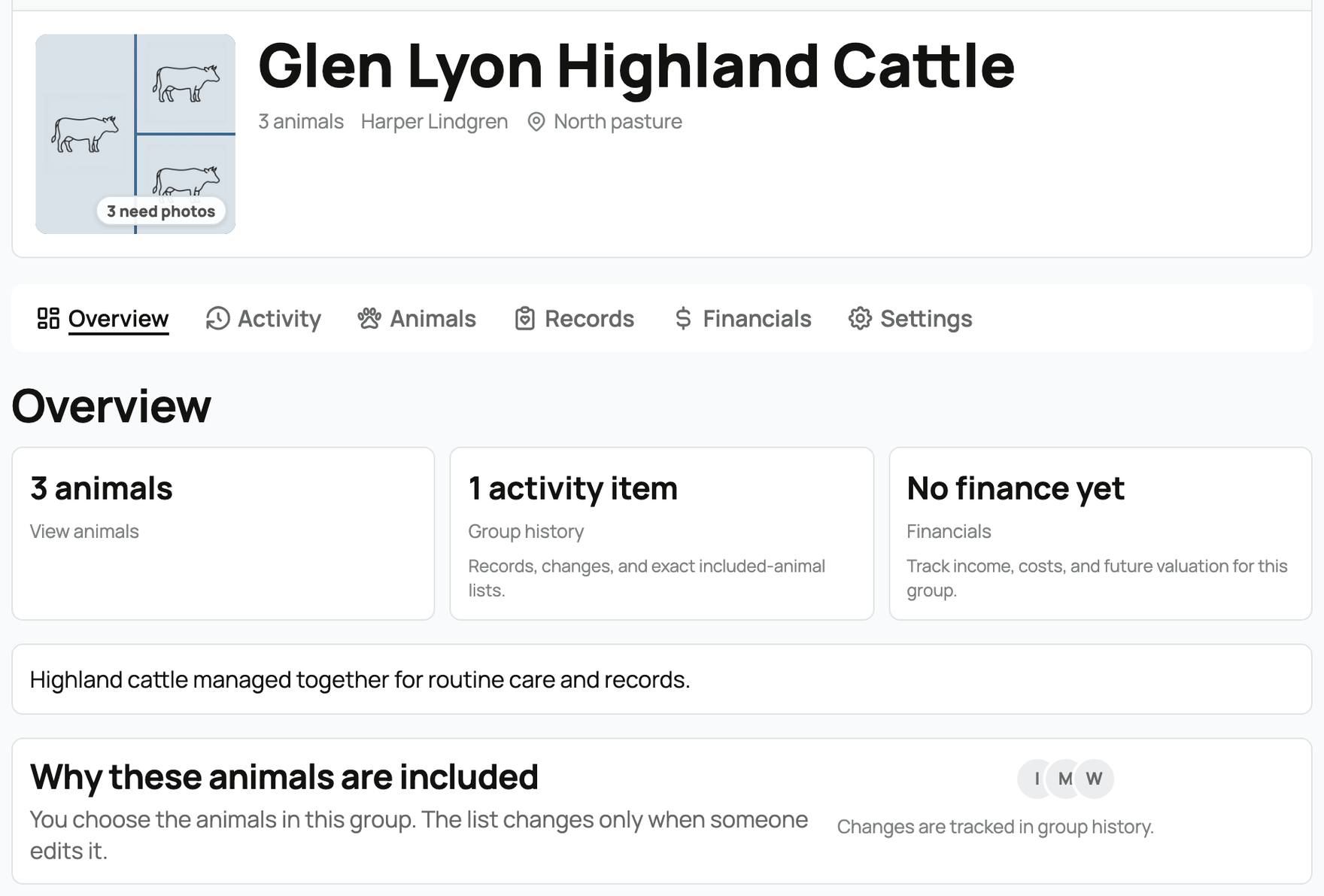
If a result surprises you, compare the animal's profile with each active filter. A missing species or breed, a different status, an age outside the limit, or an active withdrawal hold can all change whether it matches. For a hybrid group, also check whether someone added that animal manually. Removing a manual addition does not exclude an animal that still matches the rules.
Related information
Updated on: 02/09/2026
Thank you!