
Reminders and upcoming care
Create a reminder for a future task, such as a recheck or paperwork deadline. It stays separate from the record of work already done. For a routine with several recurring tasks, use a care plan.
Create a reminder
- Open the animal's Records tab and choose Add Record, then Reminder.
- Enter a clear Title and Due Date.
- Under Completed by logging a..., choose the record you expect to create when the work is done. Choose Nothing to log (reminder only) if no record is needed.
- Add Prefill, when offered, for a useful starting detail.
- Turn on Repeat every if this reminder should recur, then choose its interval.
- Open Expand extra fields for Additional Notification Before Due Date (Days).
- Choose Save Record.
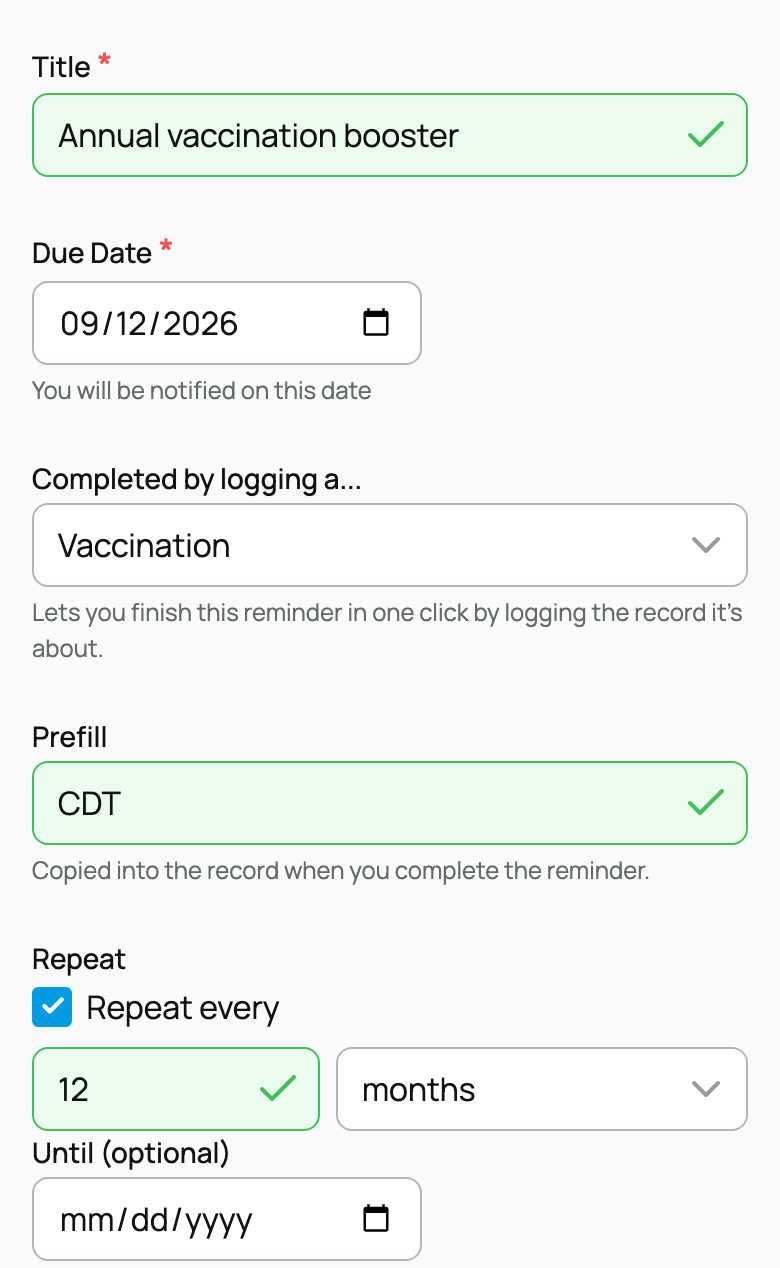
Reminders are private planning items, not public records of completed care.
Use a follow-up date instead
A Follow-up Date on a vaccination, medication, examination, surgery, or routine-care record creates a linked reminder. Use it when you are recording the original event and already know the next due date.
Some reminders are controlled by the record or plan they came from. Their completion and repeat settings are not editable like a reminder you created yourself.
Handle the task when it is due
Find the item in the animal's Care schedule or Today's care. Read its date and available actions before proceeding.
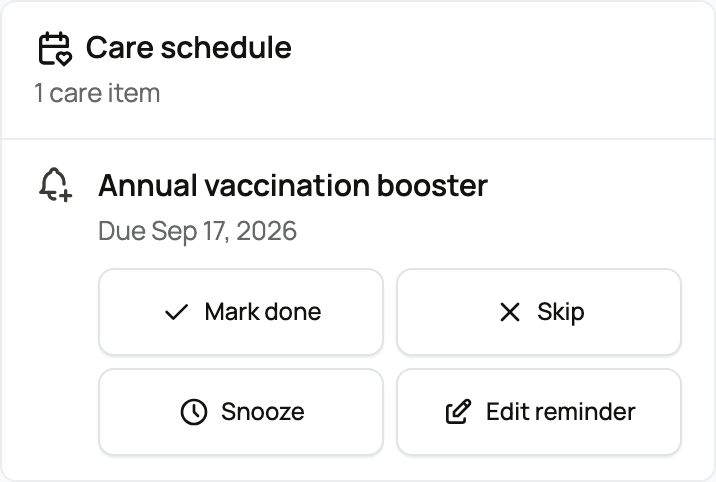
Choose the offered completion action after the work happens. Some tasks need an editable record form; review and save the actual details to finish. Do not mark a task done just to clear it if the work did not happen.
Use Snooze options when offered to postpone the task. Use Edit reminder when available to change a reminder's details. For a plan task, Care plan details leads to its schedule; see Care plans for changing one occurrence or the routine ahead.
Related information
Updated on: 03/09/2026
Thank you!