
Your Today page: what's due and how to check it off
Today is your daily care checklist: the care, chores and to-dos due today for every animal, group and place you look after.
On a phone, tap Today in the bottom bar. On a computer, choose Today under Shortcuts in the left menu.
Read your day
Buttons at the top appear when they apply to you: Collect eggs if you keep egg-laying animals, Your care duties once you run a care plan or someone asks you to help with one, Care plans, Feeding, and Who can help.
The Your day line counts what is ready now, what comes later and what is done.
When a daily routine for one animal goes three days without being logged, a card at the top asks Still doing it? Choose Log today, Pause this plan or Not now.
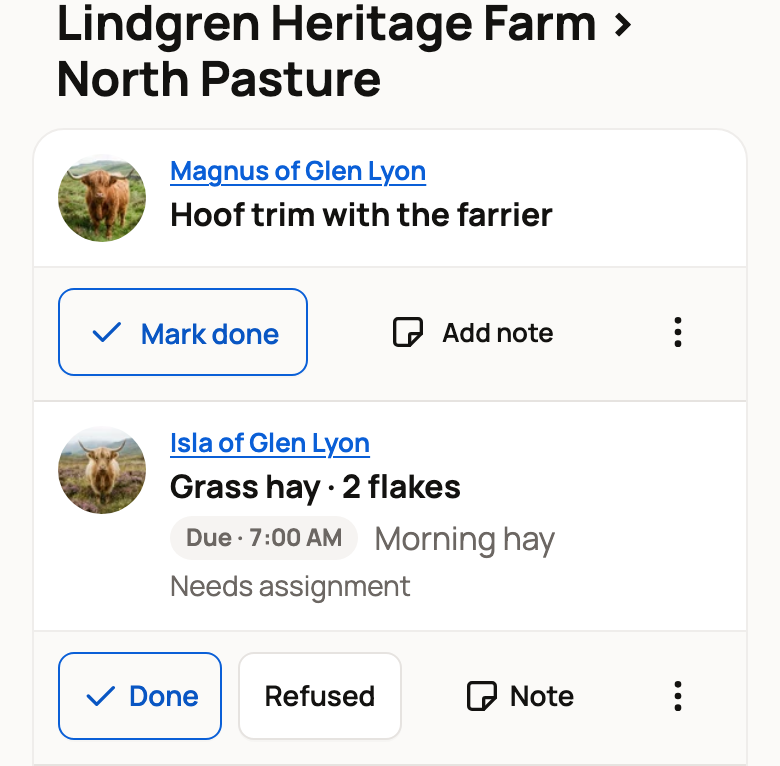
Care is grouped by place (set up in Locations), such as Lindgren Heritage Farm › North Pasture. Other care sits under Individual animals. Each row is one task for:
- an animal, with its photo,
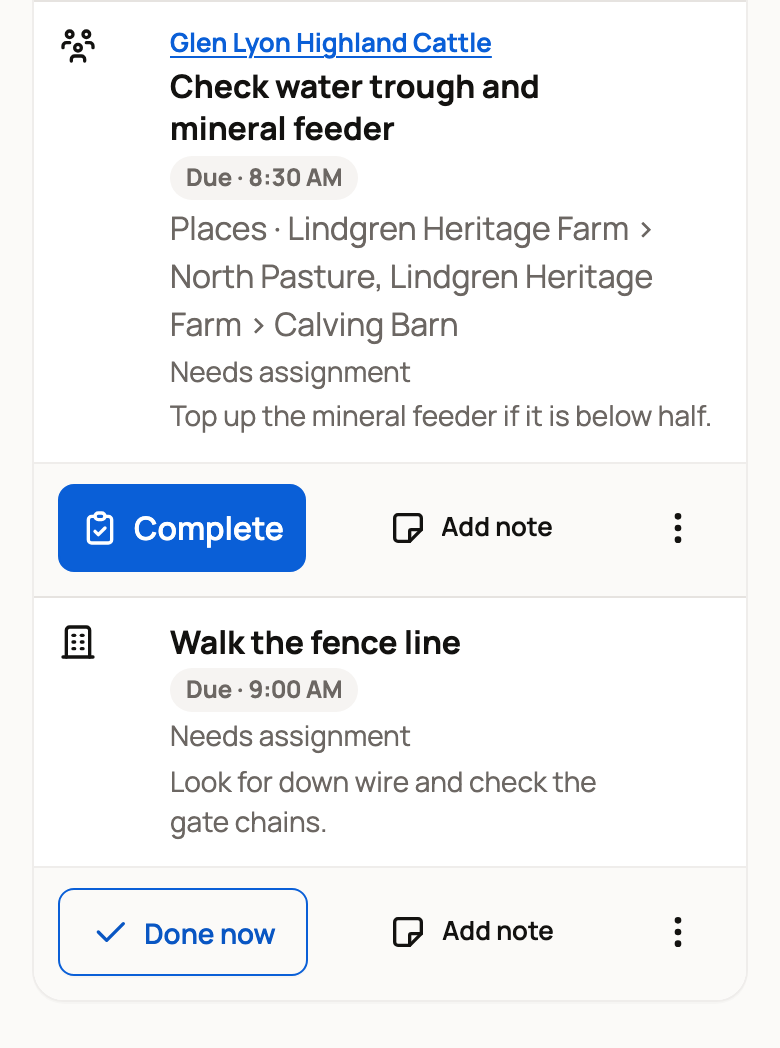
- a whole group, such as a herd or flock (a people icon, labeled Whole group on a computer), or
- a chore, a job for the place itself like walking the fence line (a building icon, labeled Chore on a computer).
Due · 7:00 AM means a task is ready now. Later today · 4:00 PM means it's coming up later.
A row can also say who is responsible: Assigned to you, Responsible: and a name, or Needs assignment. It matters when you share care (see Assign care and manage your care duties). Look after your animals alone? You can ignore Needs assignment.
Check an item off
Use the row's main button:
- Mark done finishes a simple task, such as a reminder.
- Done now finishes a chore, a feeding or a simple group task in one tap.
- Complete opens a short record form when the task needs details, such as a health check.
- Complete early finishes an item that is due later today.
- Refused on a feeding row records that the animal didn't eat.
On a simple group task, a line such as For all 3 lists the animals it covers. To leave one out, choose Change and uncheck it before Done now.
On a phone, some labels are shorter: Done, Do early and Note. On a computer, the done buttons show only a check mark, and Complete shows a clipboard. Point at a button to see its name.
When a place has two or more chores due, Done · all finishes them at once.
Checked something off by mistake? Choose Undo (or Undo all) in the message that appears, or on the item in Done today, within 10 minutes. A record it saved stays on the animal, marked Entry undone, and Delete in the record's three-dot menu removes it. After the 10 minutes, an owner or co-owner can choose Remove on an animal's item in Done today to take a mistaken entry off its records.
Skip, snooze or leave a note
Add note leaves a message for whoever does the task, and the task stays open.
The three-dot button on each row holds more choices:
- Snooze 1 hour or Snooze 1 day puts off an animal task or reminder.
- Skip is for a task that won't happen today.
- Mark N/A is for a task that doesn't apply this time.
- Care plan details shows the plan the task came from.
- Can't do it hands back a task that was assigned to you.
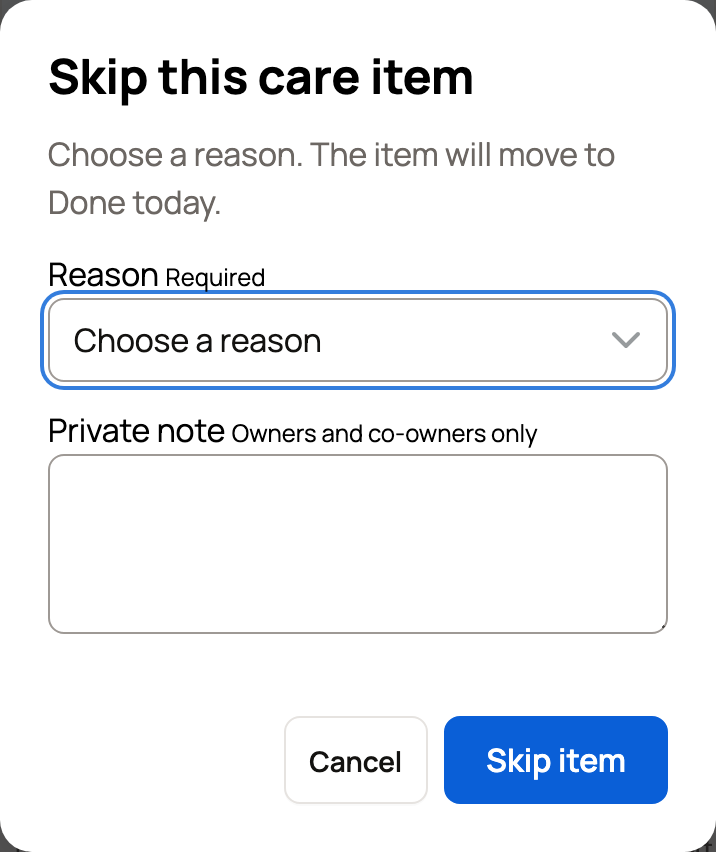
Skip opens Skip this care item. Choose a Reason, such as Not needed or Out of supplies. You can add a Private note that only owners and co-owners see. Then choose Skip item.
What happens next
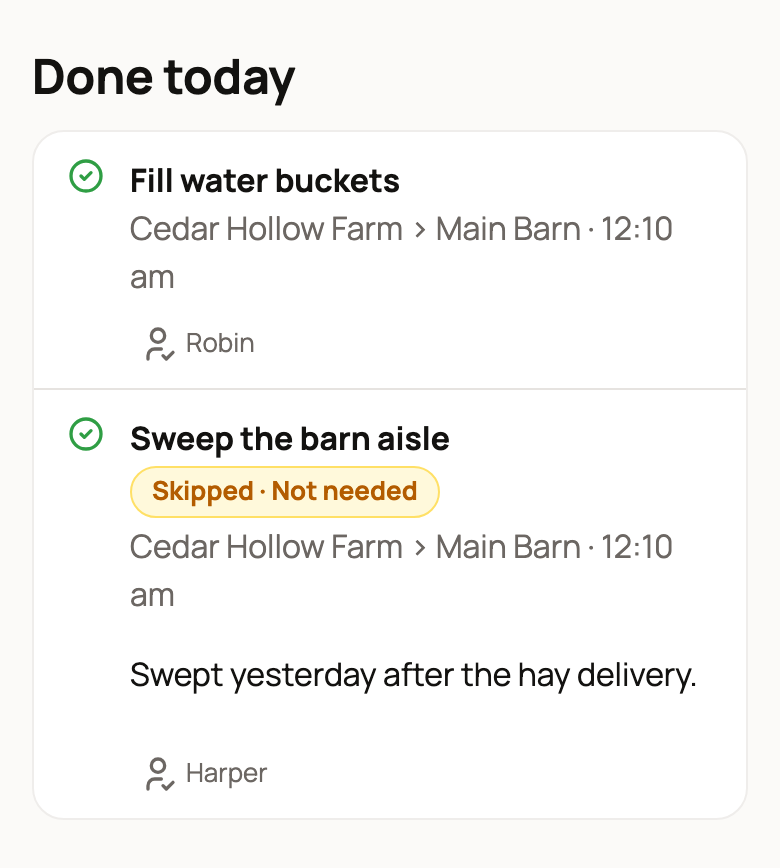
Finished and skipped items move to Done today, with who did each and any skip reason. View record opens an animal's saved record.
Below that, Missed lists earlier tasks nobody logged, and Recent notes shows care notes. Choose Add follow-up record on either one to record what happened.
If you coordinate a plan with overdue alerts, an Overdue section lists tasks past their finish time. Check on each, then choose Acknowledge. To look back further or fix a record, see Care history.
When Today is empty
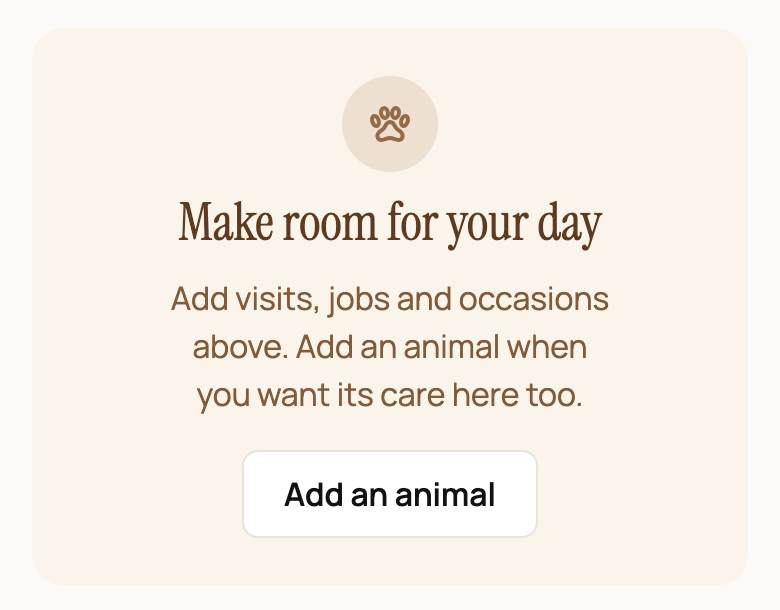
- Make room for your day: you haven't added an animal yet. Choose Add an animal.
- Tell us how your day goes: you have animals but no care plans. Describe your feeding routine and review the plans Creatures drafts, or choose Build it by hand.
- All clear: nothing is due today.
- All done or Today's care is done: everything due today is finished.
Two shortcuts also live here. Record animal care turns a quick note into record drafts (see Quick capture). Scanning a place's QR sign opens that place's page. When care is due there, Open today's care here shows Today for just that place (see QR signs for places).
Related information
- Create and manage a care plan
- Set up feeding and log feedings
- Plan your day and week on Today
- Get help with daily care: invite a care helper
Updated on: 29/10/2026
Thank you!