
Set up feeding and log feedings
Open Feeding from the top of your Today page, give each animal its food and amount, and choose when it eats. Each feeding then shows on Today, where Done now saves a feeding record and Refused notes a missed meal.
Before you start
You need at least one animal on Creatures. If you haven't added one yet, start with Adding an animal to Creatures.
Set up feeding
- On Today, choose Feeding, then Set up feeding. You can also reach Feeding from the Care plans page.
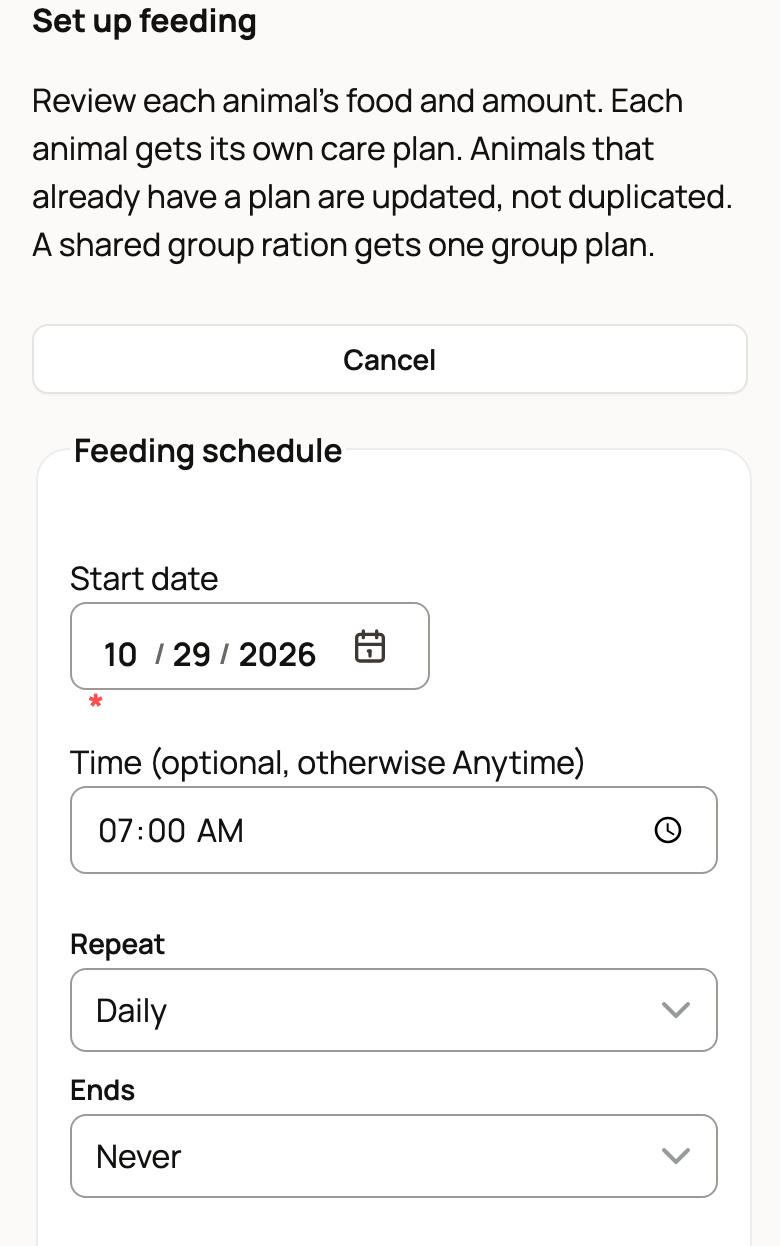
- Under Feeding schedule, check the Start date. Fill in Time (optional, otherwise Anytime) if the meal has a set time. Leave it blank for an anytime feeding.
- Under Repeat, choose how often the animal eats. It starts on Daily. Choose another option if the animal eats less often. Feeding every two days or less often? We'll remind you on feed day is ticked (a blank time becomes 7:00 AM). Untick it to skip the reminder. Leave Ends on Never unless the feeding should stop.
- Under Add animals, pick each animal this schedule feeds. To add a whole herd or flock, choose it under Group, then choose Add everyone in a group.
- Enter the Food and Amount for each animal, such as Goat pellets and 1 cup.
- Feed twice a day? Choose Add another schedule and set up the second meal time the same way.
- Choose the save button. It counts your plans, such as Save 1 feeding plan.
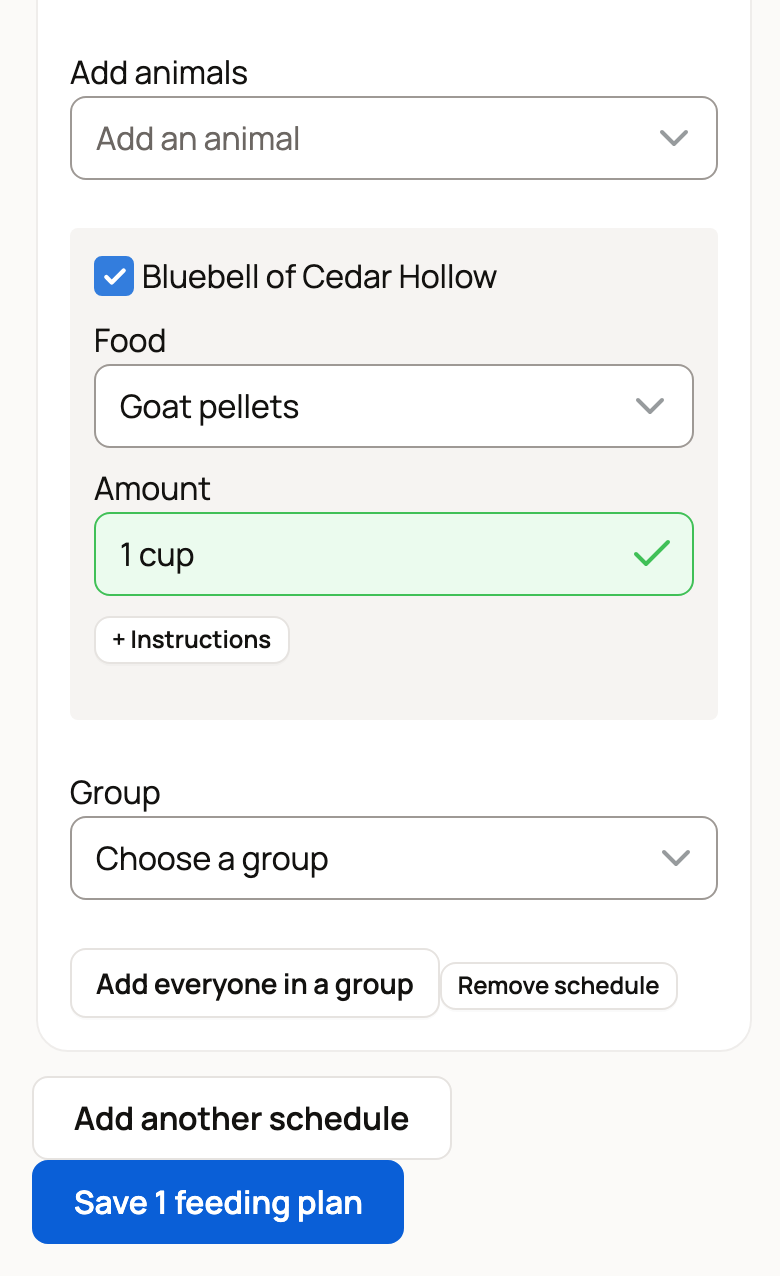
Each animal gets its own feeding plan, a care plan named after the animal and its food. You can open it later with Open plan.
If an animal already has a feeding plan, Set up feeding updates it. Its row reads like "Update Isla of Glen Lyon's plan." Change the food or amount and choose Save changes. For a second meal time, choose Add a second schedule (e.g. twice a day).
A shortcut: if you have animals but no care plans yet, Today shows Tell us how your day goes. Type, speak or add up to three photos of your feeding routine, and Creatures drafts the plans for you to review before anything is saved. If the draft finds a group ration, choose whether it is For each animal or Shared by the group. A shared ration becomes one plan for the whole group.
Change foods later
The Feeding page lists every animal on a feeding plan, with its food and amount, how often it eats, the next feeding and when it was last fed.
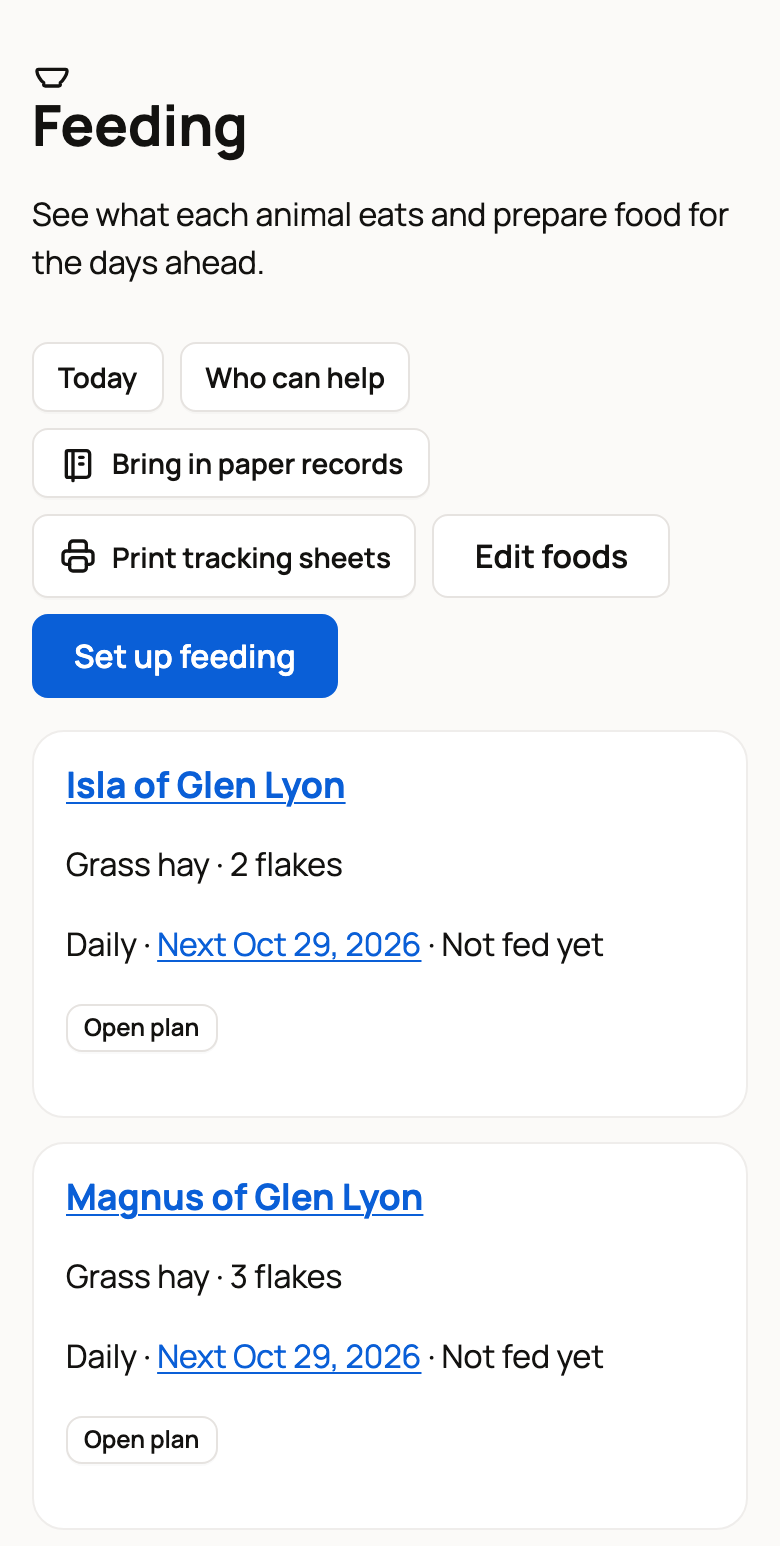
- To change a food or an amount, choose Edit foods, make your changes, then choose Save changes.
- To change the time or the days, choose Open plan on that animal.
- Not on a feeding schedule lists animals that have no feeding set up yet.
- Bring in paper records turns photos of your feeding sheets into records you check first. Print tracking sheets prints sheets to fill in by hand.
Log feedings on Today
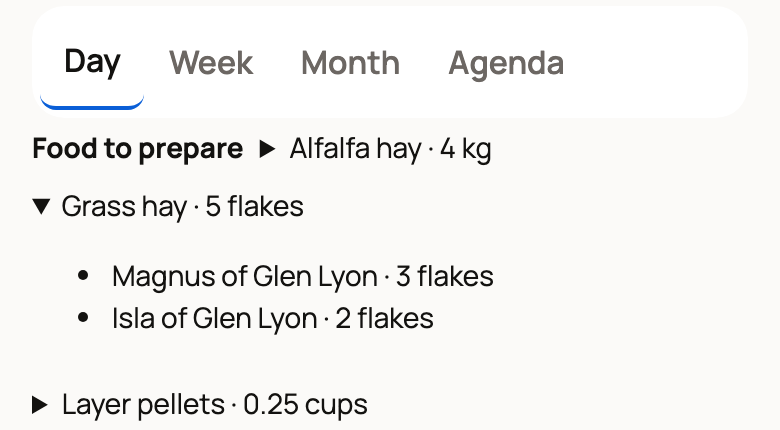
At the top of Today, Food to prepare adds up the feed for the day, such as Grass hay · 5 flakes. Tap a total to see which animals it's for. If an animal is on two feeding plans, a line says so, with Review.
Each feeding shows as its own row with the food and amount. When the animal has eaten, choose Done now (Done on a phone, a check mark on a computer). This saves a feeding record. If the animal won't eat, choose Refused instead, so you can spot a pattern later.
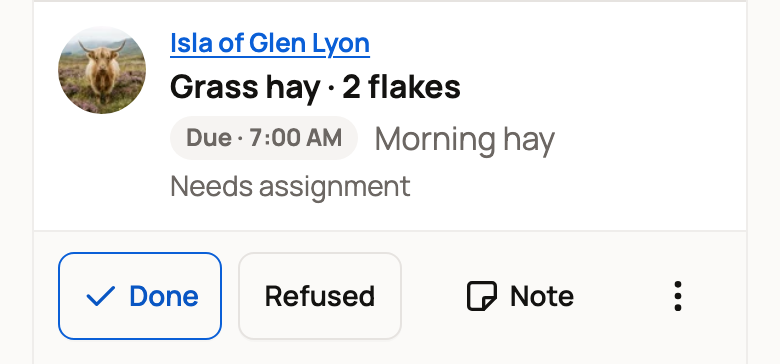
For a meal later in the day, Complete early (Do early on a phone) lets you log it now. Care helpers you invite can log feedings from their own Today page too.
Track the feed you used (optional)
If you keep business records in Creatures, a feeding can also record how much of a feed purchase it used. Open Source and quantity (optional) on the feeding form. On Today, choose Source and quantity from a feeding row's three-dot More actions button. Group feedings finished from a group's Care tab have the same section.
- Turn on Record source use with this feeding and pick the Business records.
- Pick the feed under Source. None yet? Record a purchase saves the feed bill in Money, and you then set that entry up as a source under Feed and supply sources. For free feed, select Set up a confirmed free source. Then select Refresh sources.
- Enter Withdrawn for this completed work and its Unit, then save.
If the purchase was recorded as an expense, using it doesn't add a second expense. If it was recorded as inventory, the feed you use becomes an expense once. To check, return or reverse a use later, select Source and use on the saved feeding.
See what was fed
The Feeding page shows Last fed and the date for each animal, and adds Refused when the last meal was refused. For the full list, open the animal's Records tab, then Care. Recent feedings shows each feeding as Ate, Refused or Partly.
Related information
- Your Today page: what's due and how to check it off
- Create and manage a care plan
- Get help with daily care: invite a care helper
Updated on: 29/10/2026
Thank you!