
Get help with daily care: invite a care helper
To get help with feeding and chores, add a Care Helper from Who can help on your Today page. A Care Helper sees only the care they can mark done in one tap, on their own Today page, and nothing else in your account.
A Care Helper is different from your team and co-owners, who see your care in full. A helper can do feeding, place chores and simple reminders. Tasks that need a full record, like a health check, stay with you. The panel lists them after Stays with you.
Before you start
Who can help appears at the top of Today once you have a care plan or a helper. If you don't see it yet, set up a care plan first (see Create and manage a care plan).
Invite a helper
- On Today, select Who can help.
- Under Add someone, choose how to reach them:
- Search by name for someone already on Creatures.
- Invite by email: enter their Name and Email.
- Invite by text: enter their Name and Phone, and tick the box to confirm you have their consent to text them.
- If you manage more than one account, such as your personal account and your farm, tick each one under Care they can help with.
- Check the preview line, for example "They'll see 9 of your 12 tasks today."
- Select Send invite (or Add when you searched by name).
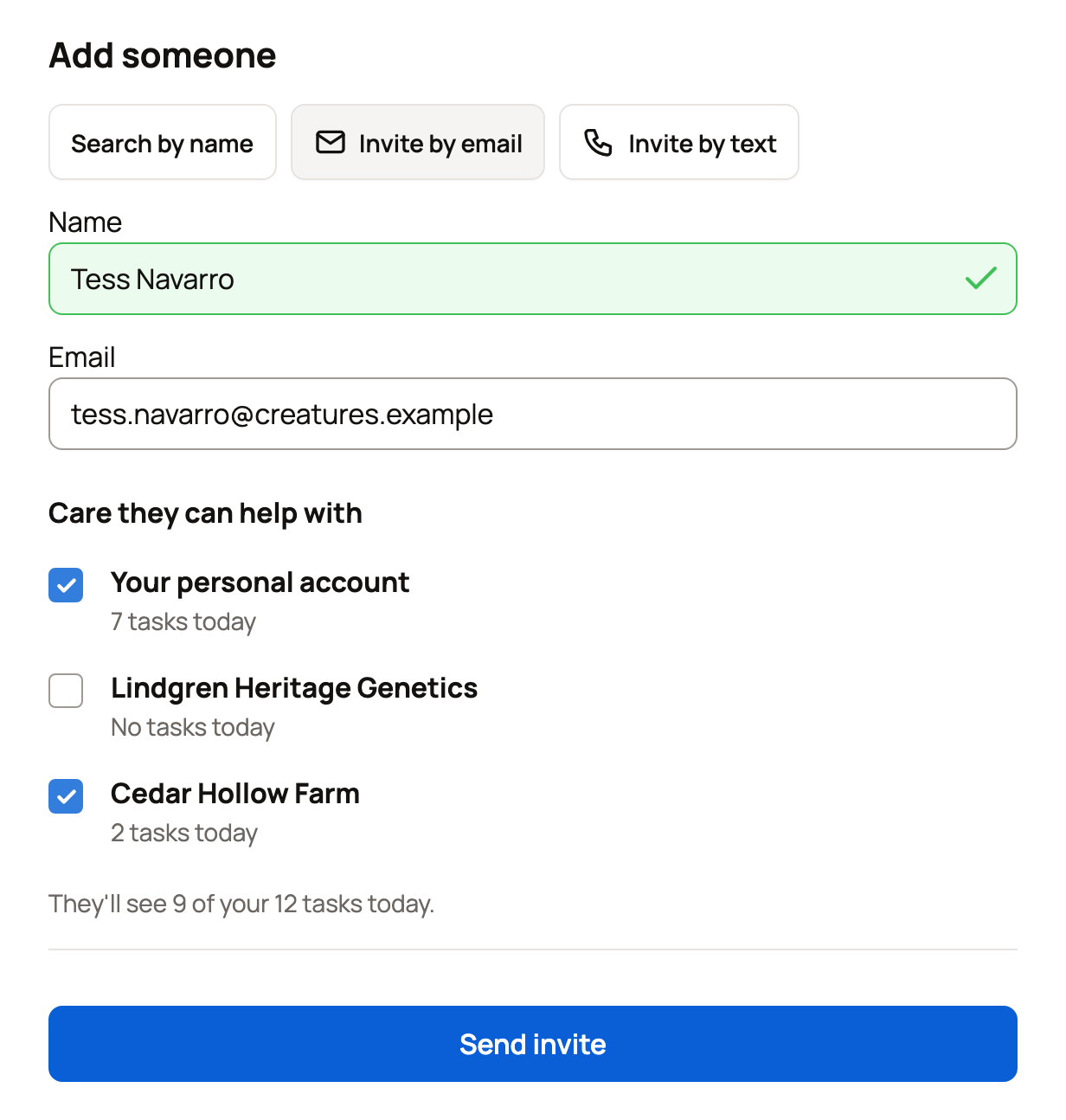
New helpers accept an invitation before they can help. Until then they appear under Pending invitations, where Cancel withdraws it. An invitation lasts 7 days. Someone who already has access to one of your accounts is added right away.
Manage your helpers
Each person in Who can help shows how they have access and a line like "Sees 2 of your 12 tasks today."
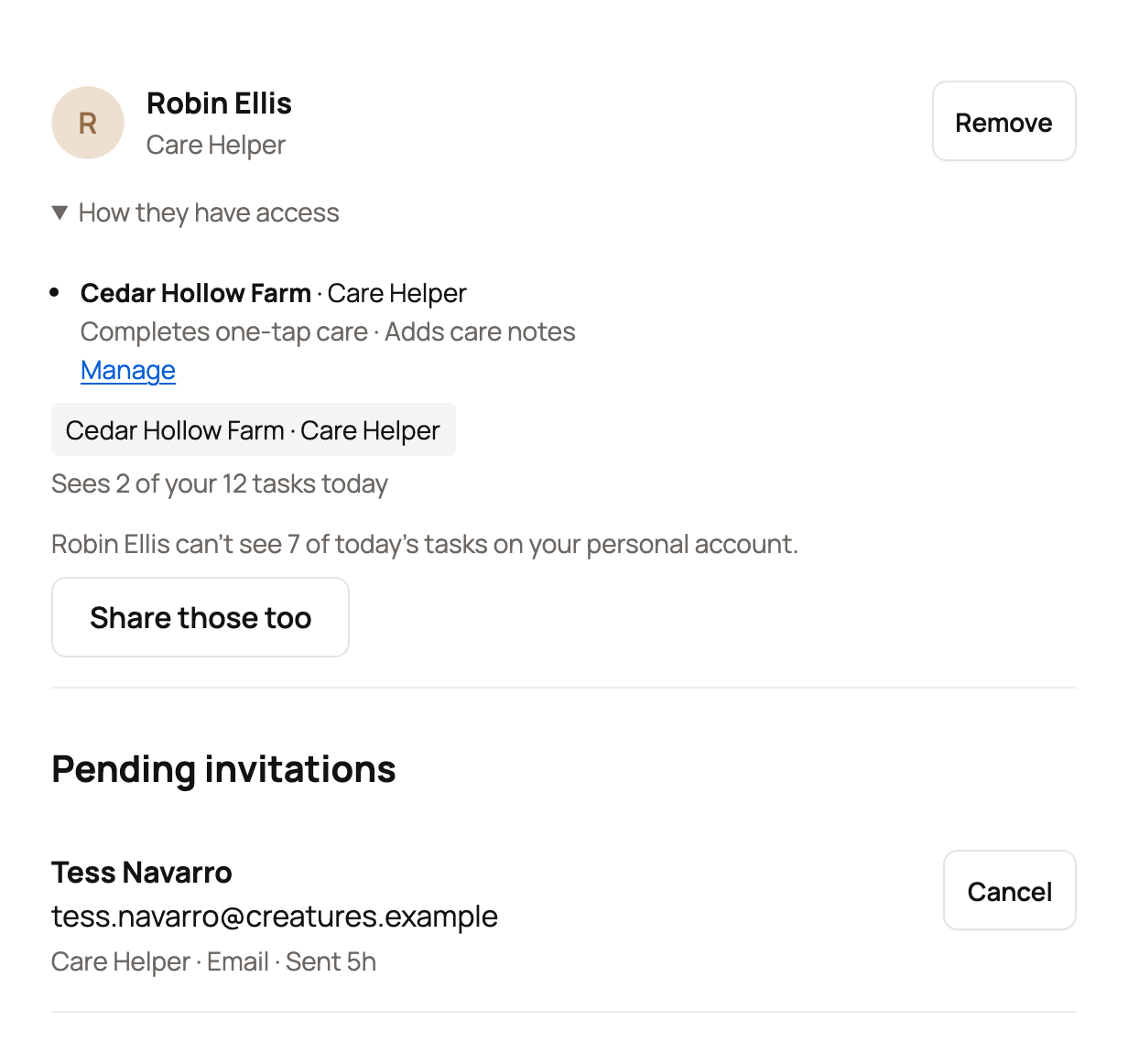
- Remove ends someone's Care Helper access.
- If they help with one account but not another, you'll see a note such as "Robin Ellis can't see 7 of today's tasks on your personal account." Select Share those too to let them help there as well.
- Team members and co-owners show Manage team or Manage instead of Remove. That opens their regular access.
Someone caring for your animals during a boarding stay or a delivery can also appear here. Their access ends on its own, shown as "Access ends with the boarding arrangement" or "Access ends when delivery is confirmed."
What your helper sees
Your helper accepts the invitation from the link you sent (see Accepting or declining an invitation). After that, their Today page is headed "Helping" with your farm's name (or yours). It lists only the tasks they can do.
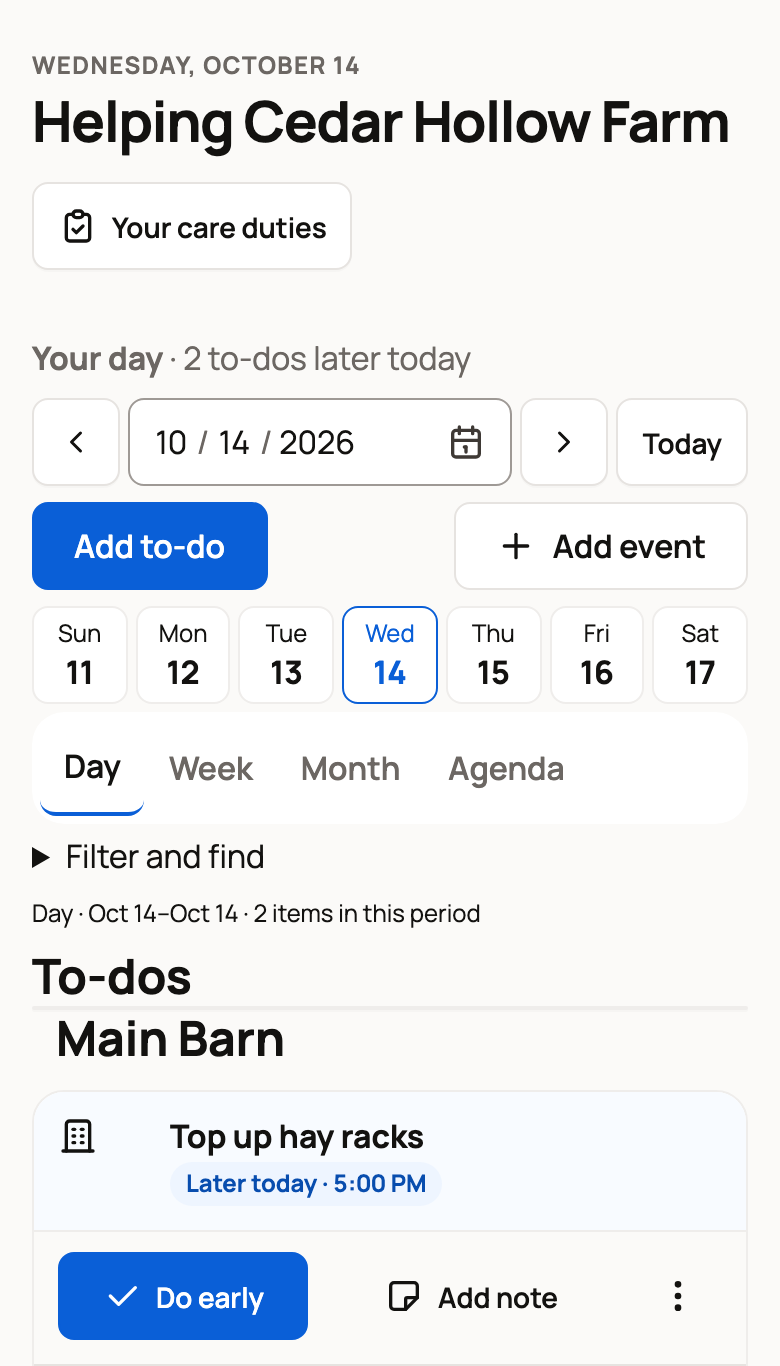
- Each task has one button to mark it done. On a phone it reads Done, or Do early before the task's time. On a computer it shows a check mark.
- On a group task, a line such as For all 3 lists the animals. Change lets them uncheck any animal that didn't get it.
- Add note leaves a note for you.
- On a feeding, Refused records that the animal didn't eat.
Helpers can't open your animal records or manage your animals, groups, places, care plans, farm or money. If they have no animals of their own on Creatures, their menu has only Today, Get the app, Settings and Sign out. They can stop at any time with Stop helping in Settings > My access (see Seeing and leaving the accounts you can access).
When a helper marks something done, it appears in your Done today list with their name. To send each reminder only to the person responsible, see Assign care and manage your care duties.
Related information
- Assign care and manage your care duties
- Your Today page: what's due and how to check it off
- Creating an organization and adding your team
- Co-owners and team members: sharing access to an animal
Updated on: 29/10/2026
Thank you!