
Assign care and manage your care duties
Each care task can have one responsible person. Assign today's open tasks on the Assign page, or ask someone to take on a recurring task as a care duty that they accept.
A care duty is a standing request to do a task every time it comes due. Both work best on a farm run as an organization, a shared account with a team (see Creating an organization and adding your team).
Before you start
Owners and co-owners of an account assign its care. You can pick the account's owners, its team members and its Care Helpers (see Get help with daily care). On a personal account with no helpers, you are the only choice.
Assign today's tasks
- Open Assign: select Assign care at the bottom of Today (for organizations and accounts with a Care Helper), or open Filter and find on Today and choose Assign.
- Pick the account in Care for, choose the Day, and select Apply. If tasks still need someone, the list opens filtered to Needs assignment.
- Tick the tasks you want to hand out, or use Select this page.
- Choose a Responsible person. Only people who can do every selected task are listed.
- Select Save responsibility.
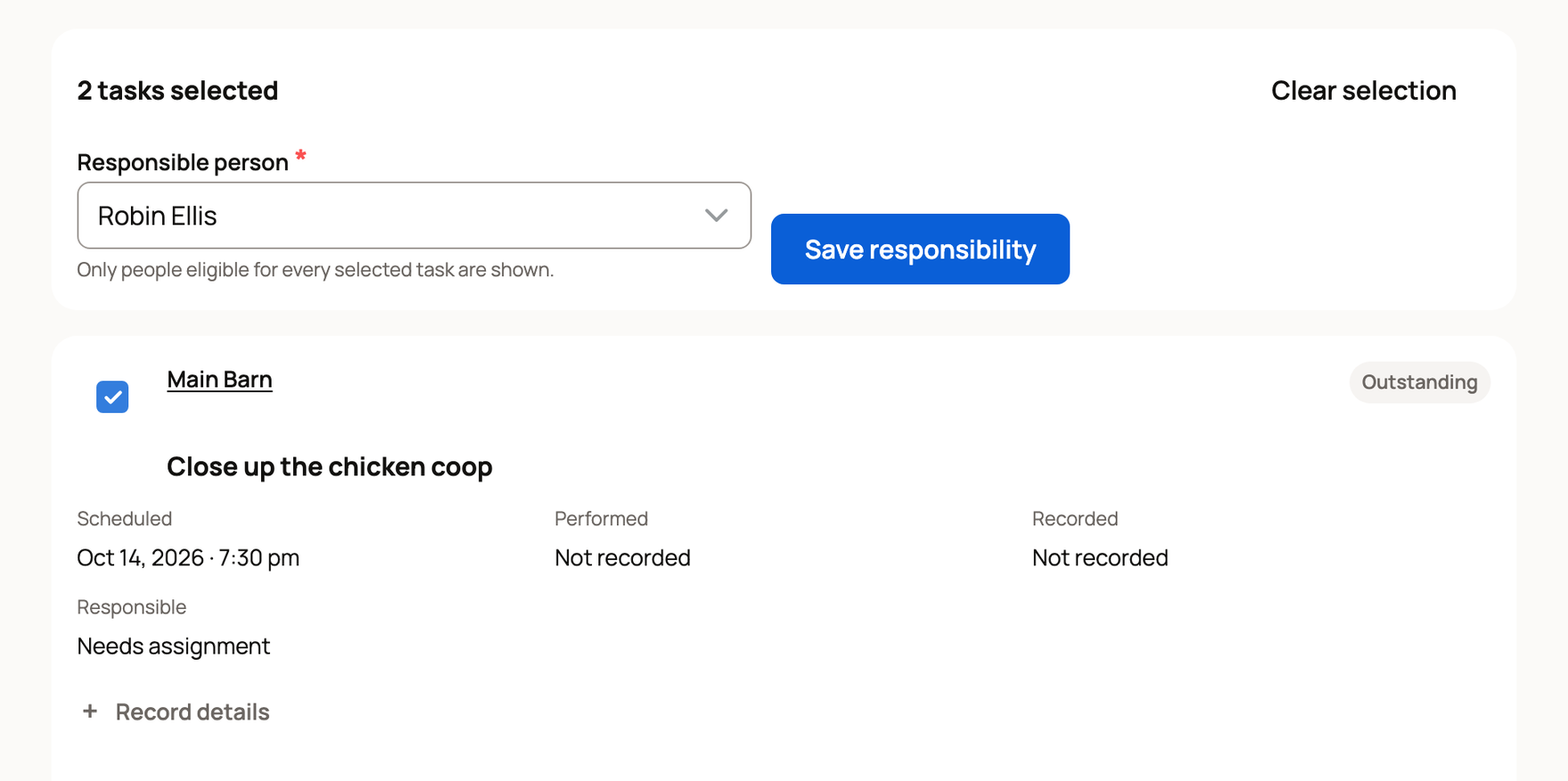
On Today, those tasks now show "Assigned to you" for that person and "Responsible:" with their name for everyone else. To undo, choose Needs assignment as the responsible person. Assigning covers one day; for a chore that repeats, ask for a care duty.
Ask someone to take on recurring care
- On Today, select Care plans, find the plan and select Manage.
- Under Who does this, choose someone in Person for eligible tasks in this plan to cover the whole plan. Or, under one task, use Person for this task.
- Select Request duty.
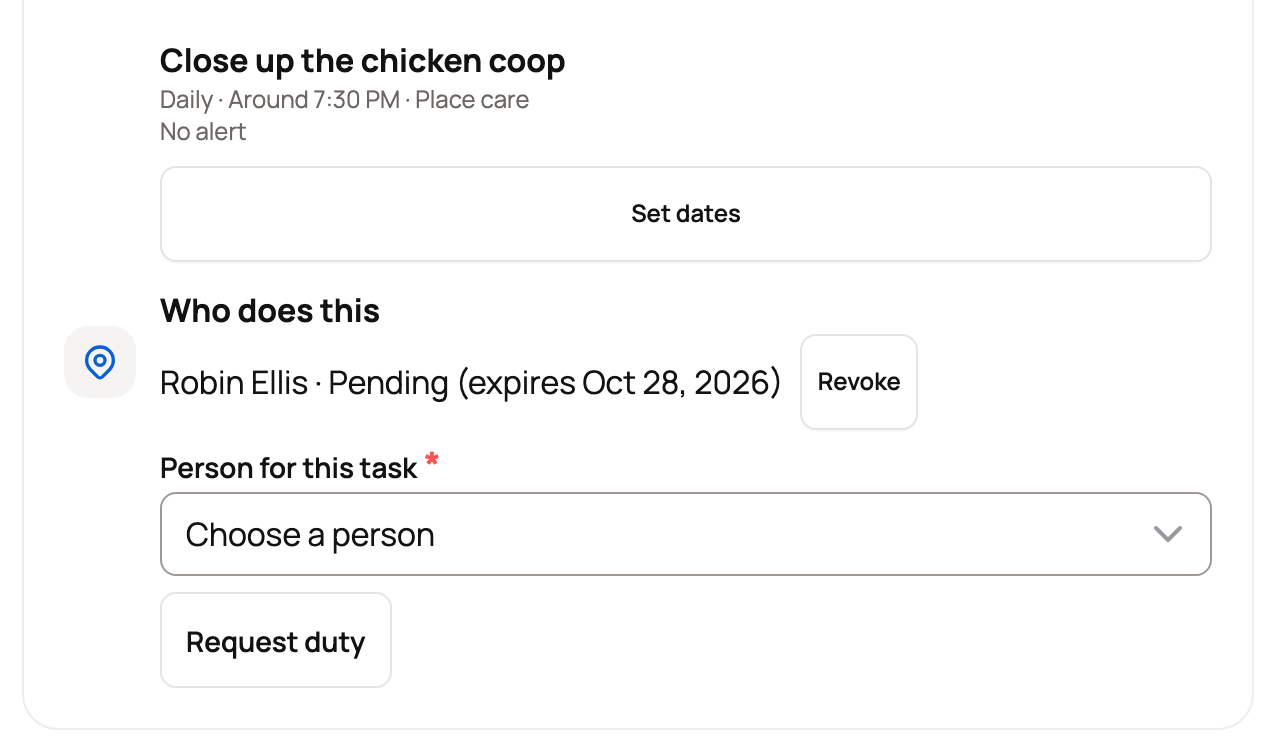
The task shows the person as pending until they answer, for up to 14 days. Revoke cancels it. Care Helpers can be asked only for tasks they can mark done in one tap.
Each plan also has a Coordinator, who starts as the person who set it up. To change it, pick someone in Plan coordinator and select Save coordinator.
Your care duties
When someone asks you to take on care, or you have accepted a duty or coordinate a plan, a Your care duties button appears at the top of Today.
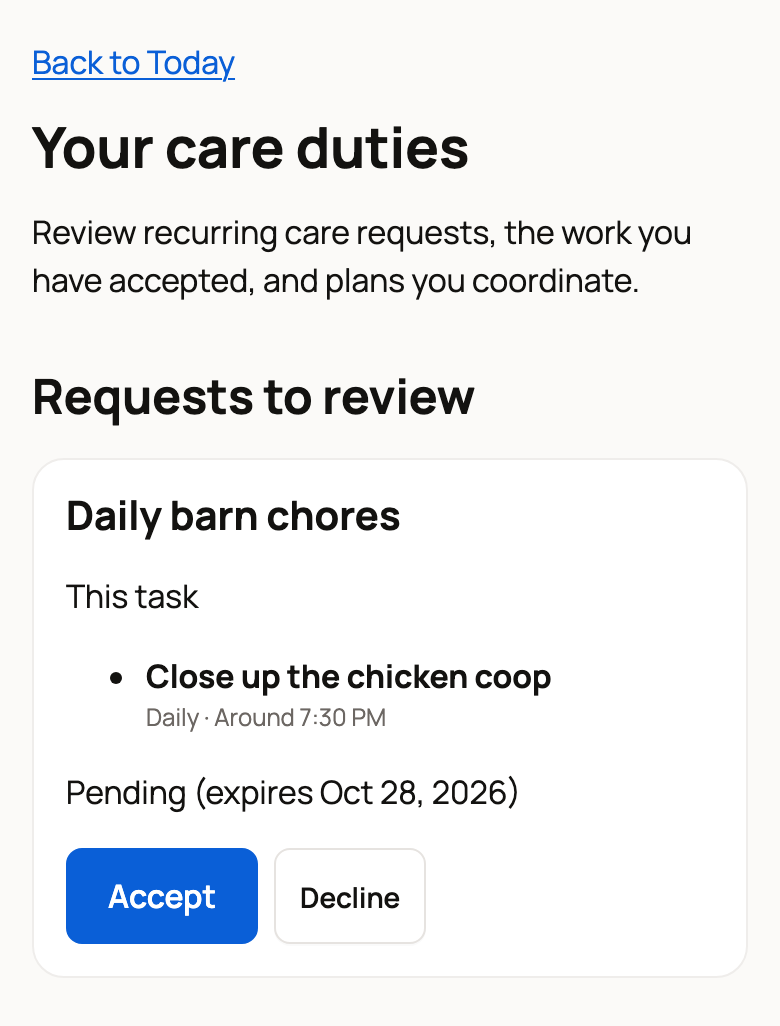
- Requests to review: select Accept to become responsible for that task each time it comes due, or Decline.
- Accepted duties: Stop doing this hands the duty back.
- Plans you coordinate: shows how many tasks need assignment, with Manage plan and Needs assignment shortcuts.
Can't make it once? On Today, choose Can't do it in the three-dot menu of a task assigned to you. That hands back only that day's task.
Send reminders to the right person
At first, everyone who can manage an account's care gets every care reminder. To send each one to the person responsible instead:
- On Today, select Who can help.
- Open Reminder settings at the bottom. Under Use responsibilities for reminders, select Turn on for each account. It then reads "On: reminders follow responsibilities for this account."
- Optionally, set Default for new members to My work and escalations or All care, then select Save default.
When no one is responsible for a task, its reminder goes to the coordinator.
Once that is on, an animal or group task with a finish time can also get an Overdue alert in Manage. Overdue tasks then appear in an Overdue section at the top of the coordinator's Today. Acknowledge marks it seen, but the task stays open until someone logs it.
At the end of the day, leave a handover with Review day in Care history.
Related information
- Get help with daily care: invite a care helper
- Care history: see what was done and correct a record
- Create and manage a care plan
- Creating an organization and adding your team
Updated on: 29/10/2026
Thank you!