
Listing genetics on the marketplace
A genetics listing starts from material already in your inventory. Check the quantity, price, delivery arrangements, and buyer expectations before selecting Publish listing.
Before you publish
You need a verified phone number and completed identity verification to publish publicly and accept payment. If verification is incomplete, submitting the form saves a draft instead. Finish verification, then open the draft and select Publish listing.
A connected payout account is not required to publish or collect a sale into your Creatures Wallet. It is required when you want to withdraw that balance. See What you need to start selling for the trust and payout steps.
1. Choose the material and sale format
Open an item in Genetics and select List for sale. Alternatively, select List genetics in the marketplace and choose a Source item with available units.
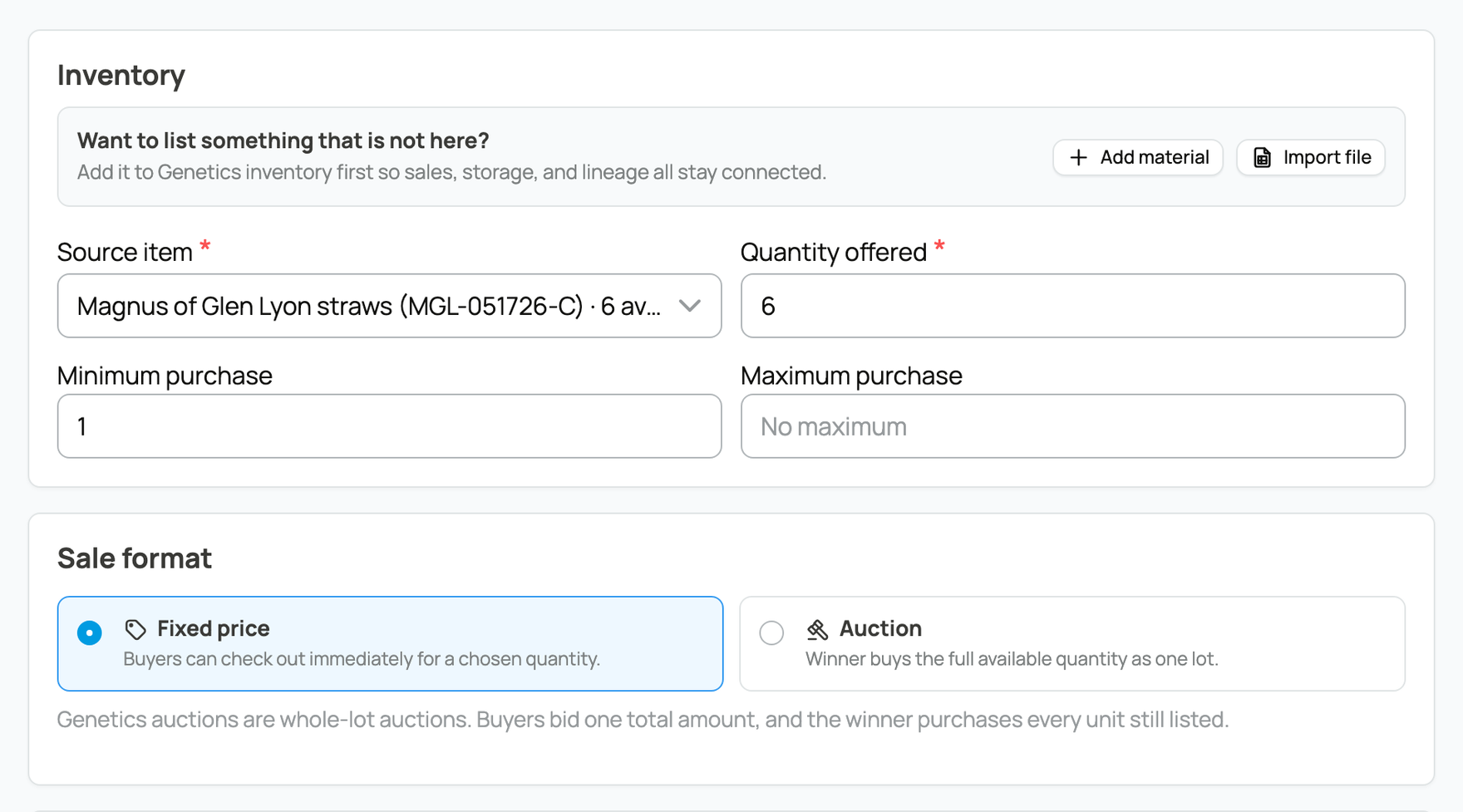
Set Quantity offered, plus Minimum purchase or Maximum purchase when those limits matter. Then choose:
- Fixed price for a price per unit and immediate checkout. You can add lower per-unit prices for larger quantities.
- Auction when one winner should buy the entire available lot. Set Starting bid for the lot, Start time, and End time. Reserve price for the lot and Buy Now price for the lot are optional. Once the first bid is placed, the auction can no longer be edited or canceled.
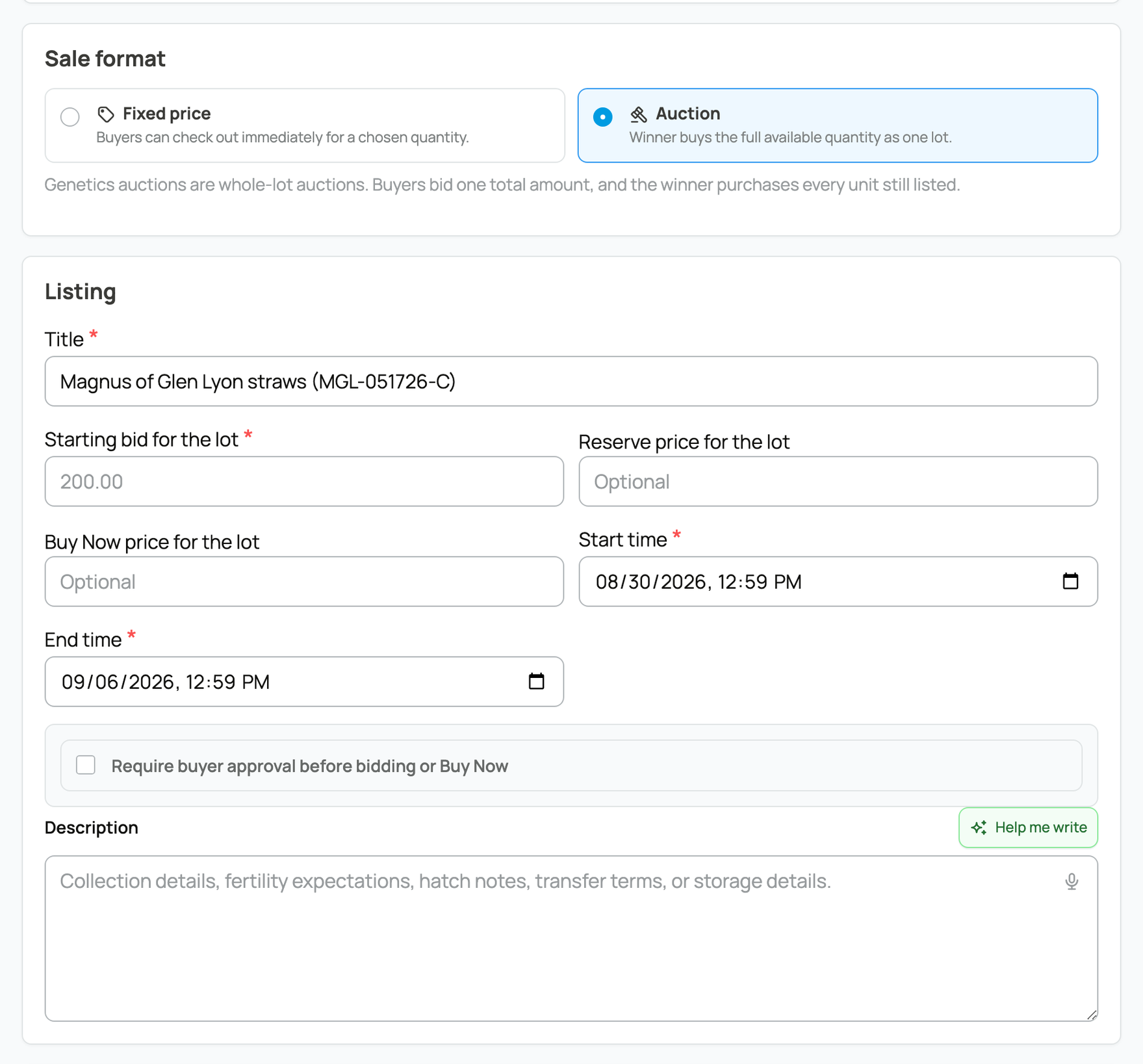
For an auction, turn on Require buyer approval before bidding or Buy Now if buyers must first complete your application and receive approval.
2. Explain fulfillment and costs
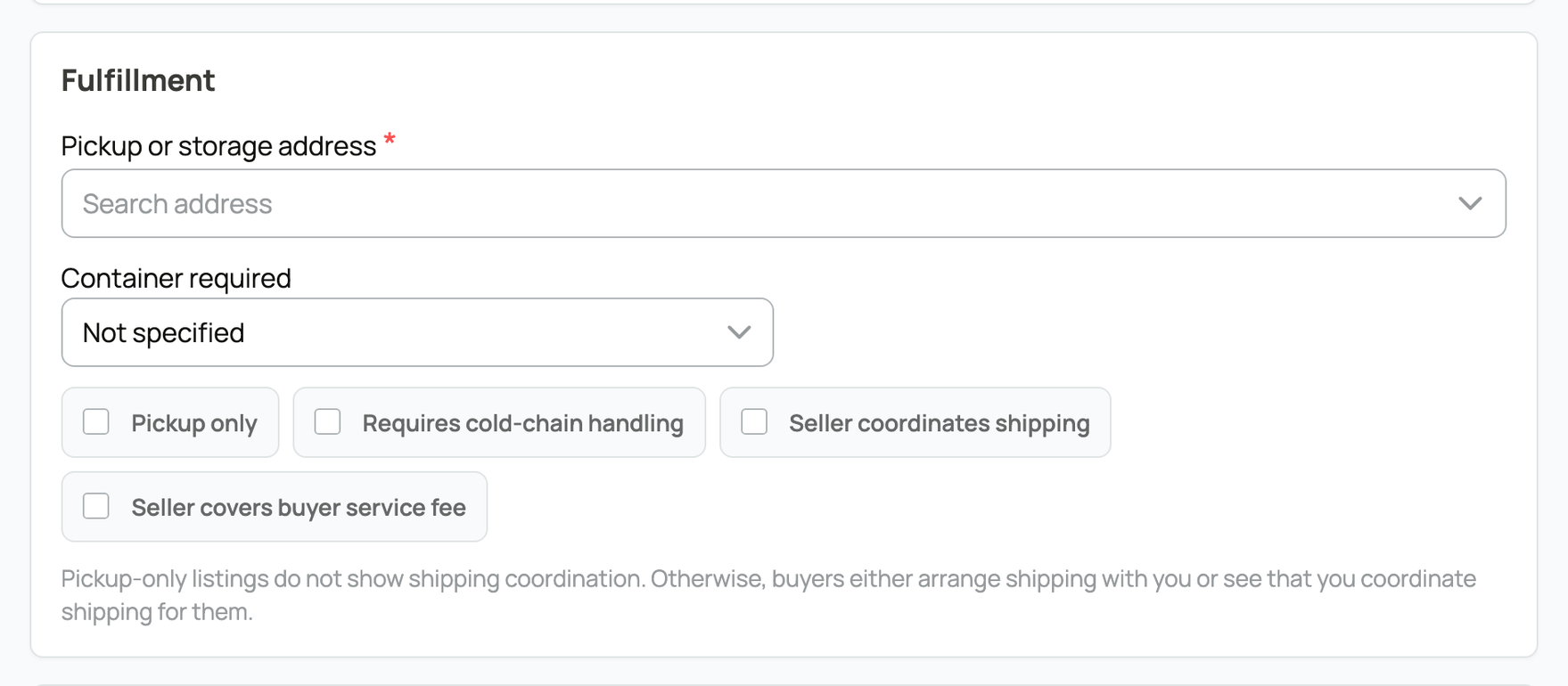
Choose the Pickup or storage address, pickup or shipping choices, cold-chain requirement, and required container. State who coordinates shipping. Carrier and container charges are arranged separately and are not included in the genetics checkout.
If you run an active storage service that accepts this material type, checkout can offer a Keep it stored with option followed by your name. The buyer's delivery or storage choice is fixed after payment.
Buyers normally pay a 5% service fee. Turn on Seller covers buyer service fee only when you want the buyer's total to stay at the item price and you accept that cost.
Add focused photos or video, a plain description of the lineage and material, and any handling or certification details a careful buyer needs.
3. Choose public activity settings
Show comments allows public questions and updates. On auctions, Show bidders as anonymous numbers hides bidder names from the public bidding view, while you and Creatures staff can still identify bidders. Comments remain named. A sale event may lock either setting.
Review the form, then select Publish listing. Once seller verification is complete, this makes the listing active. Use Edit listing or Cancel listing while the listing is active, unless an auction has received a bid. Canceling removes the unsold quantity from sale; refunding a completed purchase is a separate action covered in the shipping and refund guide.
Related information
- Buying genetics on the marketplace
- Managing your Genetic Inventory
- Shipping and tracking genetic items
Updated on: 02/09/2026
Thank you!