
Ordering a printed certificate for your animal
An issued registration already includes a digital certificate and public QR verification page. When the registry offers print fulfillment, an owner can also order a physical copy.
1. Start from the official registration
Open the animal's profile, choose Records, and find Official Registration. An issued certificate shows the registry, registration number, certificate serial, and an Order action when printed copies are available.
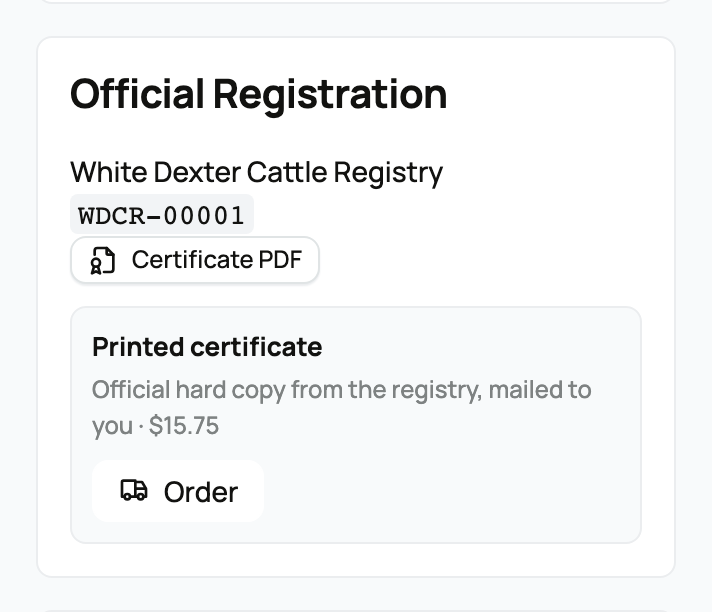
See The animal Records tab if you need help finding the section. If there is no Order action, the registry does not currently offer printed copies for that certificate. You can still open and share the digital certificate.
2. Review delivery and price
The printed certificate page shows the total as a registry fee plus a Creatures service fee. It also shows the animal, registry, and certificate serial so you can confirm that you are ordering the right document.
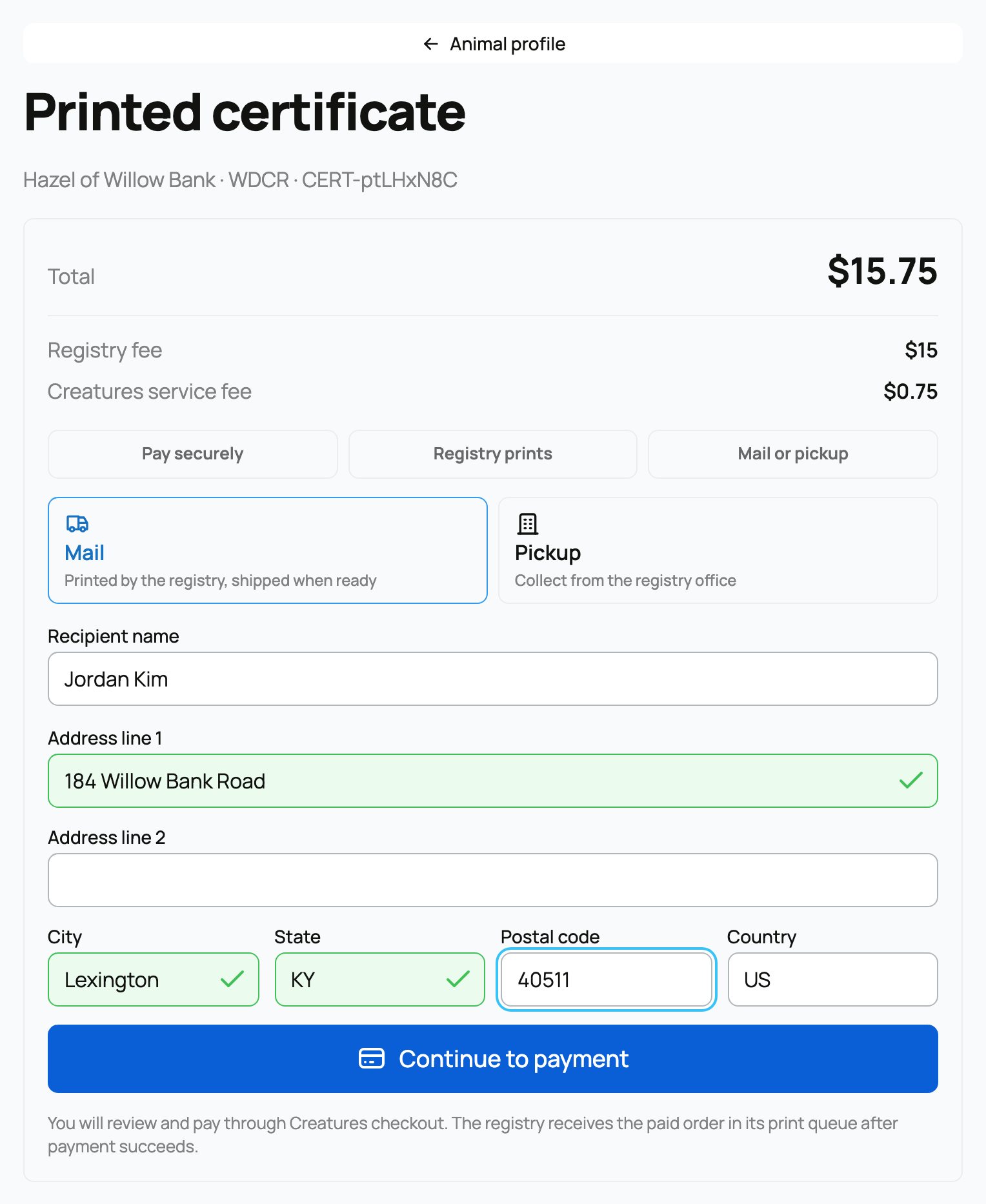
Choose one fulfillment method:
- Mail requires the recipient's complete delivery address. Review every line before paying.
- Pickup means the registry will prepare the certificate for collection at its office or chosen handoff point. Confirm the pickup details with the registry.
Select Continue to payment, review the secure checkout, and pay. The registry receives the order in its print queue only after payment succeeds. Leaving checkout before payment does not create a ready-to-print order.
3. Follow the order
Recent orders and the individual order page show the current status:
- Awaiting payment means checkout is unfinished.
- Ready to print means the registry received payment.
- Printed means the physical copy is prepared.
- Mailed means the registry recorded shipment and may include tracking.
- Canceled means the registry will not fulfill that order; read the reason or contact Support if anything is unclear.
For pickup, follow the registry's handoff instructions after printing. Ordering another copy does not change the animal's registration number, digital certificate, or QR page. If an address or delivery problem appears after payment, contact Support instead of placing a duplicate order immediately.
Related information
- Registering an animal with a registry
- Tracking your registration applications
- Issuing printed registration certificates
Updated on: 29/09/2026
Thank you!