
Importing and managing your membership roster
Bring the membership list your association already keeps into the Association Hub, then keep each member's type, renewal date, and standing current there. Members claim their own rows by verified email, so you do not need to create Creatures accounts for them.
Import your roster
On Members, select Import CSV. Paste the rows or choose a file, then select Import members. Download CSV template gives you a file with the right columns.
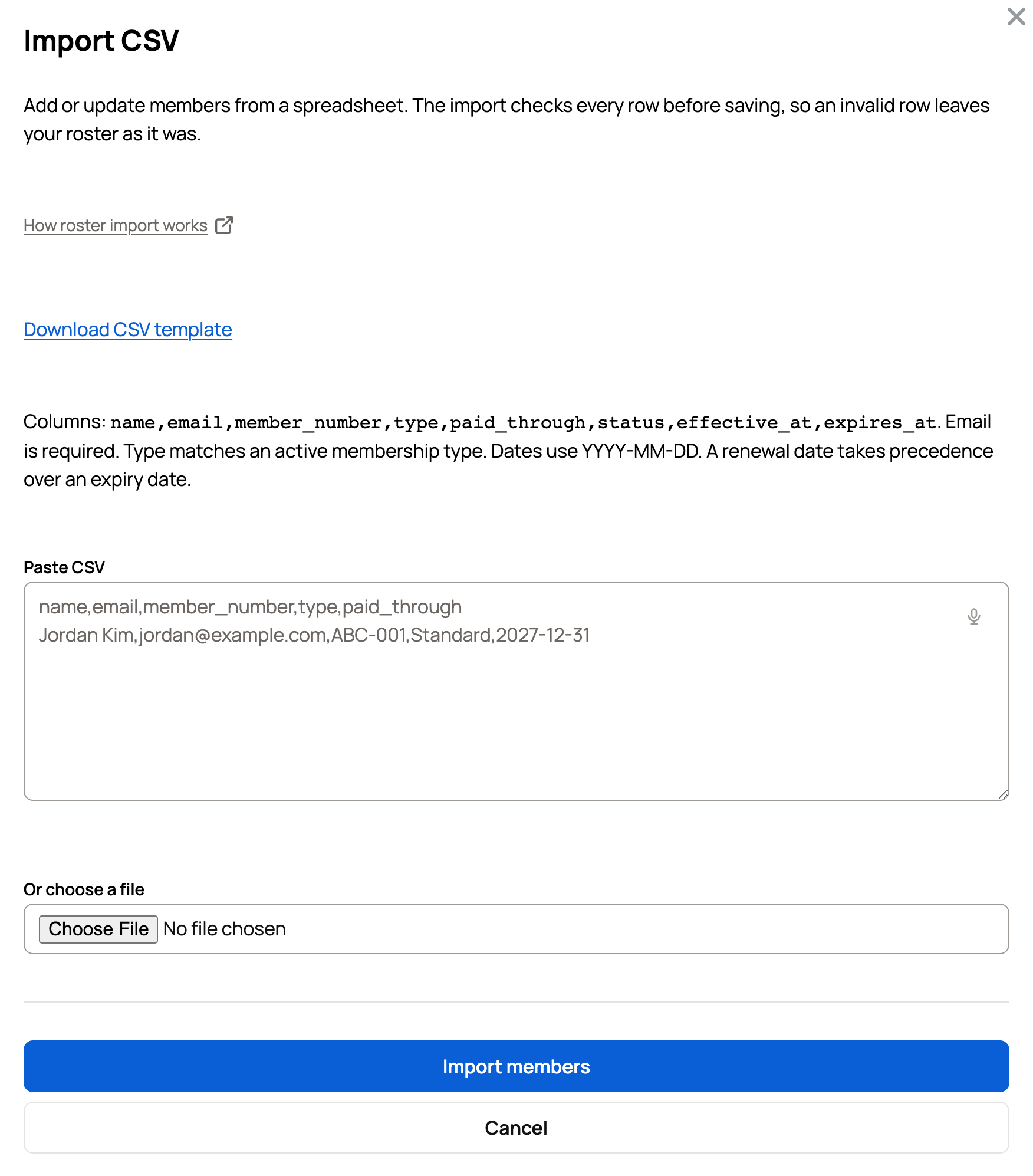
- The columns are name, email, member_number, type, paid_through, status, effective_at, and expires_at. Only email is required.
- type must match one of your active membership types, and dates use YYYY-MM-DD. A renewal date (paid_through) takes precedence over an expiry date.
- The import checks every row before saving. If one row is invalid, nothing is imported; fix the reported row and import again.
Importing again updates the members already on your roster, matched by email, and reports how many were imported, updated, or unchanged.
Find and update members
The Members list shows each member's number, type, paid-through date, standing, and household. Search by name, email, or number, sort the list, or filter by In good standing, Due soon, Lapsed, Not joined, No renewal date, or Removed.
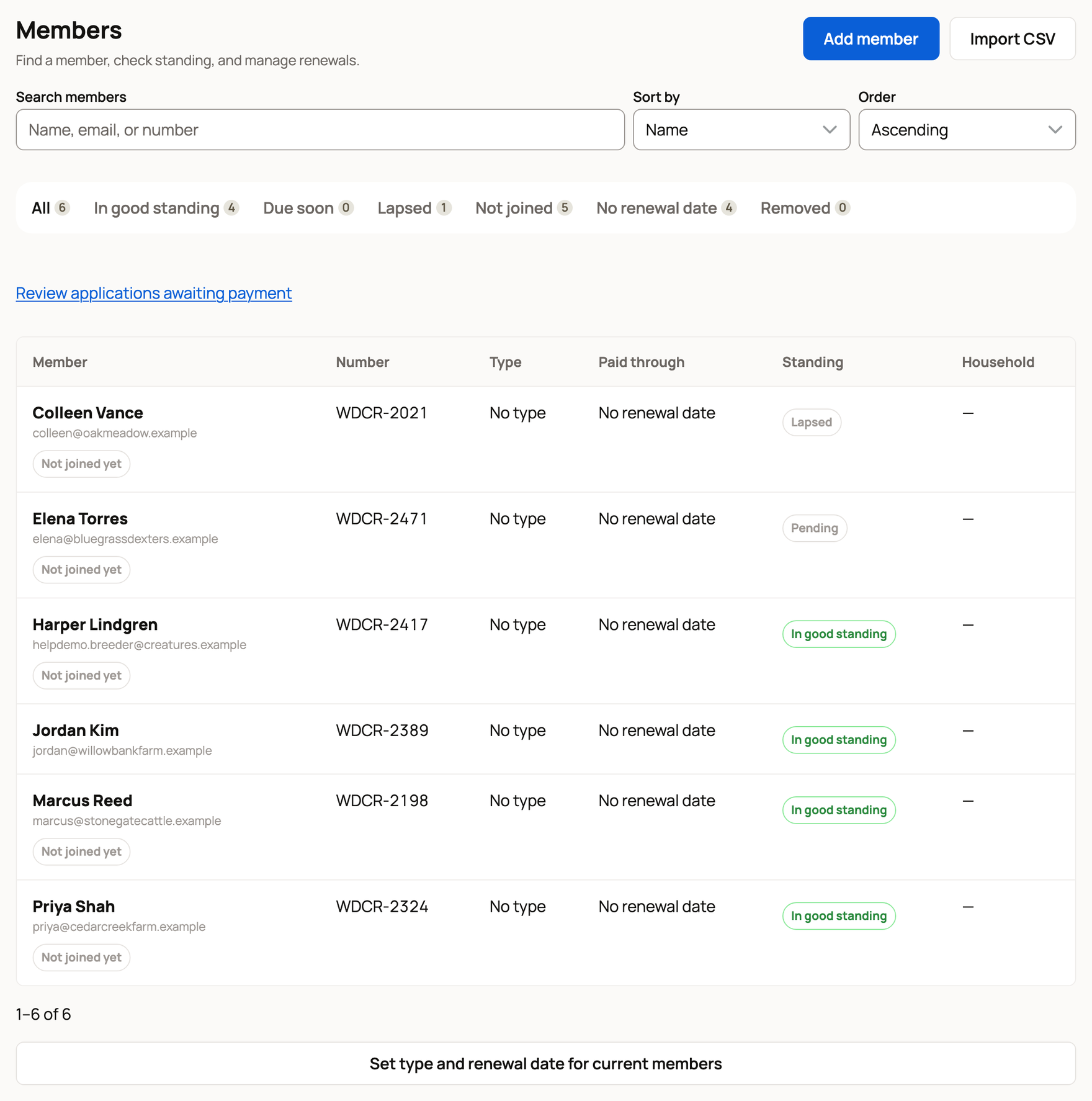
Select a member to open their details. You can change their Member number, Membership type, and notes, set Paid through and Standing, add people to a household, and see their payments. For an imported member who hasn't claimed their row, you can also correct the Name and Email there; once they claim it, name and email come from their own profile. After an import, Set type and renewal date for current members fills in everyone without a renewal date and leaves recorded dates alone.
Use Add member for one person, or Invite members when you are ready to send joining links. Remove member releases the person's number and takes them off the active roster, without refunding paid time. Removing one person from a household leaves the household's renewal in place; to remove its payer, first choose Make primary for someone else, or use Remove whole household. Removing a single member, a whole household, or a household's last person stops auto-renew at the end of the paid period.
Record dues paid outside Creatures
When a member pays by cash, check, or on your own website, open the member and choose Record offline payment. Enter the amount, the method (Cash, Check, or Other), the date received, and the Period start and Period end it covers, then select Record payment. This updates their payment history and paid-through date; no money moves through Creatures. A second payment for the same period is refused.
Card payments appear in the same Payments list. A payment that needs attention shows Needs review until an owner or co-owner selects Mark reviewed.
Renewal dates and standing
On Membership, choose a Join anniversary or Fixed date renewal cycle, a grace period, and a time zone. A member's paid-through date sets their renewal date, and standing lapses after the grace period. Members get reminders before and on the due date, during grace, and when standing lapses; a household gets one reminder through its payer. Changing the grace period or time zone recalculates everyone's standing.
When members claim their rows
A member claims their row by verifying the email you imported. Their first qualifying claim can add twelve months of Creatures Pro to the profile they choose, if the membership is in good standing and that profile has not had this benefit before. You do not grant it from the roster. See Creatures Pro and Claiming your association membership.
Related information
Updated on: 29/09/2026
Thank you!