
Claiming your association membership
When your association runs its membership on Creatures, you can join from its join page or claim a membership it already holds for you. Your memberships then live on one page, with your standing, renewals, and receipts.
Join, or find a membership waiting for you
To join, open the association's join page, choose a membership, and follow the steps. Some memberships start right away; others are reviewed by the association first. For a paid membership you pay by card, and you can choose to renew automatically each year with that card.
If the association added you to its roster, open Memberships. A waiting membership appears under Waiting for you when its email matches an email you have verified. If the association has a different address for you, use Not seeing your membership? to confirm that address with a six-digit code. Your Creatures account email stays the same. Creatures never matches by a similar name alone.
Choose who the membership belongs to
Each waiting membership shows the association and your member number.
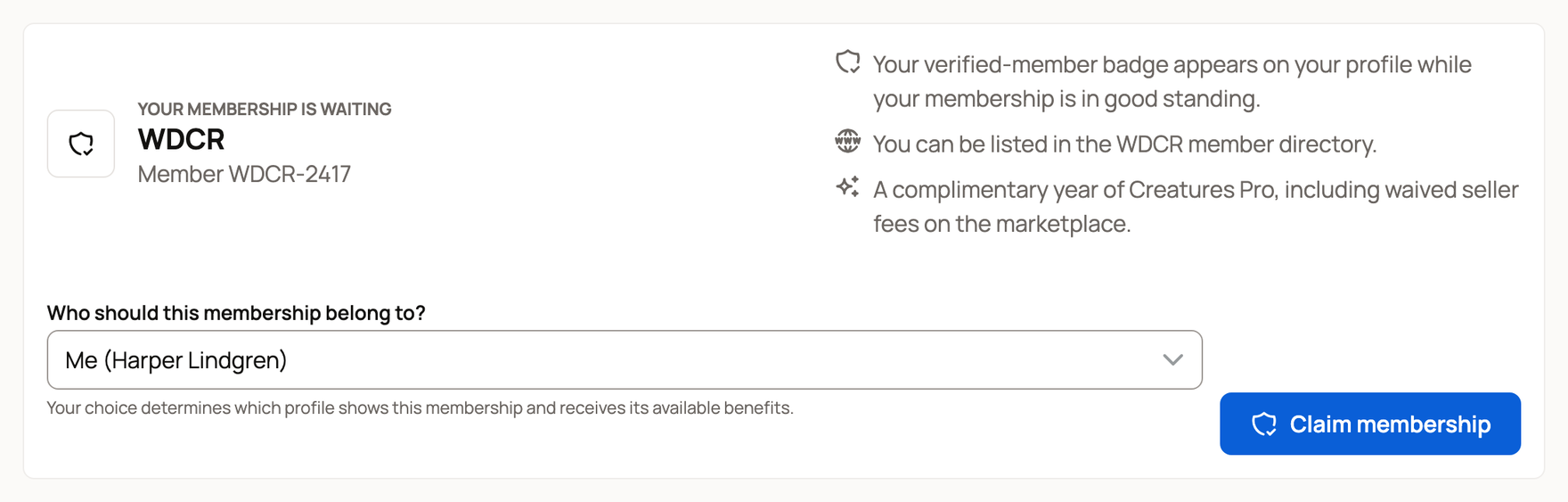
Under Who should this membership belong to?, choose yourself or a farm or other organization you own or co-own. That profile shows the verified-member badge, can appear in the association's member directory, and receives the membership's benefits. Select Claim membership. You can change the profile later from Memberships.
Your first qualifying claim can also add a complimentary year of Creatures Pro to that profile, including waived seller fees on the marketplace. The membership must be in good standing, and that person or organization cannot have received this benefit before. If it does not apply, the claim still completes. An existing Pro grant stays with the profile that received it. See Creatures Pro.
Pay and renew
Memberships shows each membership's type, paid-through date, standing, household, and payments with receipts. When a yearly membership comes due, select Renew. A free membership renews with that one step; for a paid one, choose Pay once or Renew automatically each year. With auto-renew on, you can turn it off or update your card; turning it off keeps the time you already paid for.
For a household, the payer manages renewal, auto-renew, and the card. Other household members can see the shared membership but cannot pay for it. If online payment isn't offered, contact the association about renewing.
If a waiting membership shows the wrong member number or association, don't claim it. Ask the association to correct its roster first.
Related information
Updated on: 29/09/2026
Thank you!