
Registries and associations on Creatures
Creatures gives registries, associations, and clubs one place to maintain a public profile, member directory, roster, registration applications, and certificates. The tools you see depend on what your organization is approved to do.
Start with your public listing
Search the registry directory for your organization. A claimed listing can be managed by the organization that represents it. If yours is missing, select Suggest a registry and send the basic details for review.
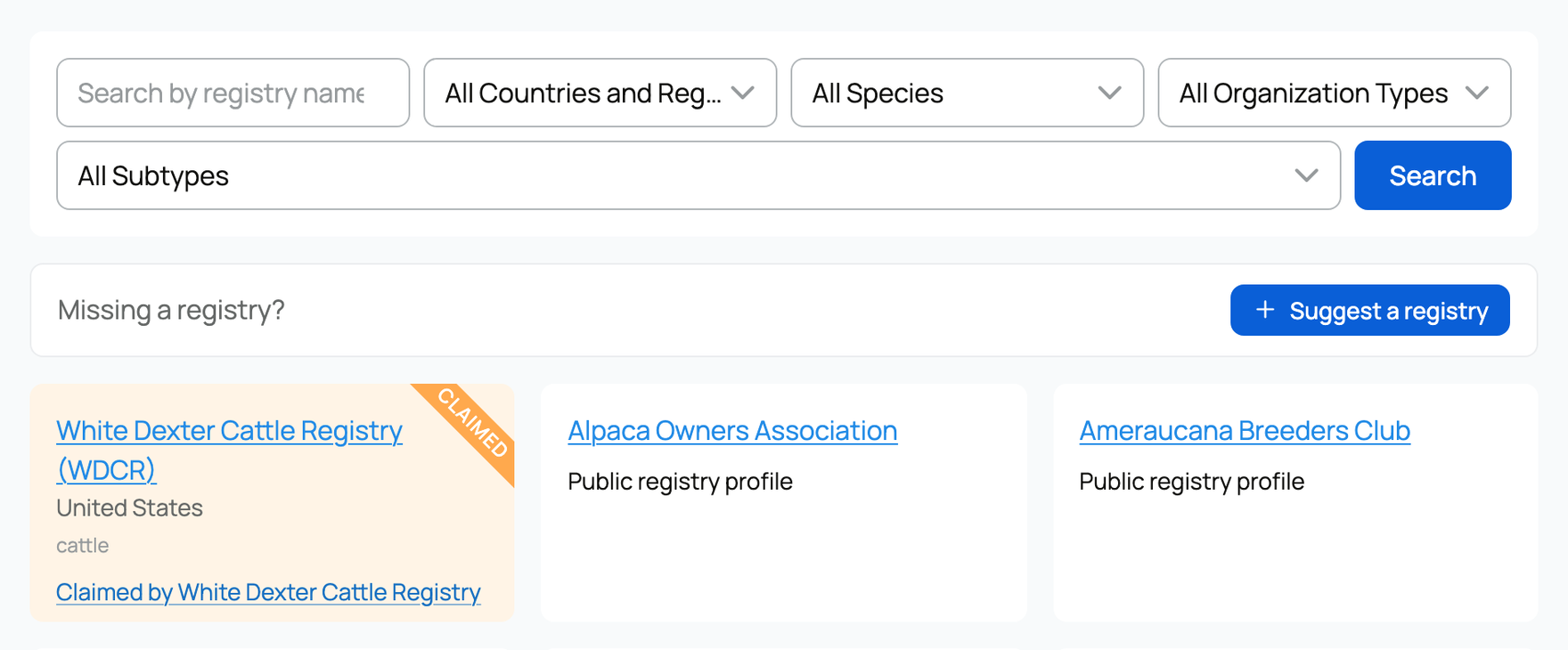
Claiming a listing starts the relationship, but it does not let an organization approve registrations. Creatures reviews every claim. Once approved, the organization can use its public profile and Association Hub.
Follow the setup checklist
Owners and co-owners can open Registry Setup from the Registry area of the dashboard. It shows what is ready, what your organization can do next, and what the Creatures team still needs to activate.
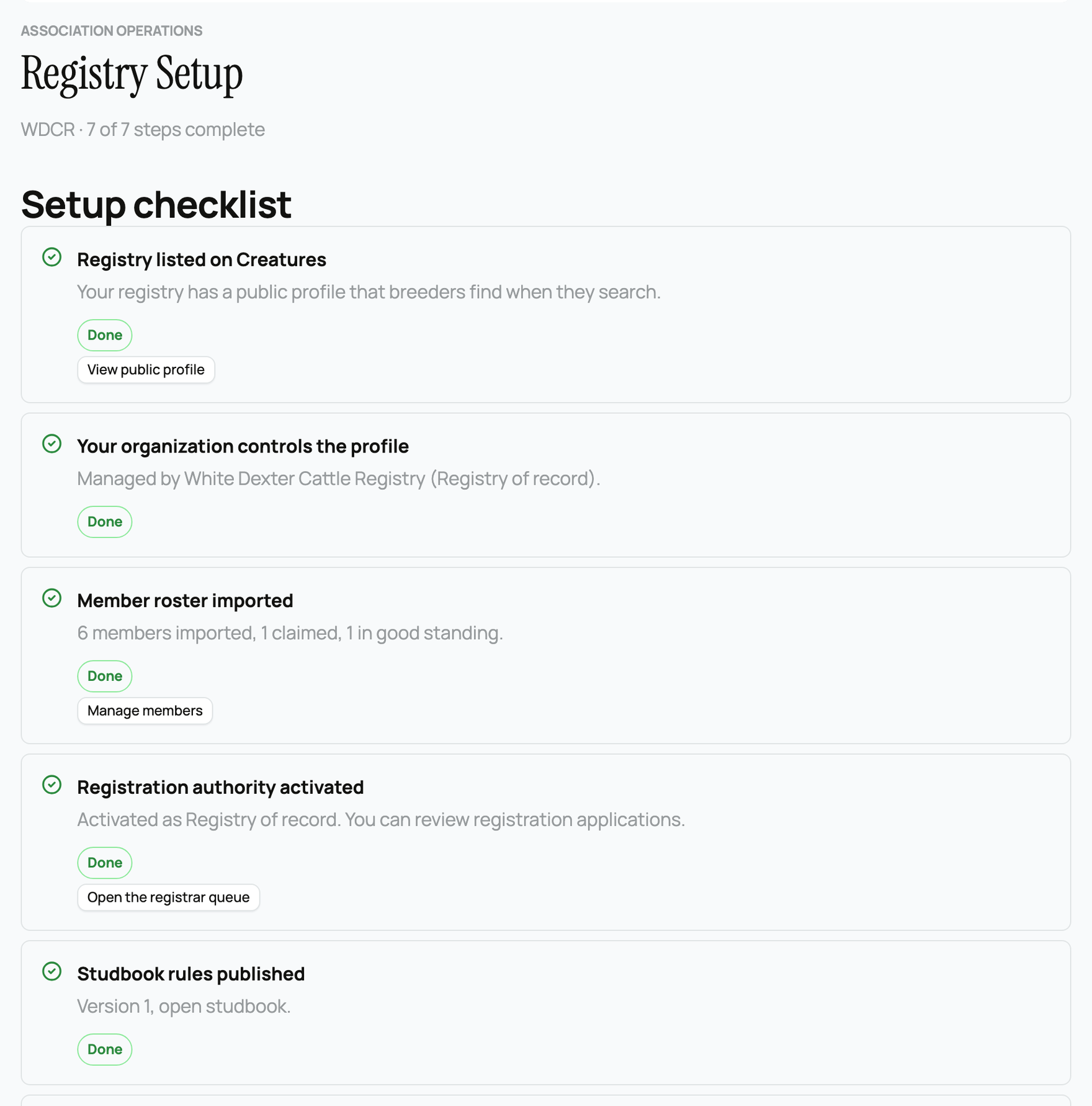
The checklist separates three kinds of work:
- Public profile and member tools become available after the registry listing is connected to your organization.
- Registration review requires Creatures to confirm your organization and publish its registration requirements with you.
- Official numbers and certificates require registry-of-record approval. This is the level for a registry that is the recognized source of its own registration numbers.
There is no self-service switch for registration authority or registration requirements. The checklist gives you the correct next action and prepares an email when the Creatures team needs to help.
Know who can operate the tools
The organization owner and co-owners can manage registry and association work. An invited team member cannot open these sensitive tools unless they are also made a co-owner. See Creating an organization and adding your team.
Once access is ready, the dashboard shows only the tools the organization can use: Association Hub, Setup, Registrations, and Certificates. A club may use only the Hub. A registry approved to review applications also gets the registration queue. A registry of record can issue numbers and fulfill printed certificates.
Choose the related guide for the job you are doing now instead of trying to complete every setup step at once.
Related information
- Claiming your registry or club listing
- The Association Hub: member directory and badges
- Reviewing registration applications
Updated on: 29/09/2026
Thank you!