
Reviewing registration applications
When Creatures has activated an organization to review registrations, its owners and co-owners can open the Registration Review Queue. The queue keeps every application, rule check, and decision together.
1. Choose an application
Use the status tabs to find applications that are In review, Awaiting consent, Changes requested, Approved, or Rejected. The table shows the animal, applicant, registry, submitted requirements, automated check, and any available AI draft.
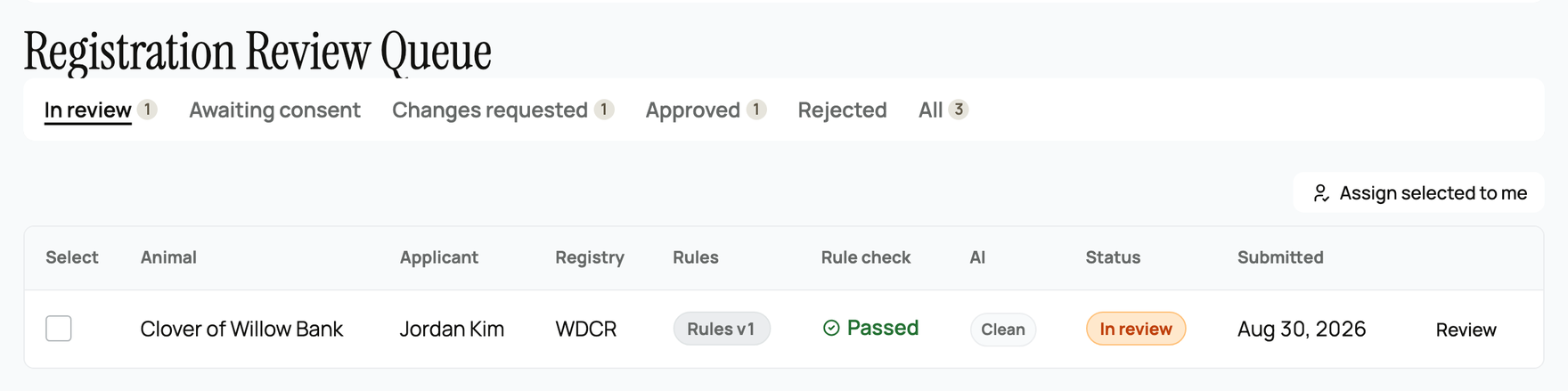
Select Review on one row. If several registrars work together, use the assignment controls so two people do not review the same application at once.
2. Review the source information
Read the animal, owner, parent, registration, and uploaded evidence before deciding. The application stays connected to the version of the registry requirements used when it was submitted. A notice appears when the current requirements have changed since then.
The rule check calls out missing or conflicting information. It is advice, not a decision. A passed check does not prove the animal should be approved, and a flagged check does not require rejection.
When an AI suggestion is available, use it as a draft only. Review and edit every sentence before inserting it. Nothing is sent to the applicant until you choose a decision action.
3. Record the decision
The Decision area lists the checks that influenced the review. Keep the relevant ones, remove anything that did not matter, and classify the reason in plain language.
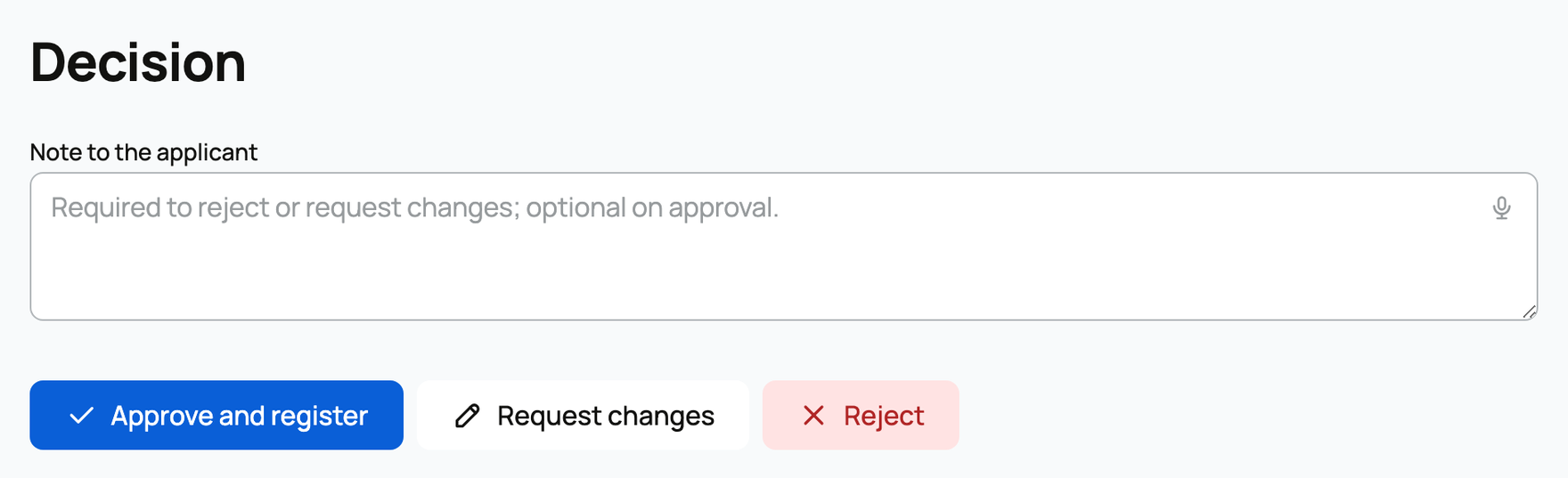
Choose one action:
- Approve and register accepts the application. A fee, if configured, must be paid before the registration finishes.
- Request changes sends the applicant a note and lets them correct and resubmit the application.
- Reject closes the application. A new application is needed to try again.
A note is required for requested changes or rejection and optional on approval. Write exactly what the applicant should correct or why the application cannot be accepted.
Approval creates a registrar-verified record. A registry of record also issues its next official registration number and digital certificate. Other approved reviewers do not issue an official number or certificate.
Related information
- Registries and associations on Creatures
- Issuing printed registration certificates
- Registering an animal with a registry
Updated on: 29/09/2026
Thank you!