
The Association Hub: member directory and badges
The Association Hub is the working area for an approved registry, association, or club. Owners and co-owners use it to run memberships, publish a member directory, and control the organization's verified-member badge.
If you manage more than one organization, use the organization picker at the top before changing anything.
Find the right Hub tab
Overview shows setup progress and recent activity. Members holds the roster, renewal dates, and each member's payments. Applications holds requests to join. Membership holds membership types, renewal settings, numbering, card processing, and payouts. Directory controls the member directory, badge, and reports. Documents holds certificate design, and Settings holds association settings.
Set up membership types
On Membership, select New type. Give it a name, a description, a Price (USD) (0 for free), a Yearly or Lifetime term, and a Household size if one membership covers several people. Then choose its Enrollment:
- Open lets people join right away, paying first when the type has a price.
- Review first sends each request to Applications, where you approve or decline it and read any uploaded files. For a paid type, the applicant pays after approval, and the membership starts once the payment goes through.
Set Visibility to Public to offer the type on your join page, or Association only to keep it off. Custom questions collect anything else you need. The join page lives at creatures.com/join/ followed by your organization's handle; share it so people can choose a membership, or claim one you already hold for them.
Changing a paid type's price applies to auto-renewing members at their next renewal, without charging anyone now. Archiving a type, or making it free, stops auto-renew at the end of the current period.
Understand dues and payouts
Members pay dues by card through Creatures, and Creatures takes no cut. When they pay, members can have the card renew automatically each year, or pay once and renew from their membership page when it comes due. Under Who pays card processing, the owner chooses whether members pay it or the association covers it.
Each member's payments show the amount, period, method, and net amount. Dues are credited to the association's Creatures balance, and Set up payouts lets the association withdraw it when ready. A paid type shows Needs verification until the organization finishes payment verification.
Publish the member directory
On Directory, select Edit directory.
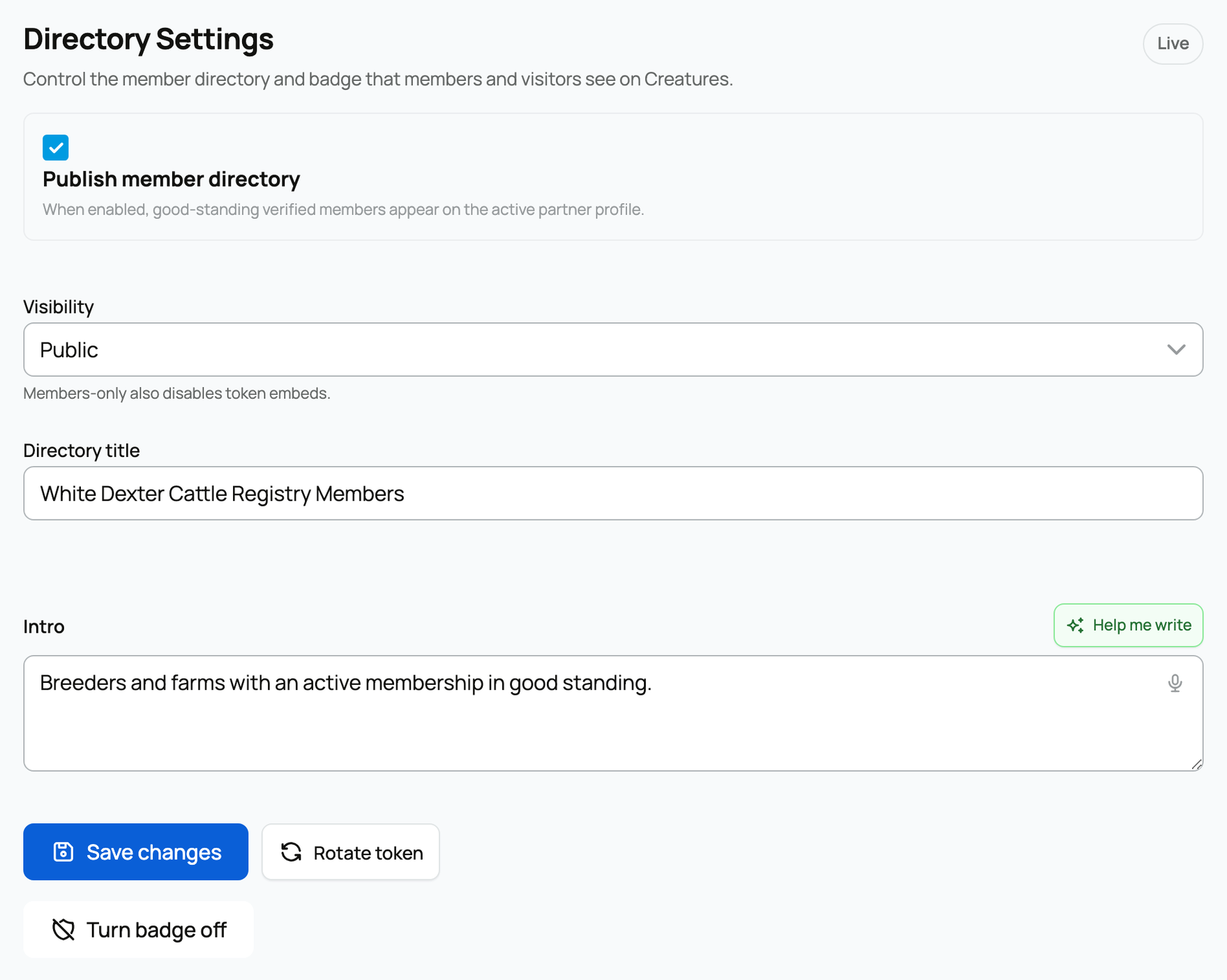
Turn on Publish member directory when the page is ready. Choose Public if anyone may view it, or Members only to keep it private to members; members-only also turns off website embeds. Add a clear title and a short introduction, then select Save changes. The badge button turns every verified-member badge on or off. Rotate token replaces the secret used by an existing website embed, so update your website after rotating it.
Only claimed members in good standing appear publicly. When a visitor reports a listing, it appears under Reports on the same tab; check the member record, make any change, and resolve it with a short note.
Brand future registration certificates
When the organization issues registration certificates, Documents holds its brand kit: an optional logo and registrar signature, an accent color, paper size, and the registrar's name and title.
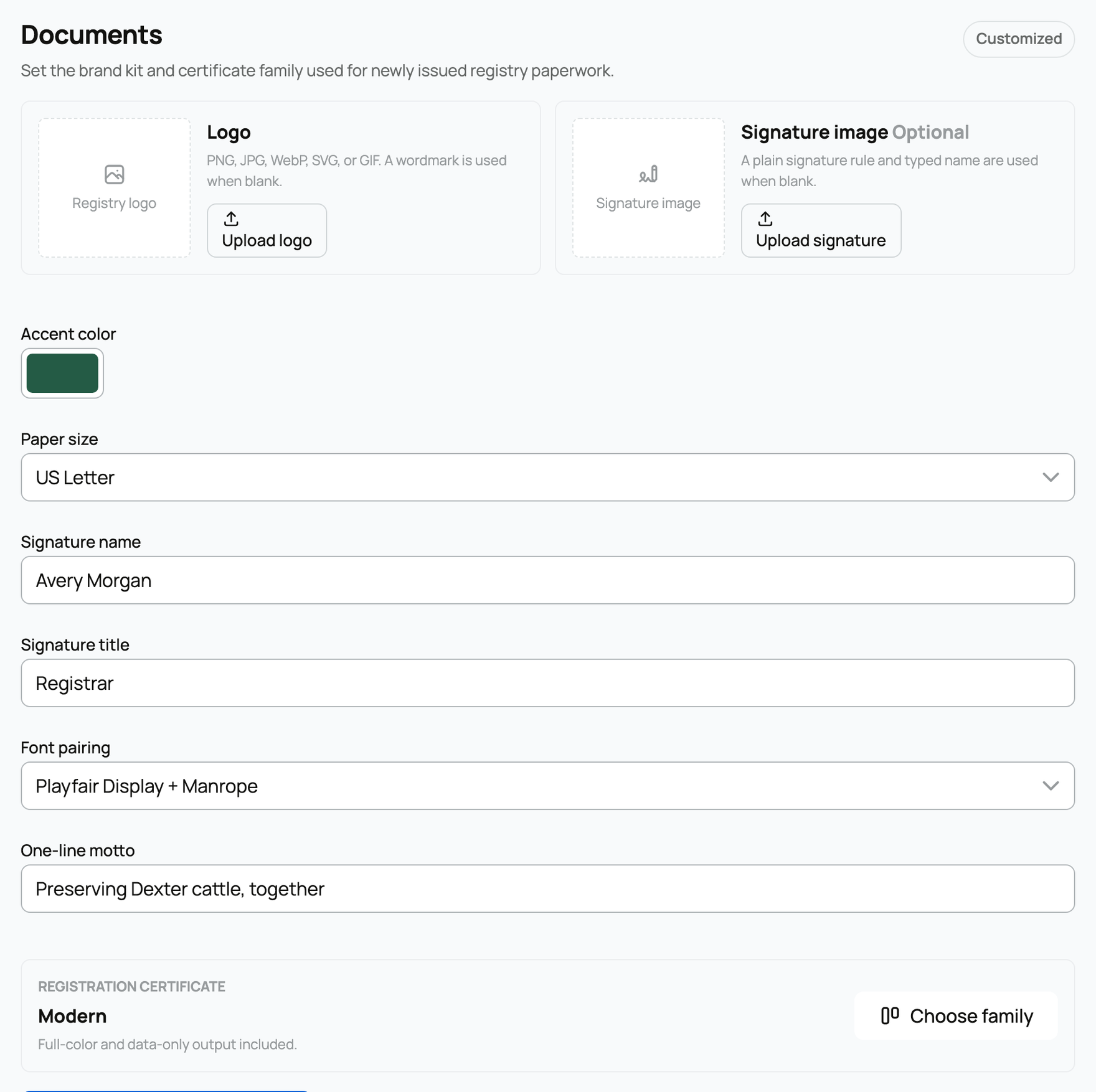
Select Choose family to compare the available certificate designs with your brand kit.
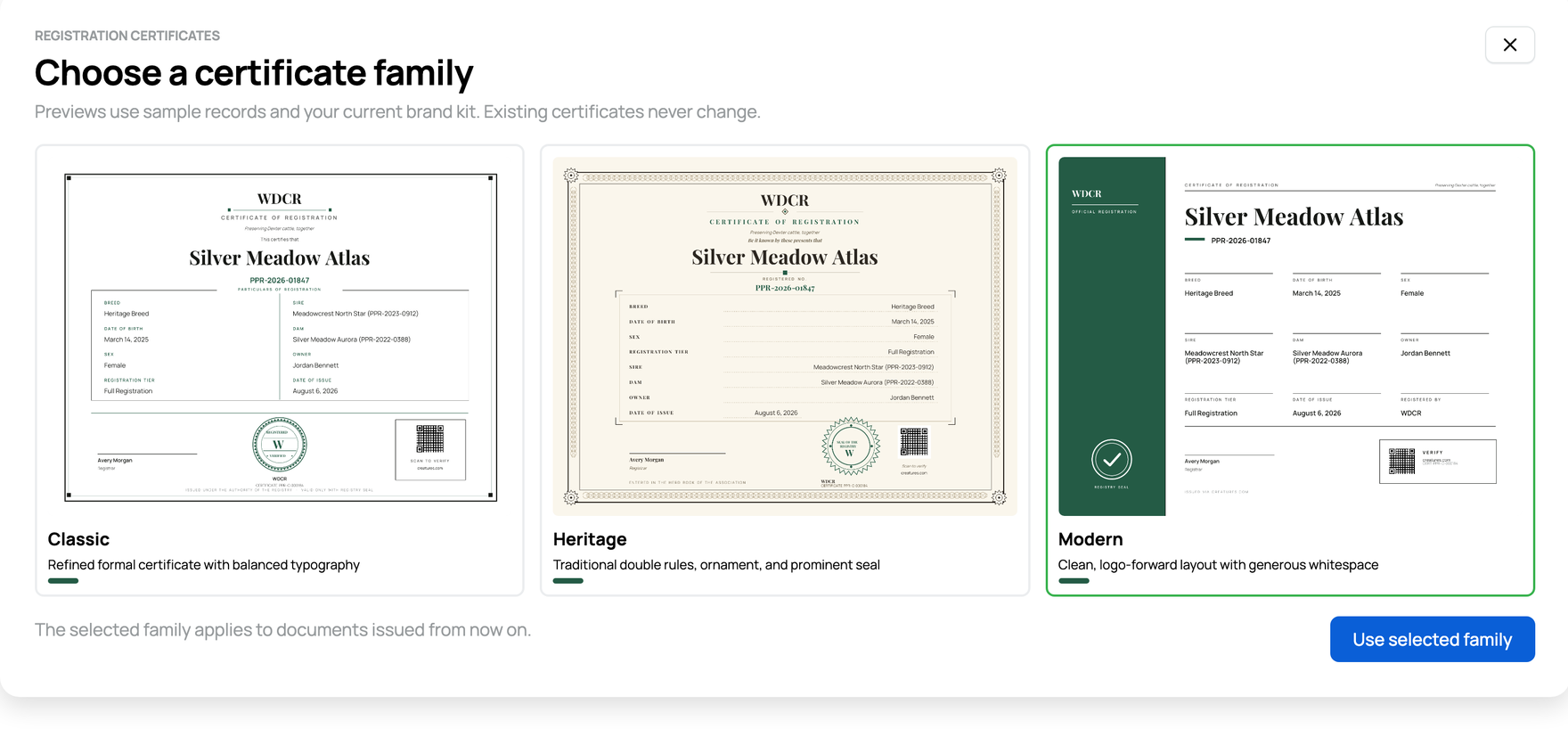
A saved design applies only to certificates issued from then on; existing certificates never change. Today the gallery covers registration certificates only.
Related information
- Importing and managing your membership roster
- Claiming your association membership
- Registries and associations on Creatures
Updated on: 29/09/2026
Thank you!