
Tracking your registration applications
Open My Registration Applications to follow every animal registration request you have submitted. You can also reach an application from its notification or from My applications on the registration form.
Read the applications list
The list shows the animal, registry, current status, submitted date, and a View action. Use it to find the application that needs attention instead of starting another request for the same animal.
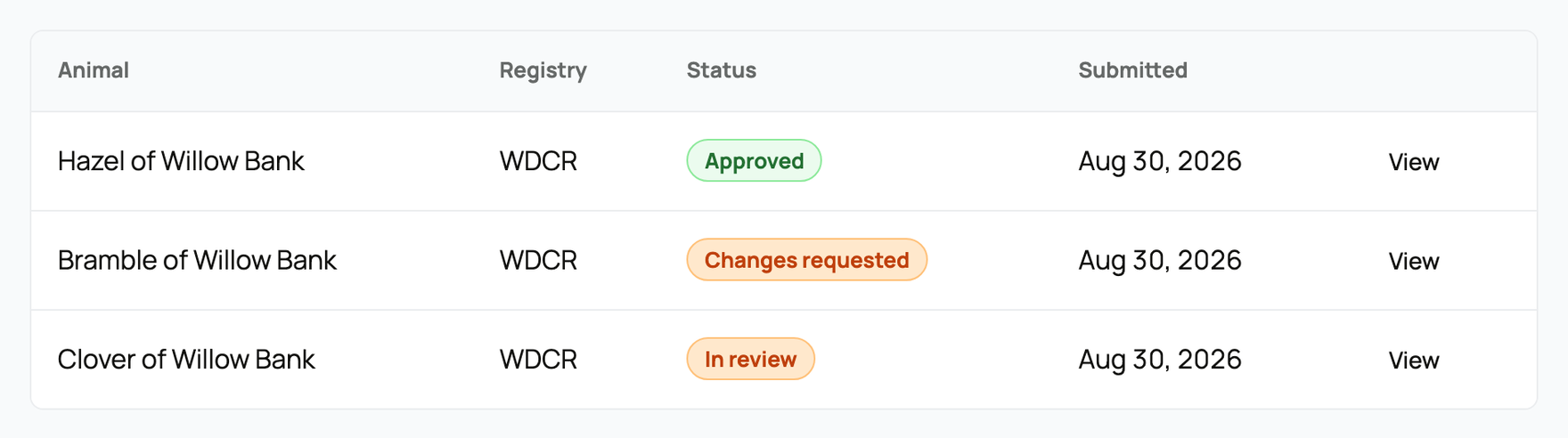
Common statuses mean:
- Awaiting consent: another owner must agree before review can continue.
- In review: the registrar is checking the application and evidence.
- Changes requested: read the registrar's note, correct the information, and resubmit.
- Approved: the review passed. A fee may still need payment before issuance finishes.
- Rejected: the registrar closed the application and explains why.
- Withdrawn: you closed the application before a final result.
Creatures notifies you after an approval, requested change, or rejection. Open the linked application for the complete record rather than relying on the short notification.
Respond from the application
The detail page shows the animal, registry, status, submitted date, review notes, fee, rule-check summary, and a history of changes.
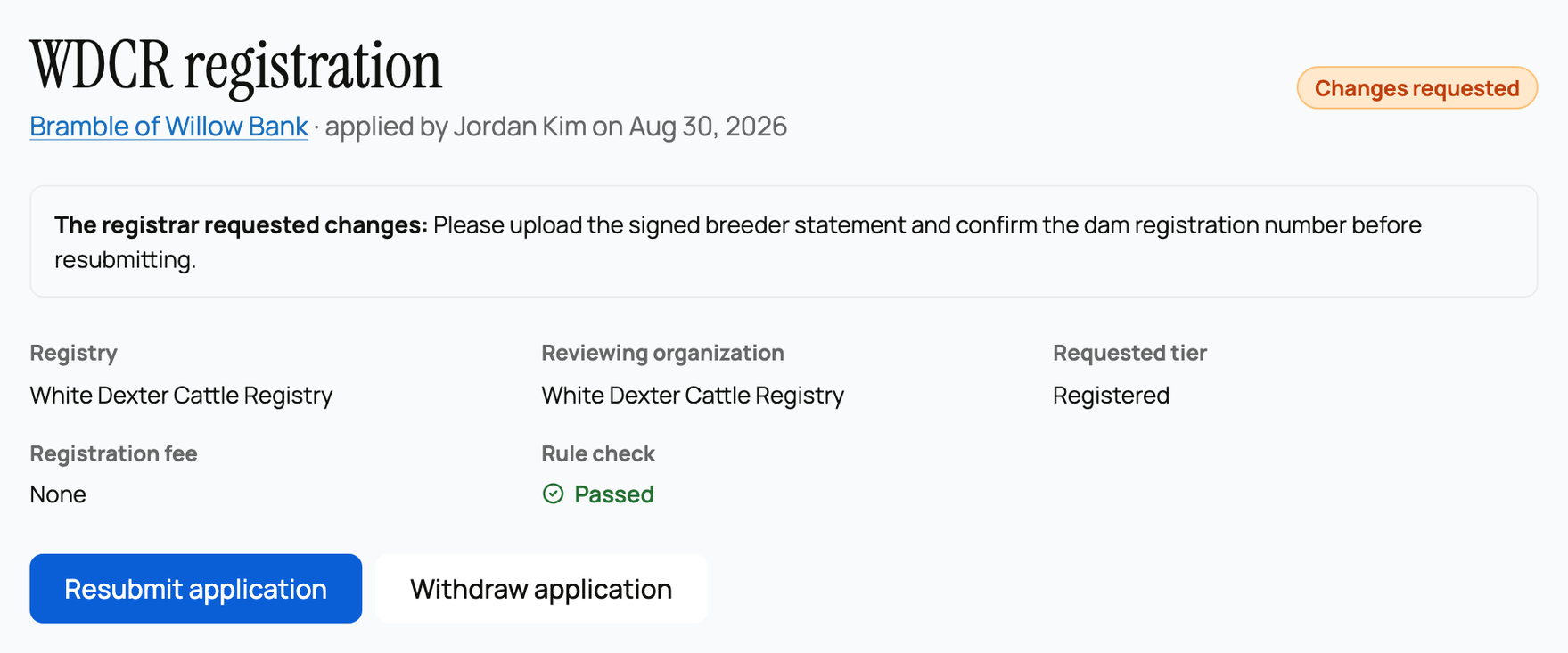
For Changes requested, follow the registrar's note. Correct the animal profile or supporting record, then select Resubmit application. Do not create a new application unless the registrar rejected the original one or specifically asks you to start over.
You can select Withdraw application while a request is still active. Withdraw only when you no longer want the registry to review it.
If an approved application has a fee due, select Pay registration fee. The official result finishes after payment succeeds. An issued result shows the registration number when one was granted, the certificate serial, PDF status, Open certificate, and Verify QR page.
The digital certificate is the official issued copy. Ordering a printed copy is optional and available only when that registry offers print fulfillment.
Related information
Updated on: 29/09/2026
Thank you!