
Show results on your animal's profile
Show results on your animal's profile
When a show is judged, the results do not just live on the show page. They land on each animal's own profile as lasting records, and they travel with the animal (even onto a for-sale listing). This article covers where results appear, the three kinds of results and how much to trust each, and how to add wins from shows held elsewhere.
The public results page
Every show has a public results page at /shows/(the show)/results, live once the organizer publishes results.
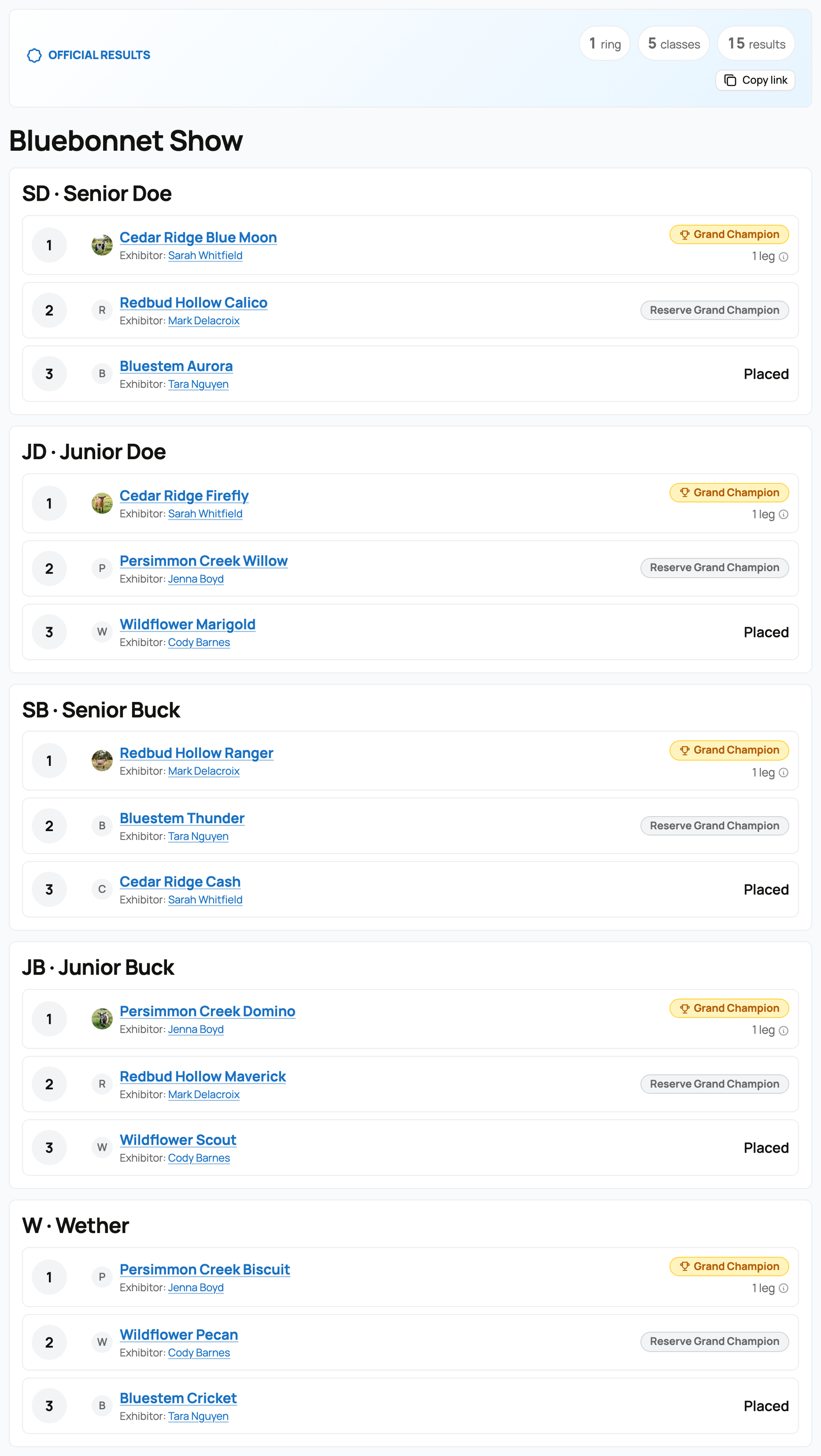
It lists results ring by ring and class by class, with Grand Champion and Reserve Grand Champion badges on the top placings, points and legs where they were entered, and a Copy link button so you can share it. This is the permanent, shareable results page, the one that replaces a photo of a results slide.
Results on the animal's profile
Published results also appear as a Show results section on the animal's own profile (on its records tab), and the same block appears on the animal's marketplace listing if it is for sale. So a champion carries its wins wherever it goes.
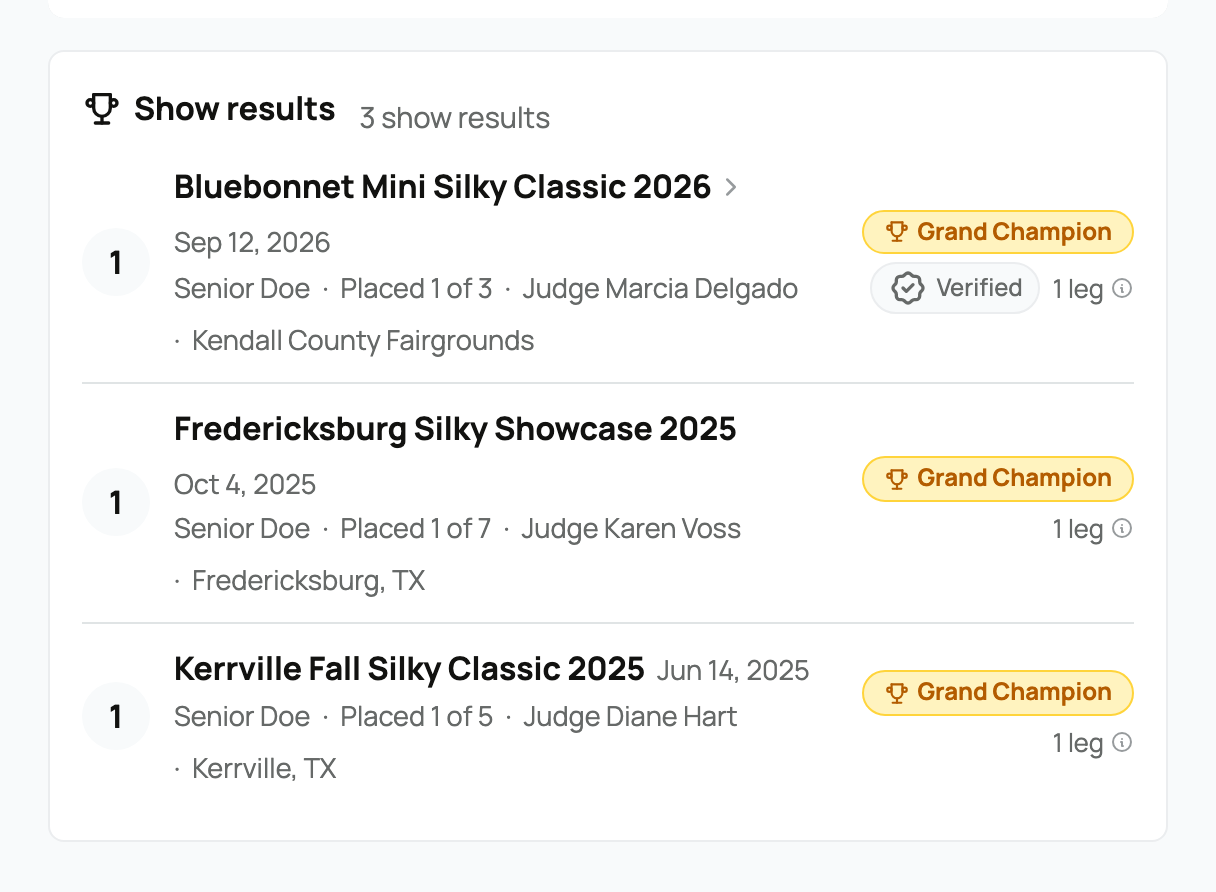
- The Verified badge. A result that was judged and published through a Creatures show carries a Verified badge, and it deep-links to that show's results page. Verified means Creatures ran the show and published the placing; it is the strongest kind of result.
- Legs. Where a win recorded legs, a small "legs" tag appears, and Creatures totals an animal's legs on its profile. A leg is a raw count many breed programs keep for Grand Champion wins; Creatures records and totals the number, and any championship title based on it is determined by your registry or program, not by Creatures.
- Hiding a result. As the owner, each result has a visibility control ("Shown on your profile and listings. Click to hide.") so you decide what is public.
The three kinds of results, and how much to trust each
Not every result on a profile was run on Creatures, so it helps to know where each came from:
- Platform results (Verified). Judged and published through a Creatures show. These carry the Verified badge and link to the results page. They are the only Verified kind.
- Self-reported results. Wins you enter yourself from shows held off Creatures or in the past (below). They appear without a Verified badge and are public by default.
- Imported results. Show wins brought in from a WinRbro import (Rabbit15, Cavy15, Goat15, Poultry15). These come in private by default, so you review them before anyone sees them. See Importing from Rabbit15, Cavy15, Goat15, and Poultry15.
Self-reported and imported results both sit alongside your Verified wins without the Verified badge, which is what keeps the badge meaningful.
Self-reporting an off-platform or historical win
To add a win from a show that was not run on Creatures, open the animal's records tab and, under Shows, select Show result (this is the same records tab where you add any record).
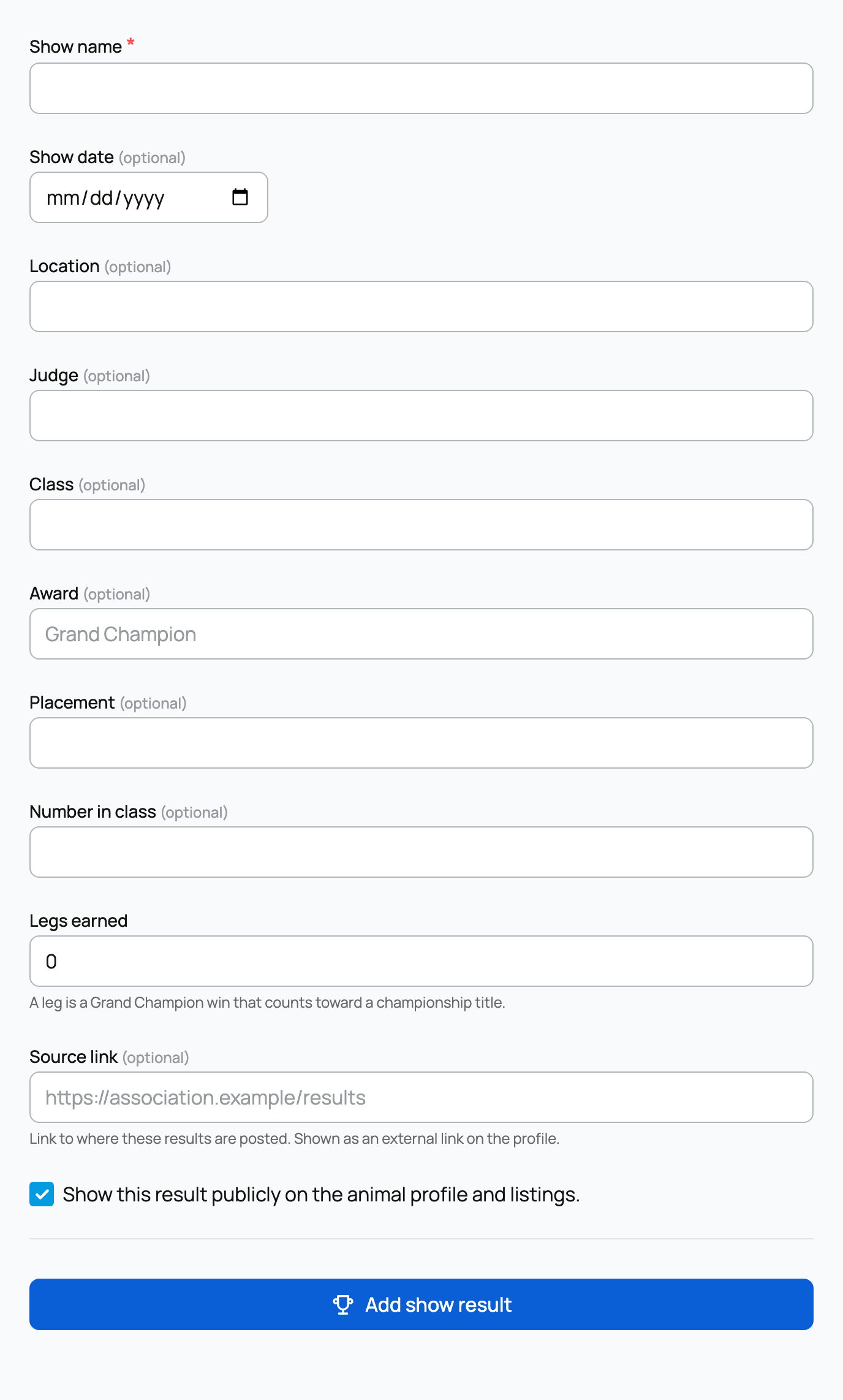
The form's only required field is the Show name; everything else is optional:
- Show name (required): the show where the win happened.
- Show date, Location, Judge, Class: the details of the win, all optional.
- Award: the title or award (for example "Grand Champion"). Free text.
- Placement and Number in class: where the animal placed, and out of how many.
- Legs earned: how many legs to record for this win (defaults to 0). Legs add to the total shown on the animal's profile.
- Source link: a link to where the results are posted, shown as an external link on the profile.
- Show this result publicly: a checkbox, on by default, that controls whether the result appears publicly on the animal's profile and listings. Turn it off to keep the result to yourself.
Select Add show result and it appears in the animal's Show results section. Because you reported it yourself, it does not carry the Verified badge, but it still counts toward the animal's leg total and rounds out its show history.
To see how results are created in the first place, see Judging and publishing results; to enter a show, see Finding and entering a show.
Related information
Updated on: 17/07/2026
Thank you!