
Importing your premium list with AI
Importing your premium list with AI
If you already have a premium list, you do not have to retype it. Upload the document and Creatures reads it and drafts the show and its class list for you to review. Go to Dashboard > Events > Shows and select Import premium list.
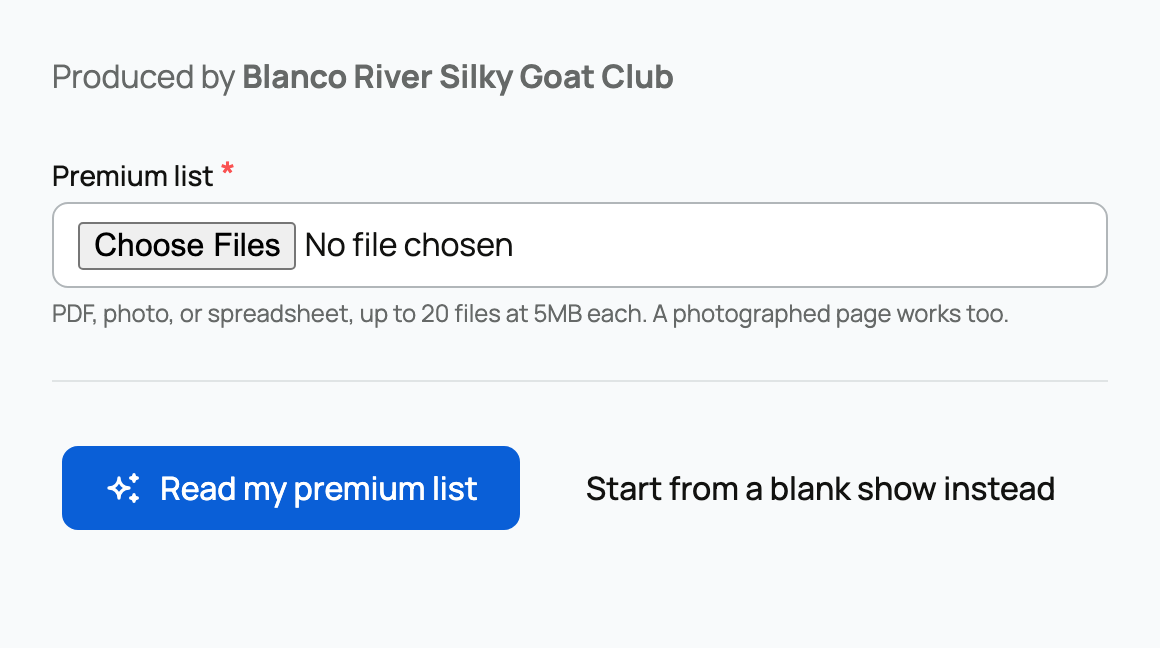
Uploading your list
- What you can upload. A PDF, a photo, or a spreadsheet. The helper spells it out: "PDF, photo, or spreadsheet, up to 20 files at 5MB each. A photographed page works too." A clear, text-based PDF reads better than a photo of one, but a photo of a page does work.
- The producing organization. As with a new show, the drafted show runs under an organization you own or co-own, and entry fees pay out to its wallet.
- A rate limit. You can start up to 10 imports per hour.
Select Read my premium list and Creatures processes it. You can leave and come back; the status page updates on its own (Waiting to process, Reading your list, Ready to review, Show created, or Needs attention).
Reviewing what it read
When it is done, you review a drafted show on the same form fields as a normal show, plus an editable table of the classes it found.
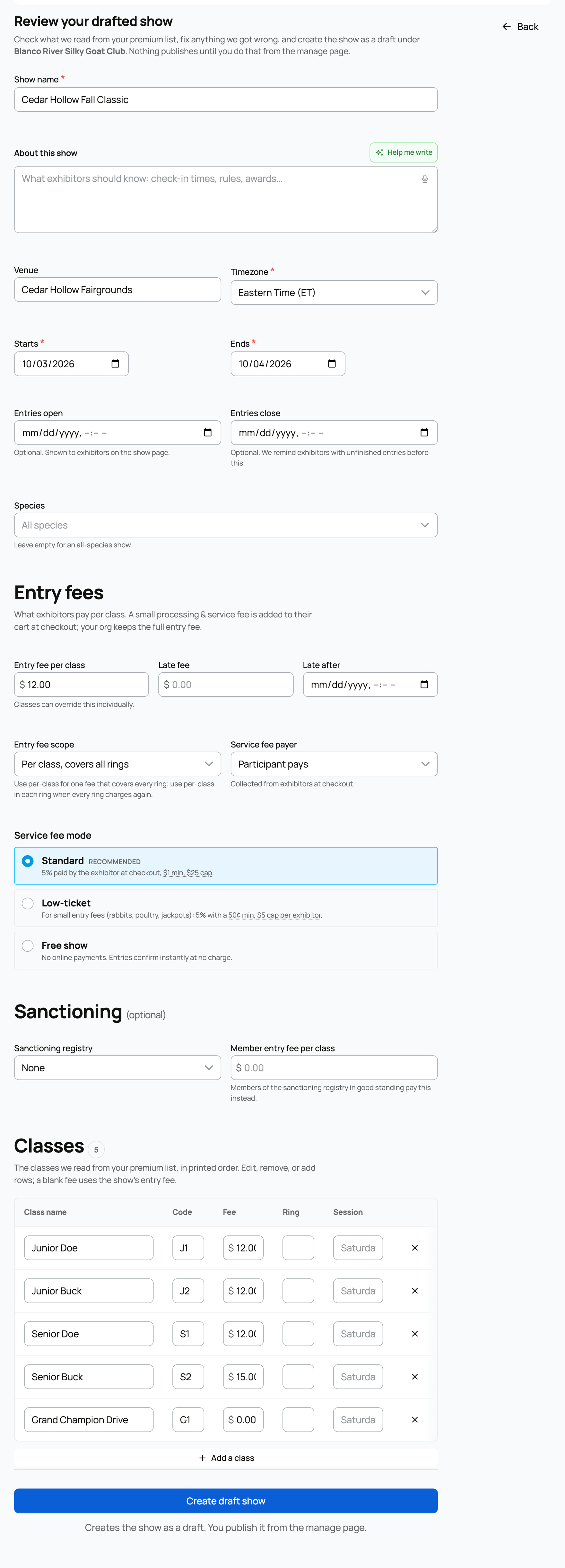
- Fix anything. Edit the show's name, dates, venue, description, and default fee, and edit, remove, or add class rows. A blank class fee uses the show's entry fee. The importer pulls the show name, dates, venue, a short description, a default entry fee, and each class (name, code, fee, ring, and session).
- The class cap. A single import can bring in up to 300 classes. If a list has more, you will be asked to trim it.
Import always creates a draft
The most important thing to know: import never publishes. Confirming the review creates the show as a draft under your organization. The review page says it, and the confirm button is labeled Create draft show with the hint "Creates the show as a draft. You publish it from the manage page."
So importing is low-risk: nothing goes live until you review it and publish it yourself. From the draft, finish setup exactly as you would for a hand-built show (see Creating a show and Classes and rings), then publish when you are ready.
Related information
Updated on: 17/07/2026
Thank you!