
Managing entries: the secretary console
Managing entries: the secretary console
The entry queue is your show secretary's home base: every entry order, with the actions to record payments, check exhibitors in, and scratch entries. Open your show and select Entries (also reachable as "Entry queue").
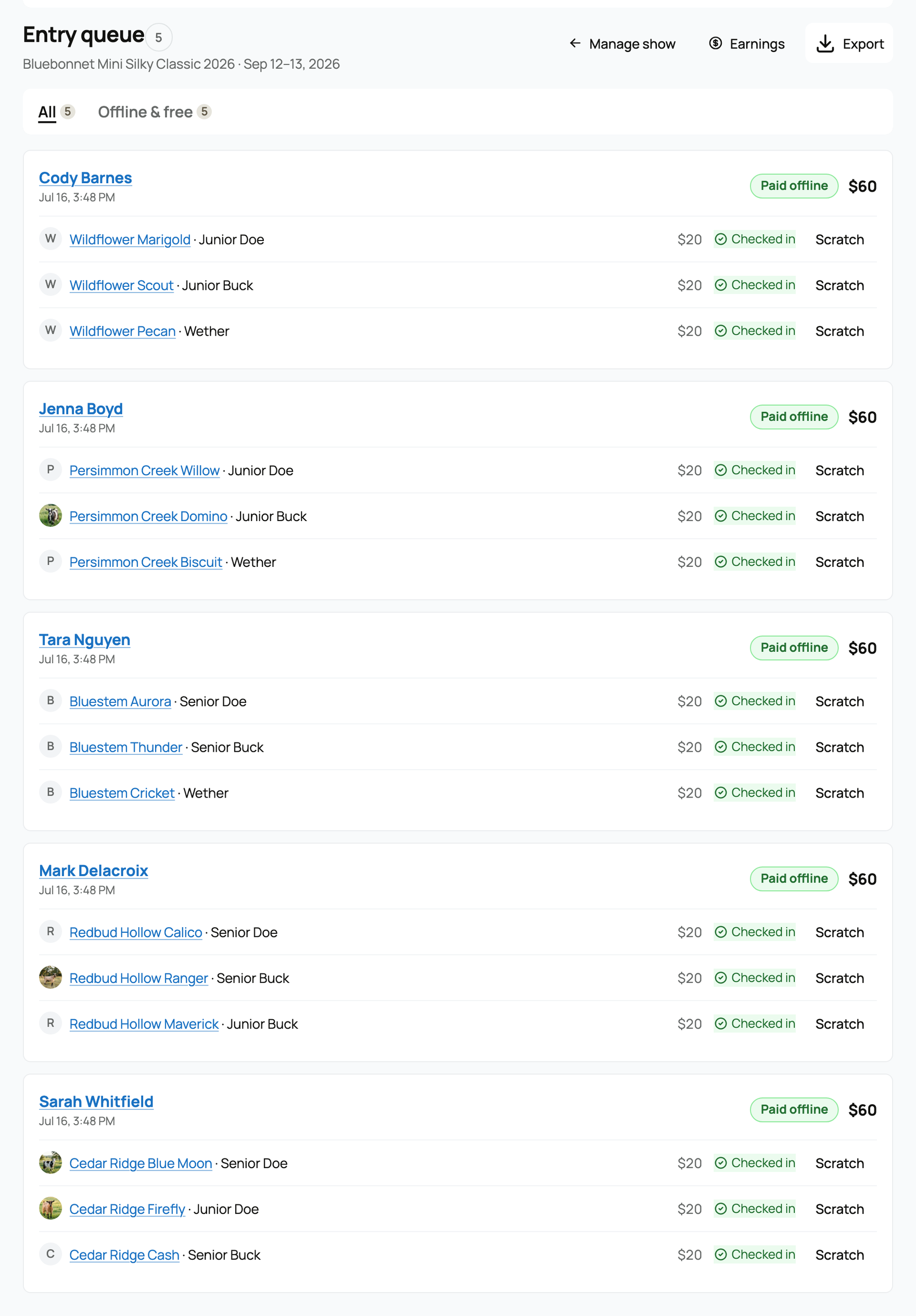
The filter tabs
Orders are grouped into tabs so you can find what needs attention. A tab only appears when it has something in it (the queue opens on "Needs attention" when there is anything there, otherwise "All"):
- All. Every order.
- Needs attention. Orders with something to resolve, for example a refund that has not settled. This tab is highlighted when it is not empty.
- Paid online. Orders exhibitors paid by card at checkout.
- Offline & free. Orders you recorded as paid offline, plus free-show entries.
- Awaiting payment. Orders with a checkout started but not yet paid.
- Drafts. Orders an exhibitor began but has not checked out.
Reading an order
Each order shows the exhibitor, a timestamp, a status pill (Draft, Awaiting payment, Paid, Paid offline, Free, Partially refunded, or Refunded), and the total. Each line inside it can carry a badge: Checked in, Scratched (with "refund pending" or "refund failed" when a refund is still in flight), or Refunded.
The actions
Depending on an order's state, you will see these actions:
- Check in. Marks an entry as present on show day. Only checked-in entries appear in the judging console, so check-in is the gate between "entered" and "judgeable."
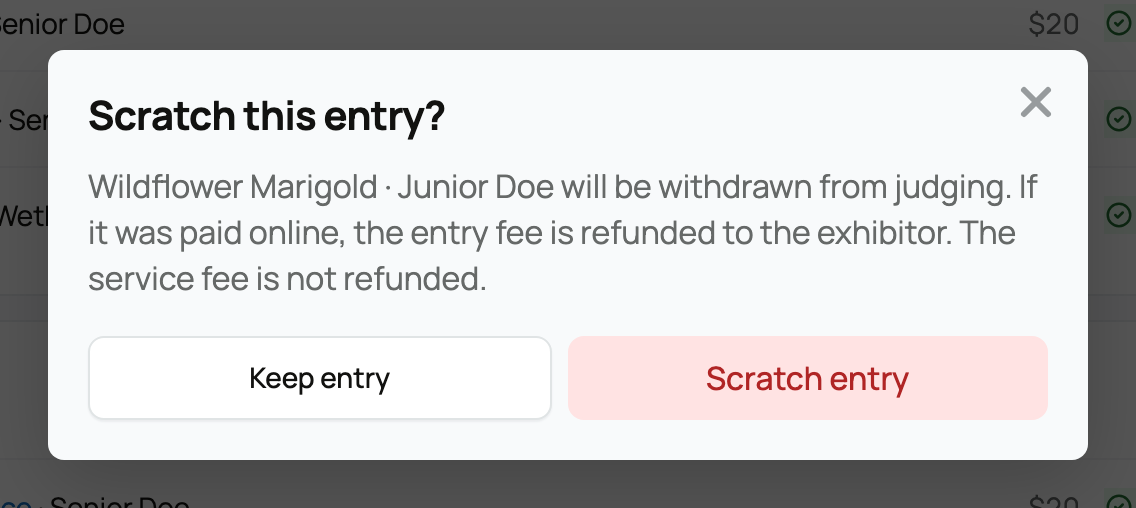
- Scratch. Withdraws an entry from judging. This is the one to read carefully on refunds:
- If the entry was paid online, the entry fee is refunded to the exhibitor.
- The service fee is never refunded on a scratch. The confirmation says so directly: "The service fee is not refunded."
- If a refund does not go through, the line shows "refund failed" and you get a Retry refund button.
- Record offline payment. For drafts, this marks the order as paid outside Creatures (cash, check, day-of) and confirms its entries. No service fee is collected on an offline payment.
- Cancel order. For a draft or an order awaiting payment, this expires any open checkout so it cannot later complete. The exhibitor can enter again while entries are open. (An order already paid online cannot be cancelled here; scratch its lines instead.)
Exports
From the Export menu you can download two files:
- Entry list (CSV). Every entry with exhibitor, animal, class, ring, session, amounts, entry state, and order status. Useful for your records or a printed catalog.
- Ring steward sheets. A printable block per class, in catalog order, with a blank "Checked in" column for the ring steward to mark by hand. Even a class with no entries gets a sheet.
For where the money lands and how refunds show up in your totals, see Show earnings and fees. To judge the checked-in entries, see Judging and publishing results.
Related information
Updated on: 17/07/2026
Thank you!