
Show earnings and fees
Show earnings and fees
The earnings page shows what your show has taken in, broken down so you can reconcile it. Open your show and select Earnings.
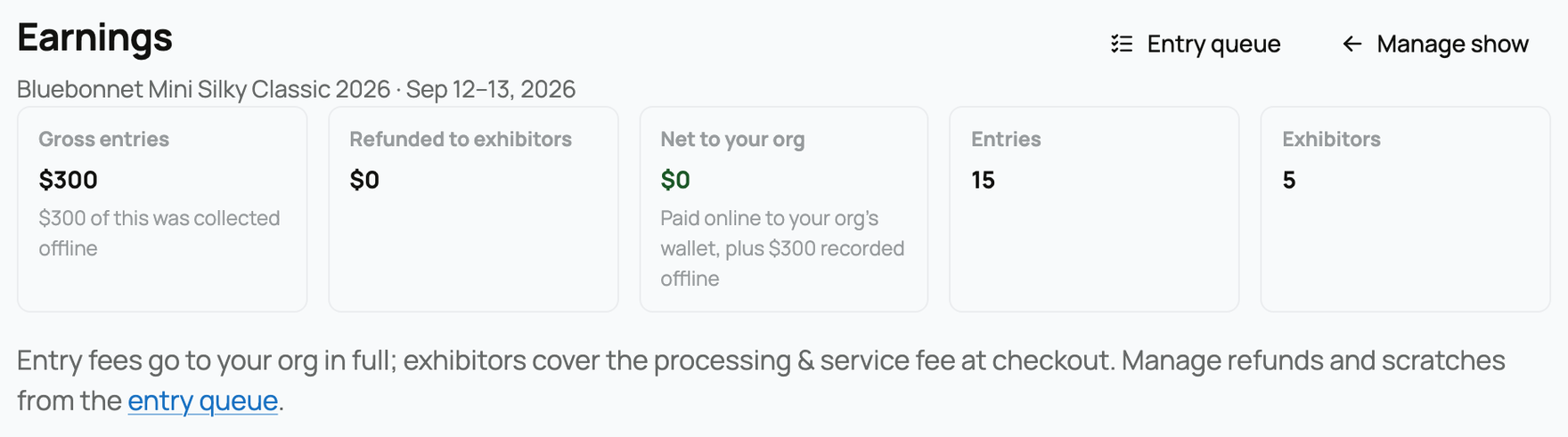
The summary tiles
- Gross entries. Everything exhibitors have paid in entry fees, online and offline. If any was collected offline, a sub-line calls that out.
- Refunded to exhibitors. What has been refunded (from scratches). If a refund is still settling, a sub-line notes the amount that has not cleared yet.
- Net to your org. What your organization keeps after refunds. The sub-line reminds you it is paid to your org's wallet, plus anything recorded offline.
- Entries. How many entries have been taken.
- Exhibitors. How many distinct exhibitors have entered.
The breakdowns
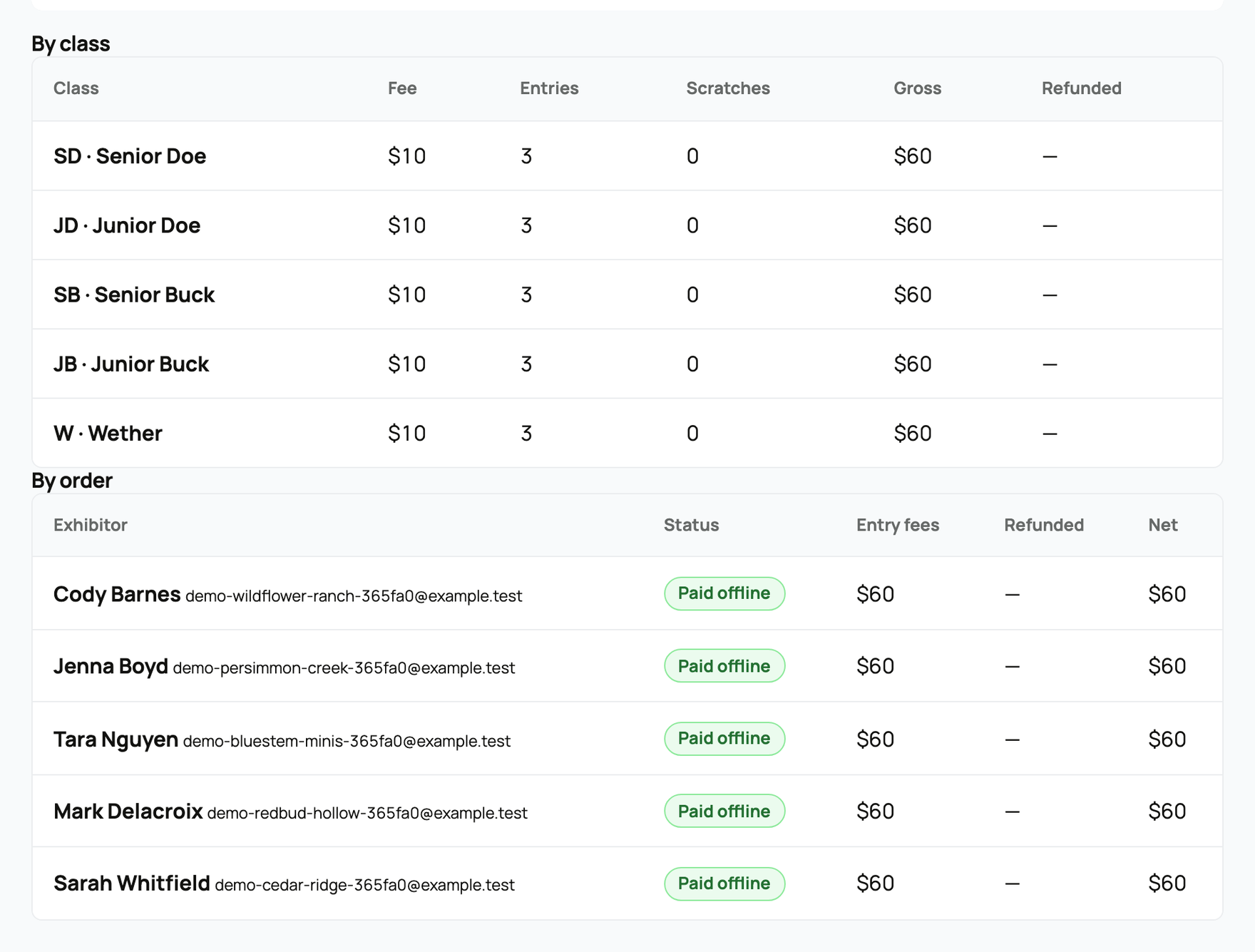
Two tables let you reconcile the totals:
- By class. Each class with its fee, entry count, scratches, gross, and refunded amounts.
- By order. Each exhibitor's order with its status, entry fees, refunds, and net. An order whose refund needs attention is flagged here.
The money model (who pays what)
The footnote on the page states it plainly: "Entry fees go to your org in full; exhibitors cover the processing & service fee at checkout. Manage refunds and scratches from the entry queue."
In other words:
- Your org keeps the full entry fee. The service fee is not taken out of your entry revenue.
- Exhibitors pay the service fee on top, at checkout. You chose how it is calculated when you set up the show (see the service fee mode in Creating a show).
- Entry money pays out to your organization's wallet. From there you withdraw it to your bank. See Your Creatures Wallet and Withdrawing your money to your bank.
- Refunds happen when you scratch a paid entry, and they are handled from the entry queue (see Managing entries: the secretary console). A scratch refunds the entry fee but never the service fee.
Offline-recorded payments carry no service fee at all: recording a payment as offline confirms the entries and collects nothing extra.
Related information
Updated on: 17/07/2026
Thank you!