
Finding and entering a show
Finding and entering a show
This is the exhibitor's guide: how to find a show, enter your animals, pay, and manage your entry. You only need a Creatures account to enter; there is no extra verification step.
Finding a show
Shows live at the public directory, creatures.com/shows. One thing to know: the directory is not in the main site menu yet, so the way you reach it is the direct link (from an organizer, or by going to /shows).
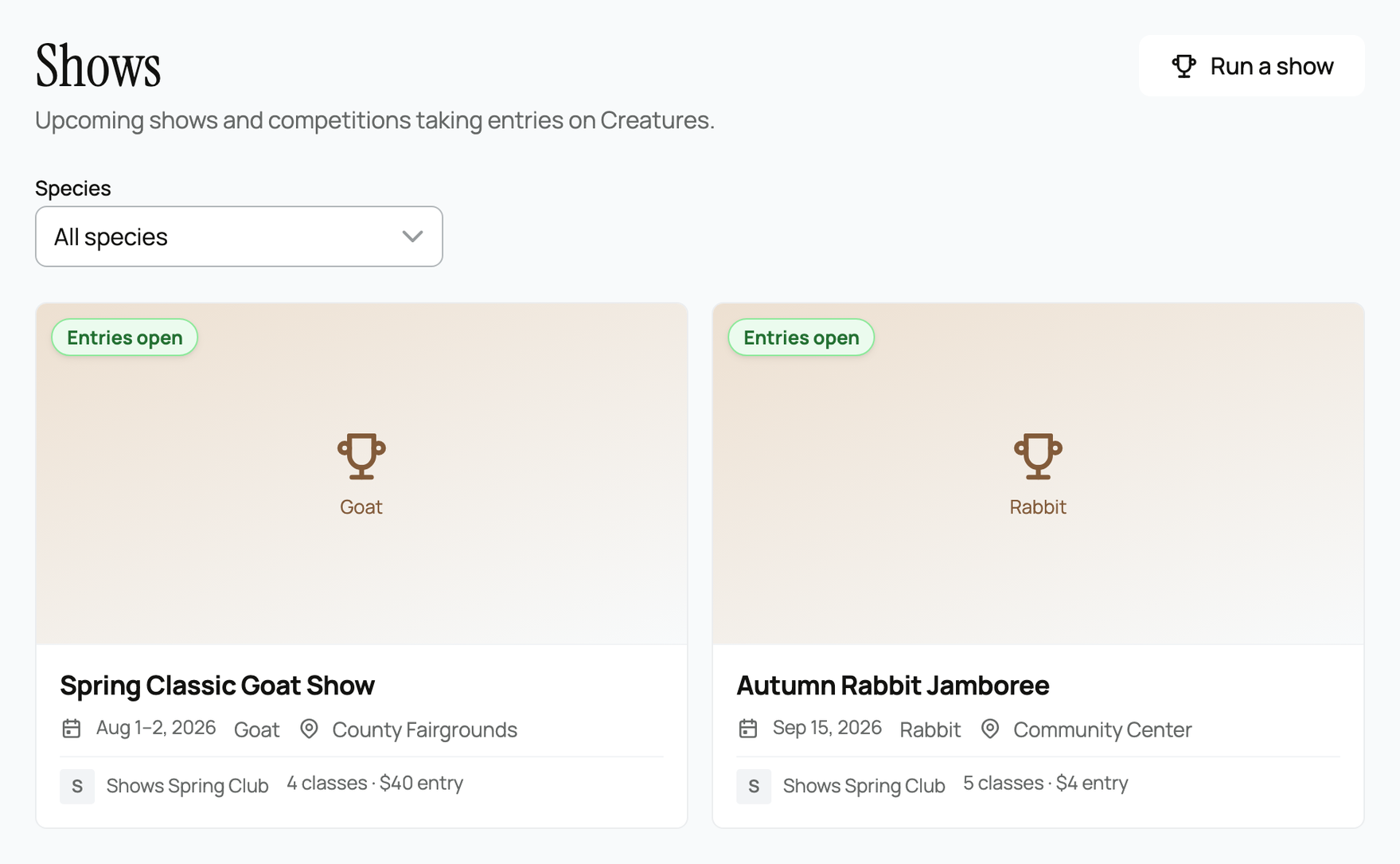
- The species filter. Narrow the directory to your species, or leave it on "All species."
- What each card shows. A status pill ("Entries open" when you can enter), the dates, the species, the venue, the producing organization, the class count, and an entry-fee teaser.
- Which shows appear. The directory lists upcoming and current shows only. A show that has finished (its end date has passed, or its results are published and it is completed) drops off the directory. You can still reach it by its direct link, for example to see results.
The show page
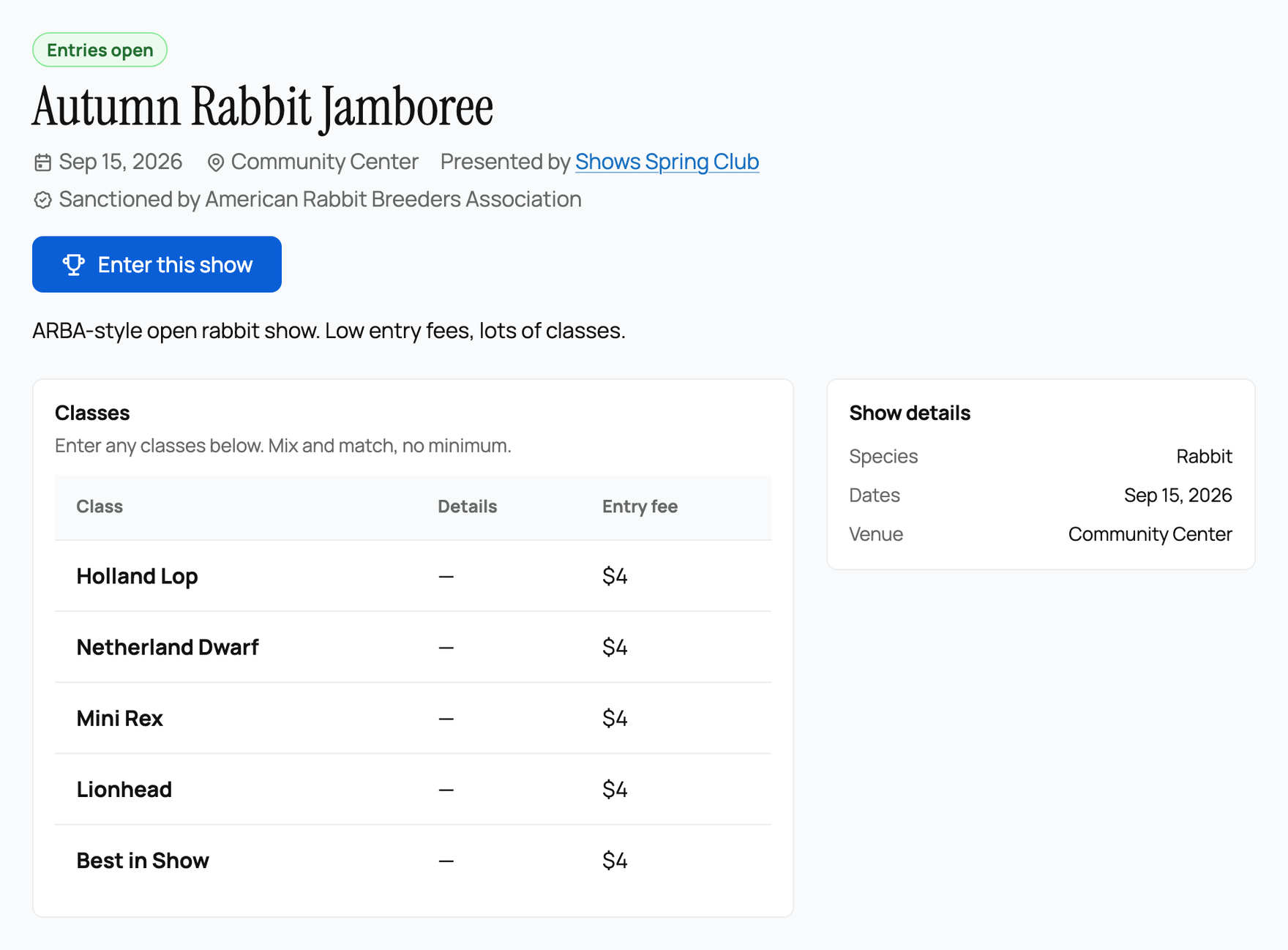
The show page has everything you need to decide and enter: the description, dates and venue, the class list (each class with its fee), and, if the show is sanctioned, a "Sanctioned by" badge (a self-declared mark the organizer set). If the organizer set a discounted member entry fee, members of that registry in good standing see the lower price automatically when they enter; see Importing and managing your membership roster for what "good standing" means.
- Enter this show. When the show is taking entries, this button starts your entry.
- View results. After results are published, the button becomes a link to the results page instead.
- Your entries. Once you have entered, a panel on the show page tracks each of your orders and their status.
Building your entry
Select Enter this show to open the builder.
- Entering as. If you can enter on behalf of an organization you own or co-own, you choose here whether you are entering as yourself or as your org. (If you only have your own account, this does not appear.)
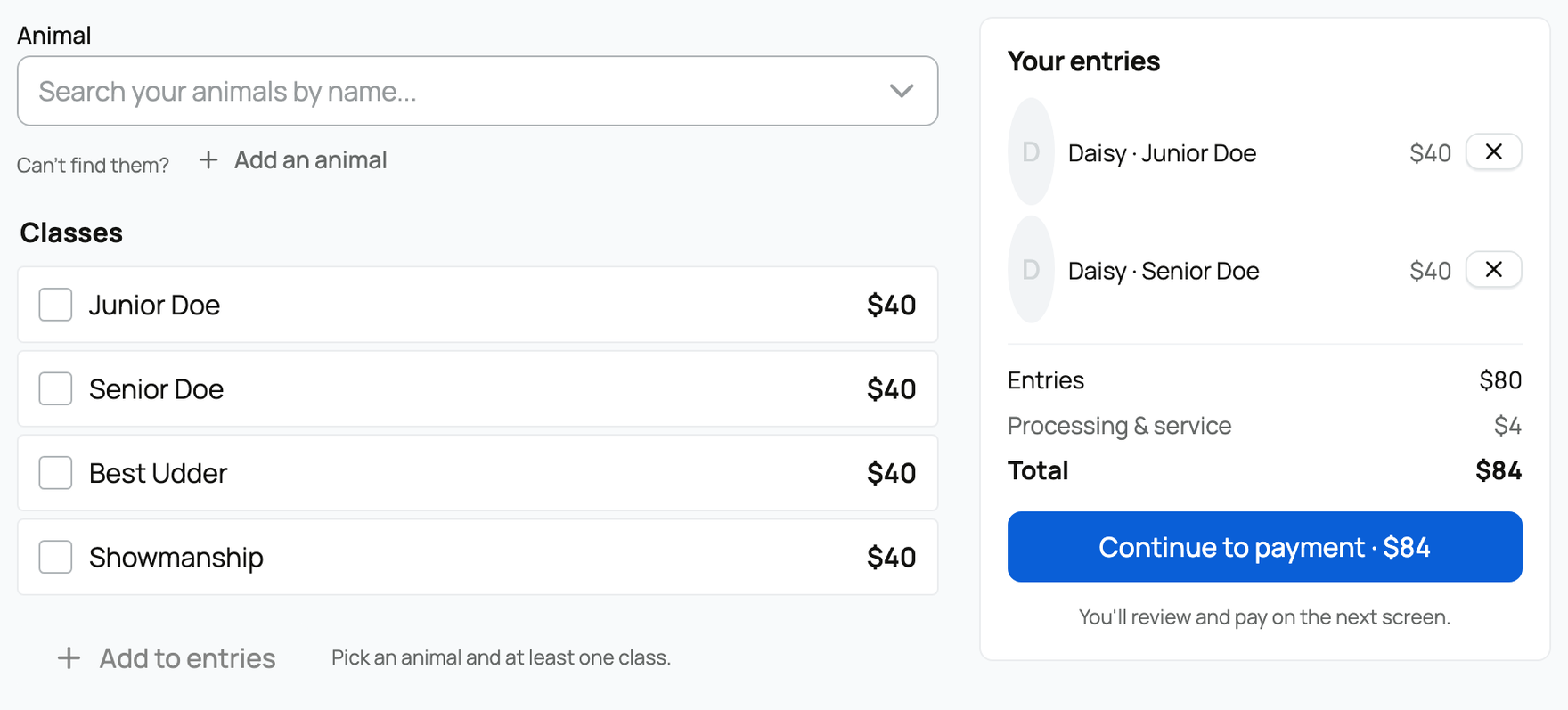
- Animal. Search and pick the animal you are entering. On a single-species show, the picker only shows animals of that species. Do not have the animal on Creatures yet? You can add an animal first.
- Classes. Check the classes you want to enter. Each class shows its fee.
- Add to entries. Adds that animal and its classes to your order, and you can add more animals.
- The live quote. As you build, a running summary shows Entries (the entry-fee subtotal), Processing & service (the service fee), and Total.
One thing worth knowing: the fee next to each class is the base per-class price. On a show that charges "per class in each ring," the total in the live quote can be higher than the sticker, because the class fee applies in each ring. The Total line is always the real amount you will pay, so trust it over the per-class sticker.
Paying (or entering a free show)
Select Continue to payment and you review and pay on the next screen. You pay the entry fees plus the service fee.
If the organizer set the show's service fee to free and the classes you picked are $0, there is nothing to pay: your entry confirms instantly and you are done. The free setting means Creatures adds no service fee; any entry fees the organizer set still apply. (The organizer chooses the service fee mode, and exhibitors pay any service fee; the modes are explained in Show earnings and fees.)
Managing your entry
From the show page's "Your entries" panel you can:
- Finish checkout or Pay now if you left an order unpaid, or Cancel an order you have not paid.
- Scratch an entry you no longer want to show. If you paid online, scratching refunds your entry fee (the service fee is not refunded).
- Check in happens on show day, usually handled at the show; once you are checked in, you are eligible to be judged.
After the show, your results appear on your animal's profile: see Show results on your animal's profile.
Related information
Updated on: 17/07/2026
Thank you!