
Importing from Rabbit15, Cavy15, Goat15, and Poultry15 (the winrbro import)
Use WinRbro / ESS XML for an original export from Rabbit15, Cavy15, Goat15, or Poultry15. You review counts and warnings before confirming; this is separate from the ordinary file-import review.
Prepare the export
Export the data from your Evans Software Solutions program and keep the original .xml file. The file can be up to 5MB. Do not convert it to a spreadsheet or PDF.
Photos are not transferred: the export contains photo filenames, not the image files. Keep those photos separately so you can add them afterward.
Preview the import
- Open Import and choose WinRbro / ESS XML.
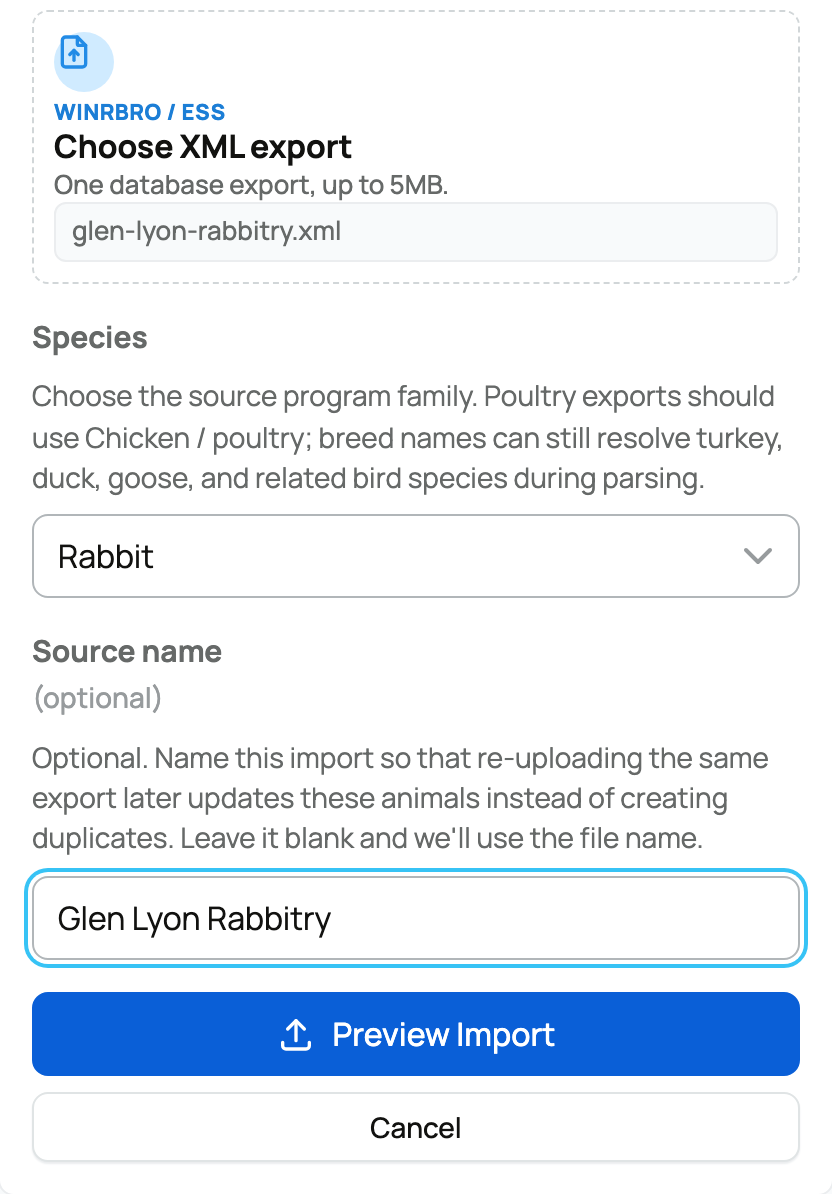
- Select Choose XML export and attach the file.
- Choose the Species that matches the program: Rabbit, Guinea Pig, Goat, Sheep, or Chicken for Poultry15. Creatures can still use breed names to recognize turkeys, ducks, and geese.
- Use the same Source name every time you upload an export from the same program database, so Creatures recognizes previously imported animals instead of creating duplicates. Give each program database its own name; do not reuse a rabbitry's source name for a cavy or goat export. If blank, the filename is used.
- Select Preview Import. Creatures checks that the file is a readable WinRbro or ESS export before it creates the preview.
Check the preview
Compare Parsed records with the source program. The totals include animals, shows, litters, weights, production records, and contacts. Ghost ancestors means relatives named in the pedigree without a complete animal entry of their own.
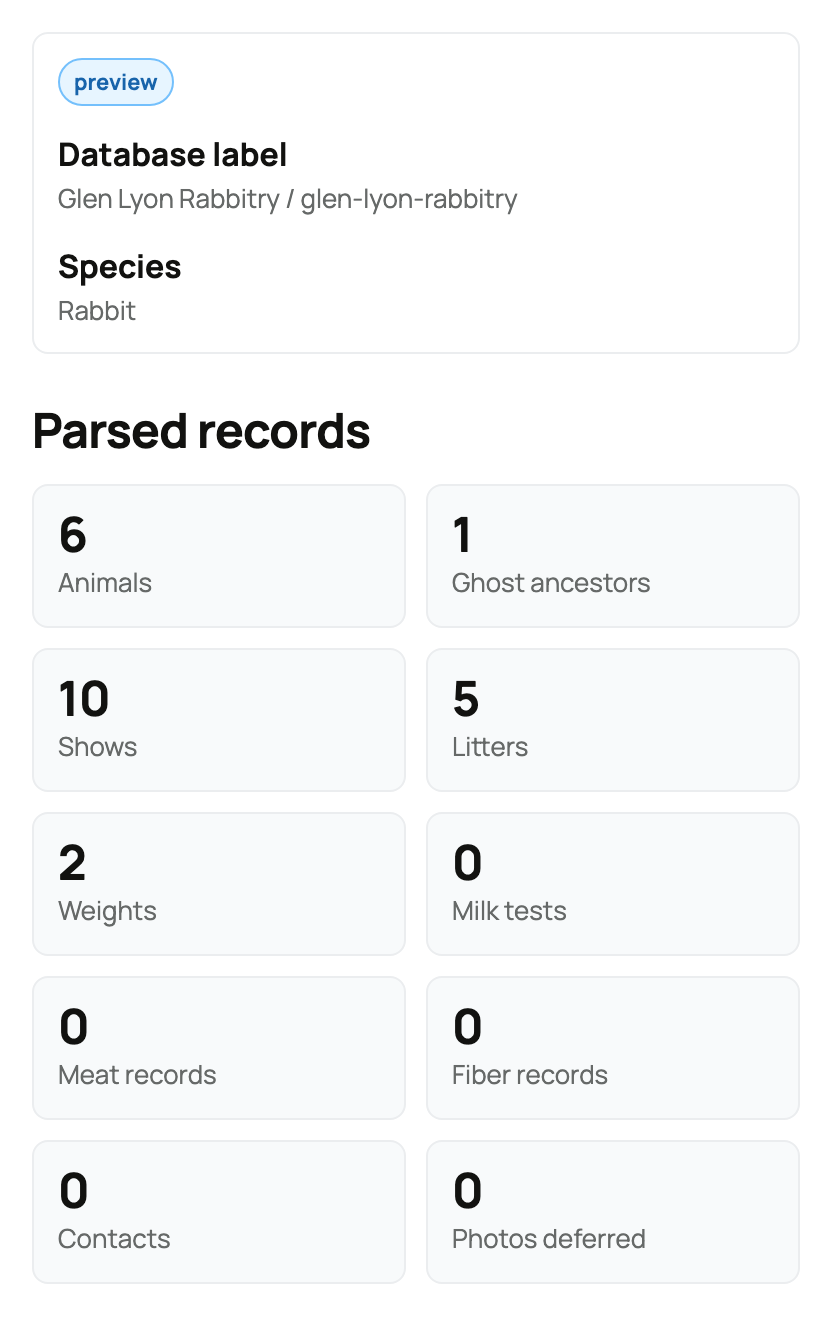
Read Integrity flags and Parser warnings if shown. Choose Cancel preview if the file, species, or counts are wrong. Otherwise select Confirm Import, wait for the result, and open View animals.
If the result needs attention
Imported with warnings means some work was skipped. Read the result instead of assuming every record was added. If offered, Retry Skipped Show Results retries those show results.
For 72 hours, Undo relationships can undo relationship evidence added by this import. It does not remove the imported animals or other WinRbro records. This is different from the ordinary import's Undo import. Check the animals and remaining records before deciding on any further changes.
Related information
- Importing your animals (bring them all in)
- Reviewing, editing, and confirming an import
- Add an animal by importing its pedigree
Updated on: 03/09/2026
Thank you!