
Run a FAMACHA eye-score round
Start an Eye-score round, tap each animal's FAMACHA score from 1 to 5, then choose Finish round and open the summary. Rounds work for goats, sheep, alpacas and llamas, and each score saves to the animal's records as you go.
Before you start
FAMACHA is a way to check for anemia, often caused by barber pole worms, by comparing the inner eyelid with a color card. You need FAMACHA training and your own card, and you should score in daylight. Creatures does not show card colors. Your scores are records, not veterinary advice, so follow your vet's plan for treatment.
Start a round
- Choose Eye-score round. You'll find it on the Animals tab of your profile or your farm's profile, and at the top of a group's page.
- If you manage a farm or organization, pick it under Whose animals and choose Show animals.
- Under Who, choose one of your groups, or a whole species, such as All goats.
- Choose Start round.
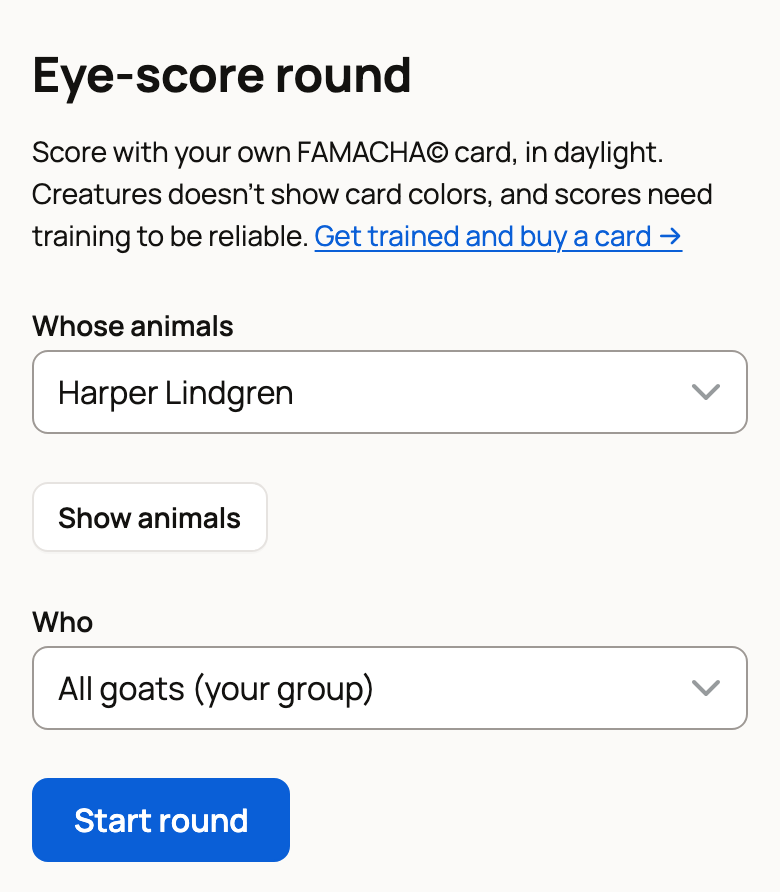
Choosing a whole species creates a group, such as All goats, that adds new animals of that species on its own.
If a round for that group is still open, Creatures asks first. Choose Continue the open round, or Finish it and start a new one.
Score each animal
The page opens on the next animal to score. Its card shows earlier FAMACHA scores and any recent medication.
- Check the eyelid against your card.
- Tap the score, from 1 (least anemic) to 5 (most anemic). It saves right away.
- Choose Next animal. Use Skip for an animal you can't check today, or Note to add a comment to a score.
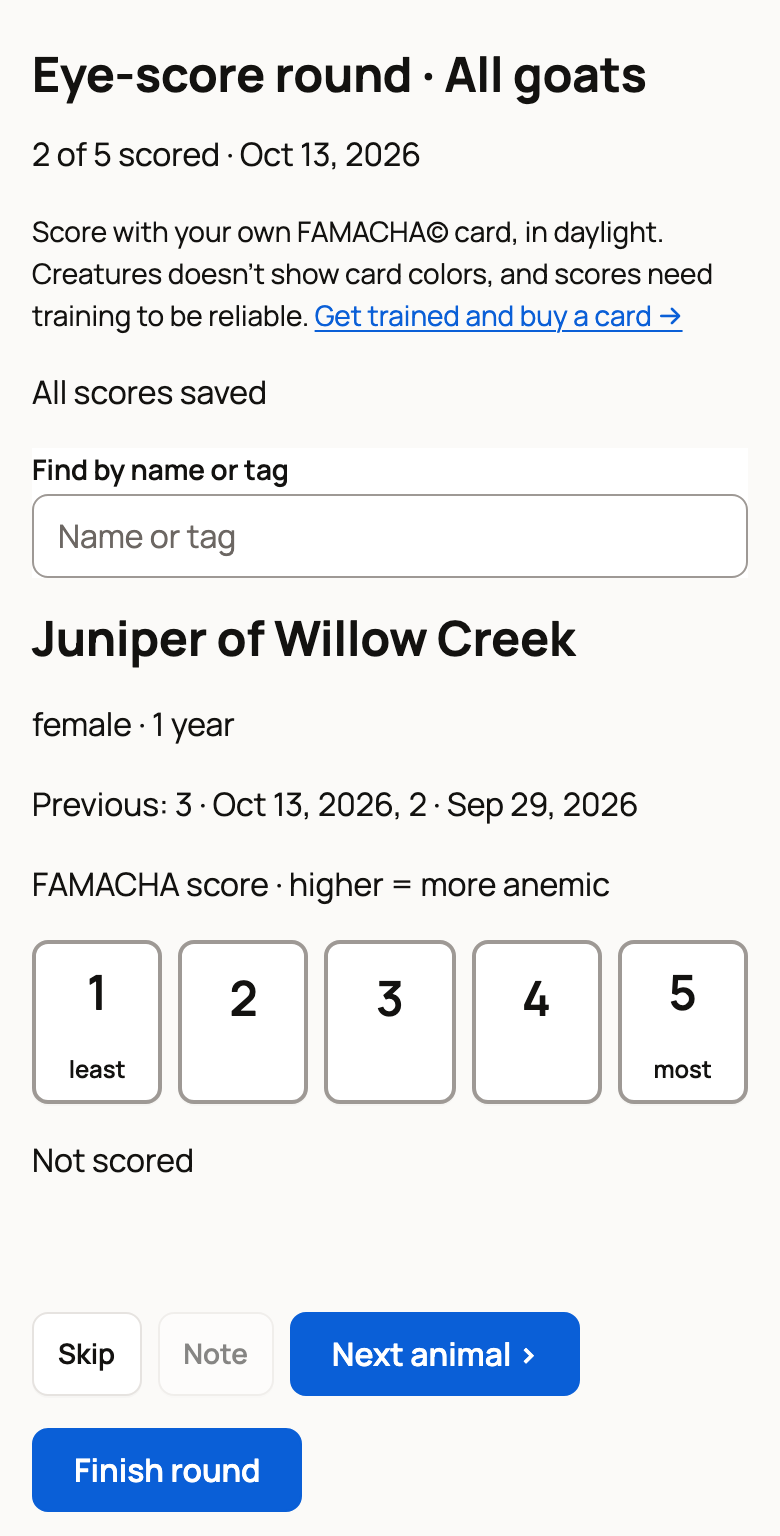
To jump to one animal, type in Find by name or tag. The list below the buttons marks each animal Not scored, Saved or Can't score here. An animal can't be scored if, for example, it has died or left the group.
No signal in the barn? Scores wait on your phone and save once you are back online. Choose Retry unsaved and keep the page open until each one says Saved. Until they save, the finish button reads Finish when these 2 scores have saved.
Finish and read the summary
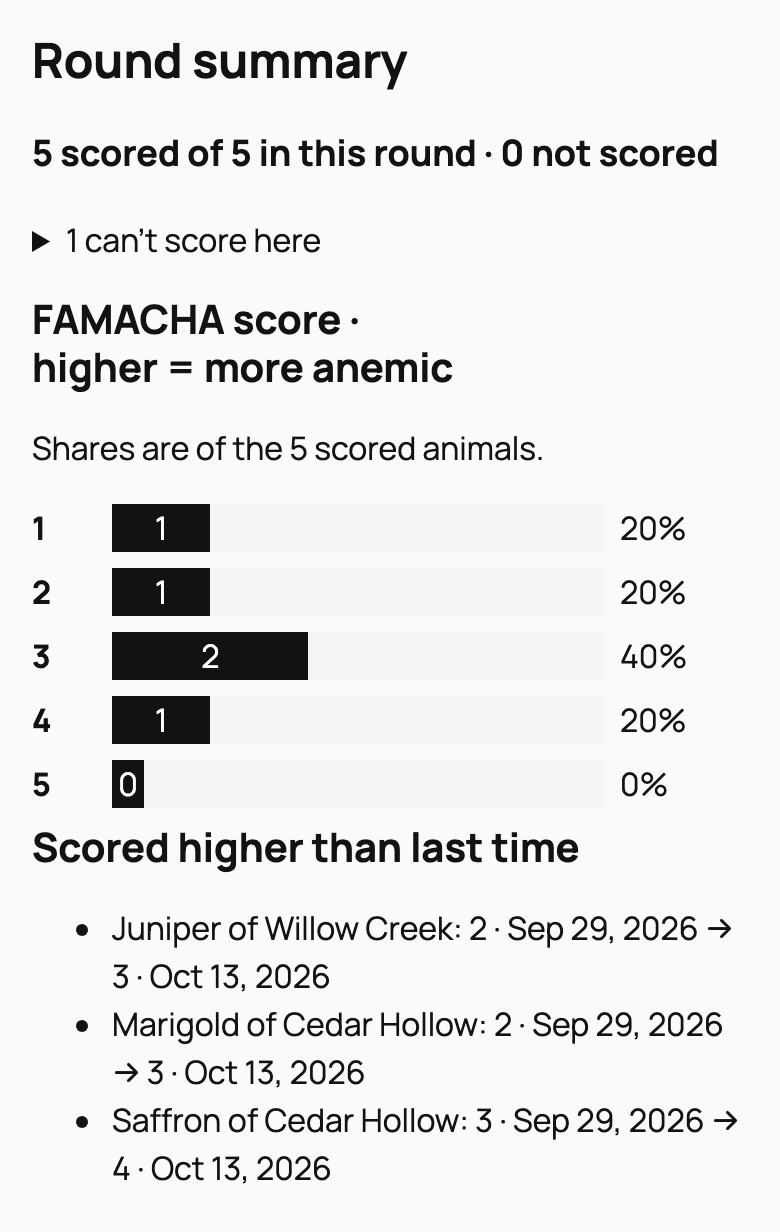
Choose Finish round. Creatures asks you to confirm and tells you how many animals are not scored yet. Once the round is finished, choose View summary to see the Round summary:
- how many animals got each score
- Scored higher than last time, with each earlier score and its date
- medicine given in the last 30 days to any animal that scored 4 or 5
To log a dewormer, go to Record a treatment. Tick the animals you treated, or use the button that selects every animal at 4 or 5. The button below then counts them, for example Record a treatment for 2. Choose it to open one Medication form for all of them.
Under Next round, choose Remind me every 2 weeks to add a two-week eye-score plan to the group. If the group already has a plan, use Manage plan · pause, resume, change instead. When the next round is due, open it from your Today page.
Where your scores go
Each score is saved as a private FAMACHA score measurement on the animal's Records tab. Over time, they build a trend in its Measurements view.
The round itself shows in the group's records, with Continue round while it is open and View summary after you finish.
If something looks wrong
- No Eye-score round button: it only shows when you own or manage goats, sheep, alpacas or llamas.
- No animals for an eye-score round yet: none of the animals for that owner are goats, sheep, alpacas or llamas. Choose Add animal, then start again.
Related information
- Vaccinations, treatments and vet visits
- Track weight and growth
- When an animal is sick or injured
- Create and manage animal groups
Updated on: 29/10/2026
Thank you!