
Creature Cards: your animal's shareable card
Every public animal with a photo has a free Creature Card, a digital trading card you can share with anyone. Find it in the Creature Card panel on the animal's profile, select Customize to design it, and select Share to send the link.
Find your animal's card
On a wide screen, the Creature Card panel sits in the column beside the profile tabs. On a phone or smaller screen, including many laptops, it is part of the About section near the top of the profile. If you don't see it, select About.
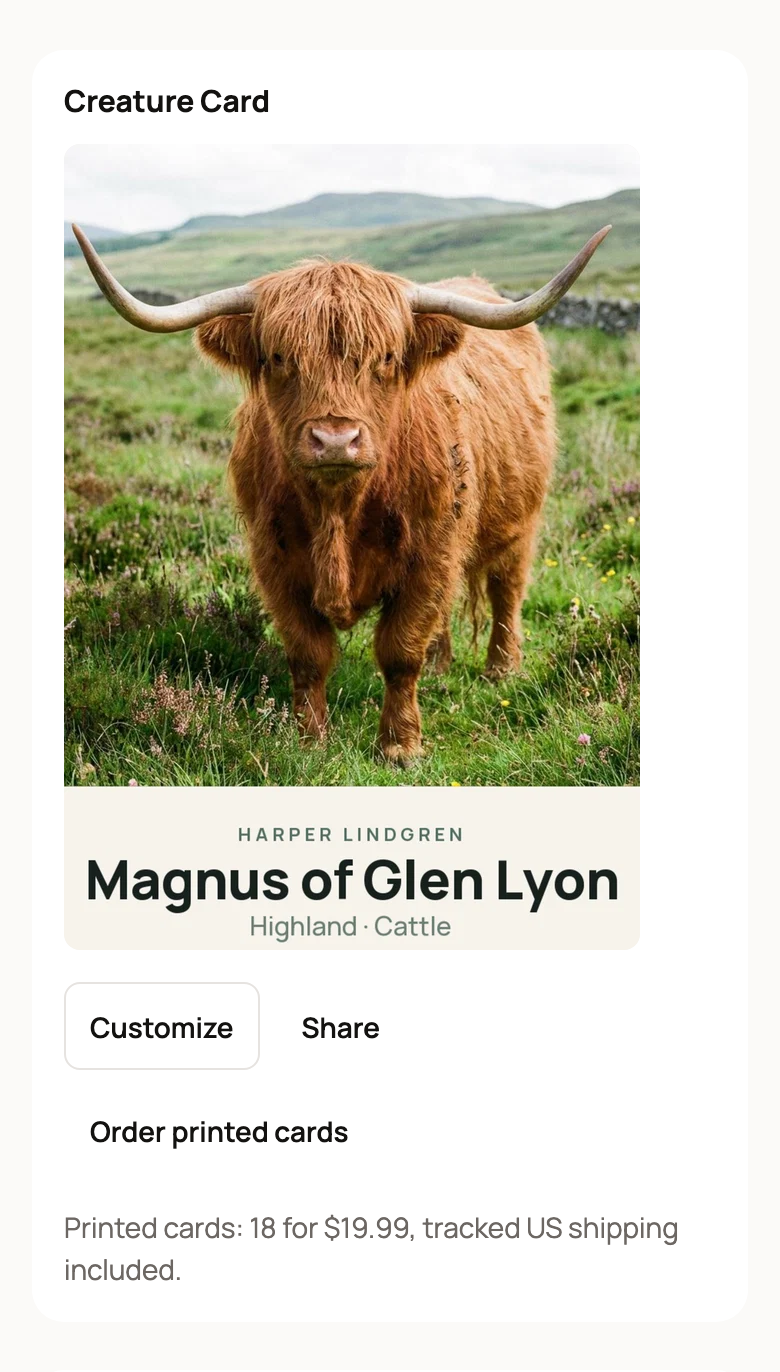
Owners and co-owners see Customize, Share and Order printed cards. That includes owners and co-owners of a farm that owns the animal. Everyone else sees View card and Share.
If the animal has no photo yet, the panel says "Add a photo to create a card." Select Add a photo to start. Private profiles, drafts and reference animals don't get a Creature Card. A reference animal is a profile you add for an animal you don't own, such as a sire in a pedigree.
Share the card
Open the card and select Share card. You can post it to Facebook or X, use your phone's share options, or copy the link. Anyone with the link can view the card, even without a Creatures account.
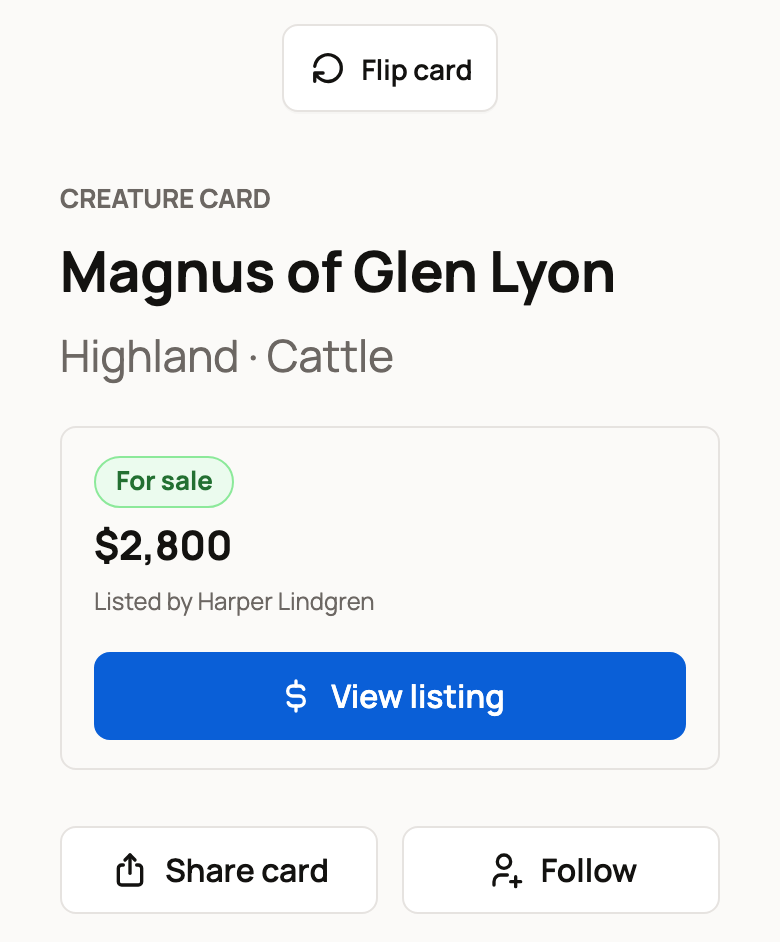
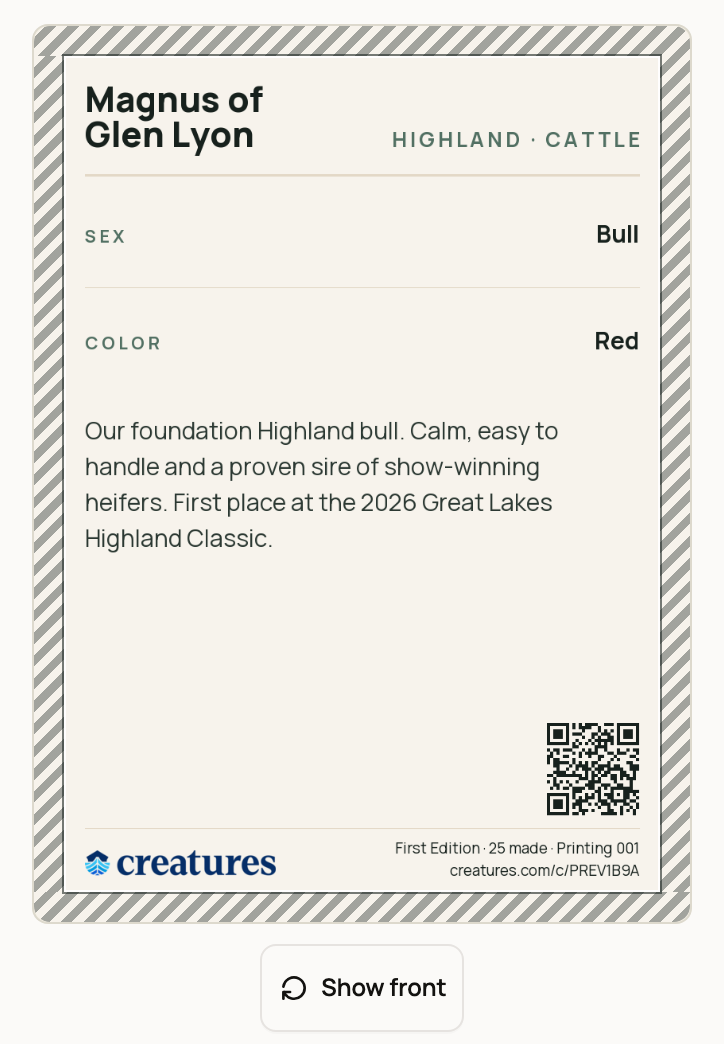
Select Flip card to see the back. It shows key facts such as sex and color, the card bio and a QR code. Scanning the code opens the live card, where people can go on to the full profile. If the animal is listed for sale, the card page also shows the price and a button to the listing.
Customize the card
Select Customize on the panel, or under Customize this card on the card page. The editor has a preview that updates as you work.
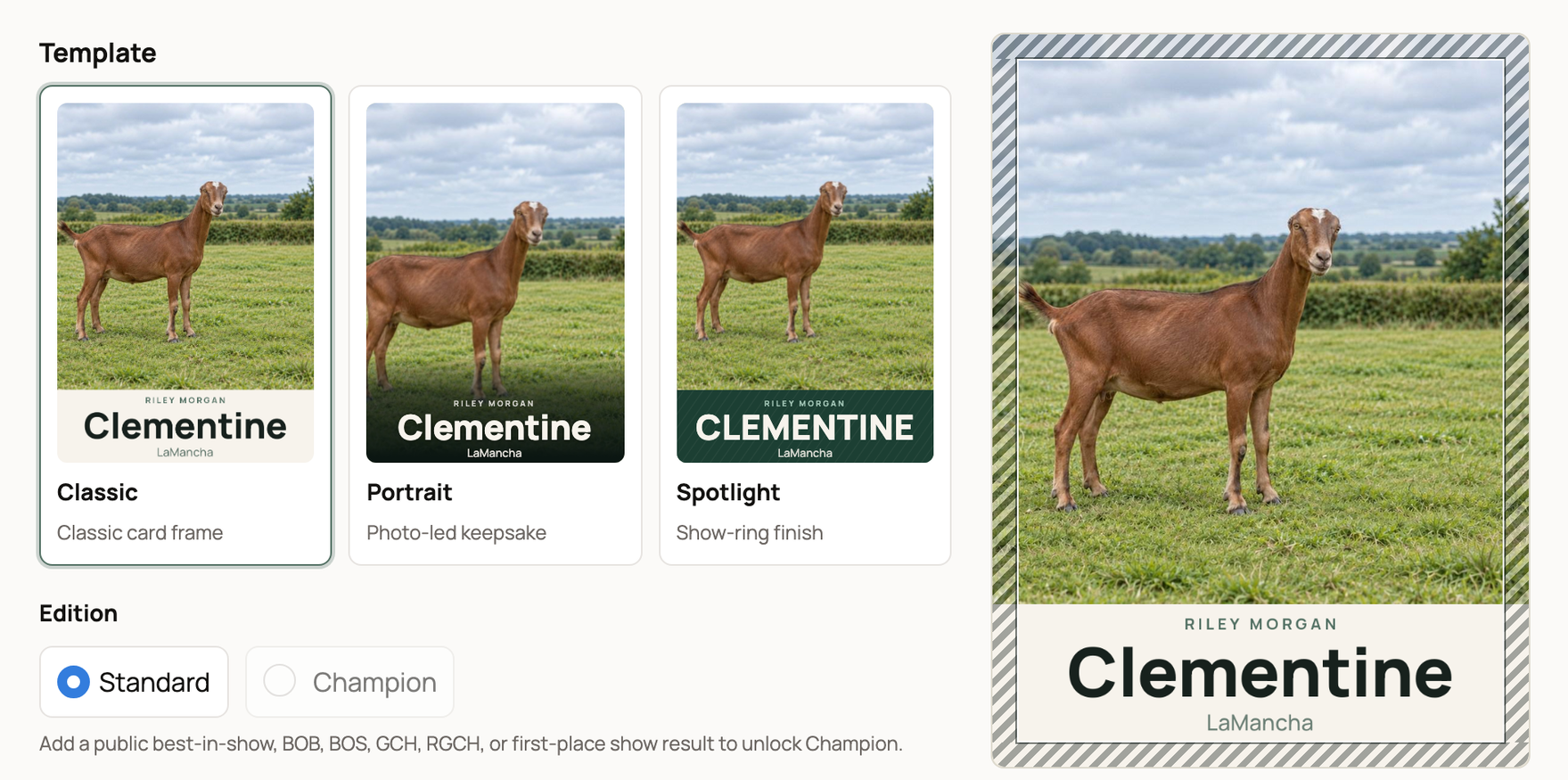
Under Template, pick Classic, Portrait or Spotlight. Under Edition, Standard is the everyday card. Champion unlocks when the animal has a public show result such as best in show, best of breed or a first place. With Champion, pick a Champion mark: Ribbon or Gold frame.
Under Photo, select Add a photo or Choose from gallery. Creatures frames the photo for you. To change it, select Crop or Review framing and move or zoom the photo behind the card. Use automatic puts the automatic framing back.
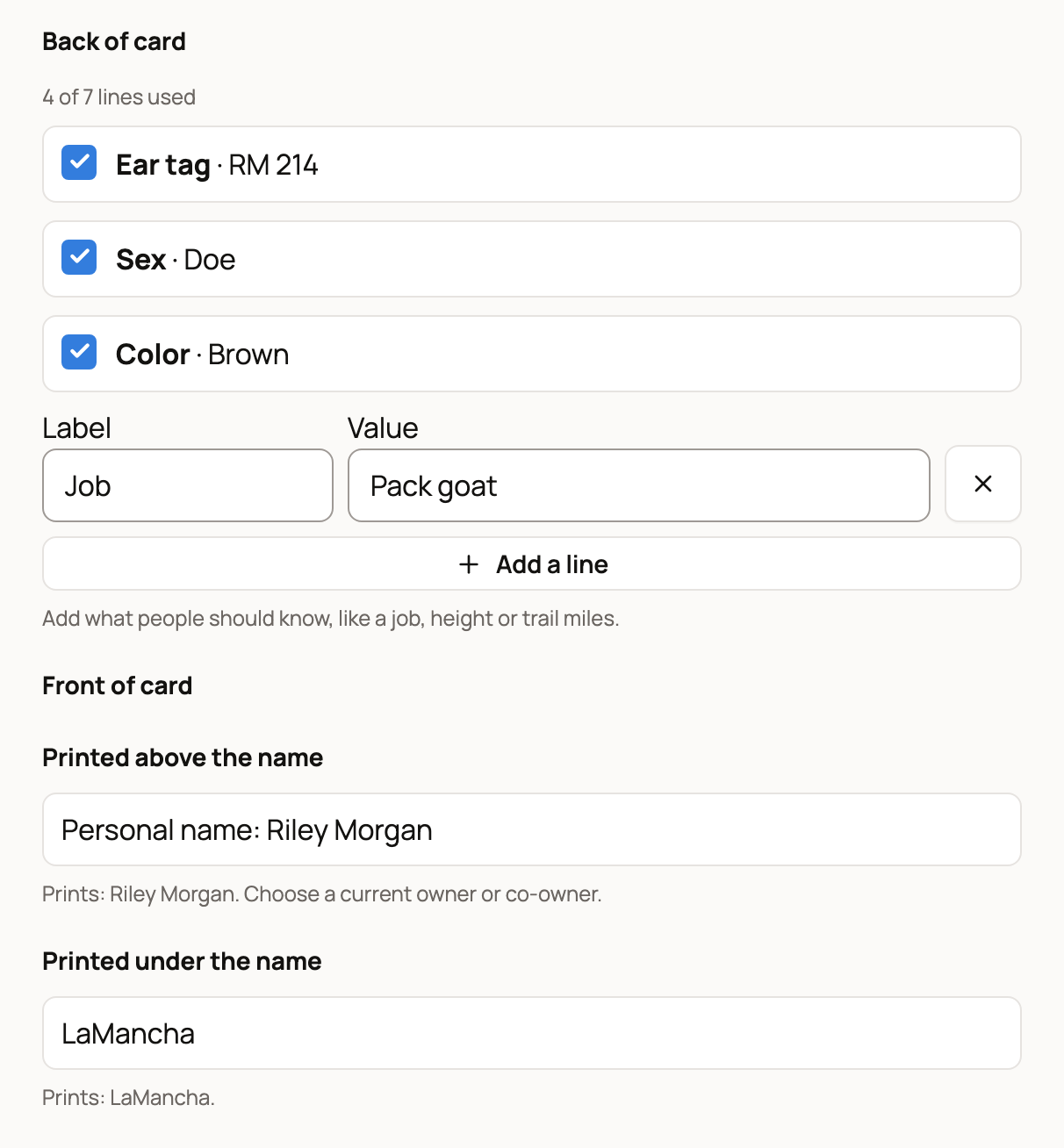
Under Back of card, tick the lines to print, such as Sex, Born, Color, Sire, Dam and Home. Registrations and a public ID, such as a tattoo or ear tag, show there too when the profile has them. A spayed or neutered animal prints as Spayed female or Neutered male. Add a line adds up to 3 of your own, such as a job. Seven lines fit. The counter shows how many you've used, and a line that won't fit is marked Won't print.
Under Front of card, Printed above the name picks which current owner or co-owner is named on the card. Printed under the name prints the breed unless you choose the breed and sex, the animal's home, or Nothing, just the name. Location on card picks where the city and state for Home come from. A card you haven't saved yet starts with the template, ticked lines and Printed under the name choice of the last card you saved. Lines you added with Add a line don't carry over.
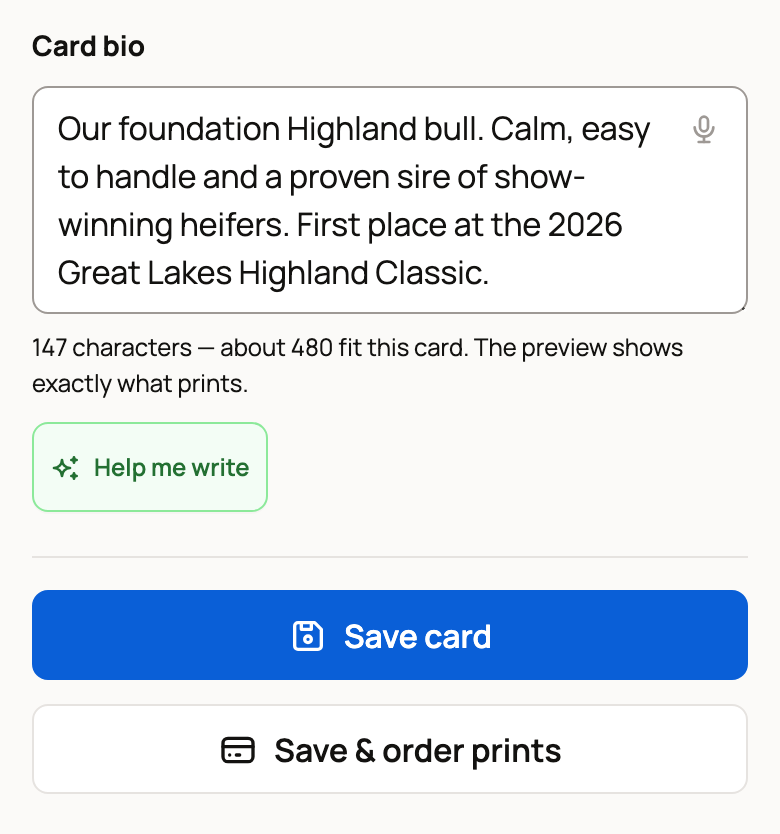
Write a short Card bio for the back. The counter under the box shows about how much fits. Help me write can suggest a draft you can edit. Select Show back under the preview to check the back before you save.
Save your card
Photo and framing changes save as you make them. Select Save card to keep everything else.
To see the card the way other people do, open the card page and select Preview as a visitor. To print real cards, select Save & order prints. See Ordering printed Creature Cards.
Related information
- Ordering printed Creature Cards
- Your animal's profile page: tabs and tools
- Public, private, and reference animals
Updated on: 06/11/2026
Thank you!