Articles on: Services: Transport, Boarding & Booking

Listing a boarding service

Listing a boarding service


Boarding lets you offer care for other people's animals as a recurring service. You list a facility, customers either apply or subscribe, and you are paid monthly for as long as they stay. This guide walks every field on the create form, what each choice means, and the setup you need before your listing can go live.


Creating a boarding service


Before you can publish: verification and payout


You can start building a boarding service at any time, but a new service is created as a draft and stays a draft until you are set up to take payment. There are two things to have in place:


  • Identity and phone verification. To publish a boarding service to the public, your phone must be verified and your identity must be verified. These are the same one-time checks used across Creatures for anyone who accepts money. See Verifying your identity and Verifying your phone number.
  • A connected payout account. Because boarding pays you on a recurring schedule, you need a connected payout account so funds can reach your bank. See Connecting your payout account.


Until those are done, your service remains a draft you can edit but not publish. Once they are in place, you can publish it and customers can find it.


The create form, field by field


Open /boarding/create and fill out the service. Here is what each field is, what it accepts, and what choosing it means.


  • Title. A short, required name for the service (for example "Climate-controlled reptile boarding"). It is the first thing a customer sees in browse and on the service page, so make it specific.
  • Description. A longer write-up of your facility, your routine, and what is included. This is where you set expectations, so be thorough: feeding, cleaning, handling, vet access, and anything that makes your boarding stand out.
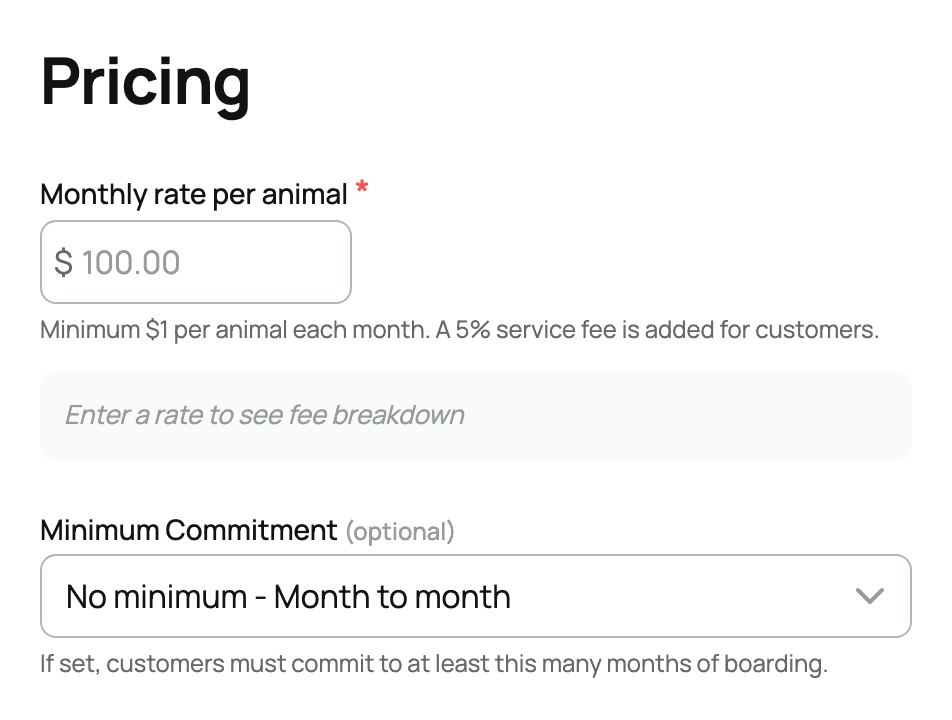
  • Monthly rate (charged per animal). The price one animal costs to board for a month. This is the single most important number to understand: the rate is per animal, so a customer boarding two animals pays two times the rate, three animals pay three times, and so on. The rate must be at least $1 per month. Set it as the price for a single animal and Creatures multiplies by the number of animals at checkout.
  • Species. The kinds of animals you accept, and at least one is required. This is a real gate, not a label: a customer can only apply or subscribe with animals whose species you listed. If you board dogs and cats, list both; if you only take reptiles, leave it to reptiles and you will not get mismatched requests.
  • Housing type. How animals are kept, with two options:
  • Private. Each animal (or each customer's animals) is housed separately, on its own. Choose this when you offer individual kennels, stalls, or enclosures and animals are not mixed.
  • Group. Animals share a common space (commingled). Choose this for a shared run, pasture, or room. It tells the customer upfront that their animal will be with others, which matters to people who want their animal kept apart.
  • Minimum commitment (months). How long a customer must commit to when they subscribe. Your options:
  • None (month-to-month). Leave it empty and the subscription is month-to-month: the customer can cancel any time, effective immediately.
  • A set number of months (1 to 24). The customer commits for that many months, which sets an end date on their subscription. While the commitment is still running, they cannot simply cancel and walk away. A commitment gives you predictable, longer-term bookings; month-to-month gives customers maximum flexibility. Pick based on how you run your facility.
  • Location. Where the boarding is. Customers see distance and area on the service page, and location is part of how they decide they can realistically get their animal to you.
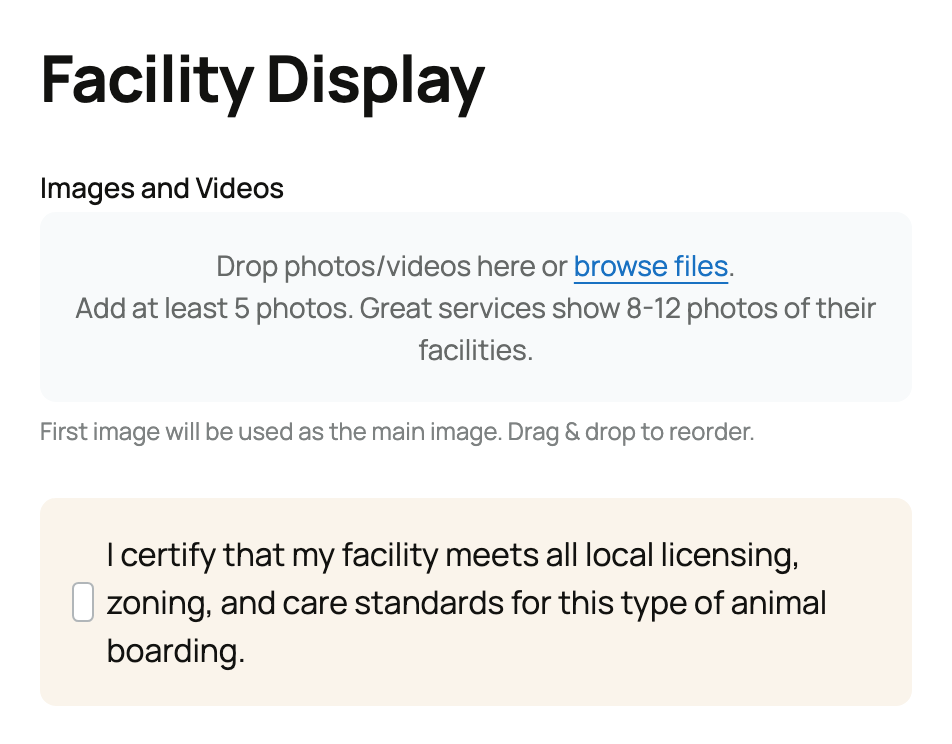
  • Photos. Real pictures of your facility, and at least five are required. This is deliberate: boarding is a trust purchase, and customers are handing over a living animal, so a service with no photos is not allowed to publish. Show the actual space the animals will be in.
  • Service details and facility rules (terms). Your own rules and details for this service, and they are required. These sit on top of the Creatures Standard Boarding Agreement, which applies to every boarding arrangement on the platform. Use your terms for the specifics the standard agreement does not cover: drop-off and pick-up, what you provide versus what the owner brings, vaccination requirements, and house rules. The standard agreement covers the baseline; your terms add your particulars. For how agreements and signing work on Creatures, see What agreements are and how signing works.
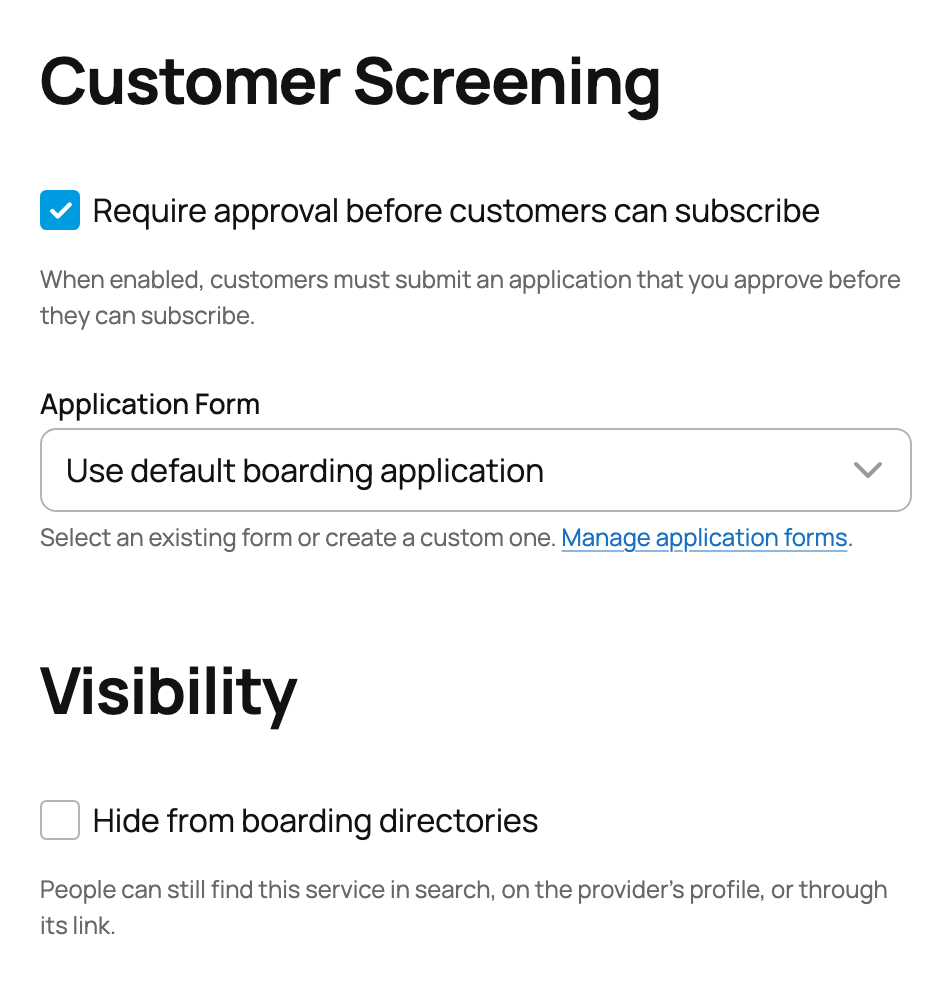
  • Requires approval. Whether customers must apply before they can book. This is on by default, and it changes the flow:
  • On (apply first). A customer fills out your application and waits for you to approve it before they can subscribe. Choose this when you want to vet who is boarding with you, see their animals, and decide case by case.
  • Off (subscribe directly). Anyone with a matching animal can subscribe straight away, no approval step. Choose this when your boarding is open and you do not need to screen each customer.
  • Application form. When approval is on, this is the form customers fill out. You can build your own custom form with the questions you care about, or use the shared default boarding form. A custom form is worth it when you have specific things you need to know (experience, the animal's needs, emergency contact); the default is fine for a simple intake. When you build a custom form, each question can be one of three types, multiple choice (pick one), checkbox (pick several), or open-ended (a written answer), and you can mark any question required so an applicant cannot submit without answering it. Add your questions and select Create Form to save it to the service.
  • Bundled only. Hides the service from standalone boarding browse. Turn this on when the boarding is meant to be offered alongside something else (for example attached to one of your animal sales) rather than discovered on its own. Left off, the service appears in the public boarding directory.


The statuses your service moves through


A boarding service has four states:


  • Draft. Created but not public. You are still setting it up, or you are not yet verified with a connected payout account.
  • Active. Published and bookable. Customers can find it, apply, or subscribe.
  • Paused. Temporarily taken off the market. Existing subscriptions continue, but new customers cannot book. Use this when you are full or away.
  • Archived. Retired. The service is closed to new business.


You manage these from your dashboard; see Managing your boarding business.


How the fees work


Boarding has a fee on each side, taken from the recurring monthly amount:


  • The customer pays the rate plus 5%. On top of the per-animal monthly rate (times the number of animals), the customer is charged a 5% service fee. They see it at checkout.
  • You receive the rate minus 5%. A 5% provider fee comes out of the rate before it reaches your payout, so you net the rate less 5%.
  • The provider fee is waived with Creatures Pro. If you have an active Creatures Pro subscription, your 5% provider fee is 0, and you keep the full rate. The customer's 5% is separate and is always charged regardless. See Seller fees and the Creatures Pro subscription.


So for a single animal at a $100 monthly rate: the customer pays $105 a month, and you receive $95 a month, or the full $100 if you have Pro.


Updated on: 23/06/2026

Was this article helpful?

Share your feedback

Cancel

Thank you!