Articles on: Finance & Accounting

Animal cost basis and starting values

Animal cost basis and starting values


An animal's cost basis (what you paid for it, or its value when it entered your program) is the starting point for tracking profit, and at tax time it determines the gain or loss when you sell. Recording it is what lets Creatures tell the difference between a $2,000 sale that doubled your money and one that barely broke even.


Set a starting value when you add or edit an animal


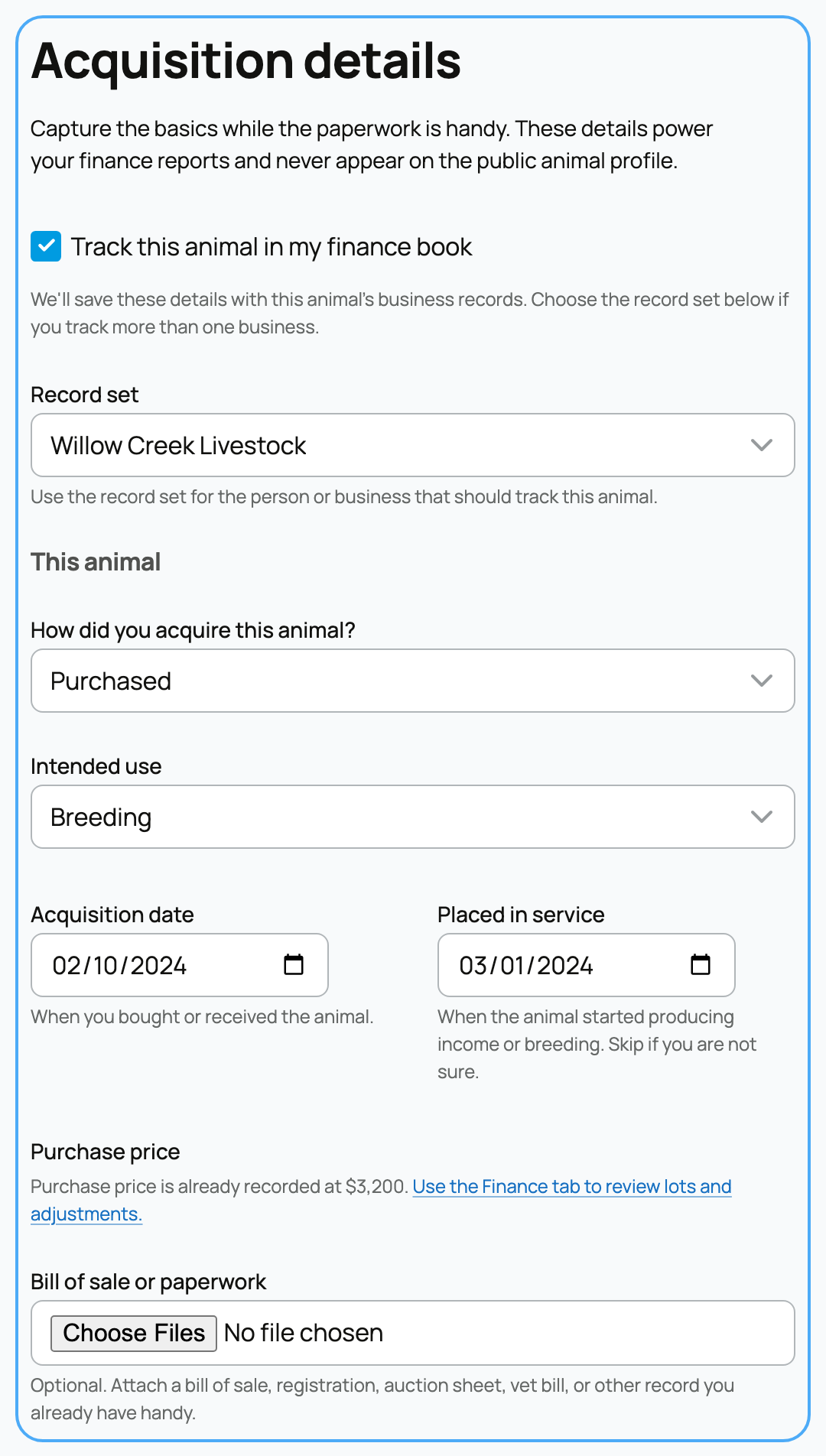
You record cost basis in the finance section of an animal's profile, when you add the animal or edit it later. A few connected fields describe how the animal entered your program and what it is for.


How did you acquire this animal?


  • Bred or born in my program: the animal was raised by you, so there is no purchase price. Its starting value is whatever you assign (often zero, or a value your accountant gives you). For a data-driven second opinion on that value, a Crestimate estimates an animal's market value; see What is a Crestimate?. The acquisition date defaults to the animal's birthdate.
  • Purchased: you bought the animal, so the price you paid becomes its cost basis. The acquisition date is when you bought or received it.


The implication is a tax one: for a purchased animal, the price paid is the basis subtracted from a future sale to find your gain. For a raised animal, you usually have little or no basis to subtract, so more of the sale is gain unless you assign a starting value.


Intended use


This classifies what the animal is for, which determines how it is treated for tax:


  • Not sure yet: unclassified for now; you can set it later.
  • Market / resale: an animal held to resell, treated like inventory rather than a depreciable asset.
  • Breeding: a breeding animal, a business asset that can be depreciated.
  • Service / working animal: a working animal that earns service or stud income, also a depreciable business asset.
  • Dairy: kept for milk production, a depreciable asset.
  • Draft / pack work: kept for work or hauling, a depreciable asset.
  • Sporting / show: kept for show or sport income, a depreciable asset.
  • Pet / non-business: personal, not a business asset, so no business deduction or depreciation.


Choosing the right use matters because the business uses (breeding, service, dairy, draft, sporting) can carry depreciation, market animals behave like inventory, and a pet is personal property with no deduction. If you are unsure, "Not sure yet" is safe and you can refine it with your accountant.


Dates and price


  • Acquisition date: when you bought the animal, or its birthdate if you bred it.
  • Placed in service: when the animal started producing income or breeding. Skip it if you are not sure. It is the date depreciation can begin for a business animal.
  • Purchase price: what you paid, shown only when relevant. If Creatures already has a price recorded from how you acquired the animal, it is pre-filled with a note: "We pre-filled the sale price recorded when you acquired this animal. Adjust it if you need to exclude fees, discounts, or private adjustments." So buying an animal on the marketplace, or recording an off-platform purchase, seeds the buyer's cost basis automatically instead of making you re-enter it. Once a price is recorded, the field locks and points you to the Finance tab to review or adjust it, so a basis cannot be changed by accident.
  • Bill of sale or paperwork: optional. Attach a bill of sale, registration, auction sheet, or vet bill to support the value. This is the documentation an accountant or auditor expects for a high-value animal.


Import many at once


Bringing an existing herd or flock onto Creatures? Use Import animal starting values to set them in bulk instead of one profile at a time.


Importing animal starting values


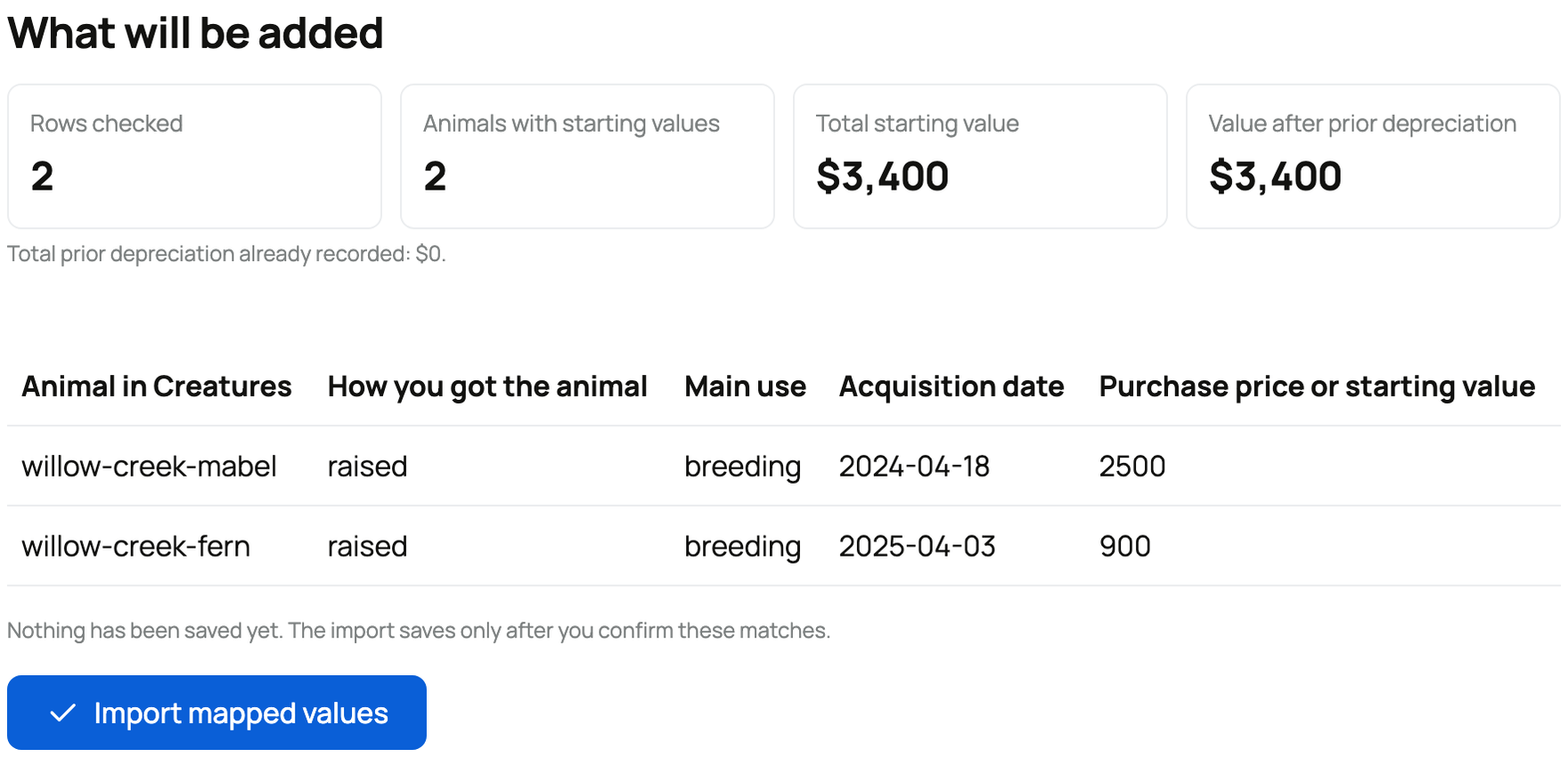
Upload a spreadsheet (CSV or Excel) or paste rows directly. Each row identifies an animal and its starting details:


  • Animal: how to find the animal already in Creatures, by handle, profile link, or ID. The animal must already exist; the import does not create profiles. If it cannot find a match, that row reports "Animal not found. Add the animal profile first."
  • Acquisition type: raised (bred or born) or purchased. Common wordings like "bred," "born," or "bought" are understood.
  • Intended use: breeding, service, dairy, draft, sporting, market, pet, or unknown, matching the choices above.
  • Acquisition date: optional; if blank, the import uses your book's start date.
  • Placed in service date: optional, for depreciation.
  • Purchase price or starting value: optional; the dollar value. A purchased animal carries its purchase price; a raised animal carries whatever value you assign.
  • Depreciation already recorded: optional, for animals your accountant has already depreciated. It cannot exceed the purchase price and only applies to depreciable business uses.


The import is safe to re-run. If an animal already has starting records, the import reuses them when the values match and stops with a clear message if they differ, so you cannot silently create a second basis or overwrite one. Animals with a price get a tracked cost-basis record; animals with no price get the classification only, with no basis to track.


Where it shows up


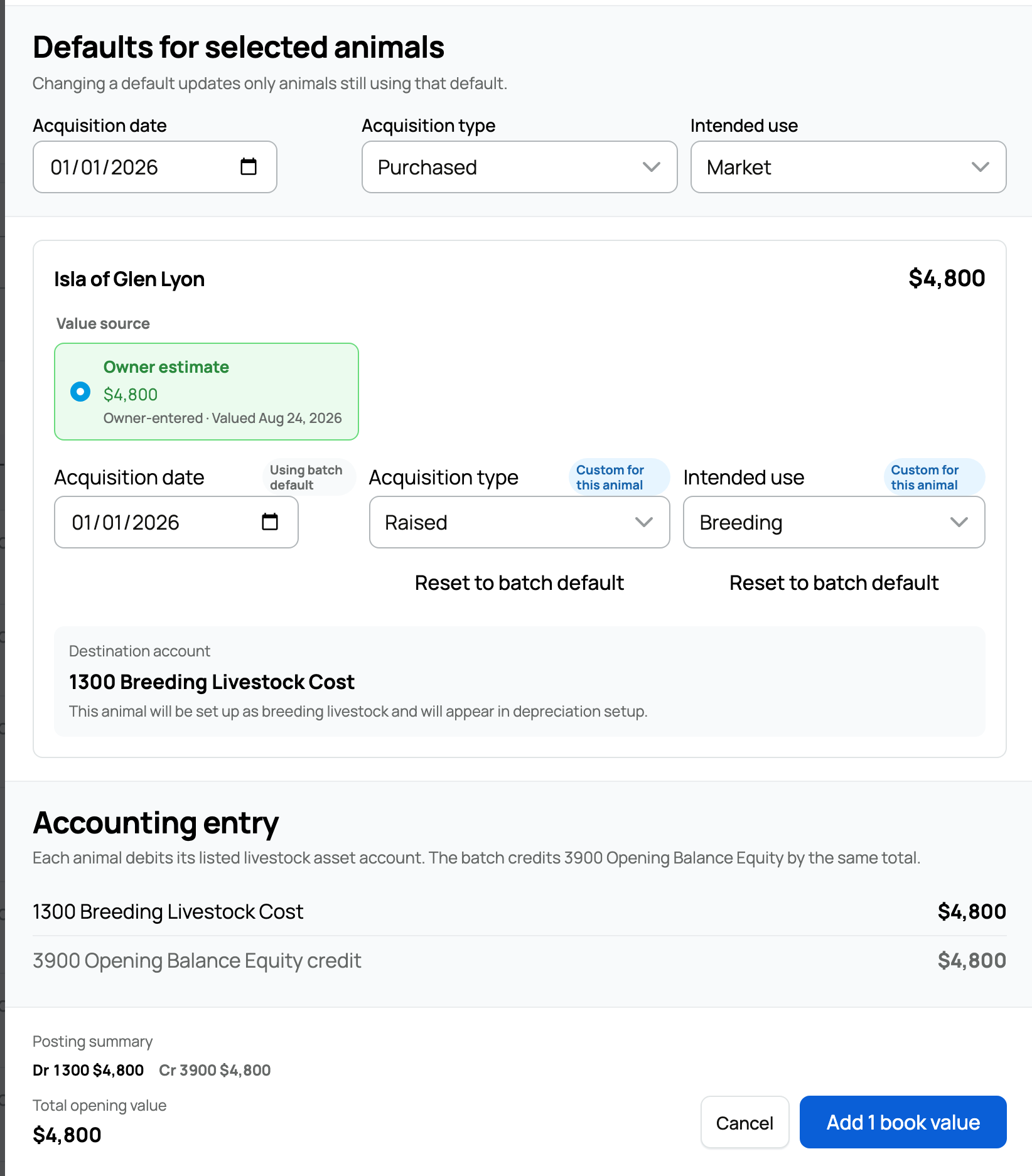
Recorded starting values roll up into the estimated animal value on your dashboard and appear on each animal's Finance tab, where you can see how that animal is performing against what it cost, including the remaining starting value that has not yet been applied to a sale.


Updated on: 23/06/2026

Was this article helpful?

Share your feedback

Cancel

Thank you!