
Reviewing and updating your animal values
Use Inventory valuation to compare your animals' book values with their current estimates. Updating an estimate helps with planning; it does not rewrite your books.
Open your animal values
- Open Finance and select Accountant tools.
- Open Setup and other tools, then select Inventory valuation.
- If you have more than one set of records, choose the Record set and select Switch.
No Finance records yet? Open Finance and select Add money to start them.
Read the columns
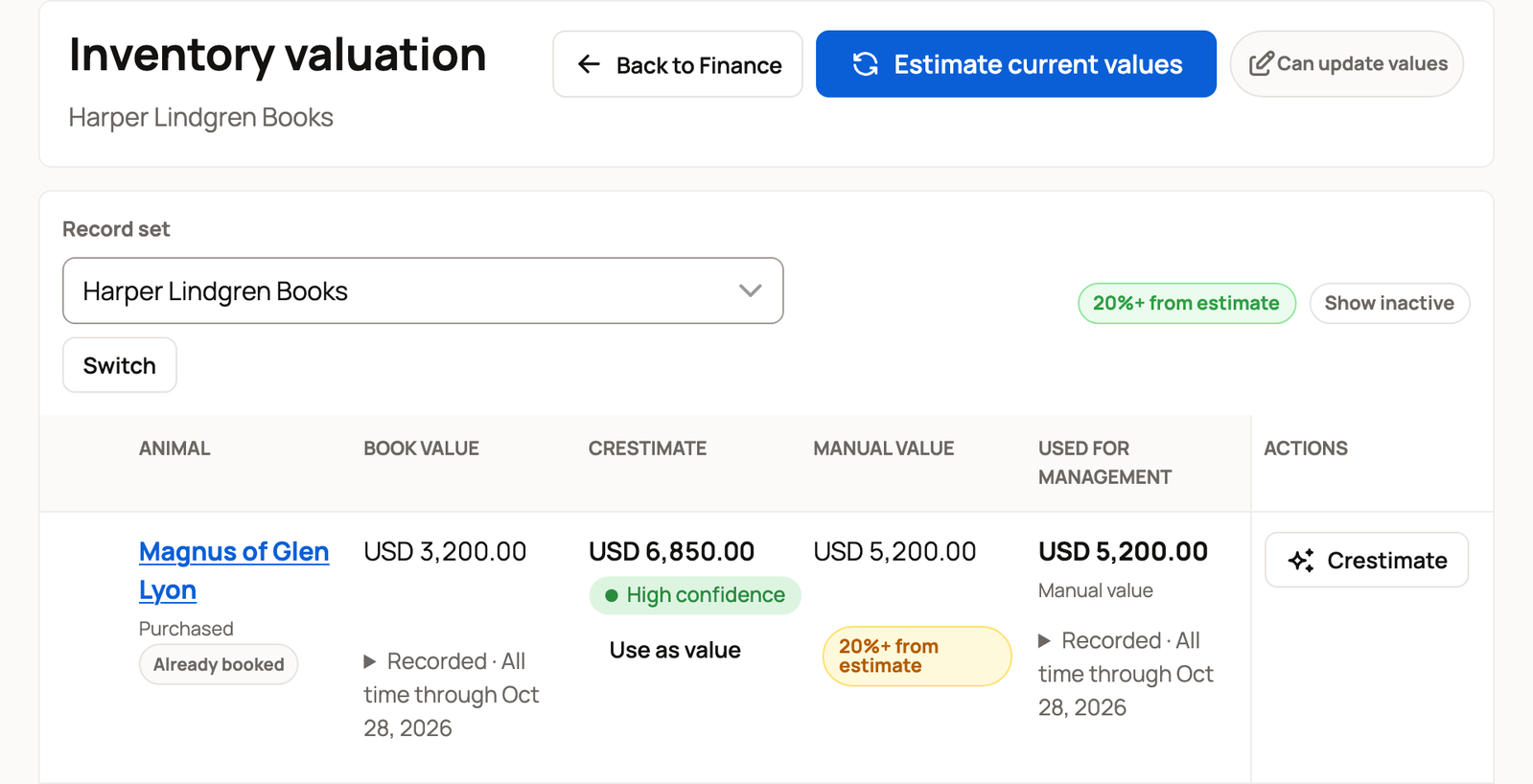
- Book value is the recorded value still carried for the animal, such as its remaining starting value.
- Crestimate is Creatures' estimate of market value. It is shown when one has been generated. Some estimates have too little data to be used for planning on their own.
- Manual value is your own estimate.
- Used for management is the value used for planning. Your manual value comes first, then an eligible Crestimate. With neither, it says Not recorded. Book value is not used as a planning value.
A value can be useful for planning without being the amount in your books. Keep those two questions separate when you review a row.
The notes under an animal's name explain why it cannot be selected for a new starting value:
- Already booked means it already has an active starting value.
- In followed by another record set's name means the book value is in that set.
- No eligible estimate means there is no estimate available to use for that action.
- Not currently owned means you no longer own the animal.
Animals listed under In your care for others are excluded from your inventory values and starting-value actions. Caring for someone else's animal does not make it part of your own inventory.
Update a planning value
Select Add value, or the pencil beside an existing manual value. Type the amount, then press Enter to save it. Selecting outside the field cancels the change. This uses today's date. To choose another date or add notes, use the animal's Finance tab.
You can select Use as value under an eligible Crestimate to copy it to your manual value. Copying an estimate does not create a book value.
If details are missing, follow Add details on the row. For example, an animal may need a breed before an estimate can be made.
Find values worth another look
Select 20%+ from estimate to show manual values more than that far from an eligible Crestimate. The difference is a cue to review; it changes nothing on its own.
Select Show inactive to include animals that have died or that you no longer own.
Add a missing starting value
Only the records' owner can add book values from this review. After adding a manual value, reload Inventory valuation before selecting that animal.
- Select eligible animals using the boxes beside their names.
- Select Review 1 book value. The number changes with your selection.
- Check each animal's source and Acquisition date, its Finance choice (Purchased or Raised) and Intended use.
- Select Add 1 book value only when the review is right.
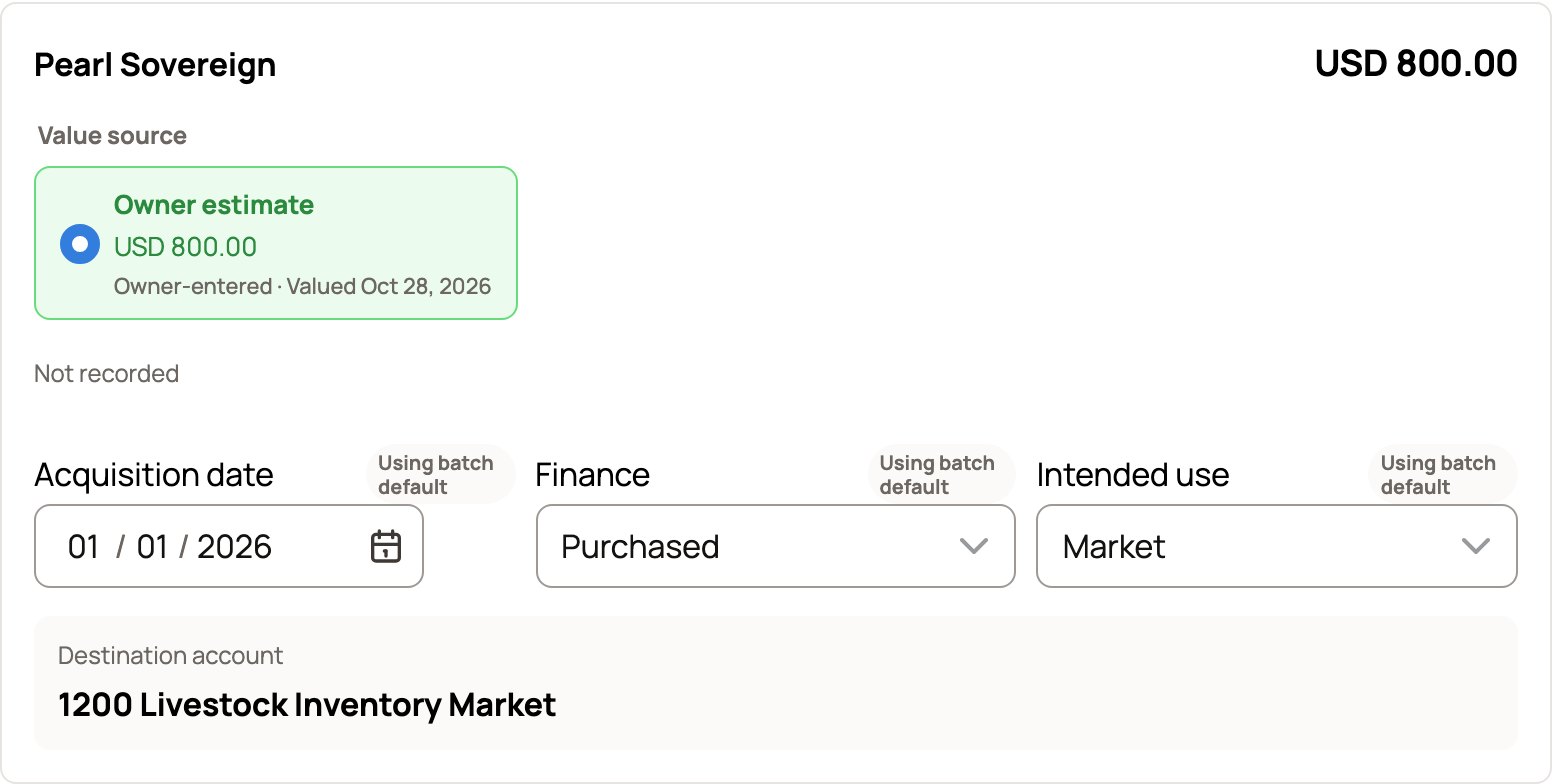
Closing the review without adding values leaves your books alone. For the full steps and how to correct a starting value, see Animal cost basis and starting values.
Related information
Updated on: 28/10/2026
Thank you!