
Setting up your books
You can start using Finance without setting up a full set of books. Saving your first simple money entry or management value can create private records automatically. Use Advanced records when you want to choose the setup yourself.
Start the right record set
- Open Finance, then Advanced records. Find Start business records, or Start another record set if you already have records for a different owner.
- Choose the Record owner and a recognizable Record name. Use the person or organization whose money and animals belong together.

- Choose an Operation type: Farm / ranch livestock operation, Companion-animal breeder or service business, or Mixed or not sure yet. This organizes account categories; it does not determine your legal or tax status.
- Set Start tracking from, the date these records begin.
- In the same form, enter any known starting balances for money, property, bills, deposits, and loans. Attach supporting paperwork if available, then select Start business records (Start new business records when adding another set). This completes starting-balance setup even if you leave the amounts blank.
Earlier activity can stay in your former system. Creatures' reports currently use the cash method, recording money received or paid. Ask your accountant how to handle any different reporting requirements.
If your records were created automatically
Automatically created records can still need opening balances. If Advanced records shows Finish starting balances, check the starting date and enter what the business already owned or owed then. The form includes cash, money owed to you, equipment, land, unpaid bills, customer deposits, and loans.
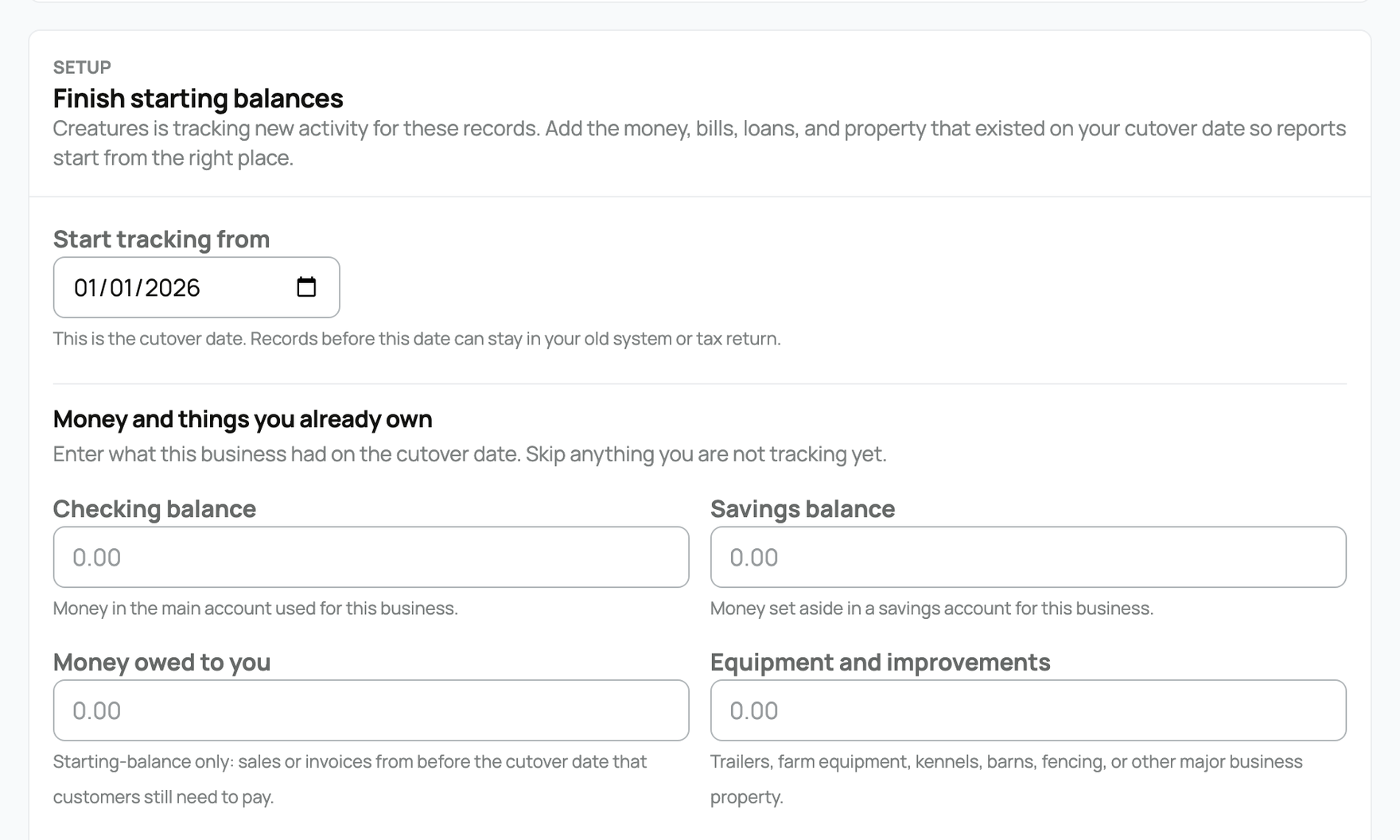
Leave unknown amounts blank instead of guessing. Attach supporting documents when available, then select Save starting balances. This panel is not an extra step after manually creating records. Add animal starting values separately.
Keep separate owners separate
Keep personal and organization records separate. A combined review of accessible record sets is for management; it does not turn them into one tax return.
Everyday tracking can stay in the simple dashboard. Advanced records provides detailed entries, paperwork, bank review, and reports. Use Accounting Review when you are ready to share a record set with a bookkeeper or reviewer.
If a marketplace sale is waiting when records begin, Creatures checks whether it can be posted. Review the resulting Finance activity before entering the sale again by hand.
Related information
- Understanding your finance dashboard
- Recording money in and out
- The accountant view and reports
- Animal cost basis and starting values
Updated on: 03/09/2026
Thank you!