
The management balance sheet
The Management balance sheet groups animals by how you use them. It compares their recorded book values with current planning values. It is a planning view, not a tax form or formal financial statement.
Open it
- Open Finance and select Accountant tools.
- Open Setup and other tools, then select Management balance sheet.
- If you have more than one set of records, choose the Record set and select Switch.
No Finance records yet? Open Finance and select Add money to start them.
Read the table
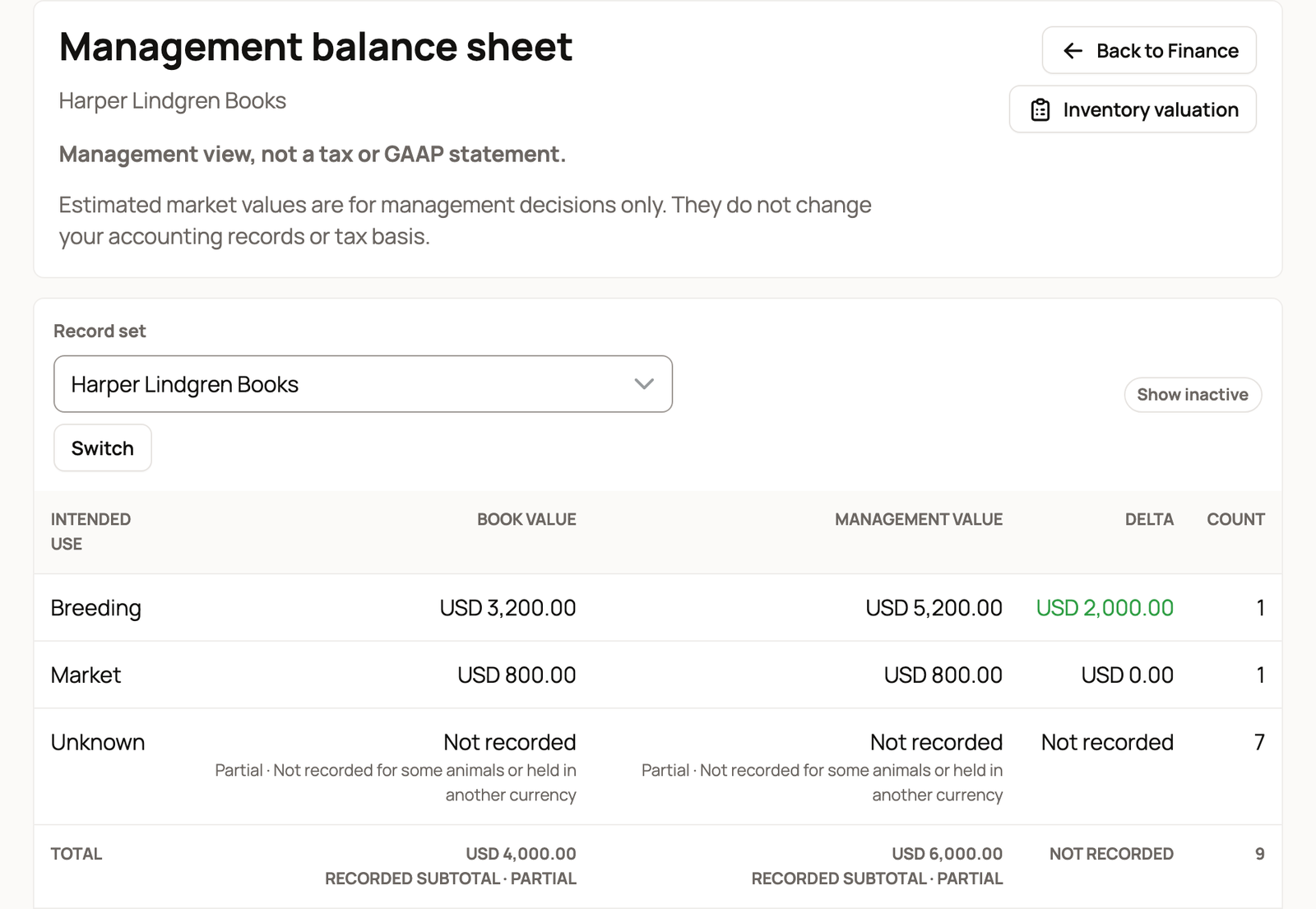
Each row is an intended use, such as Breeding, Dairy or Market. These are short labels for choices in an animal's setup details. Market means market or resale. Unknown includes animals whose use has not been set.
- Book value is the value still carried for the animals in that row.
- Management value uses your manual value for each animal first, then an eligible Crestimate. A Crestimate is Creatures' estimate of market value. Animals with neither have no value to add to this column.
- Delta is management value minus book value, when the two can be compared. A positive number is not profit you have made, and a negative one is not a recorded loss.
- Count is the number of animals in the row.
The Total row adds up the groups. These totals are for the record set you chose, so check its name before comparing it with another report.
Understand a partial total
Partial means a value is missing for some animals, or is held in another currency. Other currency amounts are shown separately. They are not silently added to the record set's currency.
When a row does not have complete values that can be compared, Delta says Not recorded. For example, a row can have a planning value for several animals but a book value for only one. Those groups need complete values before their gap can be compared.
Turn on Show inactive to include animals that have died or that you no longer own. Turn it off again when you want the current group.
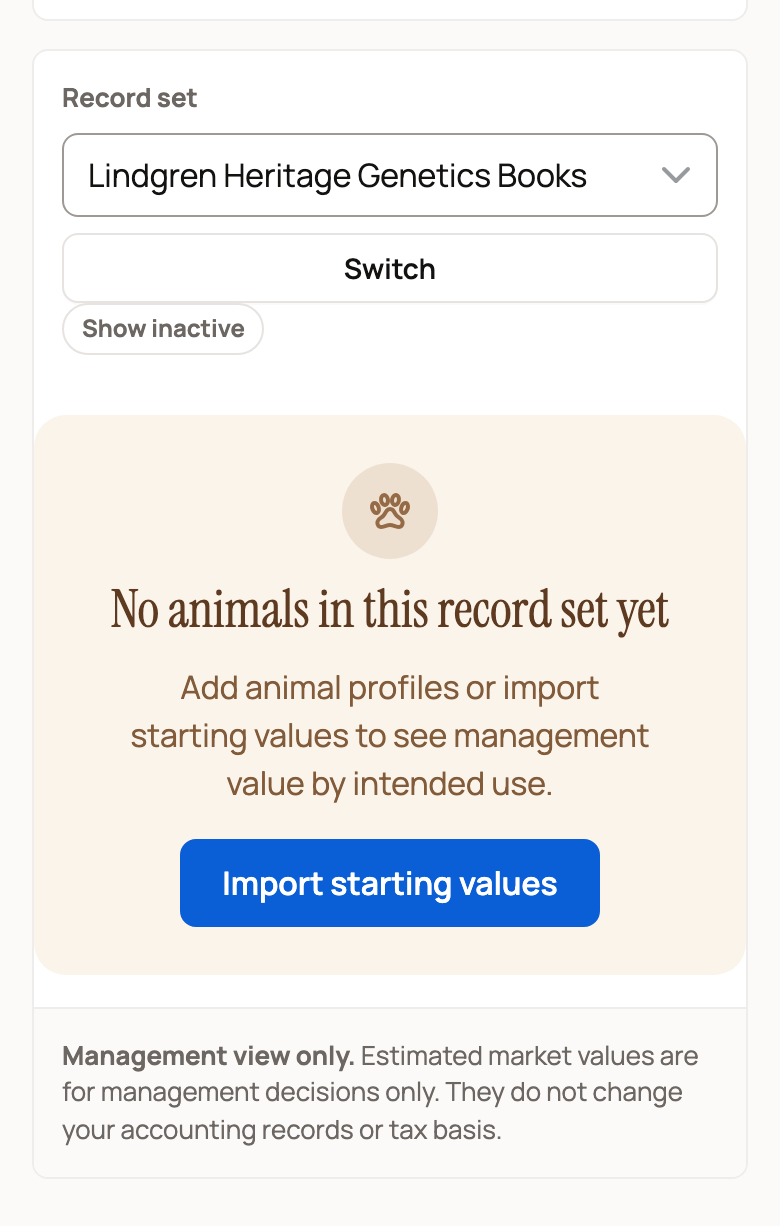
If there are no animals, the page says No animals in this record set yet and offers Import starting values to members who can add them.
Make the picture more useful
- Select Inventory valuation to check the animals and values behind the groups.
- Is an animal in the wrong group? Open its Finance tab, select Edit setup details or Add setup details, and check its Intended use.
- For a missing starting value, follow Animal cost basis and starting values.
- To update a planning value, follow Reviewing and updating your animal values.
When an import asks for an animal, use its handle (the last part of its profile link), not its name.
Keep planning separate from your records
Changing a manual value changes the planning figures. It does not create income, record a cost or change a starting value. The Delta column does not create an entry either.
Use Accountant tools > Reports and transactions for recorded results, or Year review to work through a period with your accountant. Those are different from this planning table.
Related information
- Reviewing and updating your animal values
- Animal cost basis and starting values
- The accountant view and reports
Updated on: 28/10/2026
Thank you!