
Recording money in and out
Use Add money for an expense you paid or income you received. Creatures creates the needed private Finance records automatically the first time you save, so you can begin without learning bookkeeping terms.
Save an everyday entry
- From the Finance dashboard, check whose records you are viewing, then select Add money.
- Choose Money out for an expense or Money in for income. Enter a positive amount and the date the money moved.
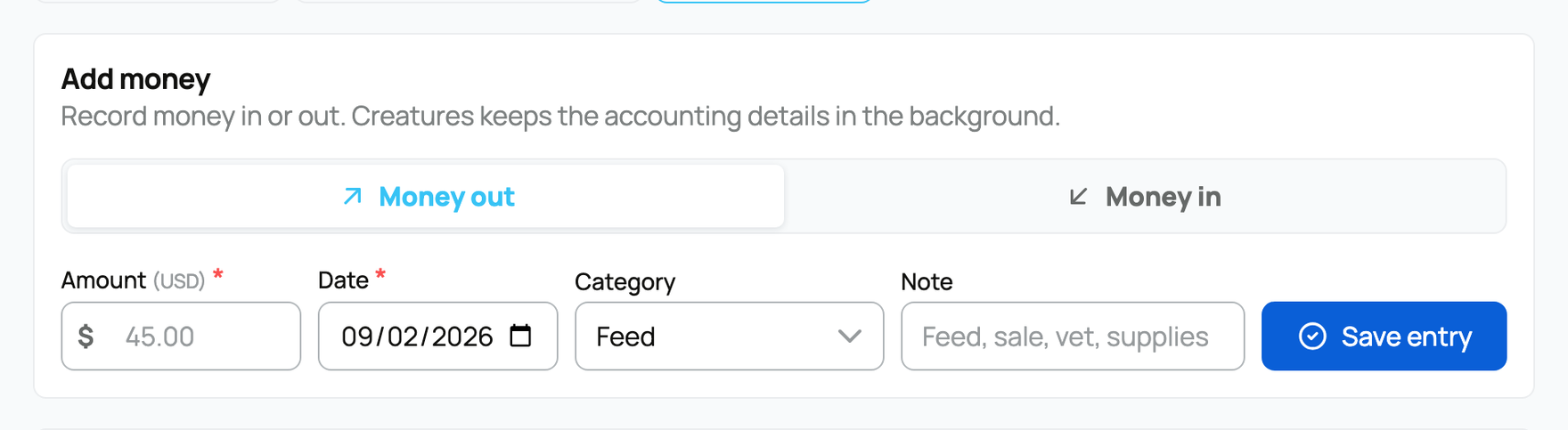
- Choose the Category that best explains the entry, such as Feed, Vet/health, or Stud/breeding service. This keeps totals and later reports understandable.
- Add a short Note, such as “Spring hay delivery” or “Stud fee for Maple.” Select Save entry once. A success message confirms which person's or organization's records received it.
Connect money to one animal
Open the animal's Finance tab and choose Add money when the whole entry belongs to that animal. The form tells you which animal will be connected before you save.
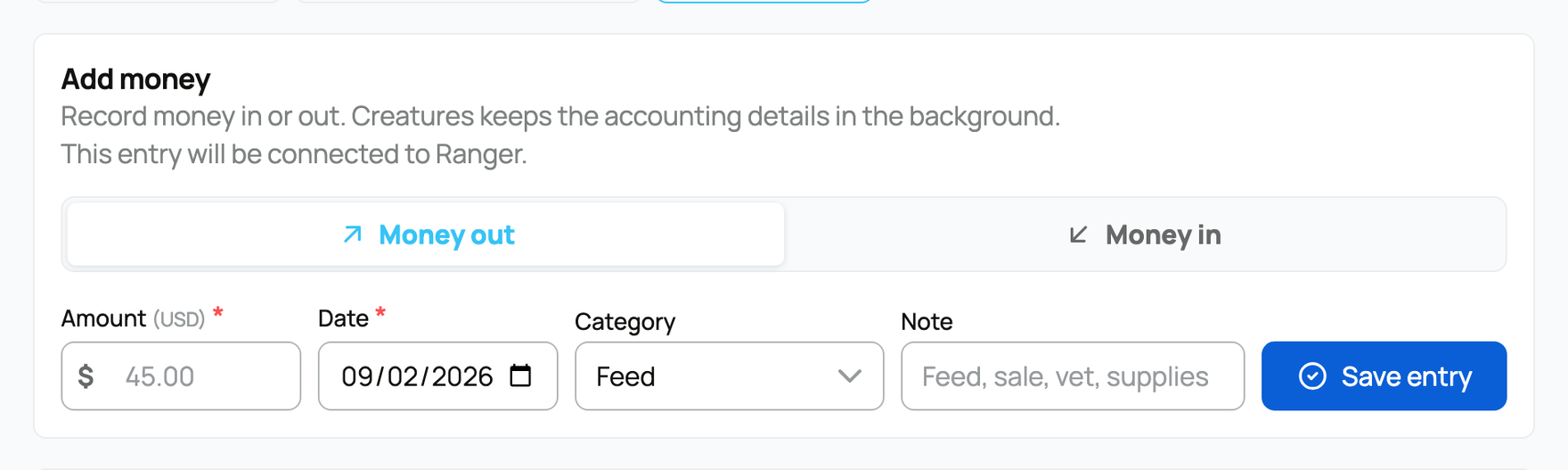
That connection is what makes the entry appear in the animal's income, expenses, and profit figures. Use Advanced entry when you need to split one amount, attach paperwork, or record details beyond the simple form.
For an off-platform animal sale, choose Sold, rehomed, or deceased on the animal's profile, select Sold, then Continue to sale details. Enter the sale details and select Record sale & mark sold. This saves seller income, marks the profile sold, removes the animal from your current animals, and prepares it for the buyer to claim. A regular Animal sale money entry records income only; it does not change ownership or mark the animal sold.
If something looks wrong
Check Recent activity after saving. Open the row to confirm its date, amount, and source. If the form rejects an entry, read the message and correct the entry before trying again. Do not add a second copy just because the first entry is outside the dashboard's current time period.
Marketplace and private-invoice sales can post Finance activity automatically after they settle. Look for the existing activity before recording the same sale by hand.
Related information
- Understanding your finance dashboard
- An animal's finances and ROI
- Animal cost basis and starting values
Updated on: 03/09/2026
Thank you!