
Adding a Routine Care Record
Adding a Routine Care Record
In this article, you'll learn how to add a routine care record for your pet, Nick. This feature helps you keep track of your pet's health and care needs.
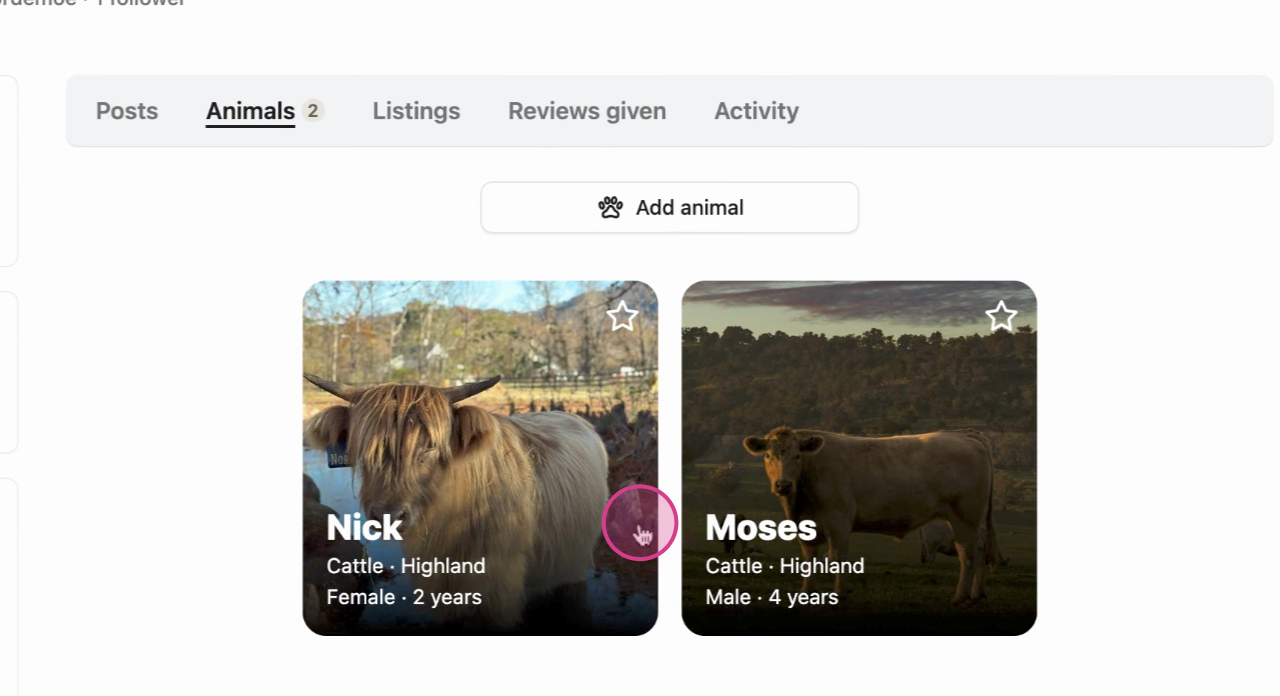
Step 1: Begin by selecting your animal.
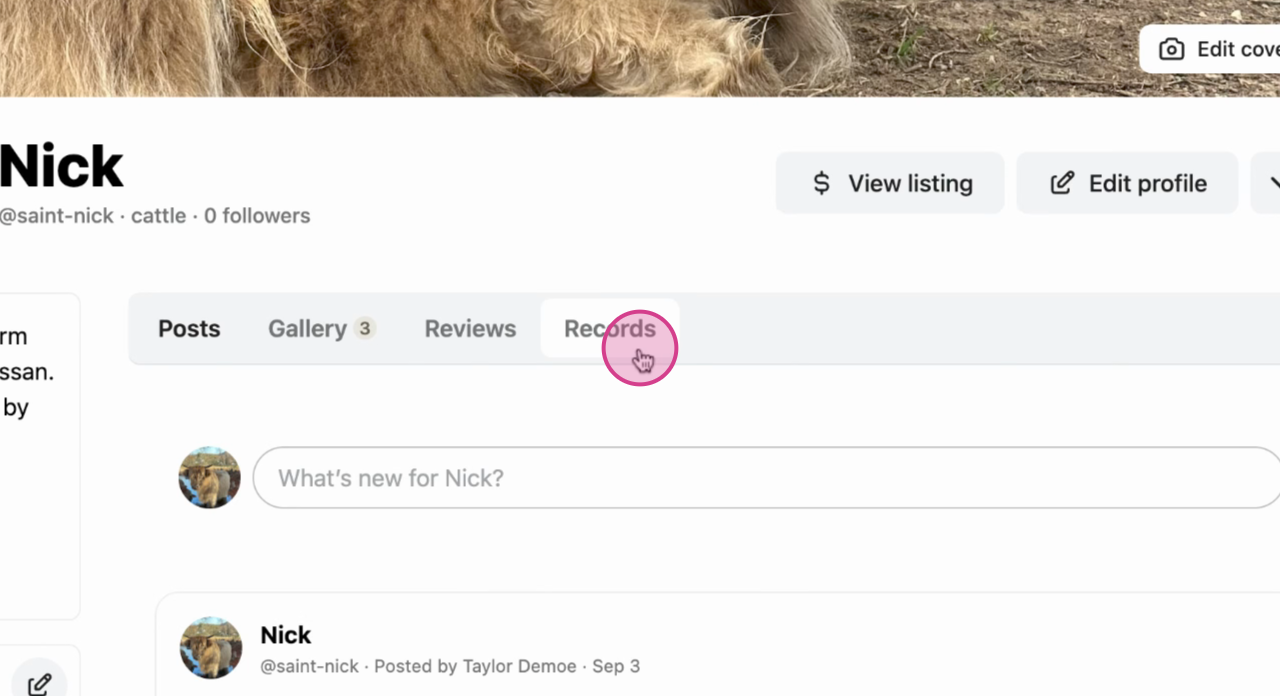
Step 2: Navigate to the Records tab in the animal's profile menu.
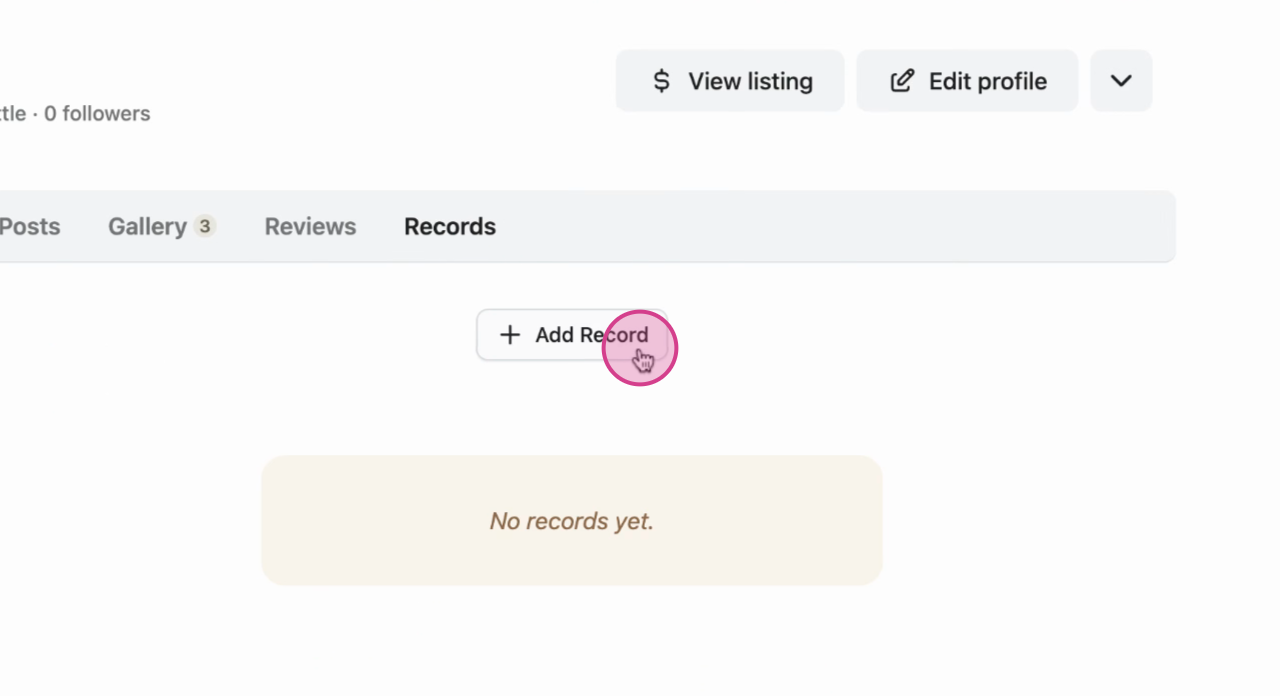
Step 3: Click on Add Record.
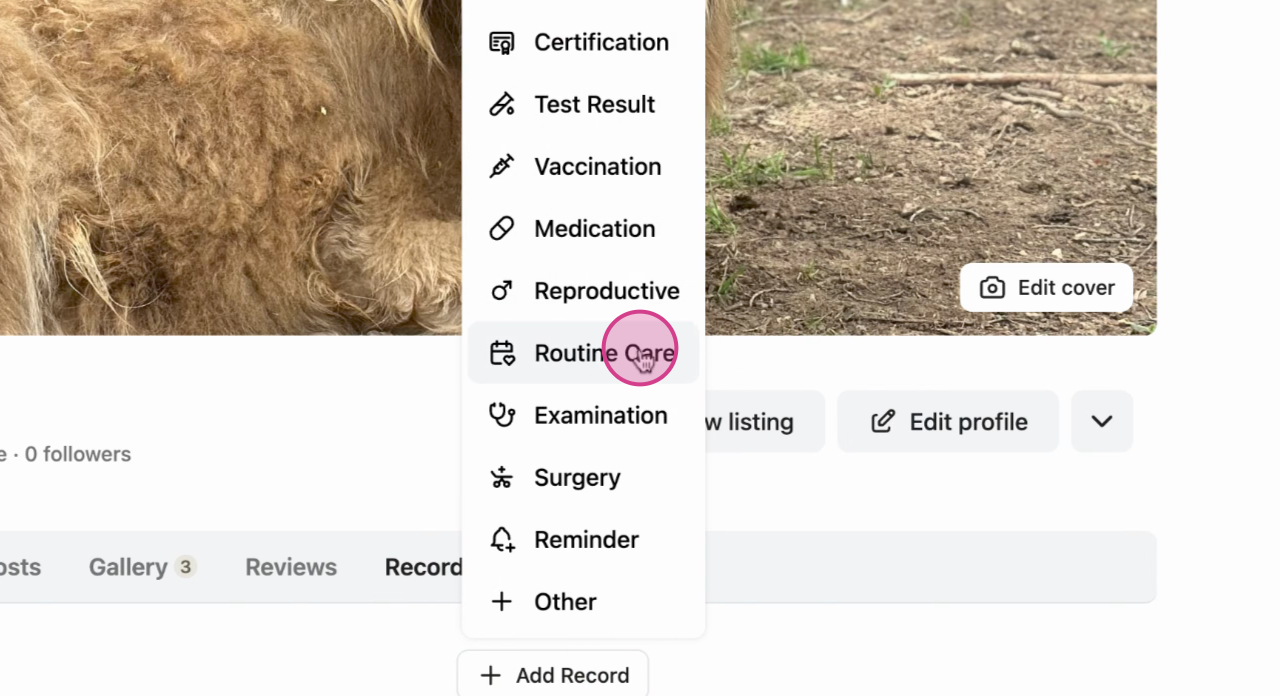
Step 4: Choose the Routine Care option.
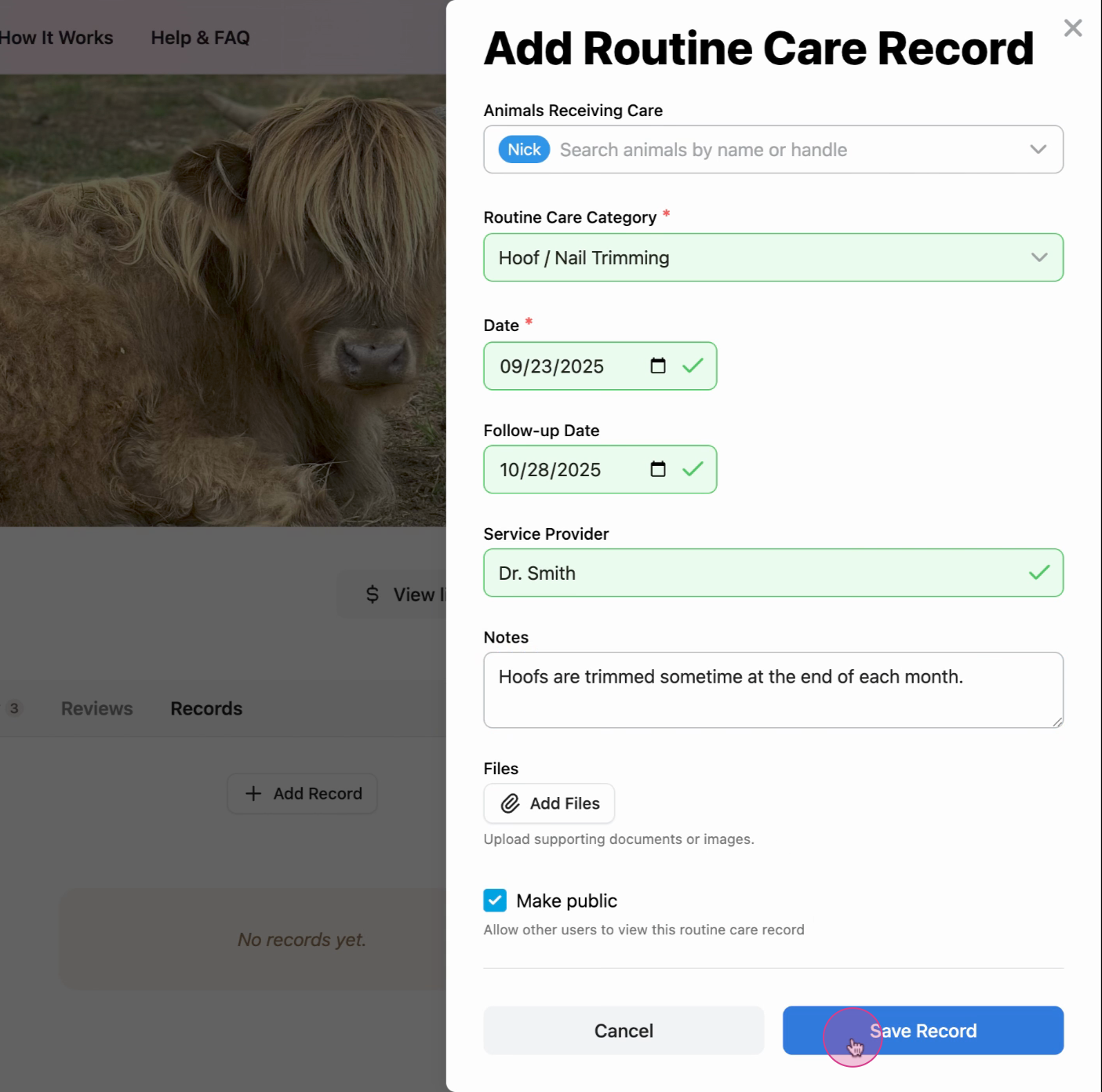
Step 5: Fill in all the necessary details and Save.
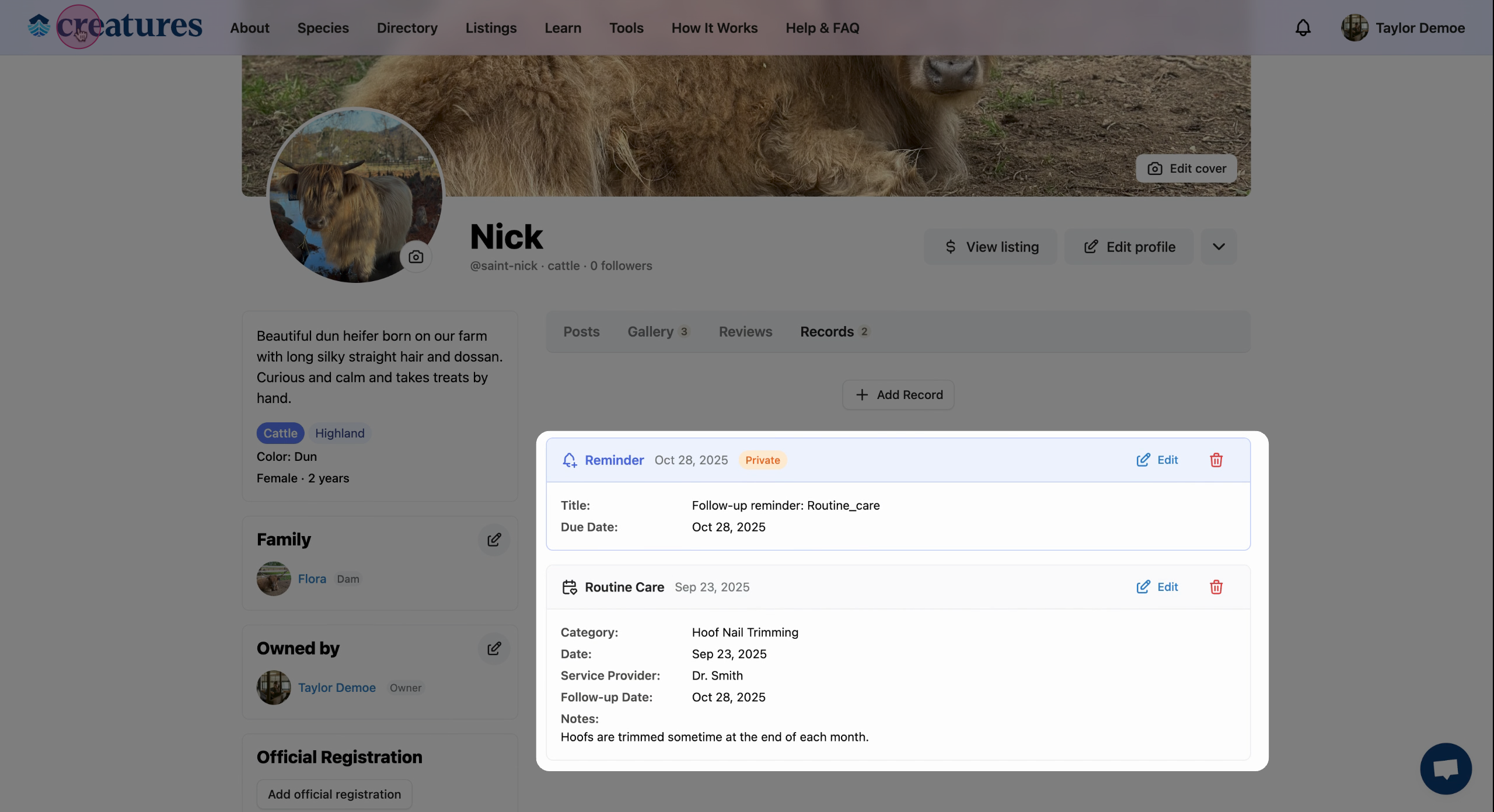
The record will now appear in your animal's profile. If you chose to make it public, it'll also show up on the Creatures main page.
Learn more about animal records on Creatures:
Updated on: 15/04/2026
Thank you!