
Care, growth, and identity records
Use Routine Care for care already performed, Physical Measurement for an observed value, and Registration for registry paperwork. Start from the animal's Records tab and choose Add Record.
Log routine care
Choose Routine Care, select Routine Care Category, and enter the Date. Under Expand extra fields, you can add a Service Provider or Follow-up Date. A follow-up date creates a reminder when you save.
For a routine that should continue on a schedule, use a care plan.
Add a measurement
- Choose Physical Measurement.
- Choose a Metric when available, or select Measurement Category and Measurement Subcategory manually.
- Enter the observed Value, check the unit or scale, and enter the date.
- Under How was it captured?, choose Estimated for a weight tape or visual estimate rather than Measured directly. Add context when relevant, review privacy, and choose Save Record.
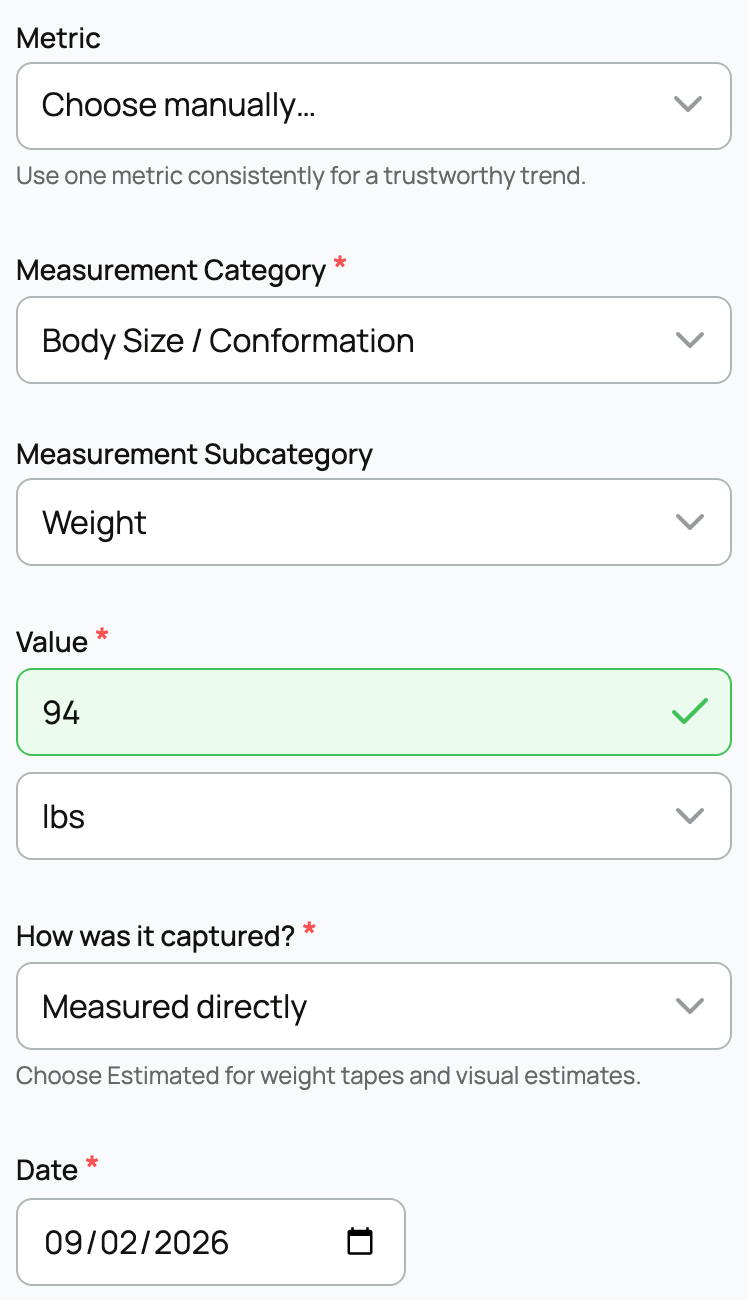
Keep the metric, scale, and method consistent when comparing readings over time. An estimate should not be presented as a measured value.
See growth over time
Open Records, then Measurements. Choose Measurement type and a date range. When available, Imperial and Metric change the display without changing the saved readings.
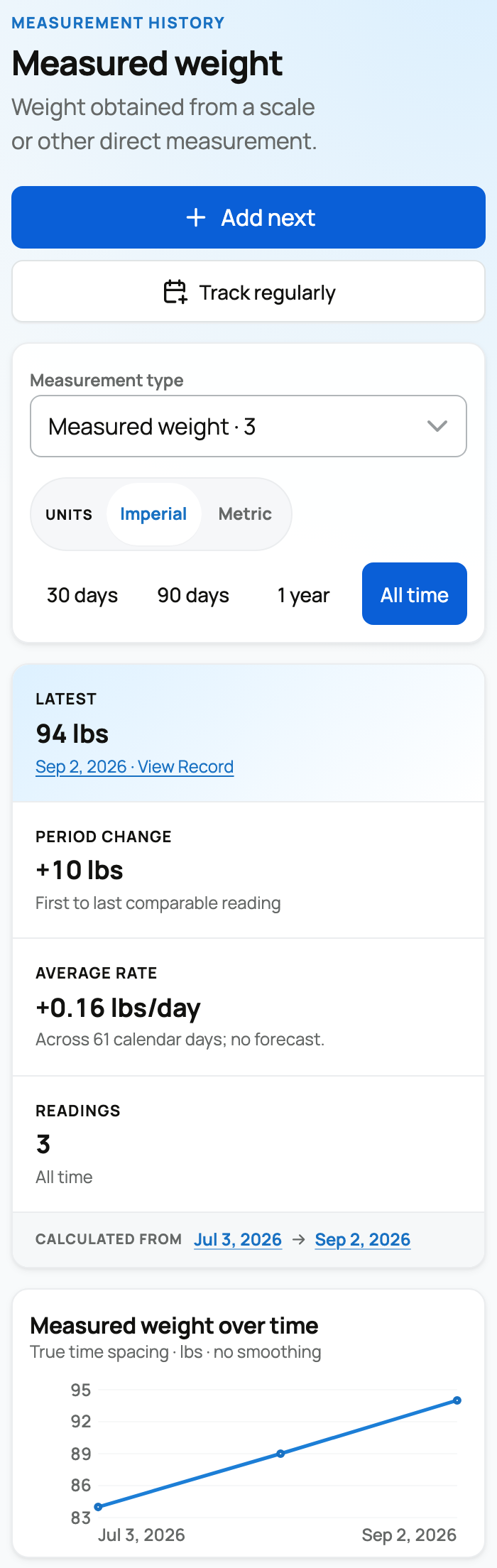
The summary and chart describe the selected period. Use the exact readings table and View Record to inspect a source entry. Readings with ambiguous units or scales stay in the table; Creatures does not guess how to plot them.
Choose Add next when offered to reuse the measurement's setup. Enter the new value yourself. Track regularly, when available, opens a care-plan setup for future measurements. An existing routine instead offers Manage routine or Manage routines.
Keep identity and paperwork together
For an identifier such as a microchip or ear tag, choose Identification from Add Record. This opens the animal's identity tools.
For registry paperwork:
- Choose Registration and select Registry Association.
- Enter the exact Registered Name and Registration Number.
- Review How this registry classifies the animal. Select the registry's value, use Preserve another value when offered for different wording, or choose Not sure if the source is unclear.
- Attach the certificate under Files, check Make public, and save.
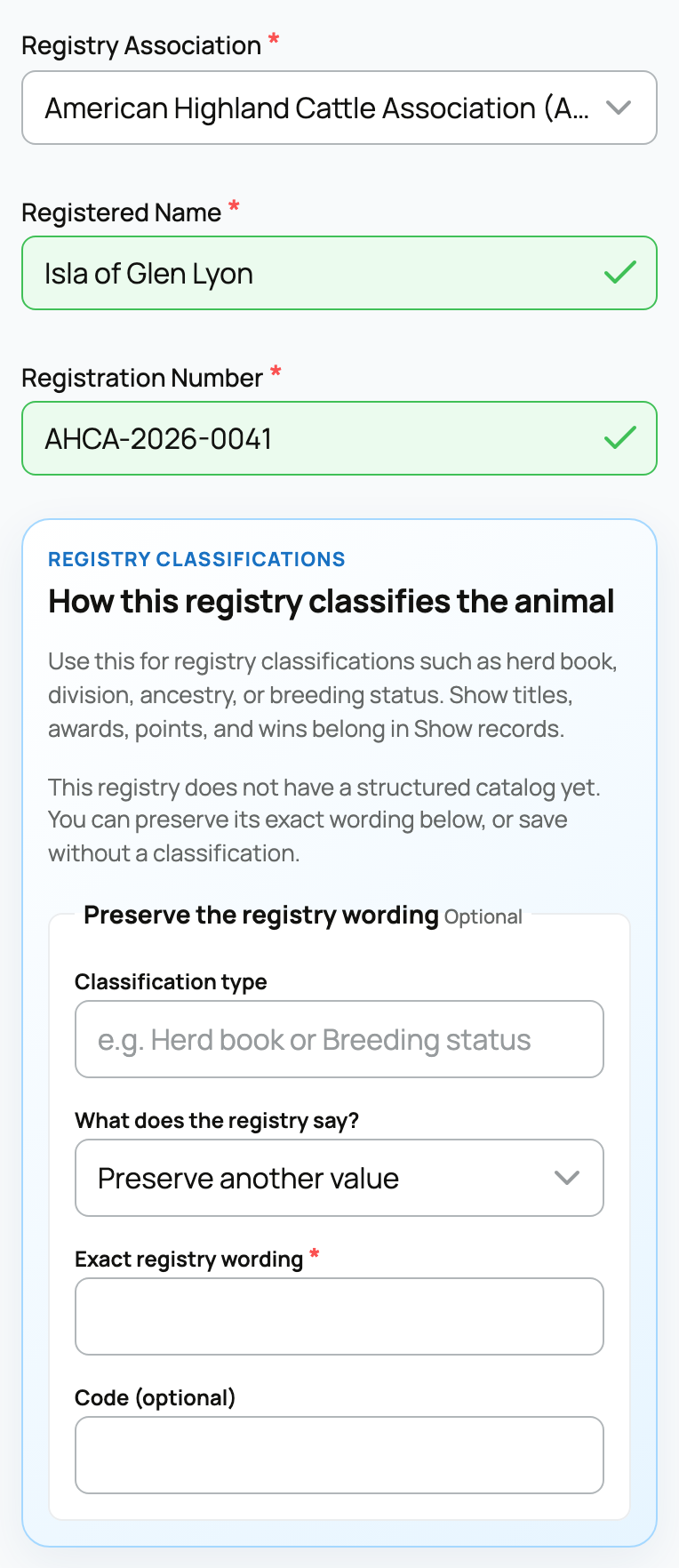
Registry-verified classifications are read-only here. Use Request a correction if one is wrong. Adding paperwork is different from applying for registration; see Registering an animal with a registry.
For medical entries, see Health and medical records.
Related information
Updated on: 03/09/2026
Thank you!