
Adding a Vaccination Record
Adding a Vaccination Record
This article will guide you through the process of adding a vaccination record for an animal. By following these steps, you'll be able to keep track of your animal's health records efficiently.
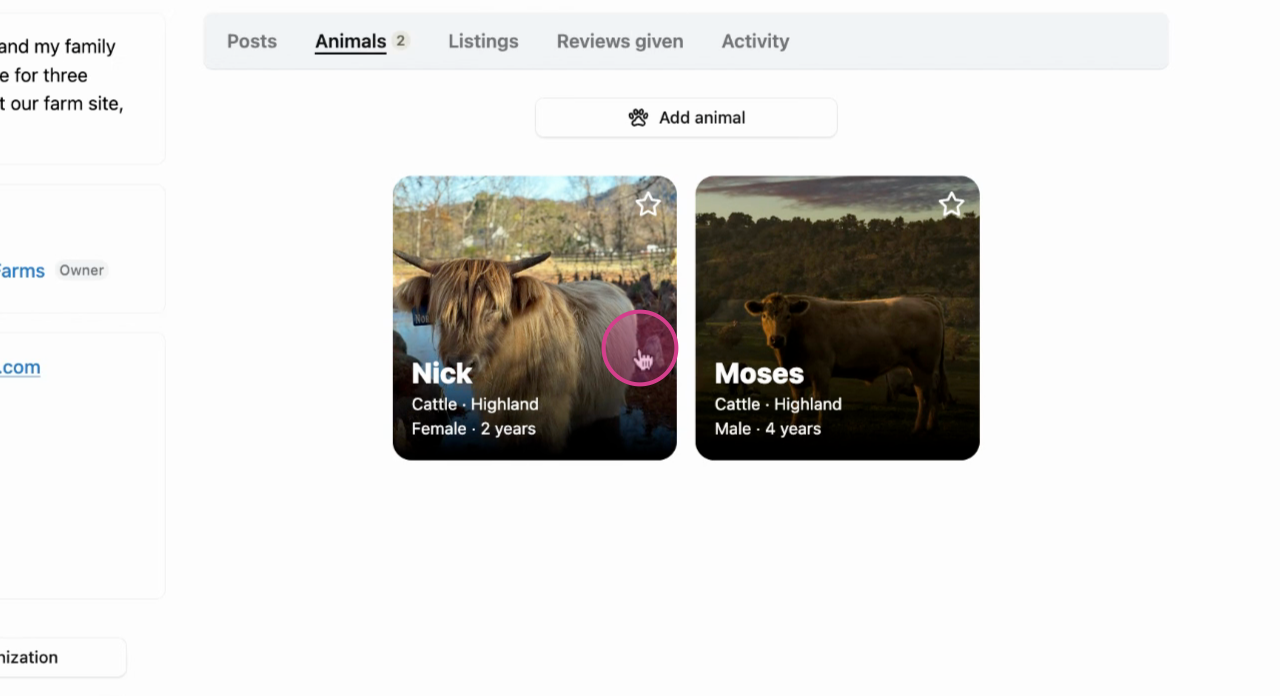
Step 1: Start by selecting the animal for which you want to add the vaccination record.
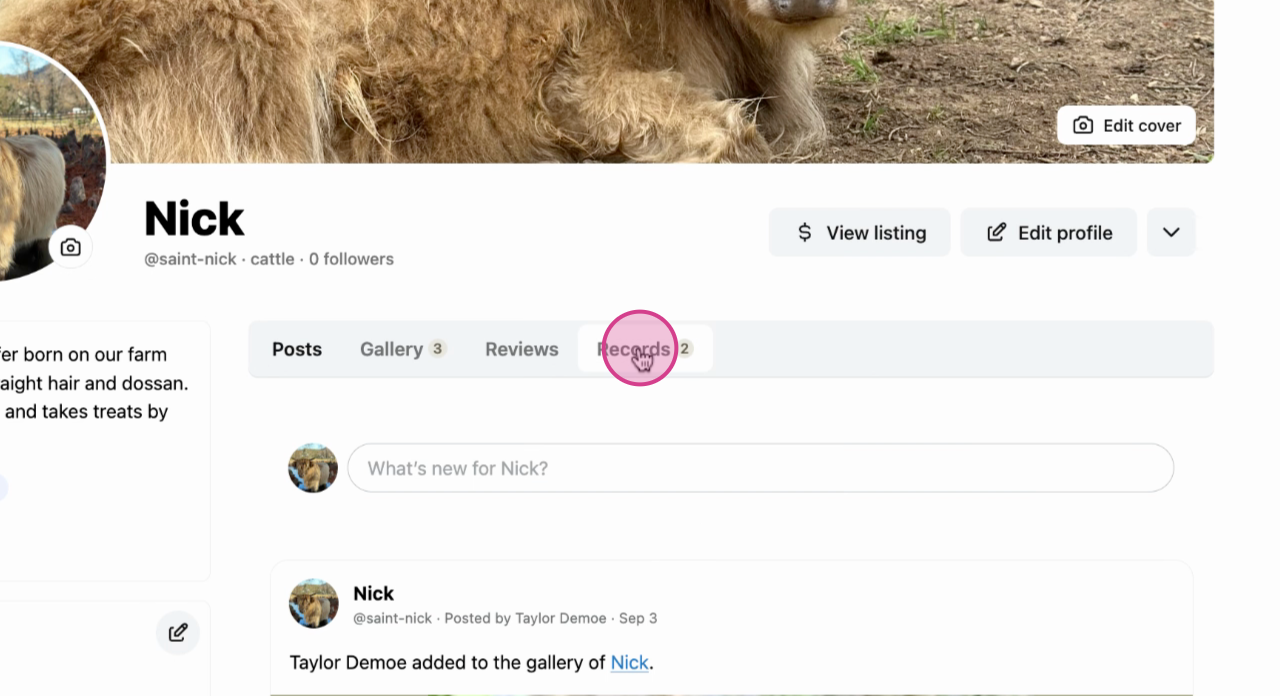
Step 2: Next, navigate to the Records tab in the animal's profile menu.
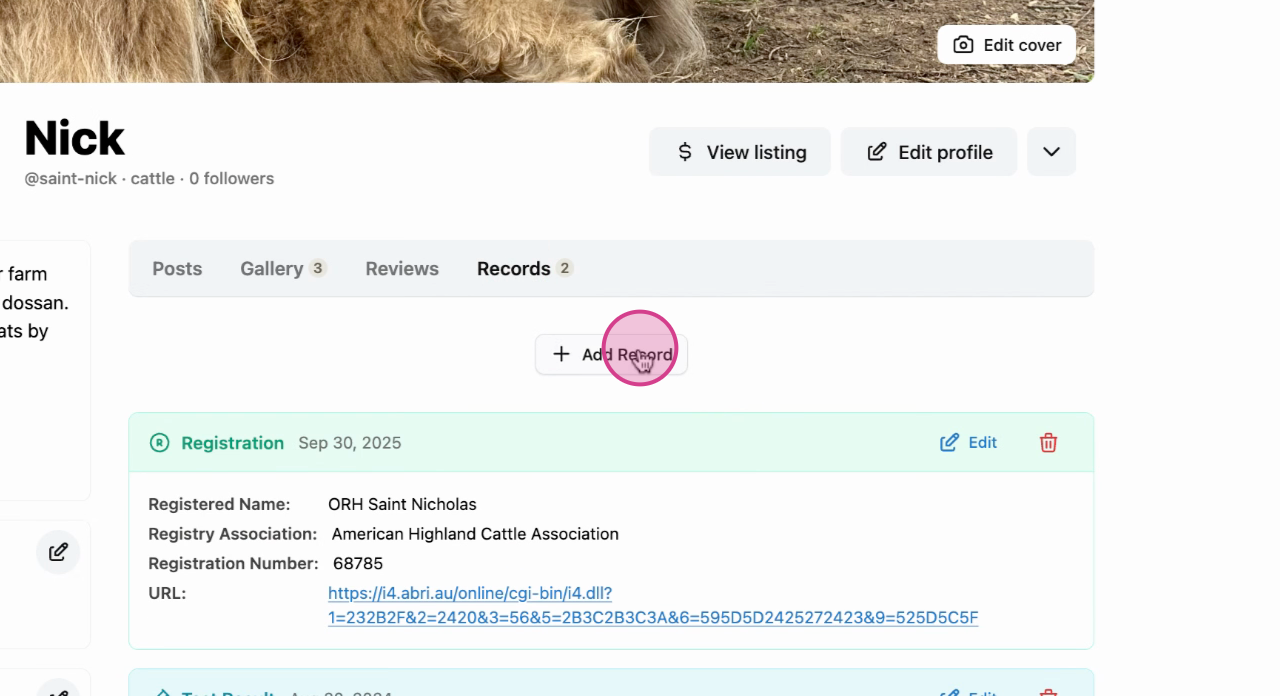
Step 3: Click on the Add Record button.
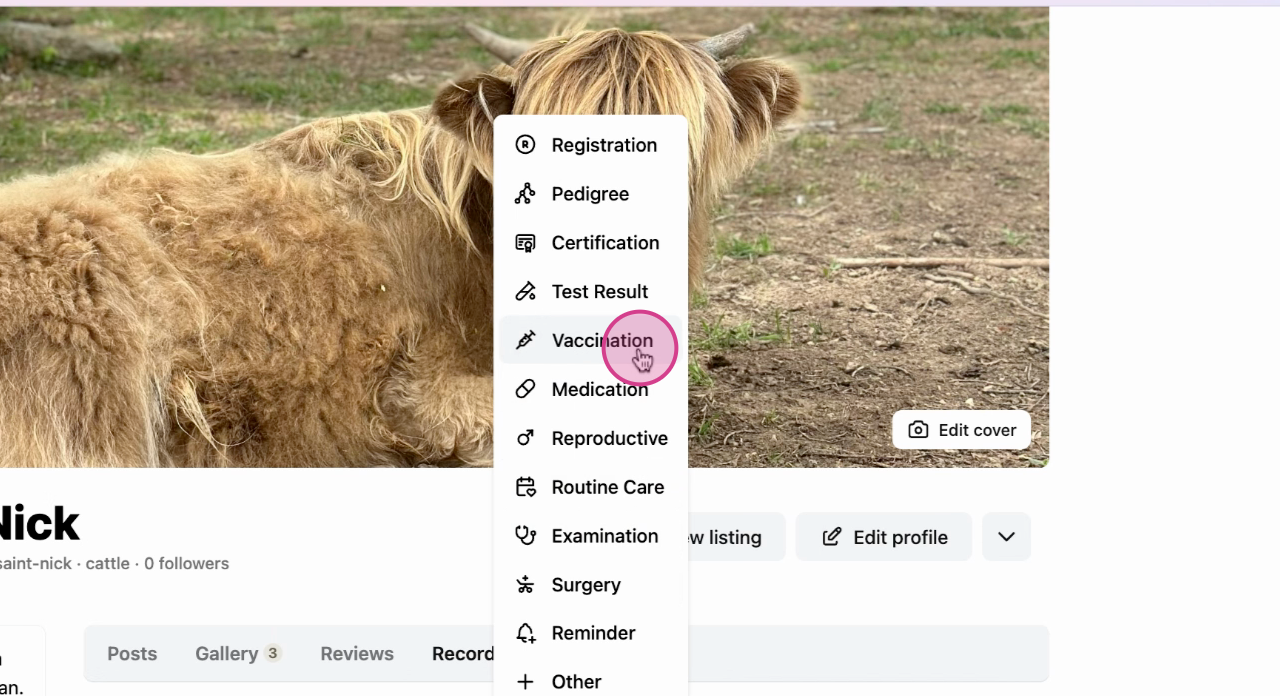
Step 4: From the options, choose Vaccination.
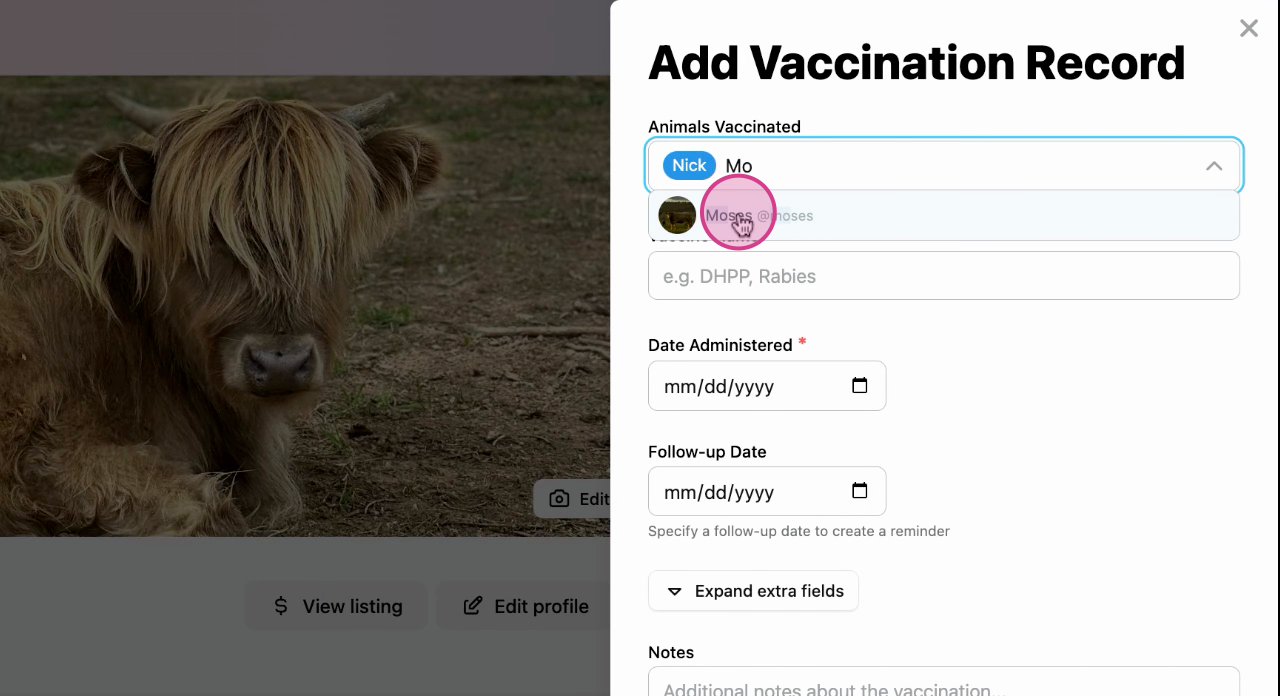
Step 5: Fill in all relevant details. You also have the option to select other animals that received the same vaccination on the same day to save automatically save both records.
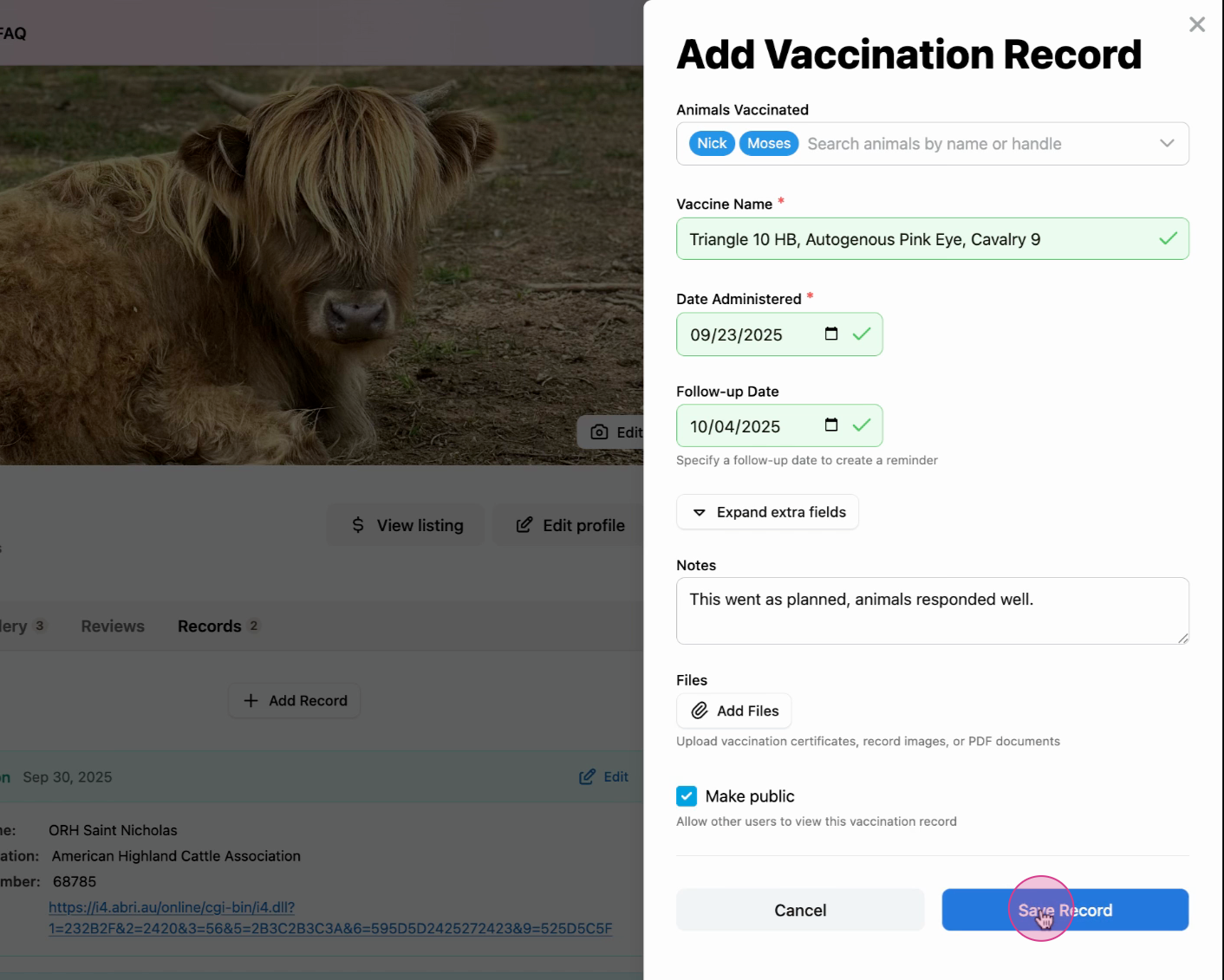
Step 6: Double check the details and save the vaccination record.
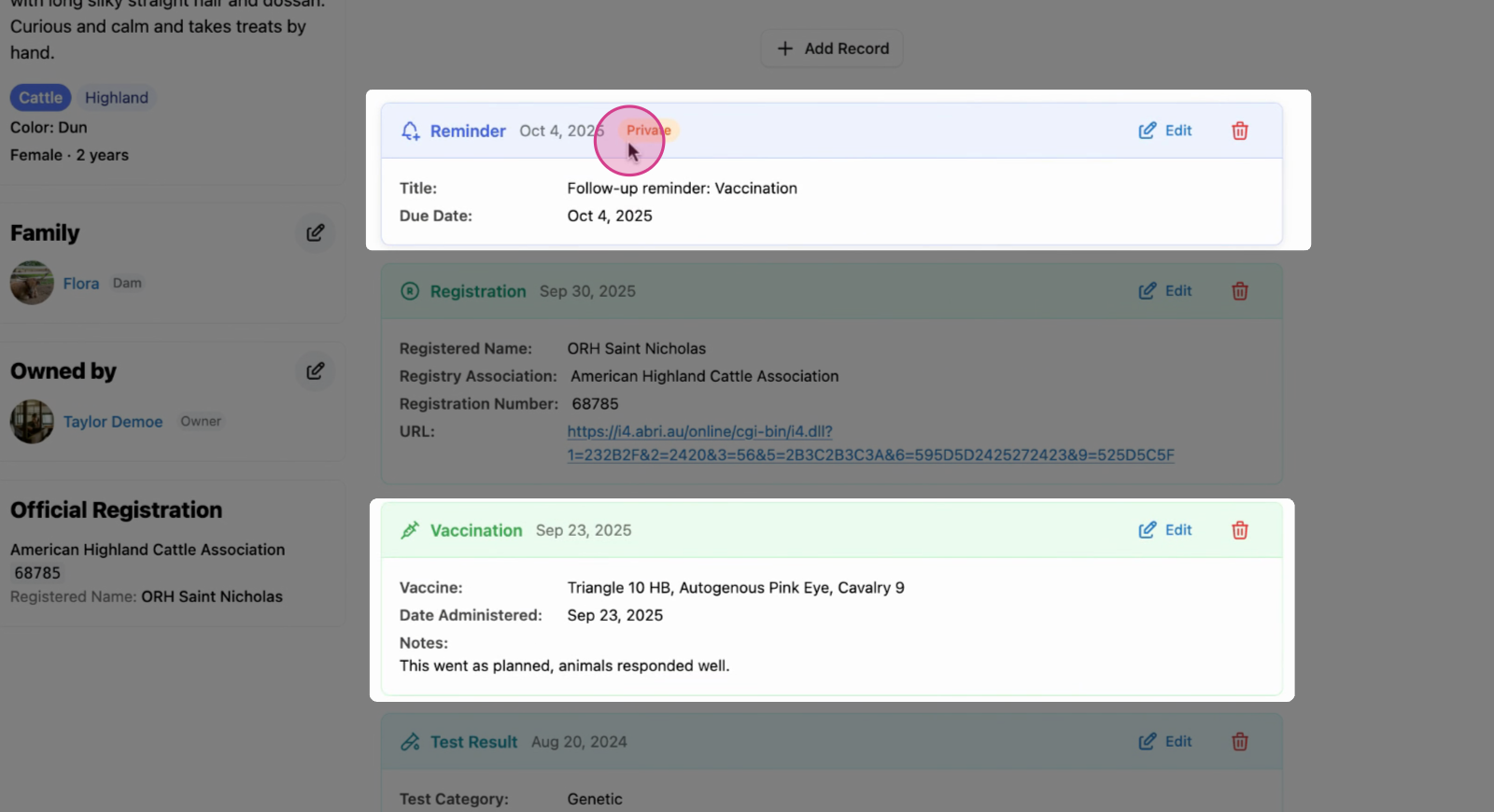
Step 7: Now, the vaccination is saved on Nick's profile.
If you opted to receive reminder for a follow up, that will also appear at the top of all your records.
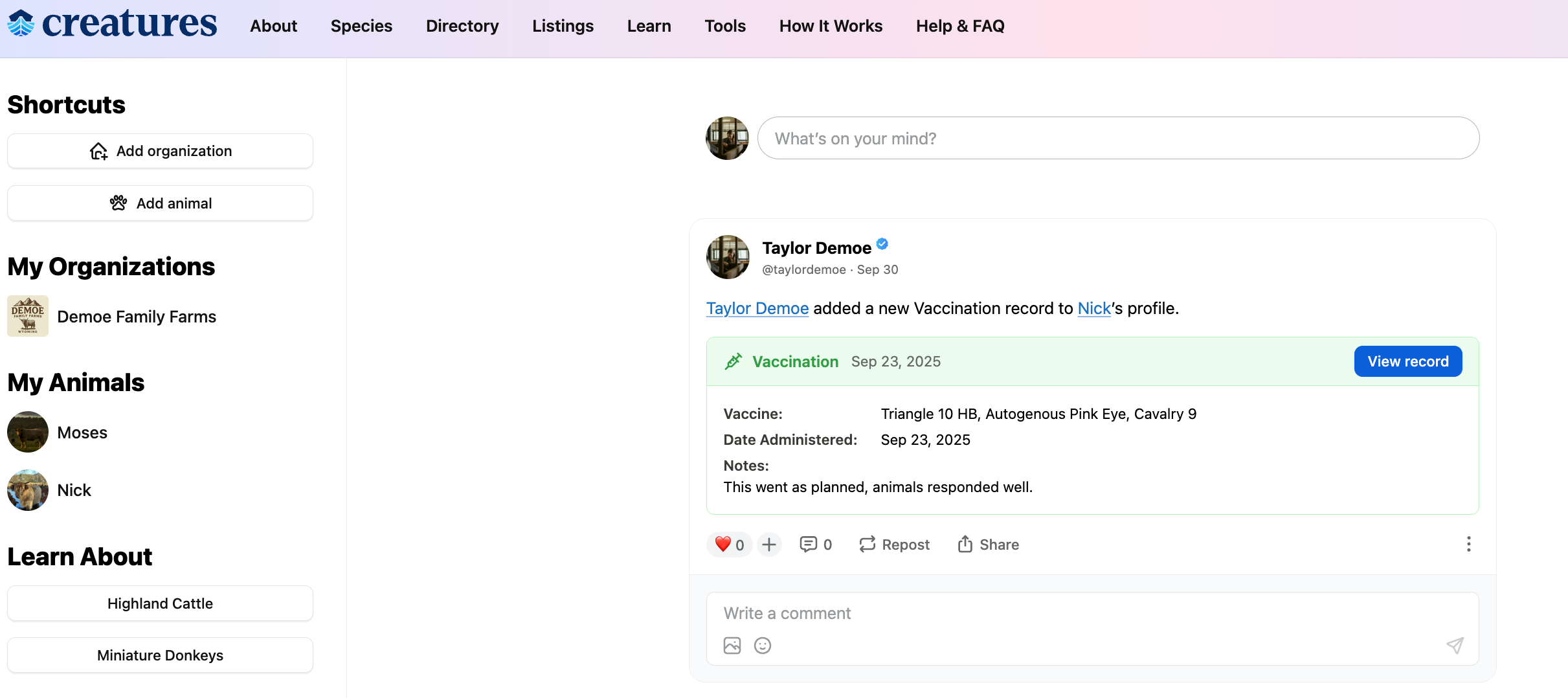
Step 8: The record is now on the Creatures main page.
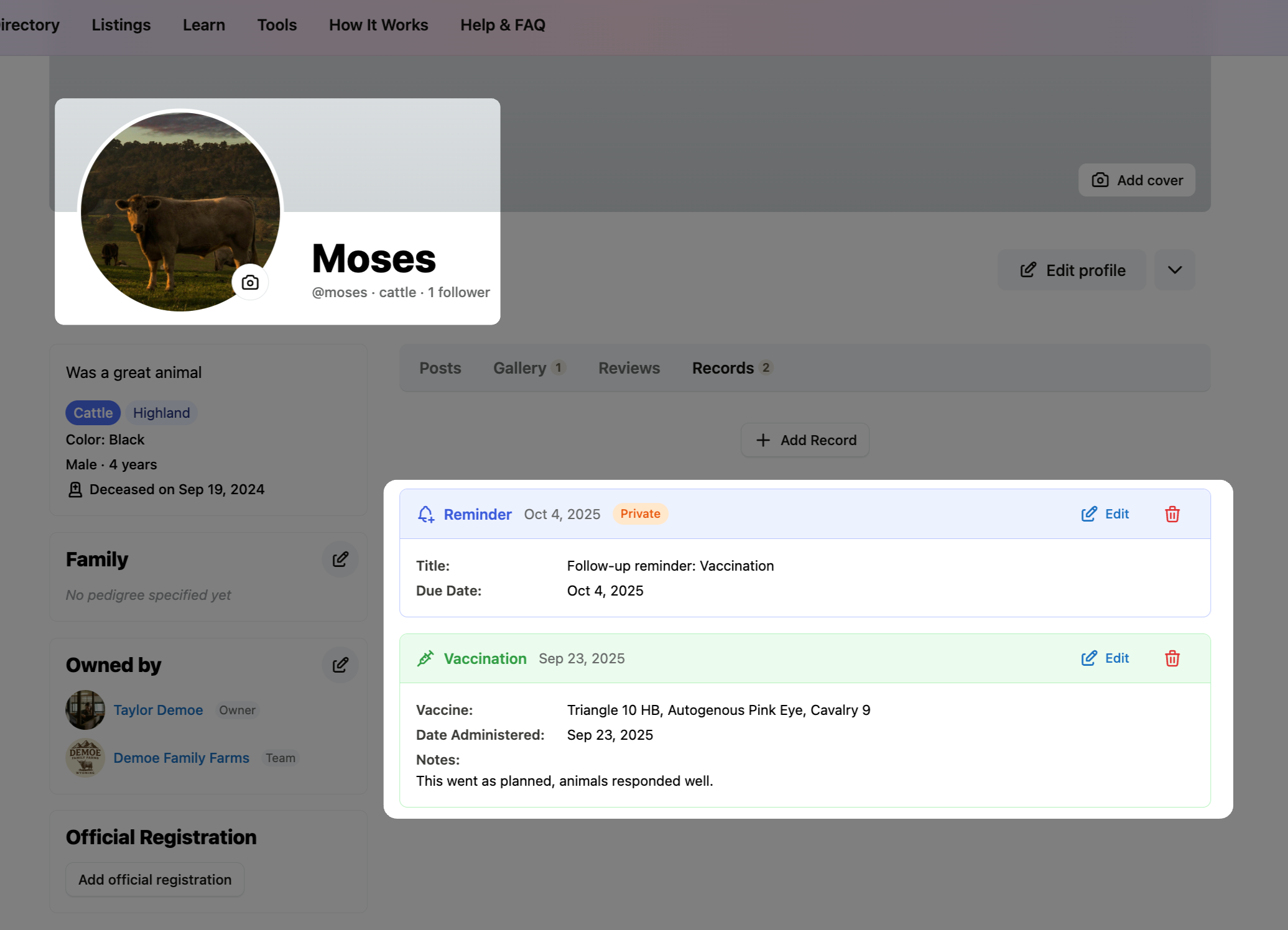
Note: Since Moses was also added to this record, his profile will have the same vaccination status and reminder as Nick.
 earn more about animal records on Creatures:
Updated on: 28/10/2025
Thank you!