
Message buyers with saved replies
A saved reply is a message you write once and reuse. Pick it on a buyer's reservation card, change it if you like, and send it straight into your Creatures conversation with that buyer.
Create a saved reply
- Open Dashboard, choose the Selling tab, then Buyer pipeline.
- Scroll down to Saved replies.
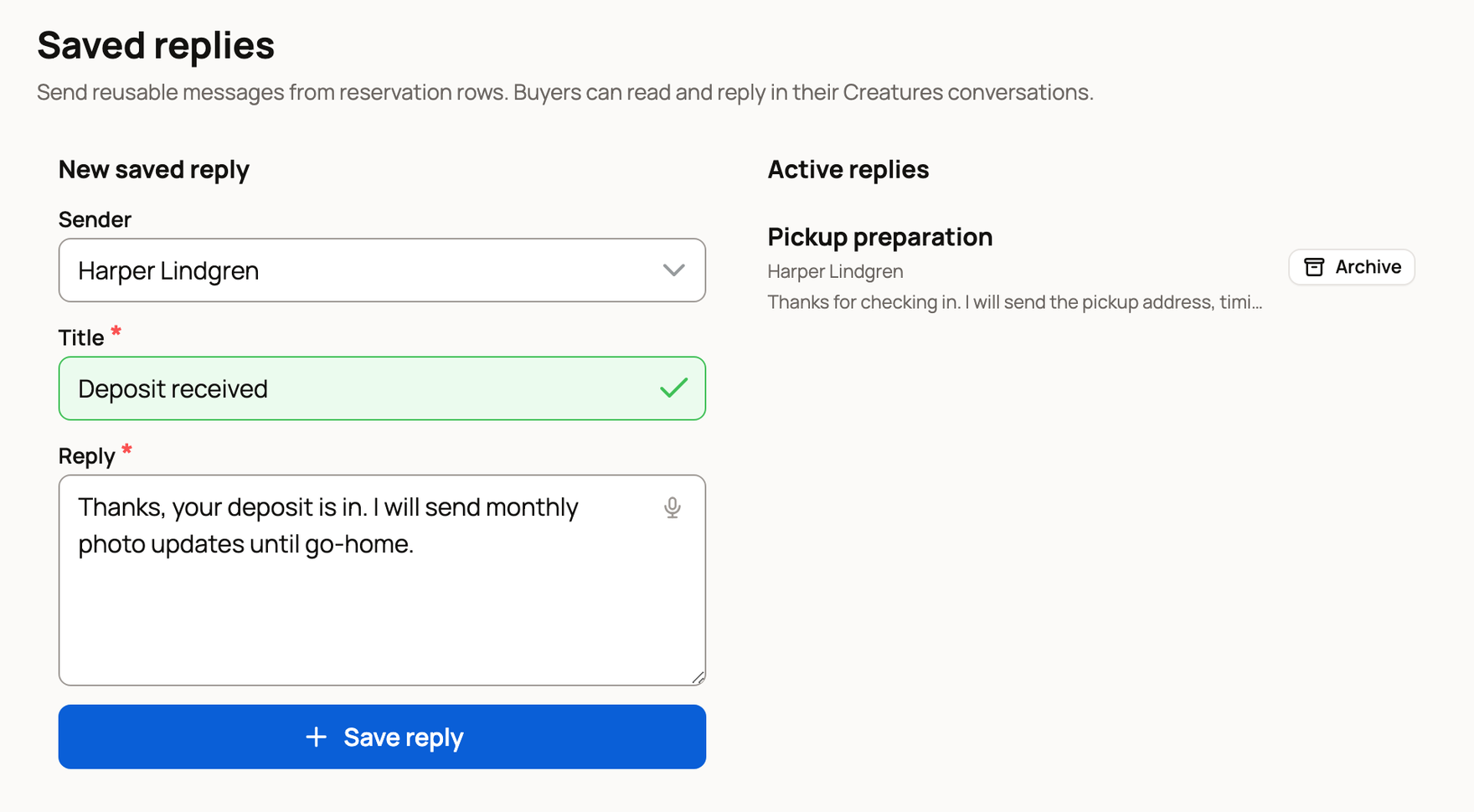
- Under New saved reply, choose the Sender: you, or an organization you own or co-own. Buyers get the message from this account.
- Enter a short Title you'll recognize, such as "Deposit received."
- Write the message in Reply. It can be up to 3,000 characters.
- Select Save reply. It now appears under Active replies.
Send one to a buyer
Saved replies work from cards that have a reservation. Each card lists only the replies saved for that card's sender.
- In Buyer pipeline, find the buyer's card with a reservation, such as one marked Reservation held.
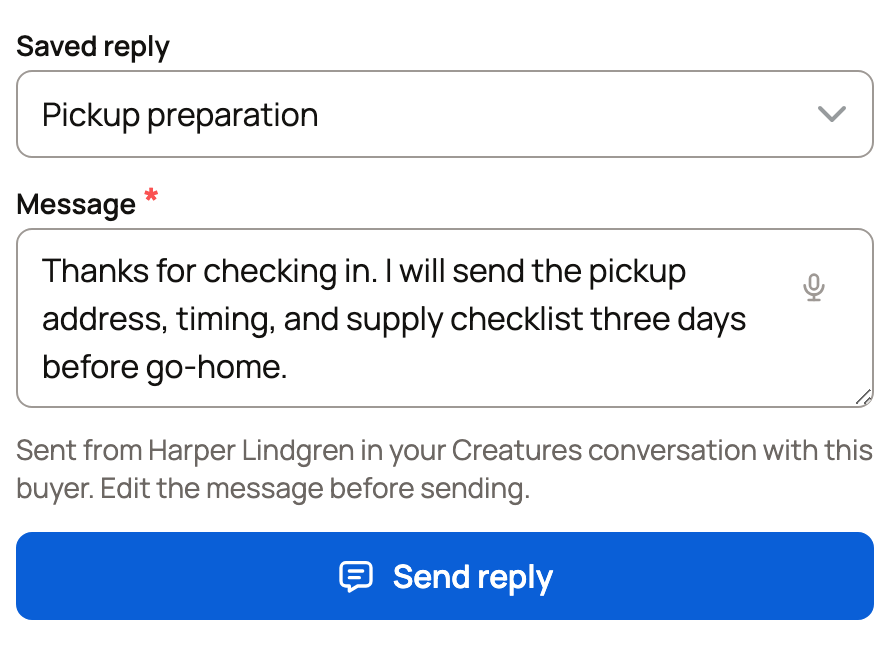
- Choose a reply under Saved reply. Its text fills in Message.
- Change the message for this buyer if you like. Your changes apply to this message only. The saved reply stays the same.
- Select Send reply.
If a card says "Create a saved reply below to message this buyer on Creatures," that account has no saved replies yet.
What happens next
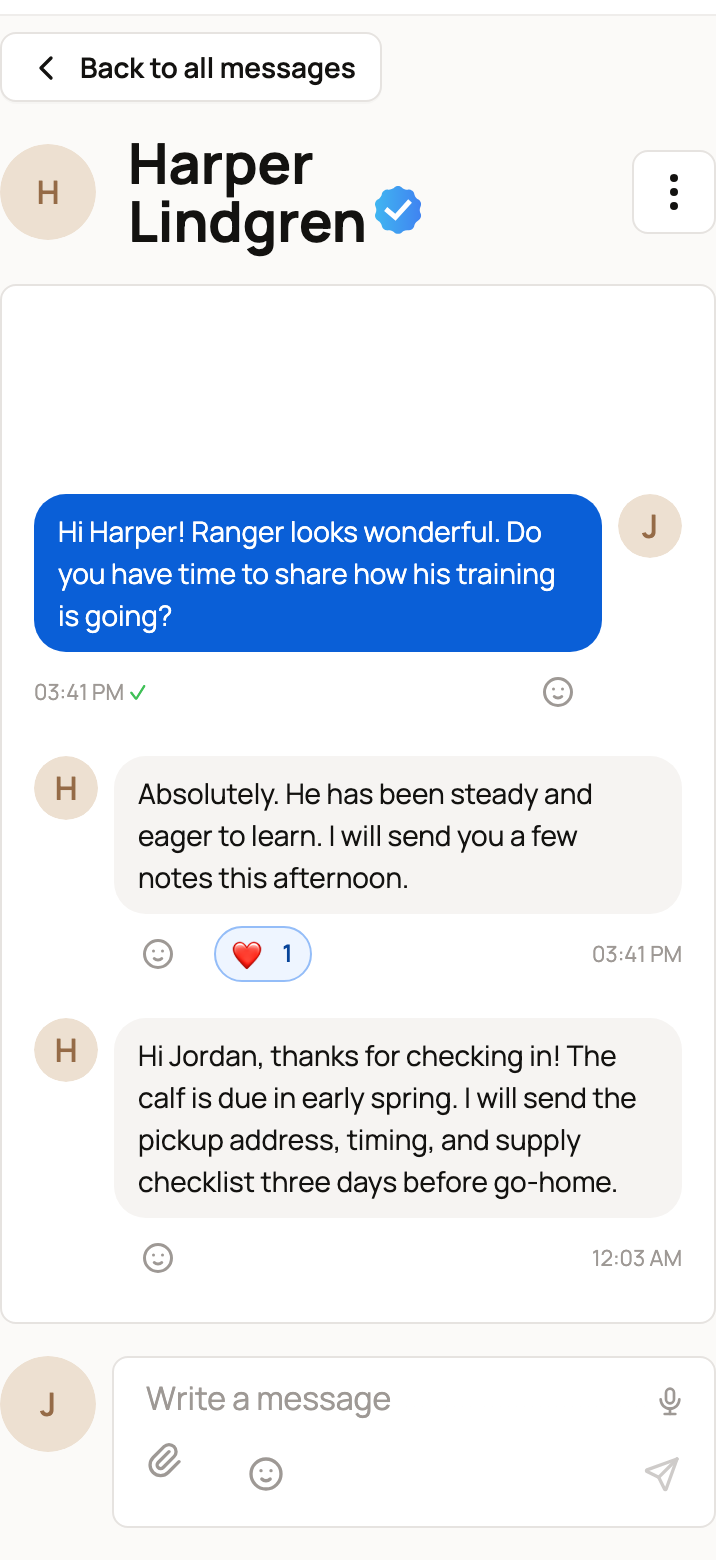
The page confirms "Reply sent to the buyer's Creatures conversation." Select View conversation to open it.

The card's "Sent from" line names the account the message comes from. If the reservation belongs to your farm's organization, the buyer sees it from the farm, not from your personal account.
The buyer reads it in their Creatures messages like any other message, and they can answer there. See Finding and managing your messages.
Retire a reply
Under Active replies, select Archive next to a reply you no longer use. It leaves the list and the cards right away. Messages you already sent with it stay in each conversation.
If it won't send
Your typed message stays on the card, so you can fix the problem and try again.
- "Choose an active saved reply for this sender." The reply was archived, or it belongs to another account. Pick one from the list.
- "This conversation is unavailable." One of you has blocked the other, or one account is no longer active.
- A message that asks you to reload the page means the page is out of date. Reload it and send again.
Related information
Updated on: 29/10/2026
Thank you!