
Buyer questionnaires (post-purchase check-ins)
A buyer questionnaire is a short survey scheduled after the buyer confirms pickup for a sale paid through a Creatures invoice. Create it in your buyer pipeline, then read the answers on that buyer's sale card.
Create a questionnaire
- Open Dashboard, then select Selling and Buyer pipeline.
- Scroll to Post-purchase questionnaires.
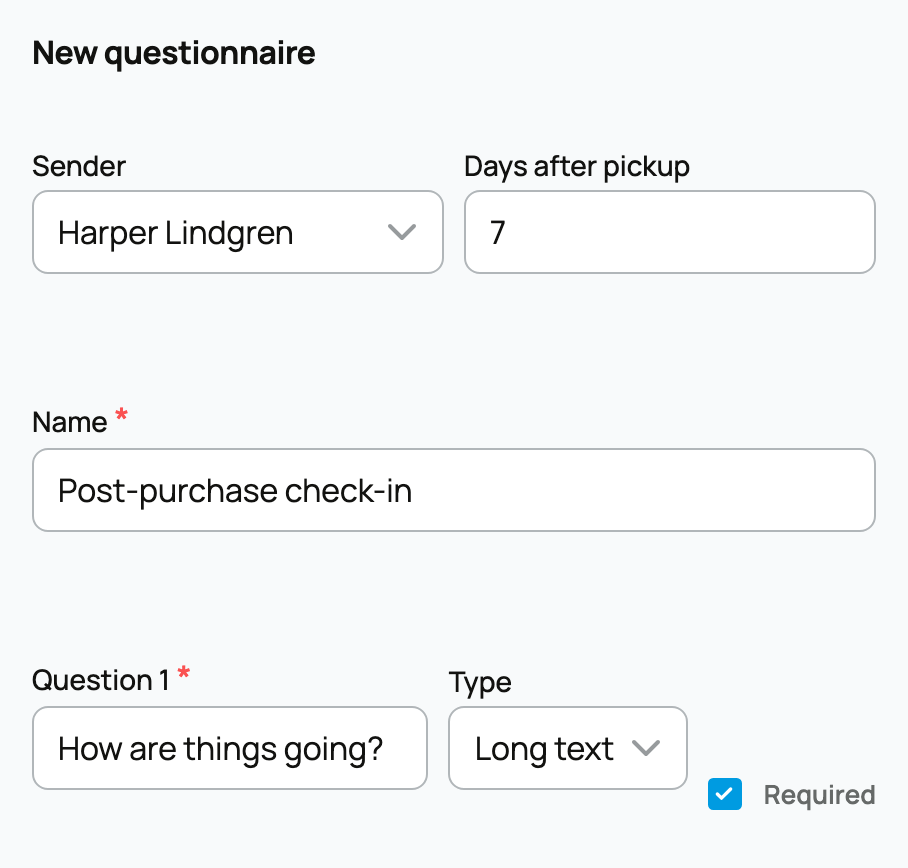
- Choose the Sender the buyer already knows.
- Enter Days after pickup. Use 0 for the same day or a later number, such as 7, to give the new family time to settle in.
- Give the questionnaire a short Name.
- Enter at least one question. Choose Long text, Short text, Rating, or Yes or no, and decide whether the answer is Required.
- Select Create questionnaire.
The form begins with three question rows. Leave any extra row blank if you need fewer questions.
What happens after pickup
When the buyer confirms pickup for a sale paid through a Creatures invoice, Creatures prepares the questionnaire email and waits for the delay you selected. The invoice must be linked to the buyer's Creatures account with an email address. Delivery uses the same sender and safeguards as your email series. You will see a system-managed series named Post-purchase questionnaire: [name] in Email series; Creatures manages that delivery record for you.
The buyer receives a private link to a simple form. They do not need to sign in, and the link accepts one submission. A signed-in buyer may use Help me write on a long answer, but they still review and submit their own words.
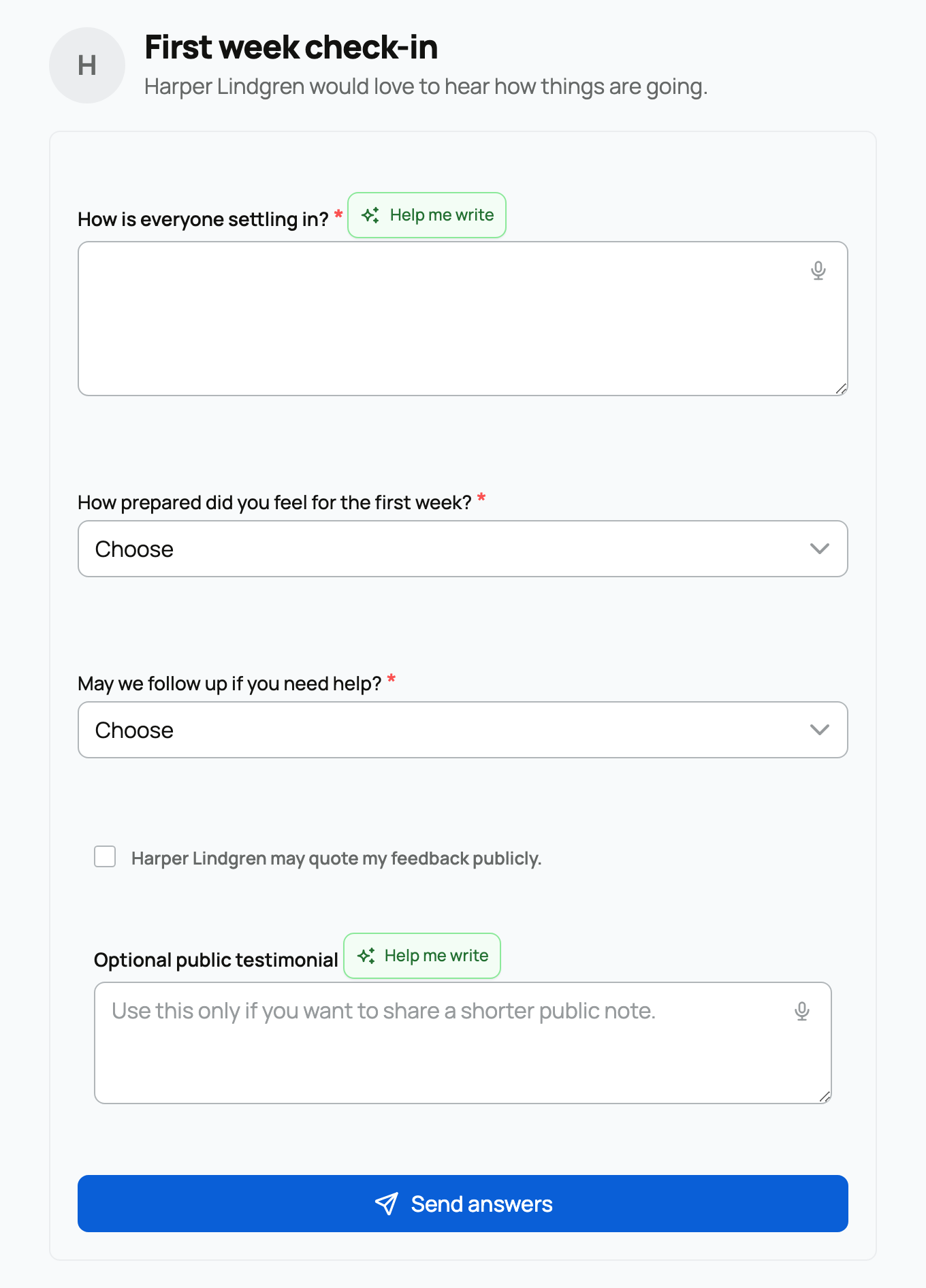
The optional testimonial area is separate from the survey questions. The buyer must actively allow public quoting before you use that text publicly. A questionnaire response is not automatically a public review; Leaving a review explains the public review flow.
Review the answers
Find the buyer's card linked to that invoice in Buyer pipeline; it may be labelled Reservation or Invoice. Open Notes, contact log, and results. Under Questionnaire results, you can see the survey's status. After submission, you can read each answer and see whether the buyer allowed a public testimonial.
If no survey is sent, check that:
- the buyer confirmed pickup on a sale paid through a Creatures invoice;
- the questionnaire belongs to the correct sender;
- the invoice is linked to the buyer's Creatures account with an email address; and
- the buyer has not unsubscribed from this sender's series emails.
If Active questionnaires shows Sending paused, use Review email series, review and approve every step, then activate it. If those checks do not explain a missing survey, contact Creatures Support.
The send is scheduled, so it may not appear the exact second the delay ends. To understand the delivery rules, see Automated buyer follow-up. To return to the relationship, see Your buyer pipeline.
Related information
Updated on: 03/09/2026
Thank you!