
Adding a Pedigree Record
Adding a Pedigree Record for your Animal
This article will guide you through the process of adding a pedigree for your animal, Nick.
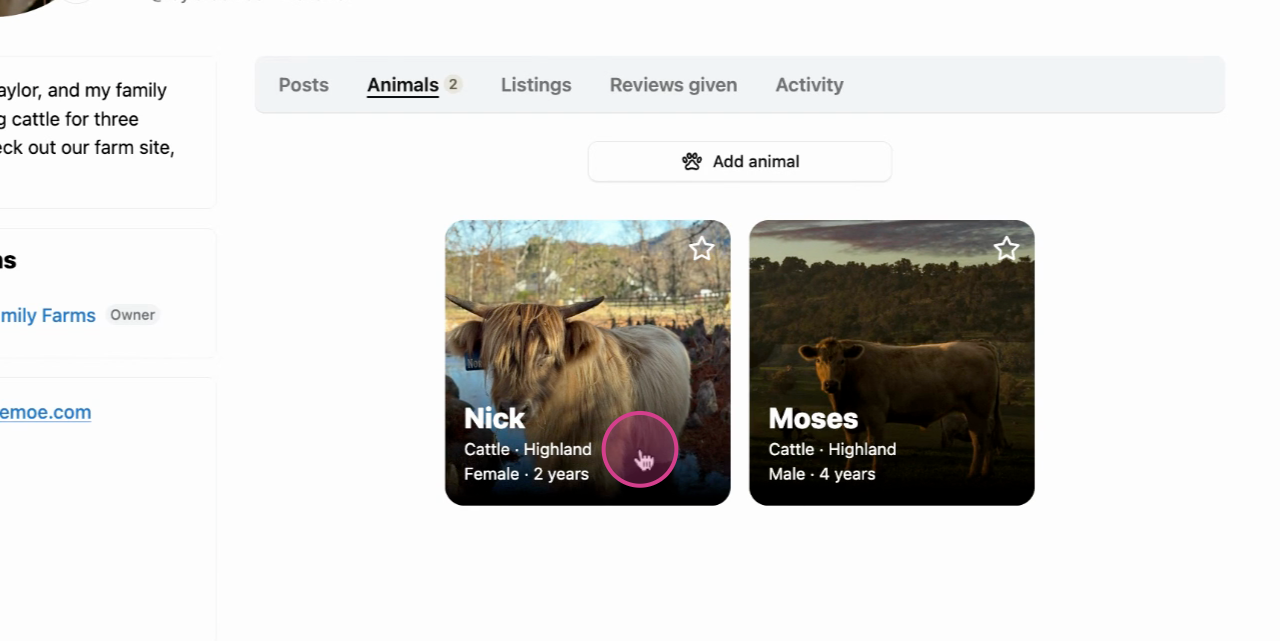
Step 1: Begin by selecting your animal.
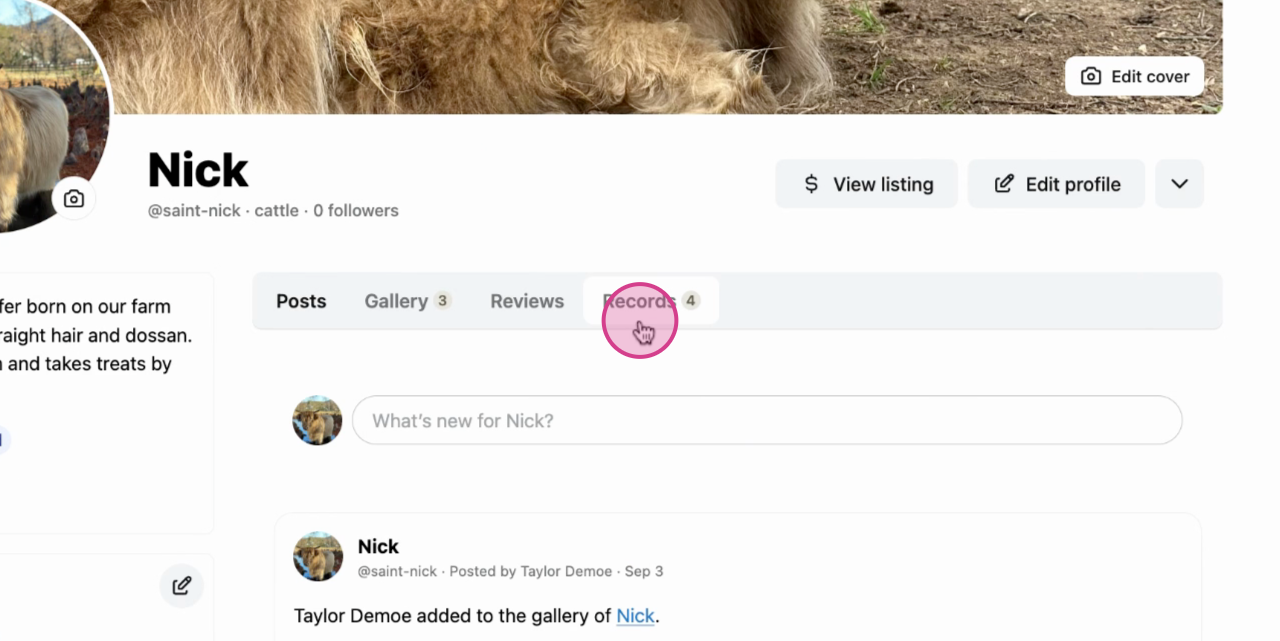
Step 2: Navigate to the profile menu and choose the Records option.
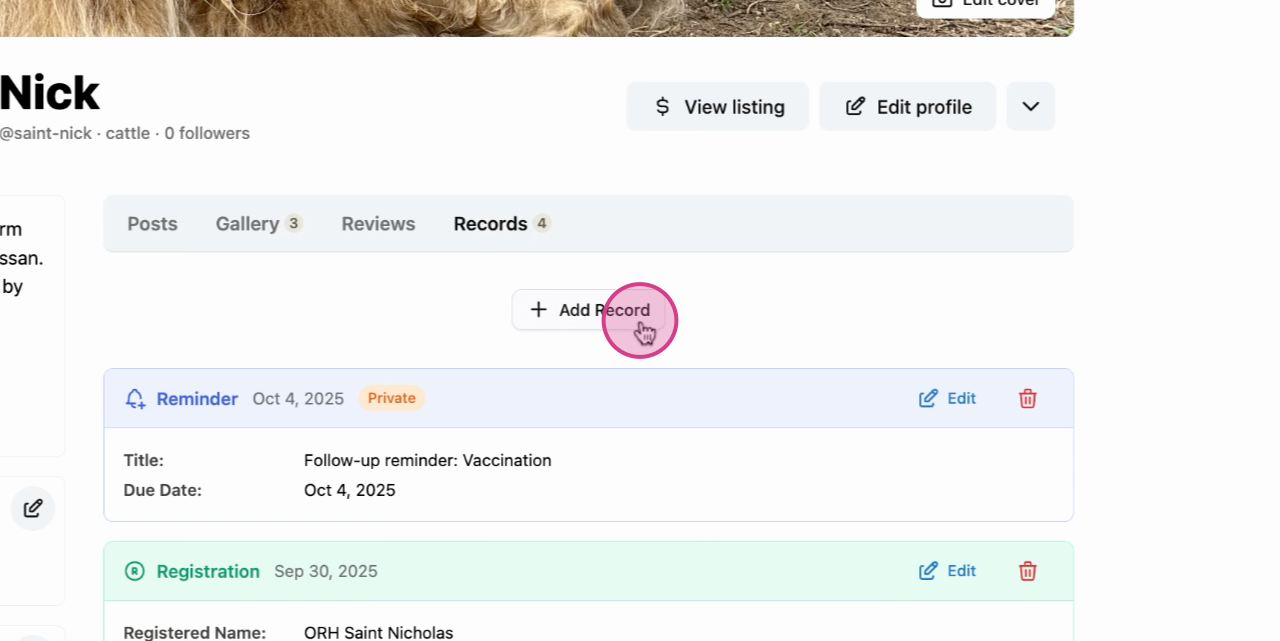
Step 3: Click on Add Record.
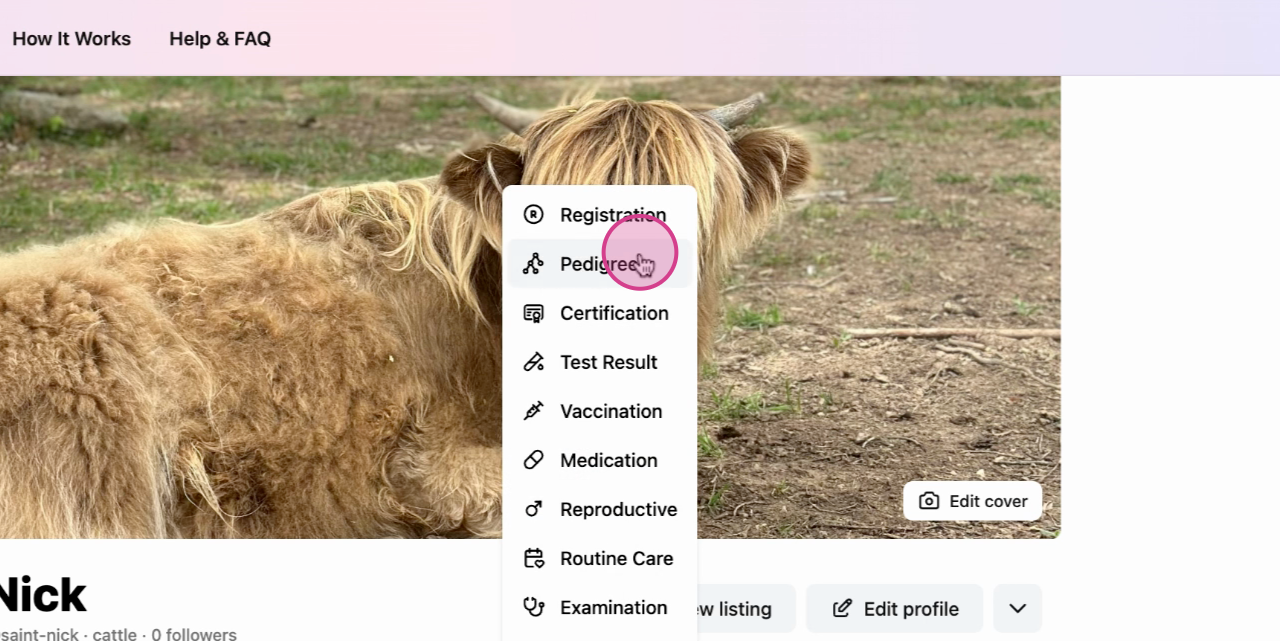
Step 4: From the options available, select Pedigree.
Step 5: A menu will appear. Fill in all the necessary details.
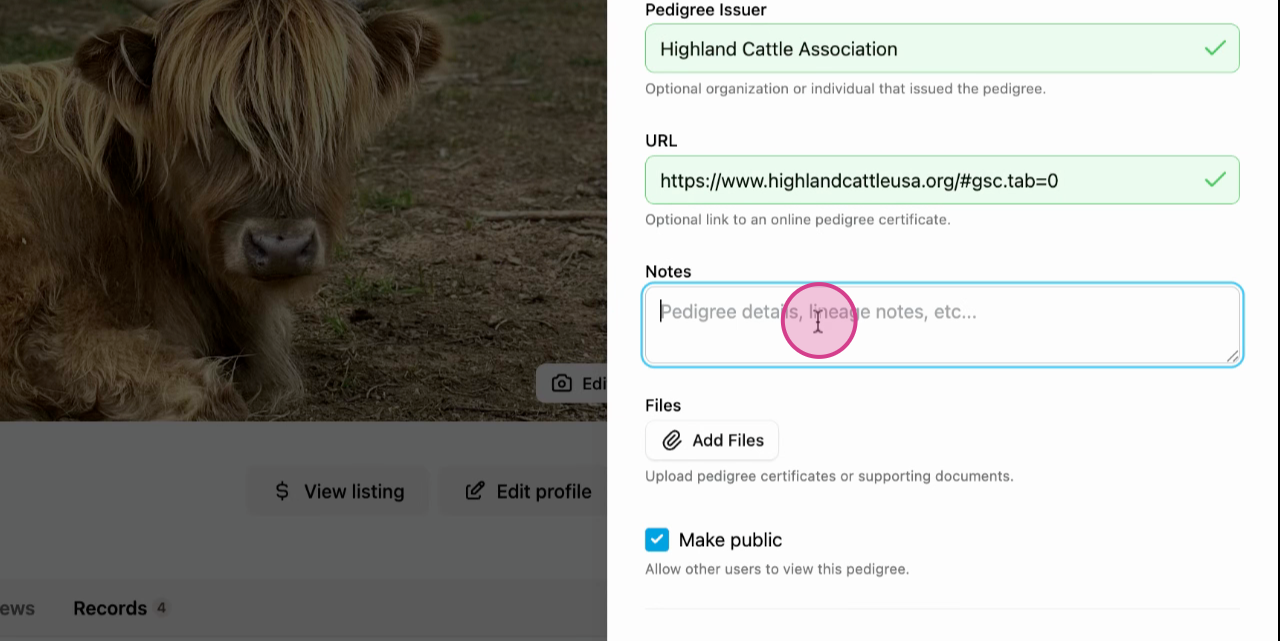
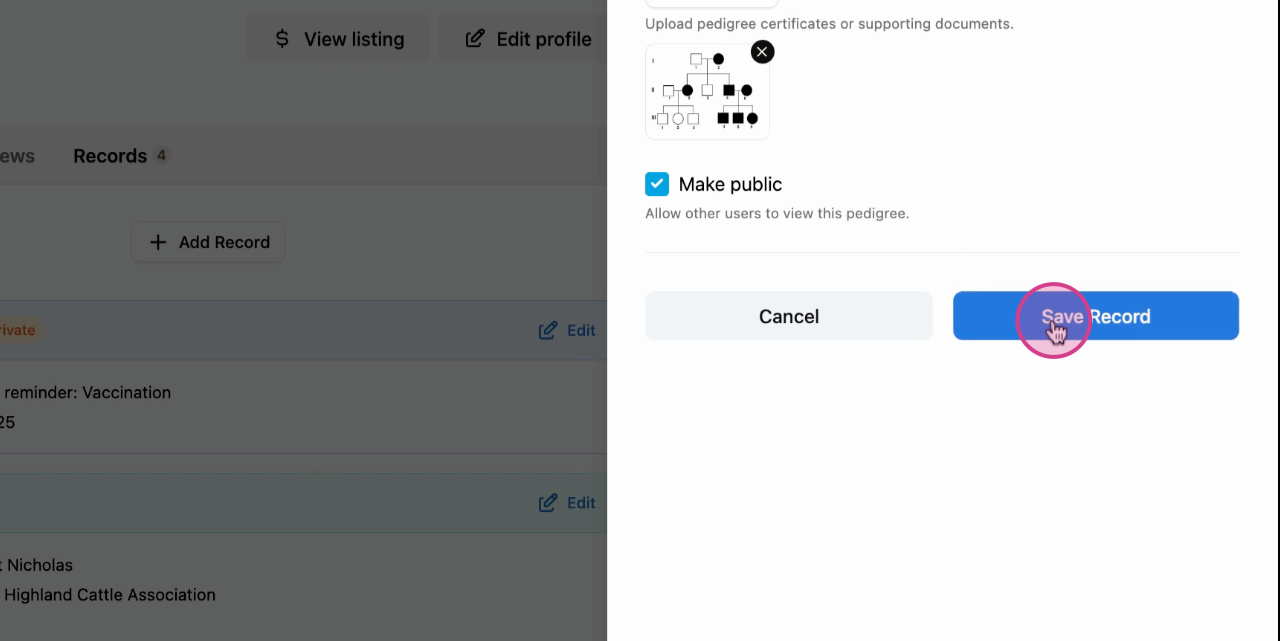
Step 6: Decide whether you want to make this pedigree public. After making your choice, save the record.
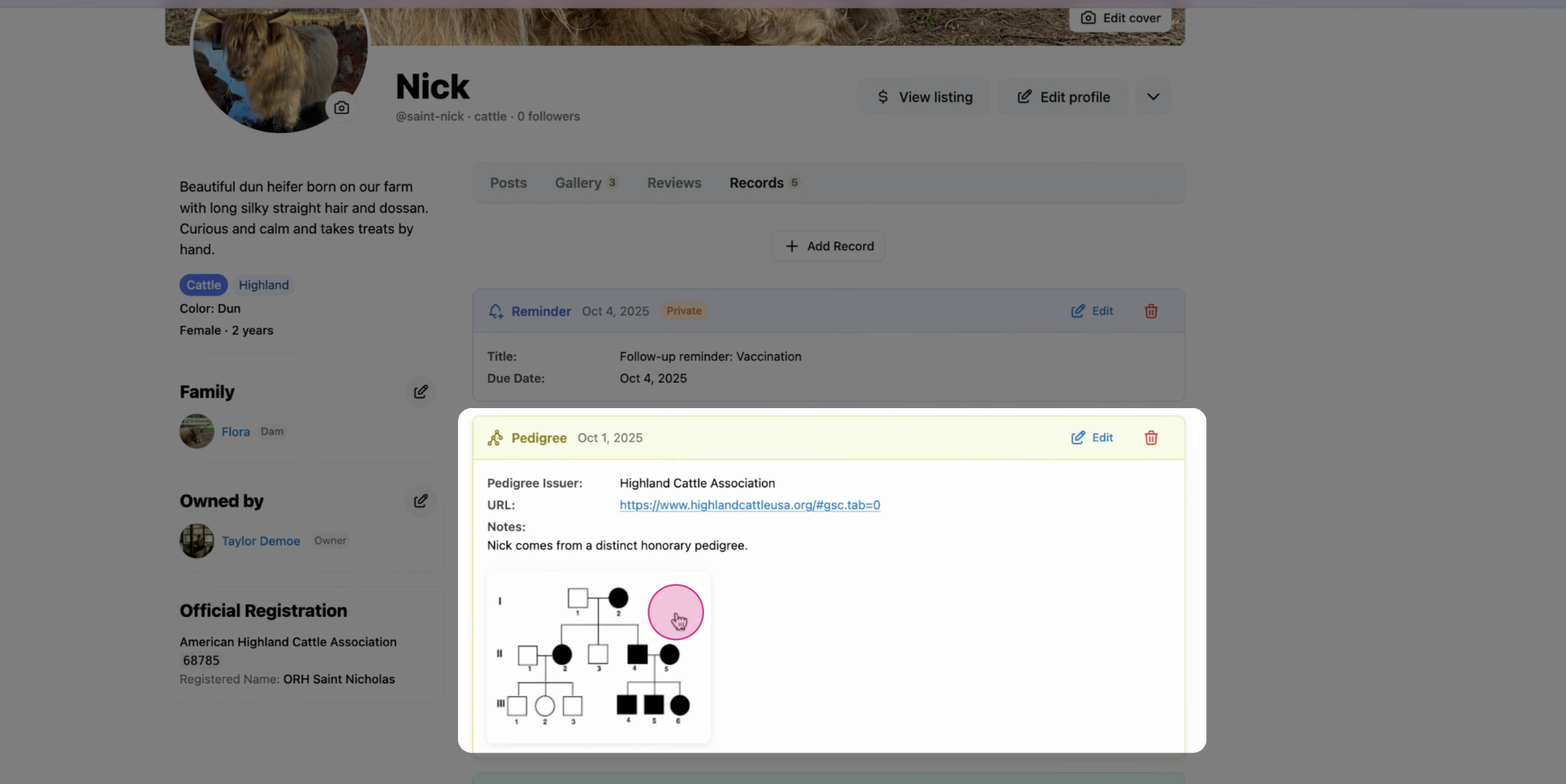
Step 7: Once saved, the pedigree will be displayed on the animals profile page. If it is a public record, yo can also find it on the Creatures homepage.
 earn more about animal records on Creatures -
Updated on: 29/10/2025
Thank you!