
Following your stewardship
Open Animals I'm Stewarding to read updates, manage how your support appears, or check your next payment.
Read caretaker updates
Select Open updates to visit the animal's profile and read its latest posts. The card also shows when the next update is expected from the caretaker's weekly, every-two-weeks, or monthly promise.
Stewardship gives you read access and a closer connection to the animal. It does not let you edit the animal, manage its team, make care decisions, or transfer ownership. See the animal profile guide for an explanation of each profile tab.
Change how your support appears
Under Recognition, choose Show my profile, Show display name, or Private. If you choose a display name, enter it in the field below, then select Save.
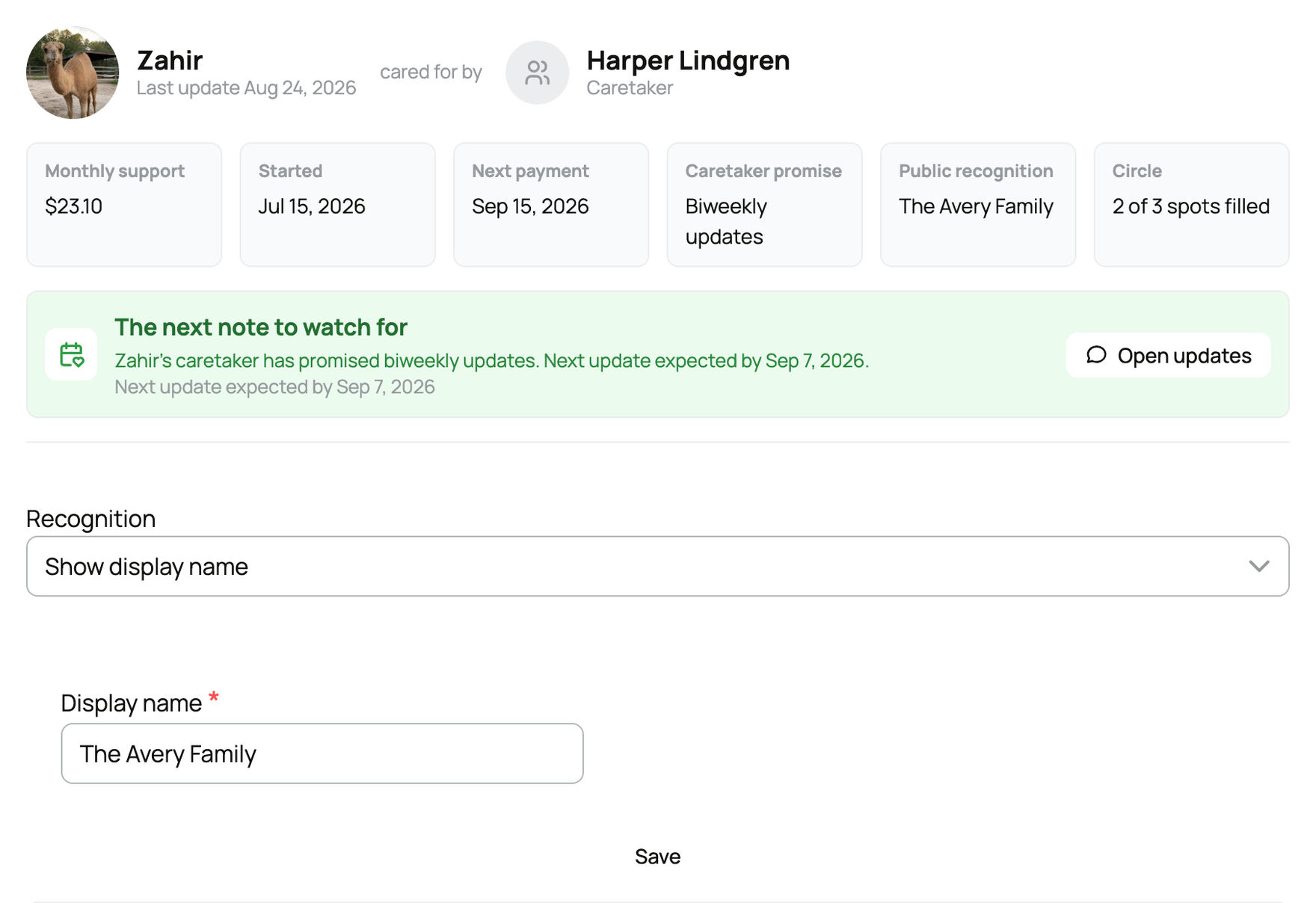
Private recognition means the public does not see your name. The caretaker can still see the account information needed to manage the stewardship.
Invite someone to an open Circle spot
When the caretaker allows invitations and a Circle spot is open, search for a member in the invite panel and select Send invite. You can also use Invite by email or, where available, Invite by text. Before sending a text, confirm I have this person's consent to text them about this invitation.
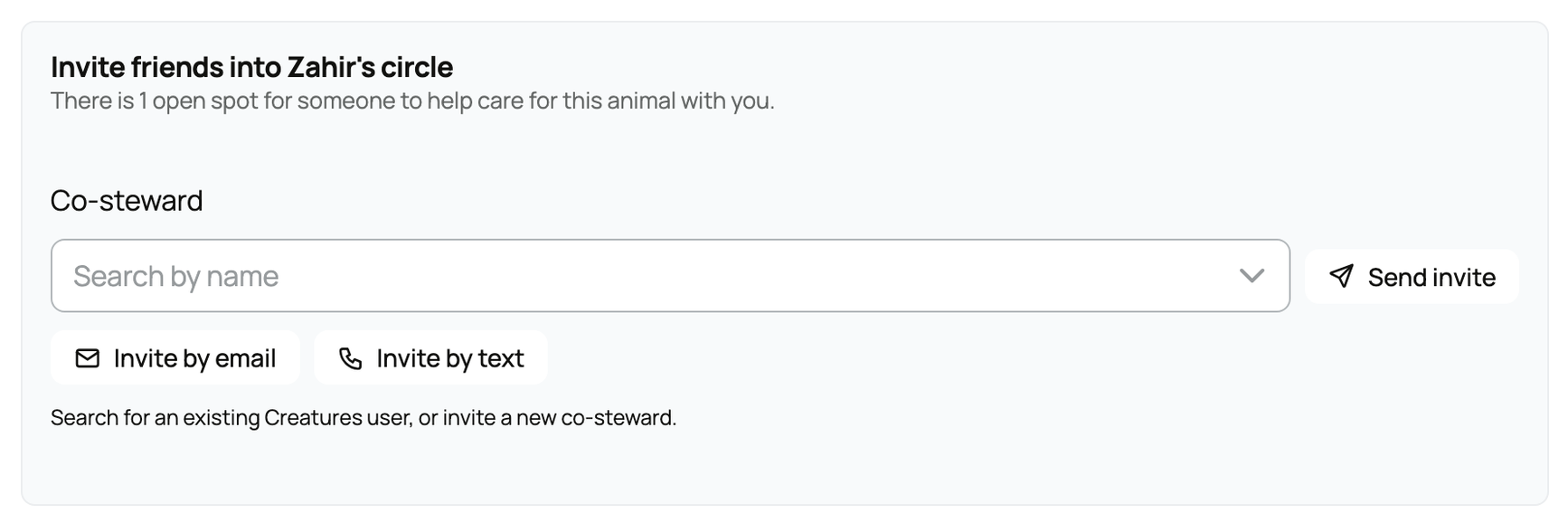
An invitation does not reserve a spot. The person must complete checkout while a spot is available.
Fix a failed payment
A failed charge starts a seven-day grace period. Your card shows Payment pending, and Stripe retries automatically. Select Update payment method to open the secure billing page.

You keep steward access during the grace period. If payment does not recover after the retry period, the stewardship can end.
Cancel or keep it active
Select Cancel Stewardship from the card and confirm. Access ends at the close of the paid period, not immediately. If you change your mind before that ending completes, select Keep stewardship active.
If the caretaker makes the animal private, Creatures schedules the stewardship to end after the paid period. A sale, death, or a caretaker's decision to end it can end the relationship sooner. If a charge appears after an unexpected ending, contact Creatures Support.
Related information
Updated on: 02/09/2026
Thank you!