
Becoming a steward
You can become a steward when a participating caretaker has an open stewardship offering. You will review the care promise, choose how your support appears, and complete a monthly subscription through Stripe.
1. Find an animal
Open the stewardship marketplace, follow a link from an animal's profile or caretaker, or use an invitation from a Circle member.
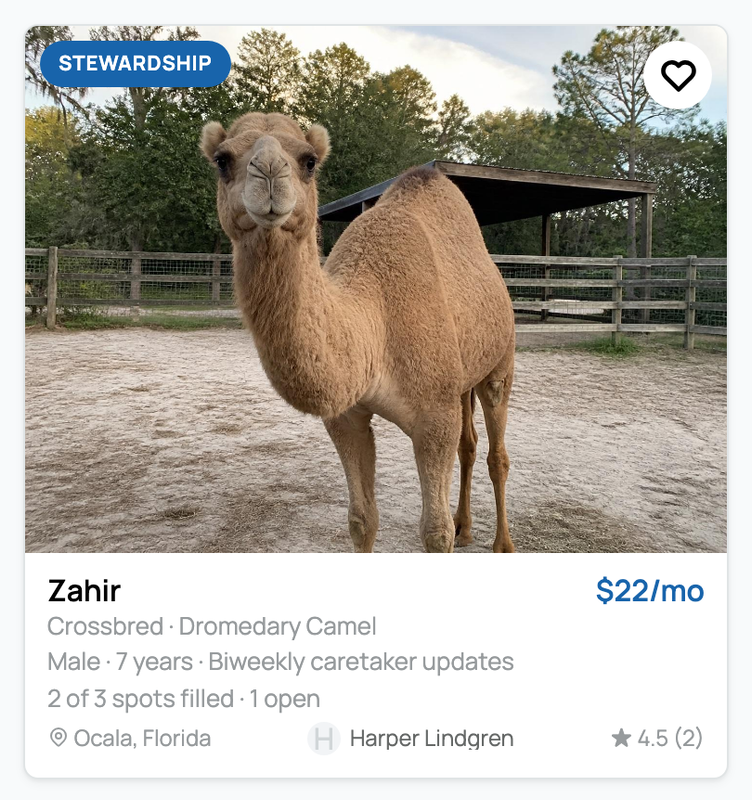
If you do not see a Stewardship option for an animal, its caretaker may not offer it or the feature may not be available for that account.
2. Review the offering
Read the offering before selecting Review and sponsor followed by the animal's name. Check:
- the monthly rate and the total including the 5% steward service fee;
- how often the caretaker promises an update;
- how many spots are filled and open;
- the public location the caretaker chose to show;
- the caretaker, description, terms, and stewardship boundaries.
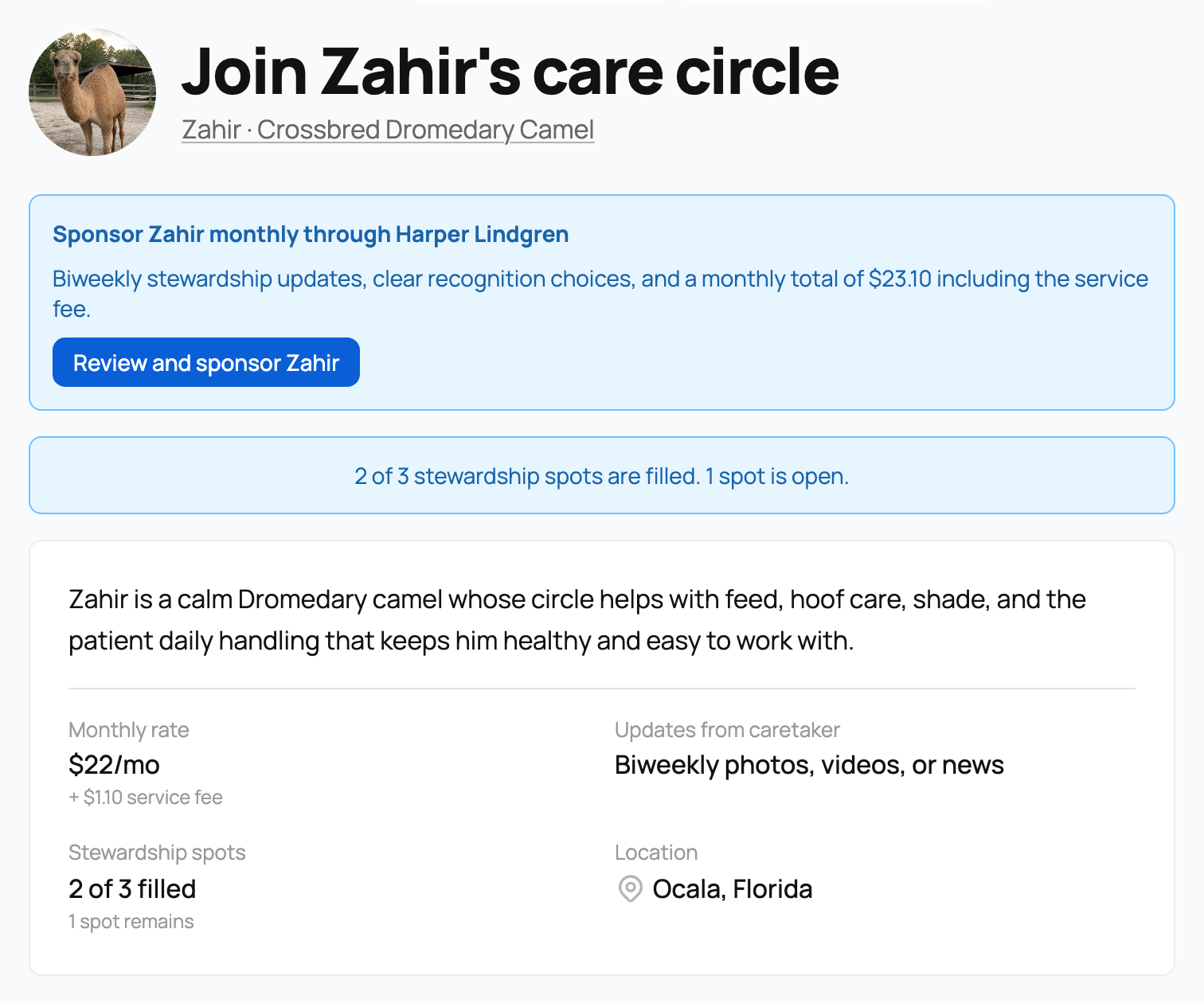
The promise is for ongoing updates and read access, not ownership, custody, breeding rights, or guaranteed visits.
3. Confirm the monthly total
The checkout summary separates the caretaker's monthly rate, the 5% service fee, and your monthly total. Each Circle member has their own subscription.
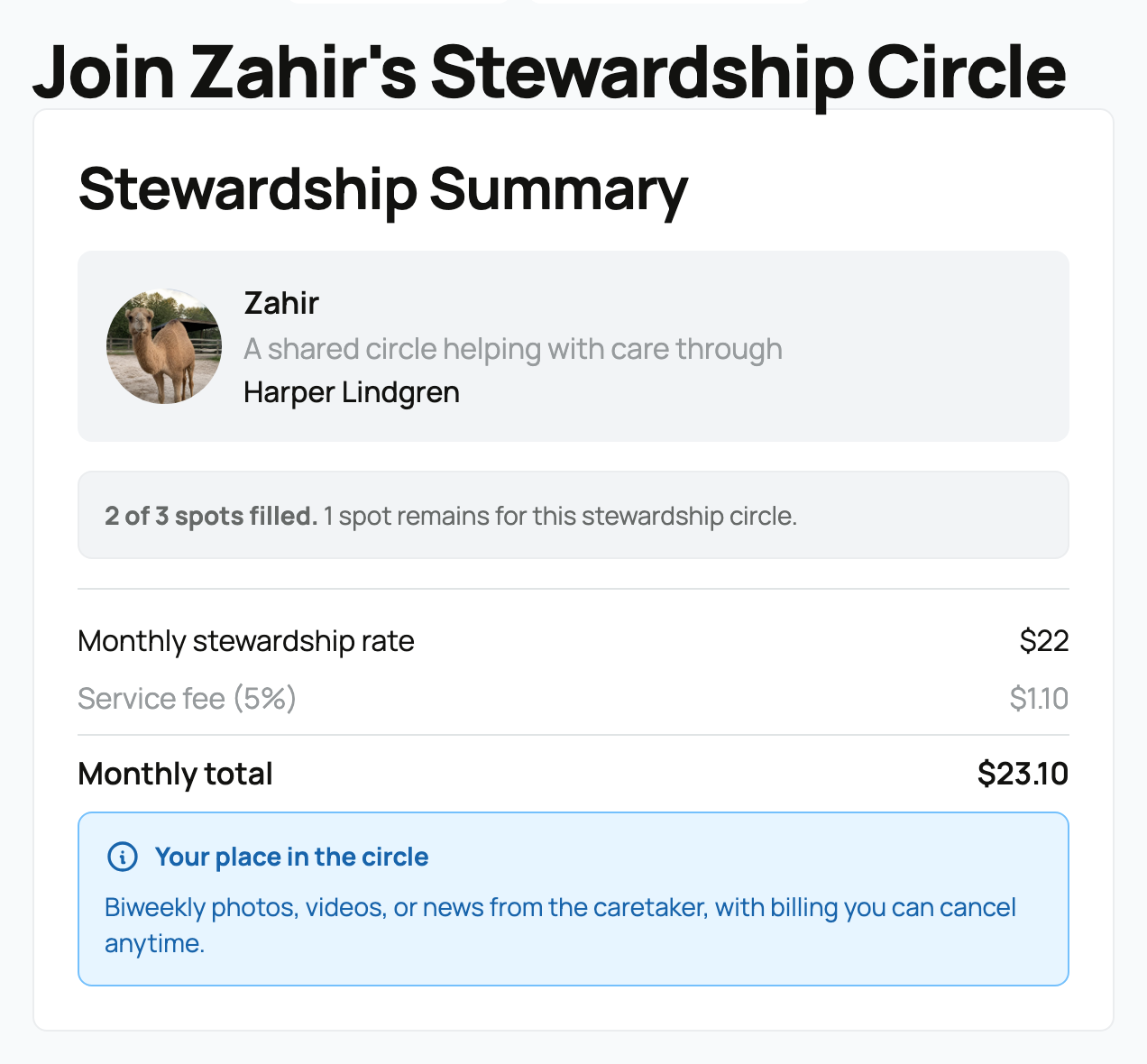
When you continue to Stripe, Creatures holds the spot for about 30 minutes while checkout is open. An invitation by itself does not hold a spot.
4. Choose your recognition
Choose one option:
- Show my Creatures profile links your public profile to the animal. You may want to set up your profile first.
- Show a display name shows a family, group, business, or memorial name without linking your profile.
- Keep my public recognition private keeps your name off public animal pages. The caretaker can still identify your account.
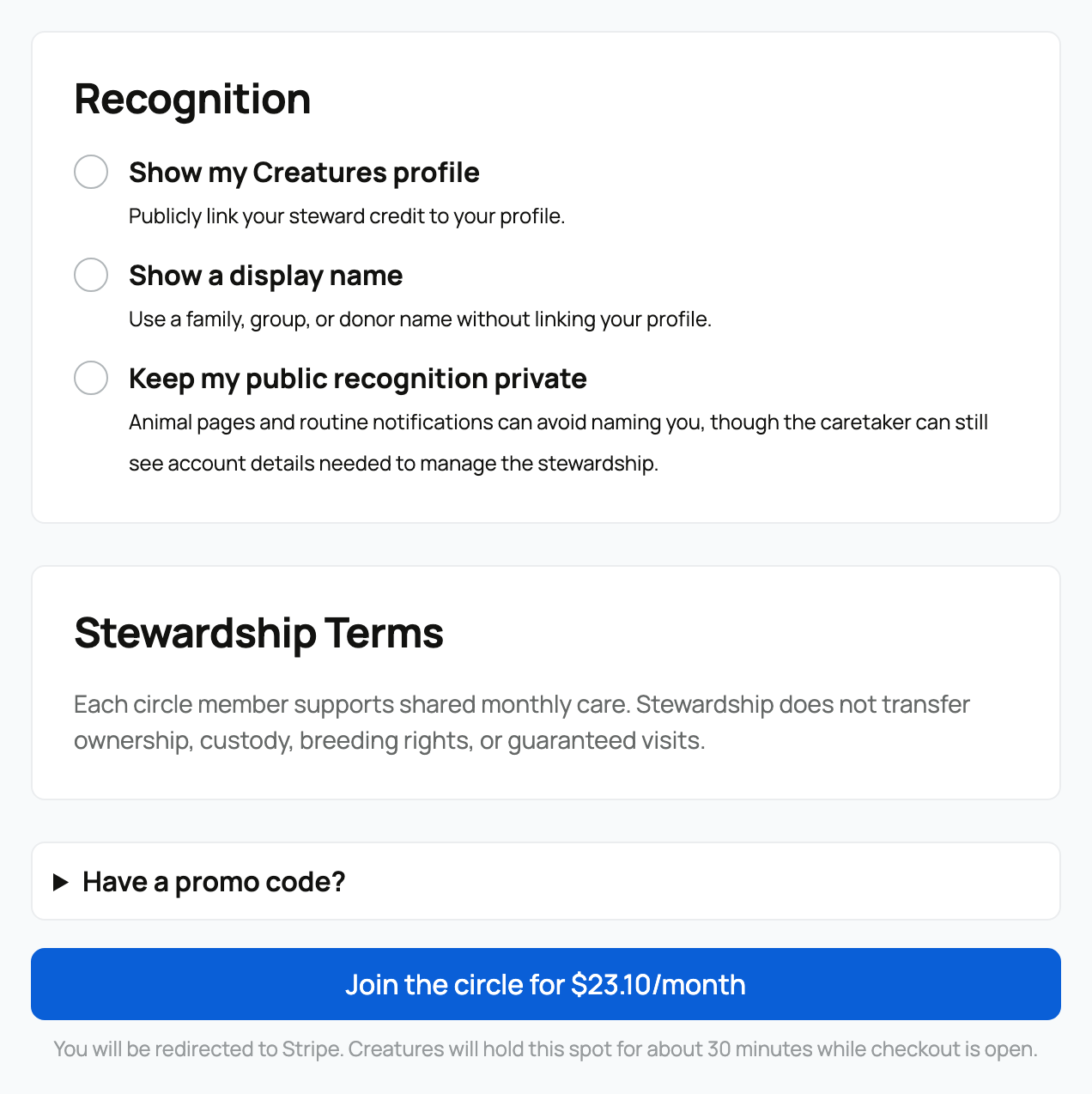
You can change this later from your stewardship dashboard.
5. Complete checkout
Select Join the circle or Become a steward, followed by the monthly amount on the button. Stripe collects your payment details. After checkout succeeds, the animal appears in Animals I'm Stewarding.
You can cancel from that dashboard. Cancellation schedules the stewardship to end after the period you already paid for. If you change your mind, use Keep stewardship active before that ending completes. Cancellation does not automatically refund the current paid period.
If a payment fails, you keep steward access during a seven-day grace period while Stripe retries. Use Update payment method if the dashboard asks for attention.
Related information
Updated on: 02/09/2026
Thank you!