
Giving a sponsorship as a gift
To give a sponsorship, open the animal's sponsor panel, turn on Give this as a gift, and pay once for 12 months. We email the gift on the day you pick, and you can follow it under Gifts you gave.
Before you start
- A gift is one payment for 12 months. The option appears only when the caretaker offers 12-month sponsorships.
- You can give a place in the animal's circle, which makes the person a steward (one of the people who share the animal's care). Or give any amount as a supporter, which doesn't take a place.
- You don't need a Creatures account. Without one, you also enter Your name and Your email.
Give a gift
- On the animal's profile, select Sponsor with the animal's name, such as Sponsor Petunia. It's near the top of the profile and at the bottom of the animal's sponsorship panel.
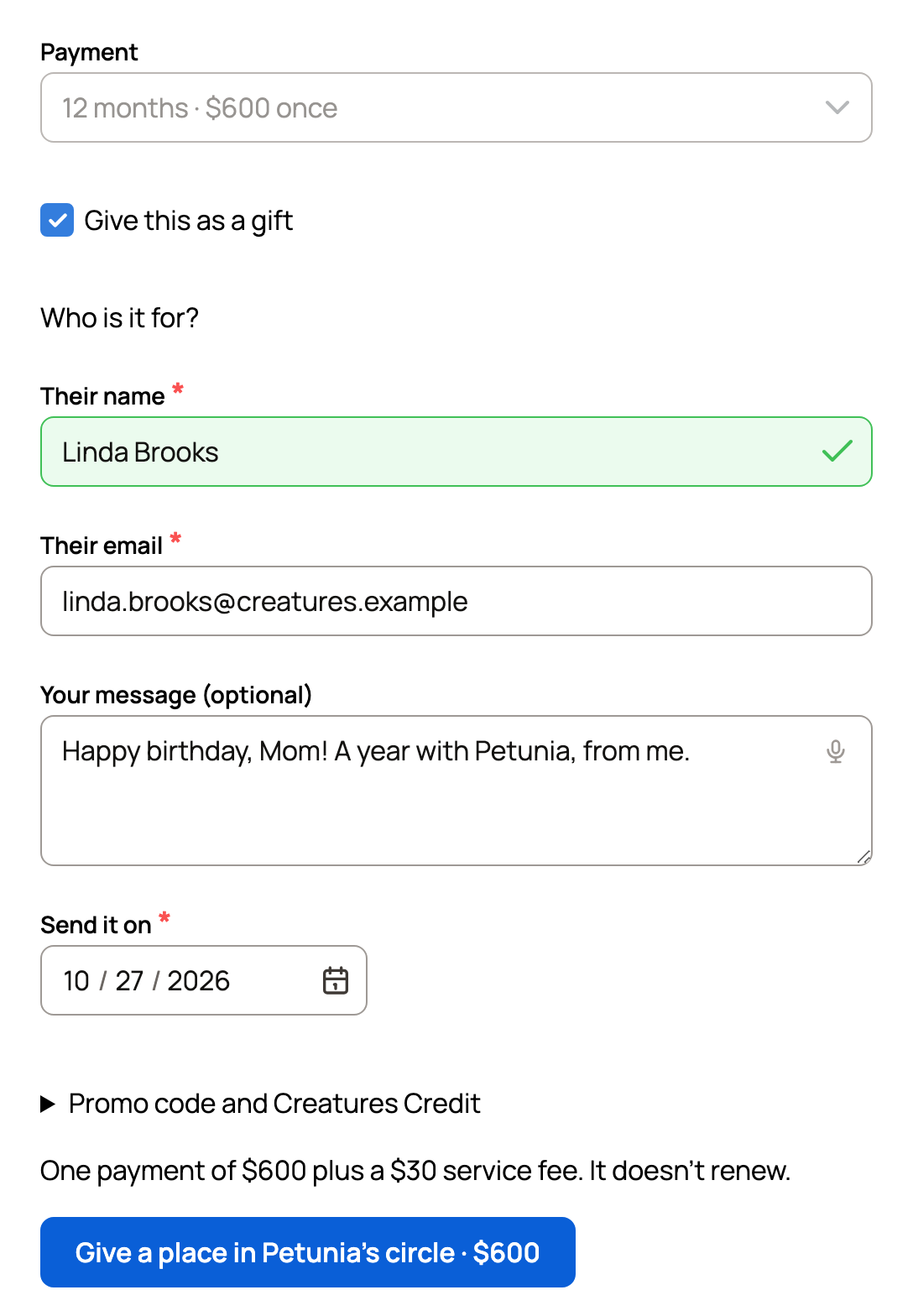
- In the circle section, turn on Give this as a gift. Payment switches to 12 months, and the name question goes away, because the person chooses that later.
- Under Who is it for?, enter Their name and Their email.
- Add Your message (optional), up to 500 characters.
- In Send it on, pick today or any day in the next 60 days.
- Check the 5% service fee shown above the button.
- Select Give a place in Petunia's circle · $600 and pay on Stripe's secure checkout page.
To give any amount instead, turn on Give this as a gift under Or support Petunia with any amount.
What happens next
- Back on the animal's profile, a message confirms your gift and the day it's sent.
- We email you a receipt titled "Your gift for Petunia". Its View your gift button shows the gift and where it stands, even without an account.
- On the day you picked, the person gets an email from Creatures with your message and a Claim button.
- They have 60 days to claim it. Their 12 months start the day they claim.
- A circle gift holds a place in the circle until it's claimed, so no one else can take it.
Track your gift
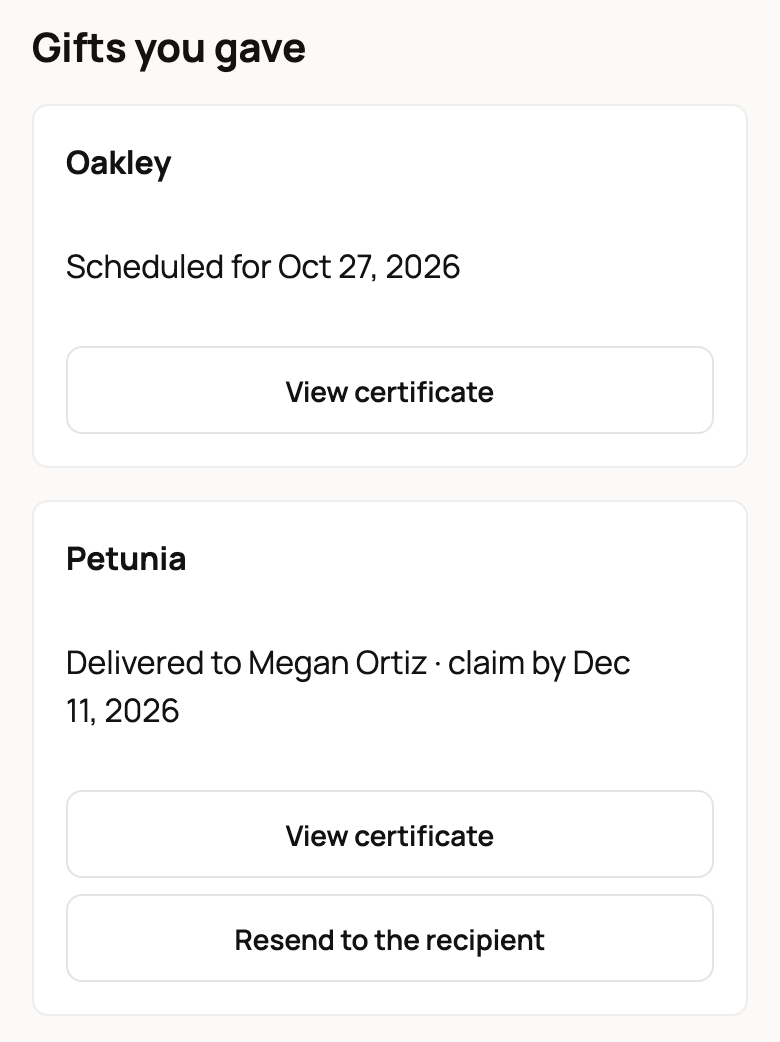
Go to Dashboard > Sponsorships > Animals I sponsor, then scroll to Gifts you gave. Each gift shows where it stands:
- Scheduled for a date: not sent yet.
- Delivered to the person, with the date to claim it by. If they can't find the email, select Resend to the recipient.
- Claimed by the person: their year has started.
- Not claimed; the place was released: the 60 days ran out.
- Closed: the animal's sponsorship ended before the gift was claimed.
Print a certificate
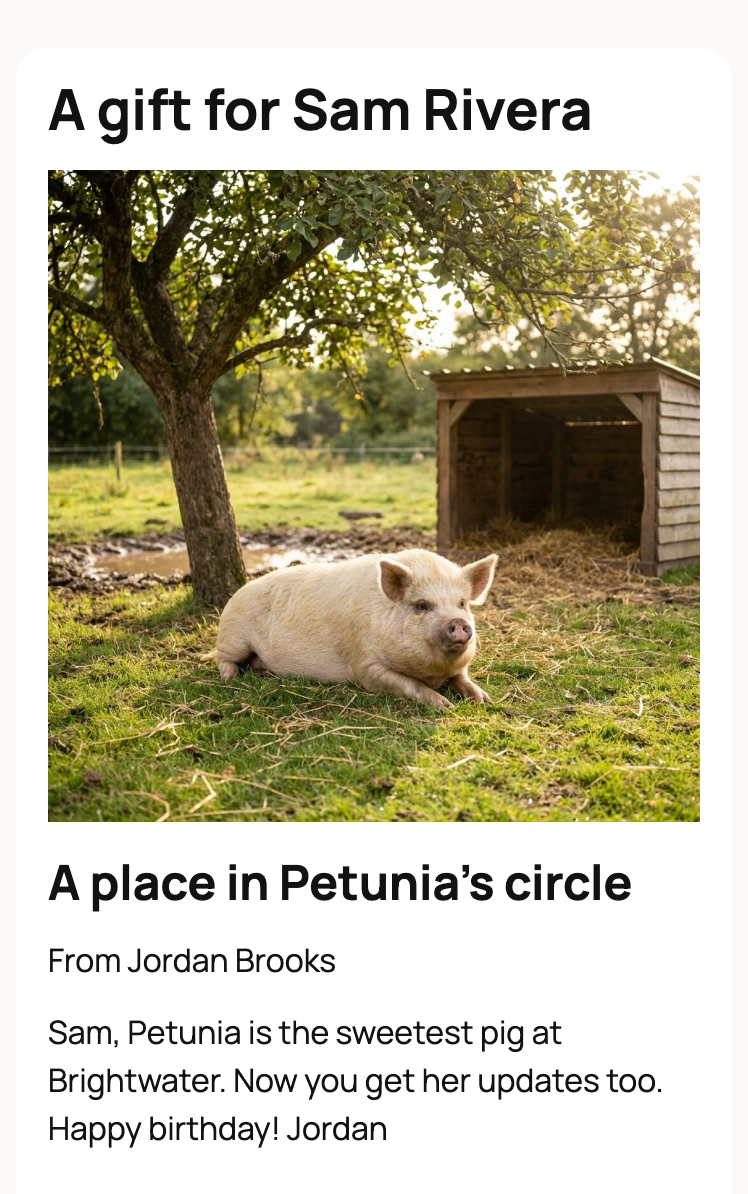
Select View certificate on any gift, then Print certificate. It shows the animal's photo, your message, and a code to scan to claim the gift.
Anyone with the gift email or this code can claim the gift, so share them only with the person it's for. A certificate printed early works from the send date.
If the gift isn't claimed
If 60 days pass, the gift ends and the place opens for someone else. If the animal's sponsorship ends first, for example because the animal is adopted, the gift closes. Either way, we email you. Your payment still goes to the animal's care, and it isn't refunded.
If the person already sponsors the animal each month, or cares for it, they can pass the gift on to someone else. We email you who they sent it to.
If something looks wrong
- Give this as a gift is missing: the caretaker may not offer 12-month sponsorships. If you already have a place in the circle, give a supporter gift under Or support Petunia with any amount.
- The circle is full: you can't give a place until one opens, but a supporter gift may still be possible.
Related information
- Claiming a sponsorship gift someone gave you
- Sponsoring an animal
- 12-month sponsorships: renewing or continuing monthly
Updated on: 29/10/2026
Thank you!