Articles on: Stewardship

Offering stewardship of your animal

Offering stewardship of your animal


As a caretaker you can invite supporters to help with an animal's care through a monthly stewardship. Caretakers can be individuals or organizations: a breeder offering stewardship of a retired matriarch, a donkey rescue, a wildlife center, or a conservation reserve. This guide covers creating an offering and explains every choice on the form.


Before you start


An animal is eligible for a stewardship offering when it is public, is yours (you are an owner or co-owner, individually or through an organization you manage), is not listed for sale, is not marked deceased, and does not already have an active offering. Stewardship is support for an animal you are keeping, so an animal you are selling is not eligible.


Create the offering


Start from Create stewardship offering. It saves as a draft first, so nothing is public until you publish.


The create stewardship offering form


Here is every field, what it means, and what it commits you to:


  • Offer as (shown when you manage an organization): choose whether the caretaker is you or one of your organizations. This decides who is publicly named as the caretaker and who receives the payouts. A rescue or reserve offers as the organization.
  • Select Animal: the animal this offering supports. Only eligible animals appear.
  • Title (optional): a short headline, for example "Sponsor Clementine's care." If you leave it blank, Creatures uses the animal's name.
  • Description: the heart of the offering. Explain who the animal is, why support matters, and what a steward can expect. Write at least 50 characters, the minimum that makes an offering feel real rather than blank. This is the first thing a potential steward reads.
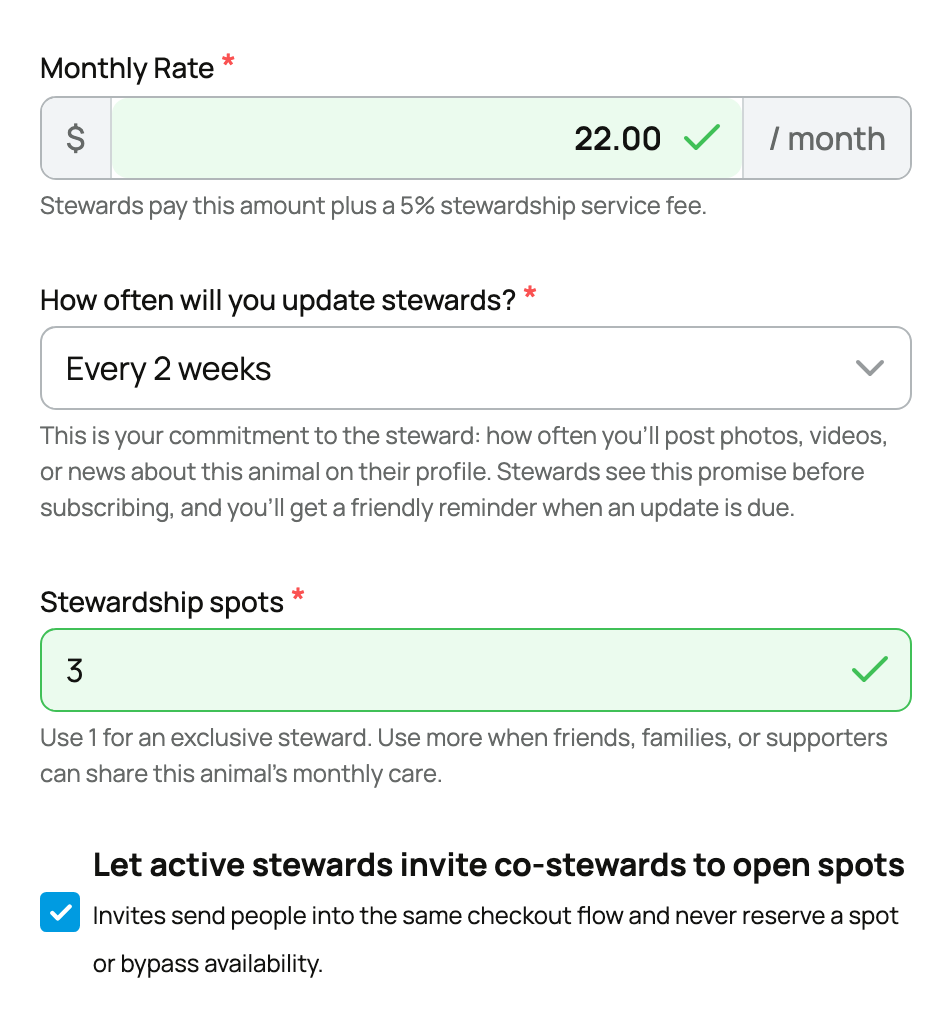
  • Monthly Rate: what each steward pays per month, at least $5. Two implications to know: stewards pay this amount plus a 5% service fee (shown to them at checkout), and you receive this amount minus a 5% caretaker fee (waived if you have Creatures Pro). Set a rate that reflects the real cost of care.
  • How often will you update stewards?: your update promise. Each option is a commitment you are making publicly:
  • Weekly (an update at least every 7 days),
  • Every 2 weeks,
  • Monthly (at least one update every 30 days).

Pick a cadence you can keep. Missing it does not end the stewardship or stop billing, but it shows as overdue to you and your stewards, and updates are the whole reason people subscribe.

  • Stewardship spots: use 1 for an exclusive, one to one steward. Use a higher number to open a Stewardship Circle that several supporters share. This choice shapes the relationship: exclusive is a single close supporter; a circle is a small community. See Stewardship Circles.
  • Let active stewards invite co-stewards to open spots (only shown when spots is more than 1): lets your current stewards invite friends into open Circle spots. The implication: invites send people into the normal checkout flow and never reserve or bypass a paid spot.
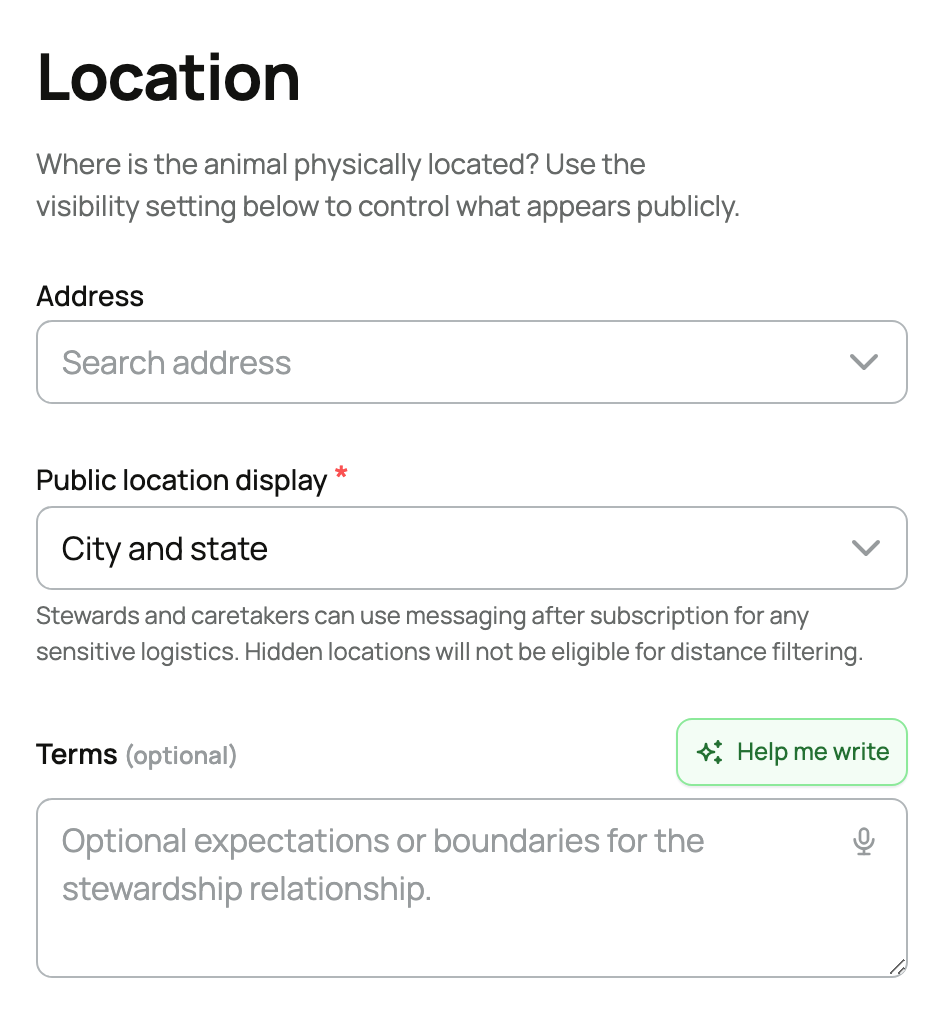
  • Address and Public location display: where the animal is, and how much of that to show publicly:
  • City and state shows the full city and state,
  • State or region only shows just the region,
  • Hidden from public listing shows nothing and removes the offering from distance-based search.

Sensitive logistics are handled through messaging after a steward subscribes, so you never have to publish a precise address.

  • Terms (optional): any extra expectations or boundaries a steward should read before committing.


Select Save Draft when you are done.


Publish and manage it


Open your stewardship dashboard to publish and manage offerings.


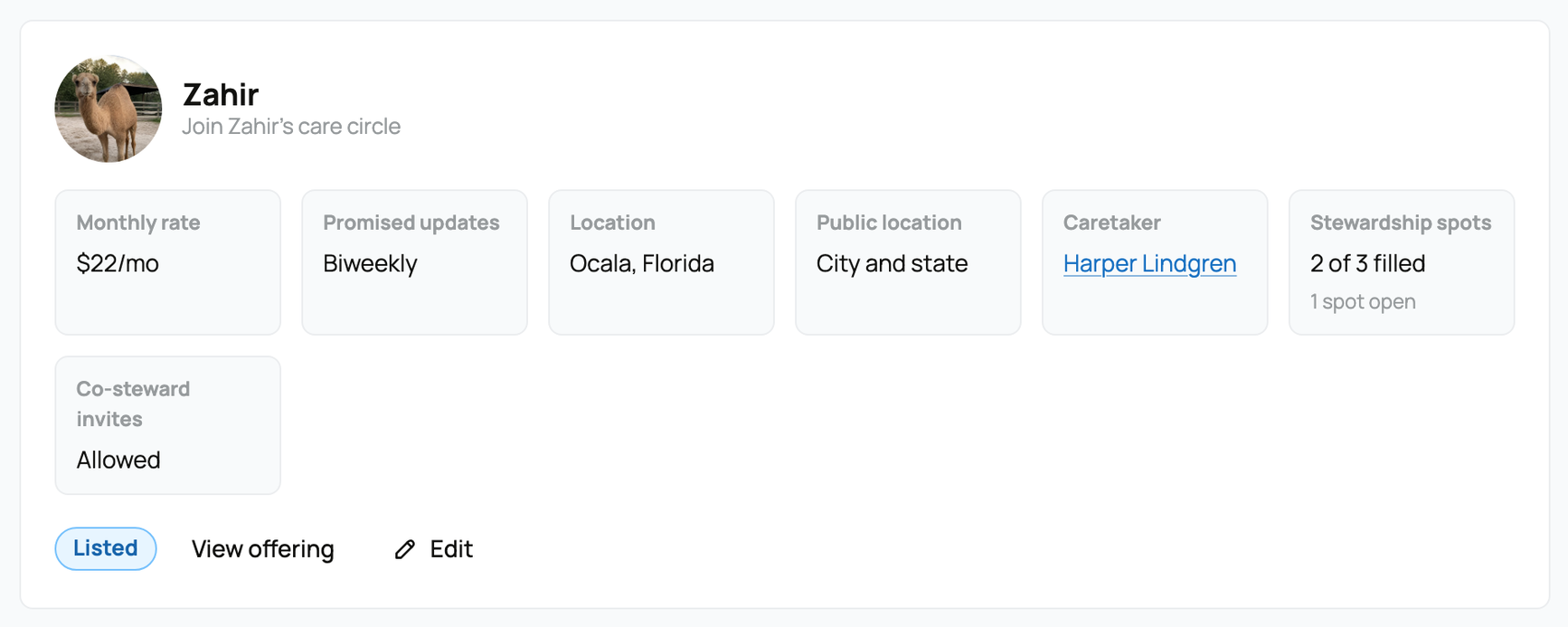
The caretaker offerings dashboard


Each offering moves through clear states, and the available action depends on the state:


  • Draft: not public yet. Publish to make it live.
  • Active: accepting stewards. You can Pause it (only while it has no current stewards) or Archive it.
  • Paused: temporarily off the market. Resume to reopen it (if the animal is still public, not for sale, and not full).
  • Archived: permanently closed.


Once an offering has active stewards, the rate and update promise lock, so the terms people signed up for cannot change underneath them. To change those, end the current stewardships first.


What it costs you, and what it is not


Stewardship has a simple two-sided fee: stewards pay a 5% service fee on top of the rate, and a 5% caretaker fee comes out of your payout (waived for Creatures Pro members). The monthly support you receive is income you can record in your Creatures books; see Recording money in and out. To keep trust clear, Creatures presents stewardship as monthly support, not a tax-deductible donation, unless your verified organization provides its own approved disclosure.


Once your offering is live, read Caring for your stewards to keep the relationship healthy.


Updated on: 23/06/2026

Was this article helpful?

Share your feedback

Cancel

Thank you!