
Claiming a sponsorship gift someone gave you
To claim a sponsorship gift, open the gift email, select Claim, and sign in or create a free Creatures account if asked. Your 12 months start the day you claim, and you have 60 days from when the gift arrives.
Claim your gift
The email from Creatures says who gave you a place in an animal's circle, or who is supporting an animal for you. A place makes you a steward, one of the people who share the animal's care. Support is any amount and doesn't take a place.
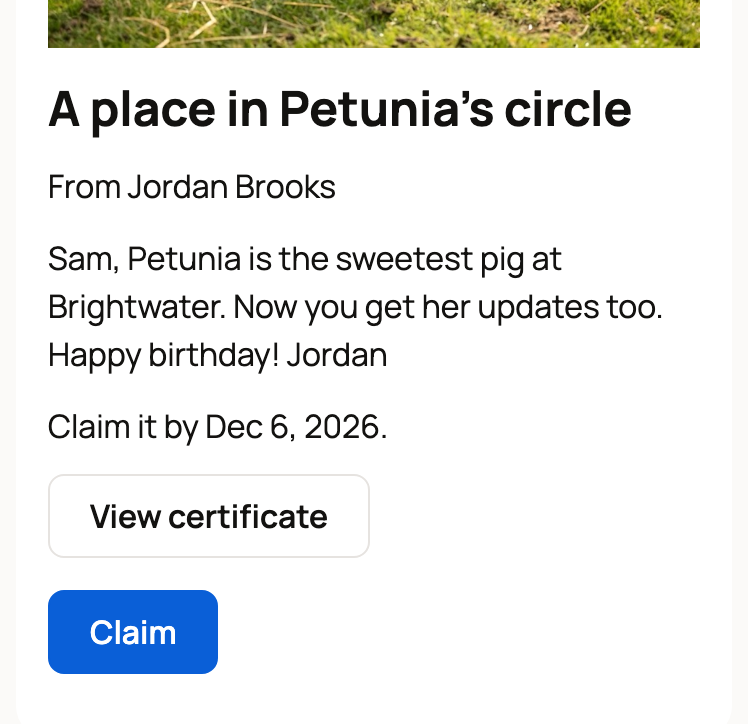
- Select Claim in the email. The gift page opens with the animal's photo, who it's from, their message, and the last day to claim.
- Select Claim on the page.
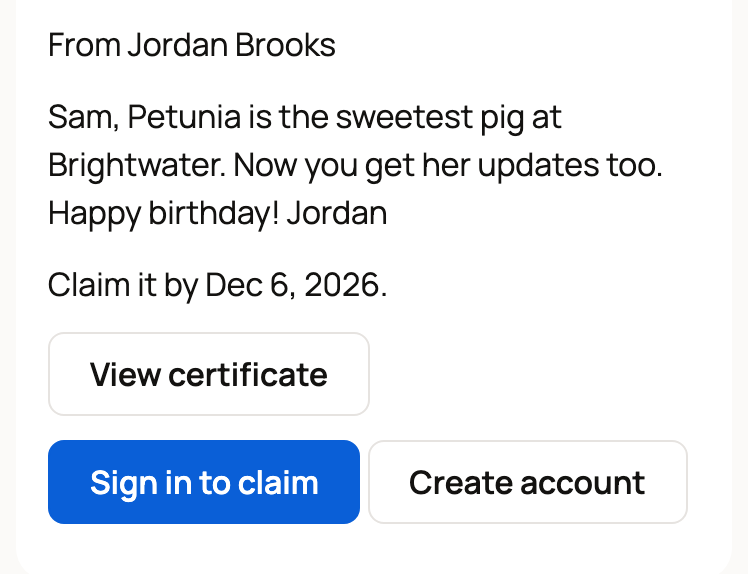
If you aren't signed in, the page shows Sign in to claim instead. New to Creatures? Select Create account. Either way, you come back to the gift page to select Claim.
Got a printed certificate instead? Scan its code with your phone's camera to open the same page. If the gift hasn't been sent yet, the page tells you the date you can claim it.
After you claim
- The gift page welcomes you, with buttons for the animal's page and Animals I sponsor.
- We email you a welcome from the caretaker, and you start following the animal.
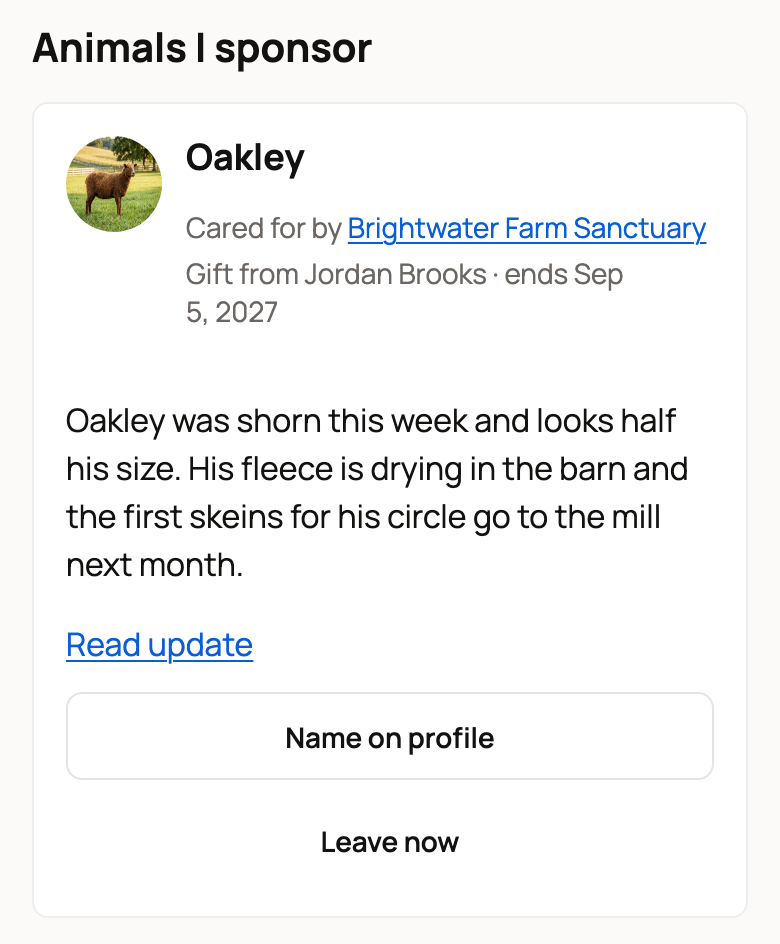
- Your sponsorship shows under Dashboard > Sponsorships > Animals I sponsor. The card reads Gift from the giver's name, with the date it ends. New updates from the caretaker appear on the card.
- With a place in the circle, your name and profile show on the animal's profile. To use a display name or stay private, select Name on profile on the card.
If you already sponsor this animal
This applies when the gift matches what you already have: a place in the circle, or support.
- Your sponsorship is 12 months: claiming adds 12 months to your end date.
- You sponsor monthly: the gift can't be added. After you select Claim, the page says so and offers to send the gift to someone else.
- You're set to continue monthly after your 12 months: pass the gift on, or cancel the monthly continuation and then claim it before the deadline.
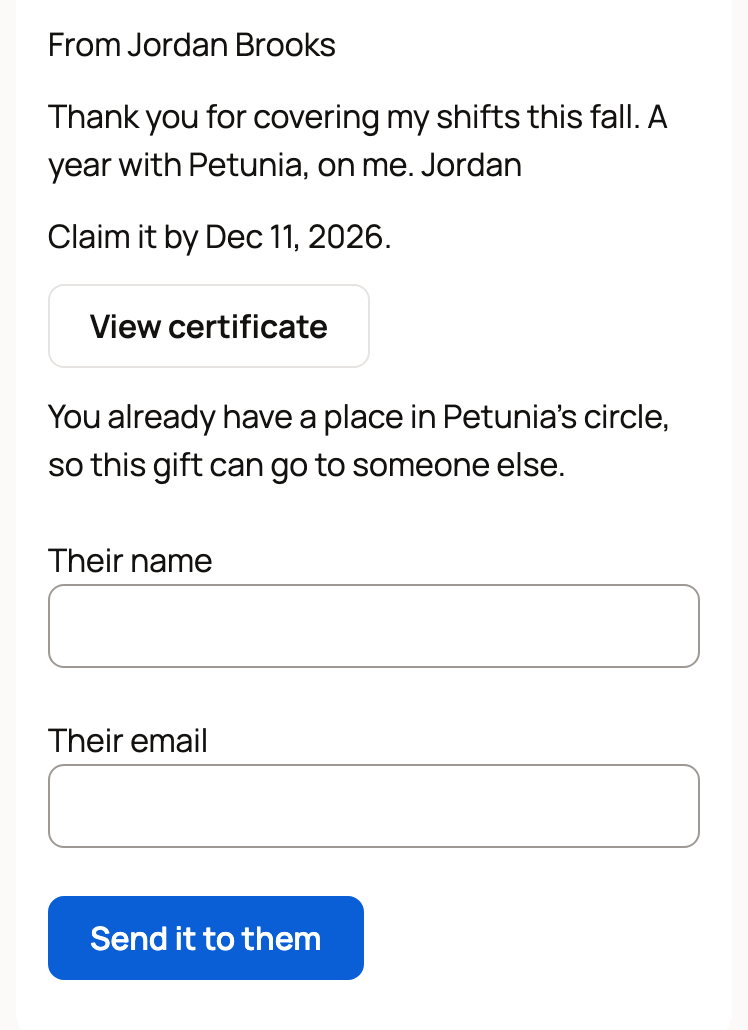
If you care for the animal, you can't sponsor it, so the page offers to pass the gift on too.
To pass a gift on, enter Their name and Their email, then select Send it to them. We email them the gift, and they have until the same date to claim it. The person who gave it to you gets an email saying who you sent it to.
When your year ends
You won't be charged. In the last 30 days, your card offers to renew for 12 months or continue monthly, paid by you. If you do nothing, the sponsorship simply ends. See 12-month sponsorships: renewing or continuing monthly.
If something looks wrong
- The page says the claim period has ended. The 60 days ran out, so the place was released. The giver's payment still goes to the animal's care.
- The page says the sponsorship has ended. The animal left the caretaker's care, for example because it was adopted, before you claimed it.
- You can't find the email. Check your spam folder, or ask the giver to select Resend to the recipient on their dashboard.
Related information
- Giving a sponsorship as a gift
- Managing an animal you sponsor
- 12-month sponsorships: renewing or continuing monthly
- Creating your account and signing in
Updated on: 29/10/2026
Thank you!