
Search Creatures and ask a question
Select the magnifying glass at the top of any page to search animals, listings, studs, breeders, farms, people and Help Center articles. When you're signed in, you can also ask Creatures a question about your own animals and get a short answer.
Search Creatures
- Select the magnifying glass at the top of the page. On a computer, you can also press Ctrl+K (Cmd+K on a Mac).
- Type a name, breed, farm or word into the search box. Signed in, it reads Search or ask Creatures….
- Results appear as you type. Each one says what it is, such as Animal, Group or Listing, and who owns or sells it.
- Select a result to open it. Help Center articles open in a new tab.
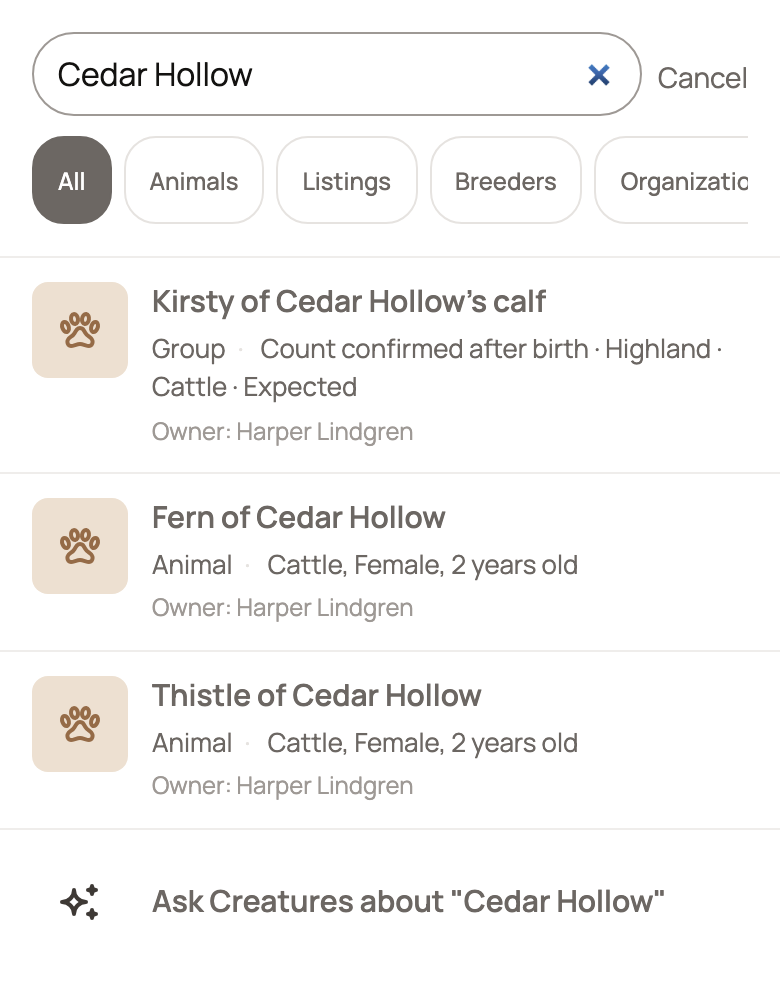
To close search, select Cancel (the X on a computer) or press Esc.
Narrow the results
The buttons under the search box show one kind of result at a time: Animals, Listings, Breeders, Organizations, Users, Groups, Service providers, Boarding Services, Studs, Help Center, Articles, Breeds, Species and Association members. On a phone, swipe the row sideways to see them all.
You can turn on more than one button at once. Select All to clear them. When there are more matches, select Show More Results at the bottom of the list.
If you see No results found, check the spelling, try fewer words, or select All. Looking for a farm by name? Select Search breeders named under the message to search the Directory.
Handy shortcut: type "today" or "calendar" and a Today · Calendar and to-dos link appears. It takes you straight to your Today page.
Type "app", "install" or "download" and Get the Creatures app appears at the top. It opens the steps to add Creatures to your phone's home screen. See Getting Creatures on your phone.
Ask Creatures a question
When you're signed in, a row that reads Ask Creatures about followed by your words appears with your results. It shows first when you type a question, such as "How many animals do I have?", when you type three or more words, or when nothing else matches. Otherwise it sits after the first few results.
- Type your question in the search box.
- Select the Ask Creatures about row. It shows Asking Creatures… while it works.
- Read the answer at the top of the panel. Many answers include Open next links to the page where you can check the details or do the work.
- Select the X on the answer to close it, or type a new question.
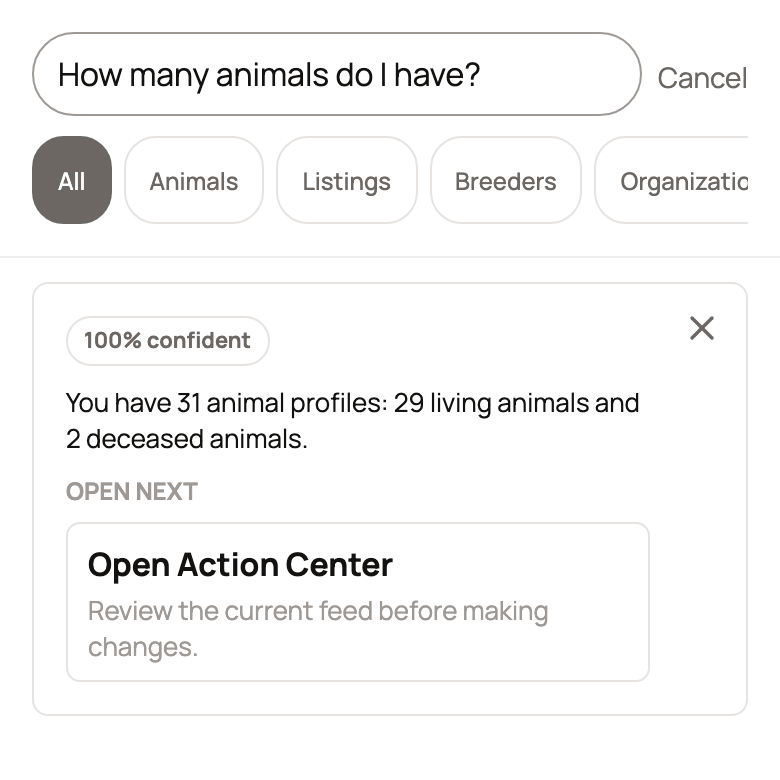
Ask Creatures answers from what is already in your account. That means your animals, your organizations' animals, your groups, your imports and the to-dos waiting in your Action Center. Each answer shows how sure it is, for example 100% confident.
You may also see No results found under the answer. That only means no page matched your exact words.
What Ask Creatures won't do
Ask Creatures only reads. It never adds, edits or deletes anything, so nothing changes until you open a page and make the change yourself.
It also won't give veterinary, medical, breeding, money or legal advice. For those questions, talk with your vet or another expert you trust.
If you see Ask Creatures is not available right now, wait a moment, then select Try again.
Looking for animals to buy?
The Marketplace has its own search, with filters and distance from you. See Finding animals: search, filters, and distance.
Related information
- Finding animals: search, filters, and distance
- Find breeders and service providers in the Directory
- Type with your voice
- How do I contact Creatures support?
Updated on: 29/10/2026
Thank you!