
Auction transparency: the activity feed and anonymous bidders
Use an auction's activity settings to choose whether buyers see comments, bid history, and bidder names. These choices do not change how bids, price, or winner selection work.
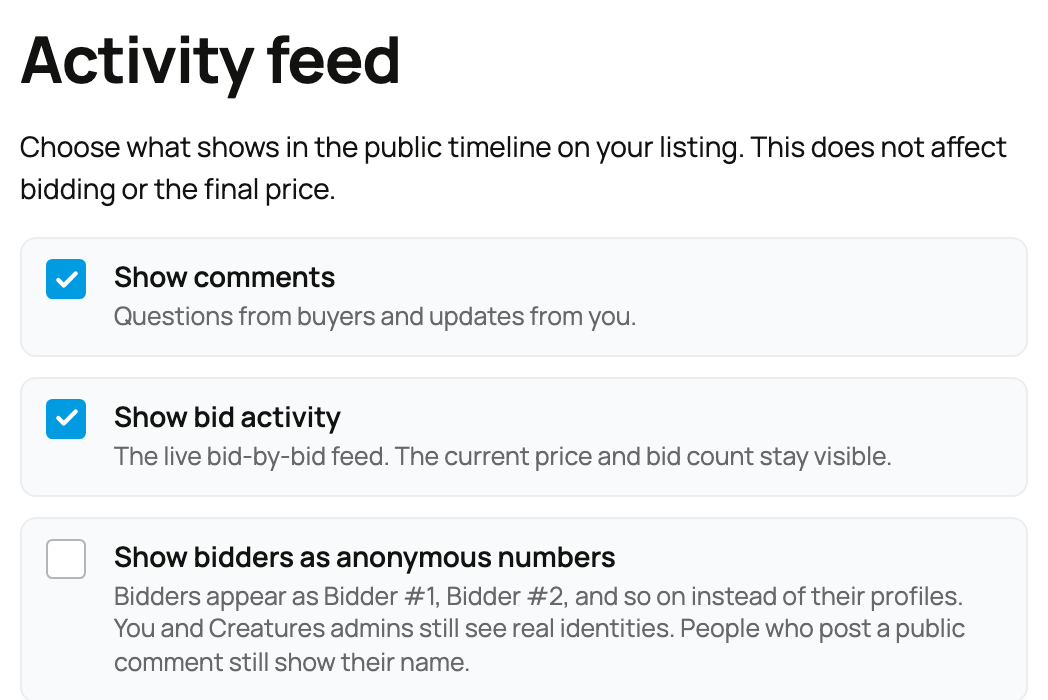
Set the listing presentation
Open the auction's listing setup and review these three choices:
- Show comments lets buyers ask public questions and lets you post updates.
- Show bid activity shows the bid-by-bid feed. Turning it off still leaves the current price and bid count visible.
- Show bidders as anonymous numbers replaces bidder names with labels such as Bidder #1 for other viewers.
You and Creatures administrators still see bidder identities. A bidder who writes a public comment remains named on that comment. On an anonymized auction, the winner can remain a numbered bidder to unrelated viewers after close.
Check the event policy
An event organizer can leave these choices to each seller or require one setting across every lot. Select Edit Event from event management to require comments or bid activity on or off, or choose real names or anonymous bidder numbers.
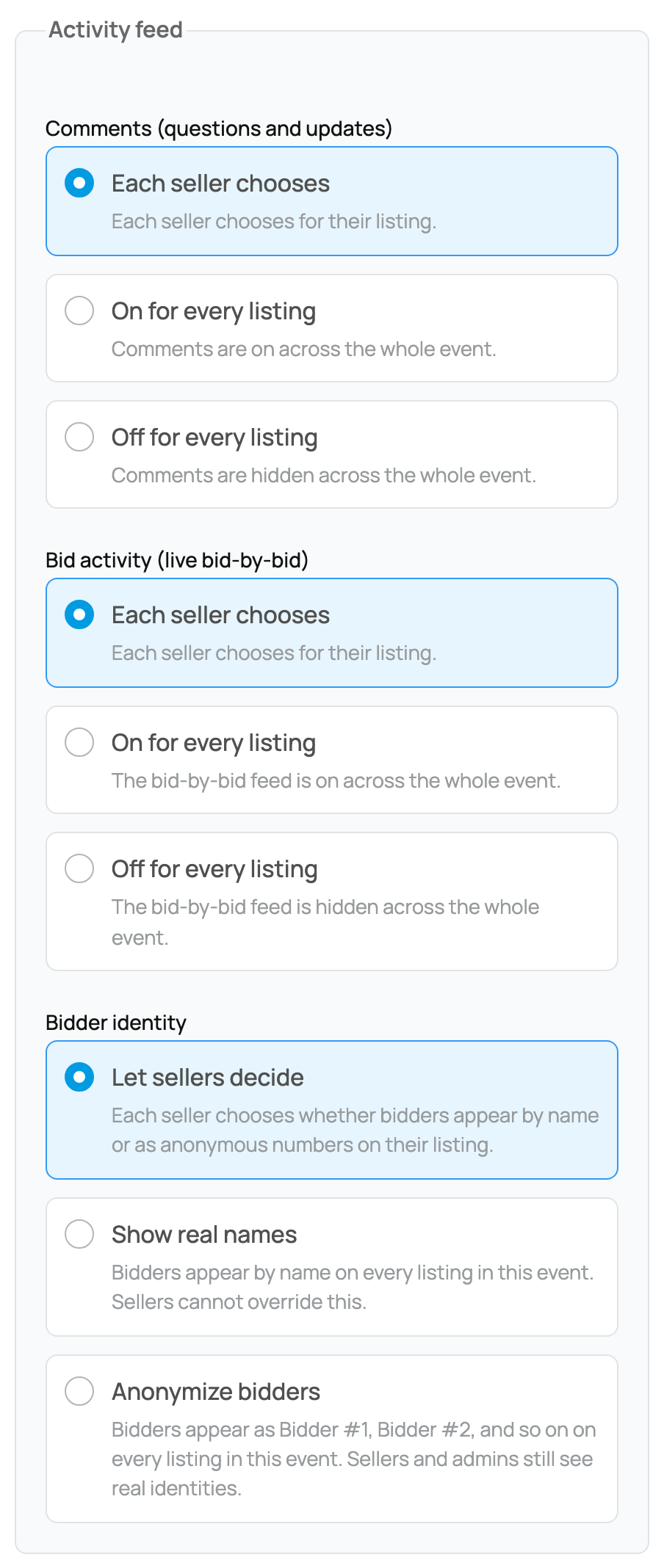
Review event rules before applying a listing. Once accepted, the event policy can override your original listing choice.
Choose for the sale you are running
Comments are useful when buyers need public clarification. A visible bid feed can build confidence in active competition. Anonymous bidder labels can reduce public exposure while leaving the seller able to manage the sale. State important animal and handoff facts in the listing itself so they do not depend on an optional comment thread.
What buyers can rely on
Turning off the detailed feed does not make an auction private. Buyers still need the current price, bid count, closing time, and listing terms to decide whether to participate. Anonymous numbers hide public names from other viewers; they do not hide the buyer from you or remove Creatures' sale record.
Review the public listing after saving. If comments are on, answer material questions where every bidder can see the same information. Update the listing itself when an answer changes a core fact.
Related information
Updated on: 03/09/2026
Thank you!